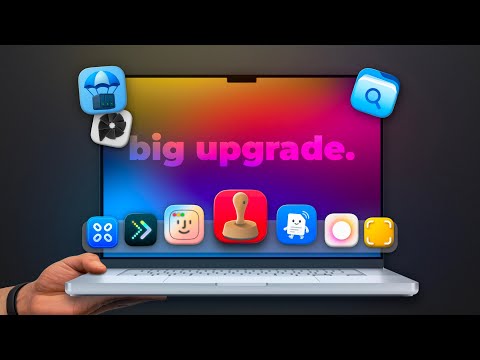
Enhancing your macOS experience and improving your workflow has never been easier. These ten Mac apps are specifically designed to address common challenges, optimize functionality, and make your daily tasks more efficient. Whether you’re a casual user or a professional, these tools offer practical solutions to help you maximize your Mac’s potential. From seamless file sharing to advanced multitasking, each app provides unique features tailored to specific needs. The video below from MacVince gives us a look at these awesome apps for the Mac.
1. Menudrop: Effortless File Sharing
Menudrop integrates AirDrop directly into your menu bar, making file sharing faster and more intuitive. With just a few clicks, you can transfer files or clipboard content without navigating through Finder. This free app is ideal for users who frequently move files between devices, offering both convenience and speed. Whether you’re sharing documents with colleagues or transferring photos to your iPhone, Menudrop simplifies the process.
2. Launch OS: A Smarter App Launcher
Launch OS redefines the macOS Launchpad with advanced customization options. You can organize your apps into grid layouts, enable scrolling views, or set up hot corners for quick access. The basic version is free, but upgrading to the Pro version for $12 unlocks additional features like personalized themes and app grouping. Launch OS is perfect for users who want to streamline their app management and enhance accessibility.
3. Pieoneer: Intuitive App Switching
Pieoneer is a versatile app switcher designed to adapt to your workflow. It offers quick actions and smooth animations, making multitasking effortless. Whether you’re switching between design software or managing multiple browser tabs, Pioneer ensures a seamless experience. Priced at $15 on the App Store, this app is a must-have for users who juggle multiple tasks and need a reliable way to stay organized.
4. Monocle: Distraction-Free Window Management
Monocle helps you maintain focus by blurring background windows, reducing visual distractions. You can customize the blur intensity and exclude specific apps from the effect, tailoring it to your preferences. At $9, Monle is an excellent tool for professionals who need to concentrate on one task at a time. Its minimalist design and functionality make it a valuable addition to any productivity toolkit.
5. DockDoor: Live Window Previews
DockDoor enhances your dock and app switcher by adding live previews of open windows. This feature allows you to quickly identify the content of each window without switching between apps. With customizable animations and a privacy-focused, open source design, Dock Door is both functional and secure. Best of all, it’s free to download from the developer’s website, making it an accessible upgrade for any Mac user.
6. CCC Corners: Advanced Hot Corners
CCC Corners takes macOS hot corners to the next level by allowing you to launch apps, activate shortcuts, or enable focus modes with optional key modifiers. This app is perfect for users who want to maximize productivity with minimal effort. Available for just $3 on the App Store, CCC Corners offers a simple yet powerful way to enhance your workflow and save time.
7. Substage: Simplified Terminal Commands
Substage uses local ChatGPT integration to generate terminal commands from natural language inputs. Whether you’re converting files, running batch operations, or automating tasks, Substage makes complex commands more accessible. With a subscription cost of $3.99 per month or a lifetime license for $30, this app is a powerful tool for advanced users who want to simplify their command-line experience.
8. Stempl: Customizable File Templates
Stempl streamlines file and folder creation by allowing you to use templates directly from Finder. This app is especially useful for professionals who frequently create structured directories or repetitive file types. At $14.99, Stempl saves time and ensures consistency in your projects. Whether you’re managing large-scale projects or organizing personal files, Stempl provides a practical solution.
9. Parachute: Local Backups for iCloud
Parachute gives you greater control over your data by creating local backups of iCloud files and photos. This app is ideal for users who want to safeguard their data without relying solely on cloud storage. At just $5 on the App Store, Parachute offers an affordable way to ensure your files are secure and easily accessible, even offline.
Folder Preview enhances file management by adding quick-look functionality to folders and zip files. This feature allows you to preview their contents without opening them, saving time and improving efficiency. Available for $3 on the App Store, Folder Preview is a simple yet effective upgrade for users who frequently work with large numbers of files.
Explore These Apps to Enhance Your Workflow
These ten Mac apps are designed to address specific challenges, enhance productivity, and customize your macOS experience. From simplifying file sharing and multitasking to improving backups and window management, each tool offers practical solutions for everyday tasks. Whether you’re a casual user looking for convenience or a professional seeking advanced functionality, these apps can help you work smarter and more efficiently. Explore these options today to unlock new levels of productivity and make the most of your Mac.
Gain further expertise in Mac productivity apps by checking out these recommendations.
Source & Image Credit: MacVince
Filed Under: Apple, Guides, Laptops
Latest Geeky Gadgets Deals
Disclosure: Some of our articles include affiliate links. If you buy something through one of these links, Geeky Gadgets may earn an affiliate commission. Learn about our Disclosure Policy.
Credit: Source link