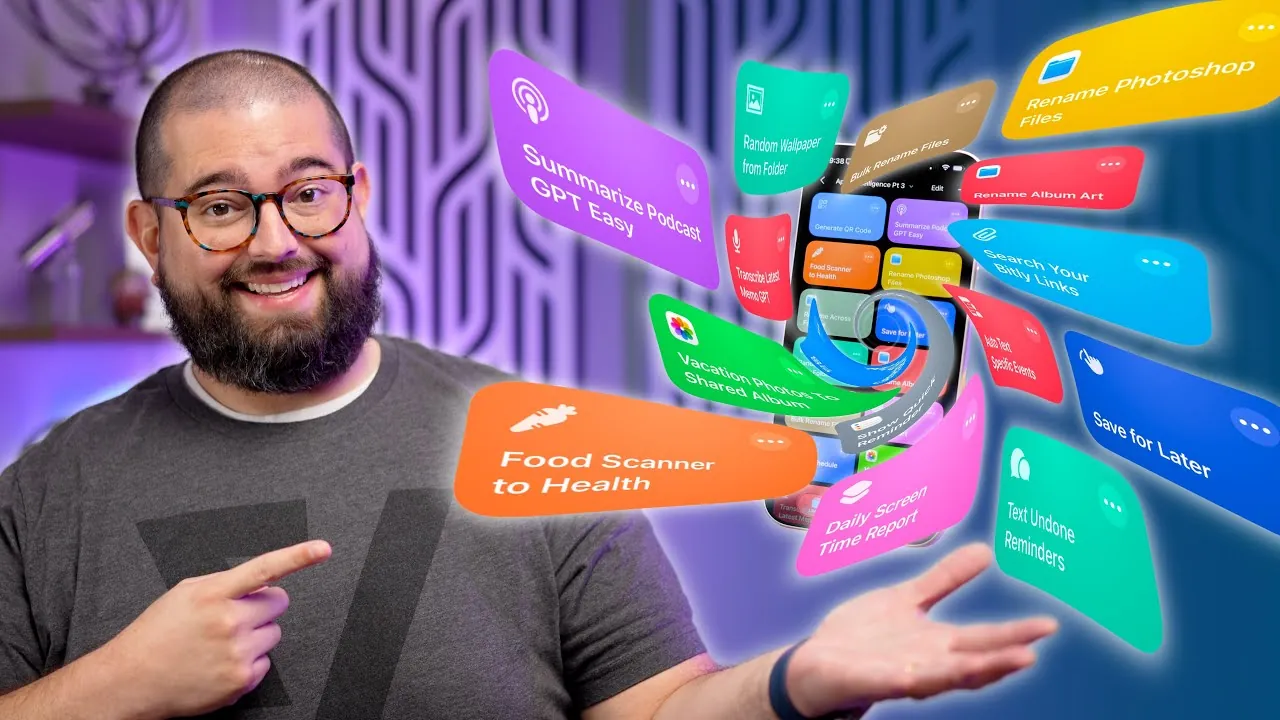
Apple Intelligence and ChatGPT are redefining how you approach daily tasks. With 15 innovative shortcuts, you can automate processes like tracking meals, summarizing podcasts, renaming files, and much more. These tools, powered by the advanced capabilities of iOS 26, are designed to enhance productivity and simplify your workflow. Here’s a detailed look at how these shortcuts can help you save time and stay organized in an awesome new video from Stephen Robles.

Podcast Summarization: Extract Key Insights Instantly
For avid Apple Podcasts users, this shortcut is an essential tool. By integrating ChatGPT, it generates detailed episode summaries, highlights critical points, and even provides timestamps—all directly within the app. While it is optimized for Apple Podcasts and excludes RSS feeds, it ensures you can quickly capture essential information without replaying entire episodes. Whether you’re keeping up with industry trends or enjoying entertainment, this shortcut helps you maximize the value of your listening experience.
Food Tracker and Scanner: Simplify Nutrition Management
Tracking your diet has never been easier. This shortcut allows you to scan barcodes or take photos of food items to instantly estimate nutritional details such as calories, protein, and other key metrics. ChatGPT processes the data and logs it into Apple Notes and Apple Health, creating a centralized record of your daily intake. Whether you’re pursuing health goals or monitoring your diet, this tool offers a practical and efficient solution for nutrition management.
Save for Later: Organize Digital Content Effortlessly
Never lose track of interesting content again. This shortcut enables you to save articles, videos, and social media posts directly to Apple Notes. Each saved item includes a title, summary, and link, which can be organized into folders for easy access. Whether you’re conducting research or bookmarking for leisure, this tool keeps your digital content neatly categorized, making sure you can retrieve it whenever needed.
File Renaming Made Simple
Managing files becomes seamless with this shortcut. Using ChatGPT, you can rename image files—such as album artwork—based on their content. Bulk renaming options include formatting adjustments like converting text to lowercase or replacing spaces with hyphens. This feature is particularly useful for maintaining consistent file naming conventions, especially when dealing with large collections of files.
Random Wallpaper Shortcut: Refresh Your Device Daily
Add a personal touch to your device with this shortcut. It automatically selects a random wallpaper from a designated folder and updates your screen daily. This simple yet effective feature keeps your device visually engaging and ensures a fresh look every day.
Screen Time Reports: Monitor and Manage Digital Habits
Stay informed about your screen usage with automated reports. This shortcut provides a quick overview of app and website activity for you or your family members. You can generate daily summaries and set reminders to encourage mindful device usage, helping you maintain a healthy balance between screen time and other activities.
Custom QR Code Creation: Add a Professional Edge
Creating QR codes is now more versatile than ever. This shortcut allows you to generate codes with customizable colors and rounded corners directly within Apple Shortcuts. Whether you’re using them for personal or professional purposes, this tool ensures your QR codes stand out with a polished and professional appearance.
Daily Reminders via Text: Stay Organized
Never miss a task again. This shortcut sends you a daily text message listing incomplete reminders, helping you stay on top of your to-do list. It’s a straightforward yet effective way to manage your schedule and ensure you remain productive throughout the day.
Photo Sharing to Shared Albums: Share Memories Instantly
Easily share photos with this shortcut. It allows you to add pictures taken on a specific day to a shared album in just a few taps. Whether you’re collaborating on projects or sharing moments with loved ones, this tool simplifies the process of organizing and sharing images.
Voice Memo Transcription: Save Time on Documentation
Turn your voice memos into detailed text summaries or full transcripts with this shortcut. ChatGPT processes audio recordings into written content, making it ideal for meeting notes, interviews, or lengthy recordings. This feature saves time and ensures accurate documentation of important conversations.
Weekly Calendar Reports: Plan Ahead with Ease
Keep track of your week with automated calendar summaries. This shortcut generates a concise report of your events, which you can share via text or email. It’s a practical way to stay informed, plan ahead, and ensure you never miss important appointments or deadlines.
Bill Reminder Notifications: Stay on Top of Payments
Avoid late payments with this shortcut. It scans your calendar for events containing the word “bill” and sends you text notifications as reminders. This simple automation ensures you stay on top of your financial obligations and avoid unnecessary fees.
Bit.ly Integration: Simplify URL Management
Managing URLs is easier than ever with this shortcut. It integrates with the Bit.ly API to create and manage shortened links. You can also search for saved links, making it convenient to access frequently used URLs and streamline your online activities.
Genius Link Integration: Optimize Affiliate Marketing
For affiliate marketers, this shortcut is an invaluable tool. It enables you to generate affiliate links and manage groups of links efficiently. By simplifying the process of tracking and optimizing affiliate campaigns, this tool saves time and enhances your marketing efforts.
New iOS 26 Features: Unlock Advanced Automation
The latest iOS 26 update introduces exciting new features, including enhanced QR code customization and a “Show Quick Reminder” action for faster reminder creation. These updates expand the capabilities of Apple Shortcuts, making automation more intuitive and versatile for users.
Enhance Your Daily Workflow with Apple Shortcuts
These 15 shortcuts highlight the potential of Apple Intelligence and ChatGPT in simplifying everyday tasks. From food tracking to podcast summarization, file management, and beyond, these tools are designed to enhance productivity and organization. By using the latest iOS 26 features, you can create custom automations tailored to your needs, making sure a more efficient and streamlined workflow.
Advance your skills in ChatGPT automation by reading more of our detailed content.
Source & Image Credit: Stephen Robles
Filed Under: Apple, Apple iPhone, Guides
Latest Geeky Gadgets Deals
Disclosure: Some of our articles include affiliate links. If you buy something through one of these links, Geeky Gadgets may earn an affiliate commission. Learn about our Disclosure Policy.
Credit: Source link