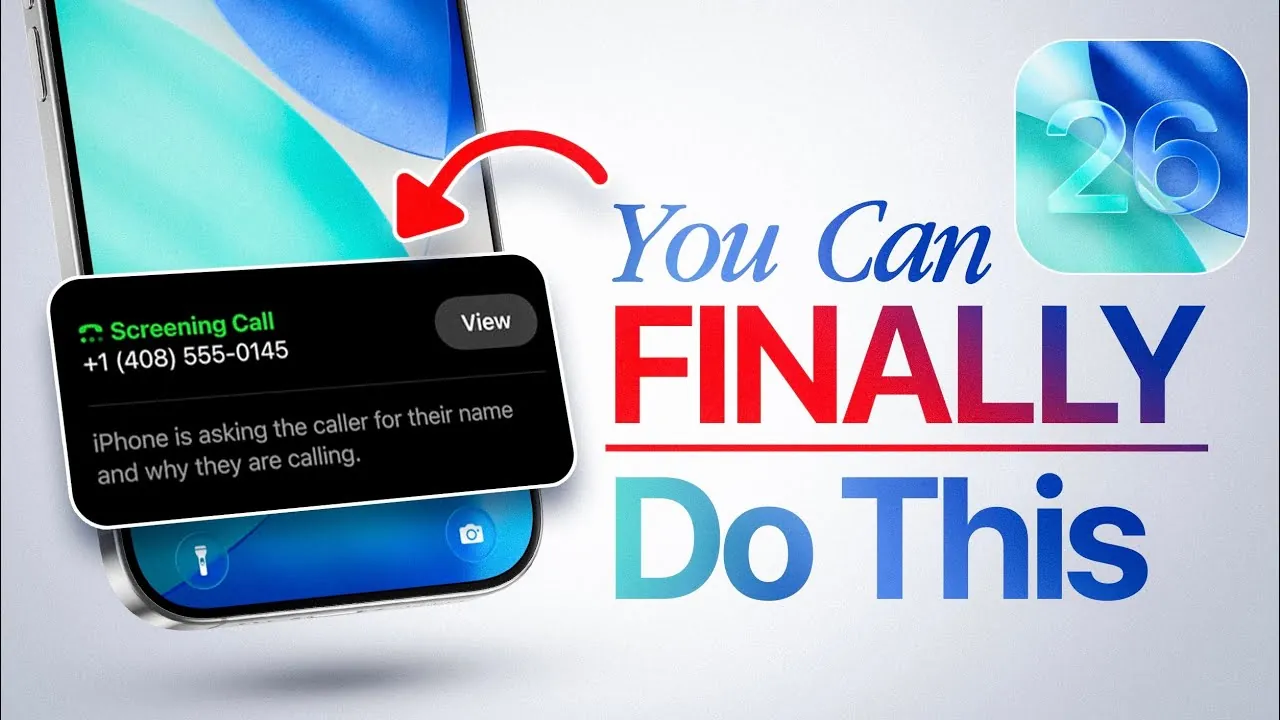
Apple’s iOS 26, currently in beta testing as of June 2025, introduces a wide array of features designed to enhance customization, functionality, and user convenience. This update aims to make your iPhone more versatile, intuitive, and aligned with your personal preferences. From advanced lock screen personalization to AI-powered tools, iOS 26 offers practical solutions for both tech enthusiasts and everyday users. These updates are crafted to streamline tasks, improve efficiency, and elevate the overall user experience. The video below from iDeviceHelp gives us more details on the update.

Lock Screen Customization: A New Level of Control
iOS 26 redefines how you interact with your lock screen, offering unprecedented flexibility in design and functionality. You can now resize the clock to better suit your aesthetic preferences or reposition widgets for easier access. Whether you prioritize functionality or style, these updates allow you to create a lock screen layout tailored to your specific needs.
Additionally, new widget options provide real-time updates for apps like weather, fitness, and calendar events, making sure that the information you need is always at your fingertips. This enhanced personalization ensures your iPhone feels more practical and uniquely yours.
Streamlined Ringtone Settings
Customizing ringtones has never been easier. With iOS 26, you can assign any audio file as a ringtone directly from the Files app. This eliminates the need for third-party apps or complex processes, simplifying the way you personalize your phone’s sound notifications.
Whether it’s a favorite song, a voice recording, or a unique sound effect, setting ringtones is now a seamless and intuitive experience. This feature not only saves time but also enables users to make their devices more reflective of their individual tastes.
Photo and Wallpaper Upgrades
Photography enthusiasts and casual users alike will appreciate the advanced photo editing tools introduced in iOS 26. One standout feature is the ability to transform 2D images into 3D photos, adding depth and a spatial effect to your pictures. This capability extends to wallpapers, allowing dynamic and immersive designs for both your lock screen and home screen.
These upgrades make your device feel more vibrant and visually engaging. Whether you’re creating a unique wallpaper or enhancing a cherished photo, these tools provide a new level of creative expression.
AI-Powered Creativity with Images
The integration of AI tools in iOS 26 unlocks new creative possibilities. With features like ChatGPT, you can generate images in various artistic styles, such as watercolor, anime, or oil painting, directly on your device. The “Genoji” feature takes personalization a step further by allowing you to create custom avatars from your photos.
These tools make it easier than ever to explore and share your creativity. Whether you’re designing a unique profile picture or experimenting with artistic styles, iOS 26 provides the resources to bring your ideas to life.
Smarter Call Management
Managing calls becomes significantly more efficient with iOS 26’s new features. The update introduces tools to filter out spam or unknown callers, making sure that only important calls come through. A call screening tool prompts unknown callers to identify themselves before your phone rings, giving you greater control over interruptions.
Additionally, if you’re placed on hold during a call, your iPhone can now notify you when the caller is back. This feature saves time and reduces frustration, making call management more convenient and user-friendly.
Enhanced Screenshot Functionality
Screenshots in iOS 26 are no longer just static images. The update introduces tools that allow you to highlight text or icons for quick searches, translate text directly within screenshots, or even add events to your calendar without leaving the image.
These features transform screenshots into a productivity powerhouse, helping you stay organized and efficient. Whether you’re capturing important information or planning your schedule, iOS 26 ensures that screenshots are a valuable tool in your daily life.
Messages App: Better Group Chats
Group chats in the Messages app receive significant upgrades in iOS 26. You can now customize conversation backgrounds with wallpapers or colors, adding a personal touch to your chats. The ability to create polls simplifies group decision-making, while typing indicators in group conversations keep you informed about ongoing discussions.
These updates make group interactions more engaging and collaborative, enhancing the way you communicate with friends, family, and colleagues. Whether you’re planning an event or catching up with loved ones, the improved Messages app ensures a smoother and more enjoyable experience.
Why iOS 26 Matters
iOS 26 represents a significant step forward in making your iPhone a tool that adapts to your lifestyle. From lock screen customization to AI-driven creativity, the update is designed to enhance both functionality and personalization.
Whether you’re managing calls, editing photos, or improving group chat interactions, iOS 26 equips you with tools to simplify tasks and express yourself. As the official release approaches, this update promises to redefine how you use your iPhone, making it more intuitive, versatile, and aligned with your daily needs.
Check out more relevant guides from our extensive collection on iOS 26 features that you might find useful.
Source & Image Credit: iDeviceHelp
Filed Under: Apple, Apple iPhone, Technology News, Top News
Latest Geeky Gadgets Deals
Disclosure: Some of our articles include affiliate links. If you buy something through one of these links, Geeky Gadgets may earn an affiliate commission. Learn about our Disclosure Policy.
Credit: Source link