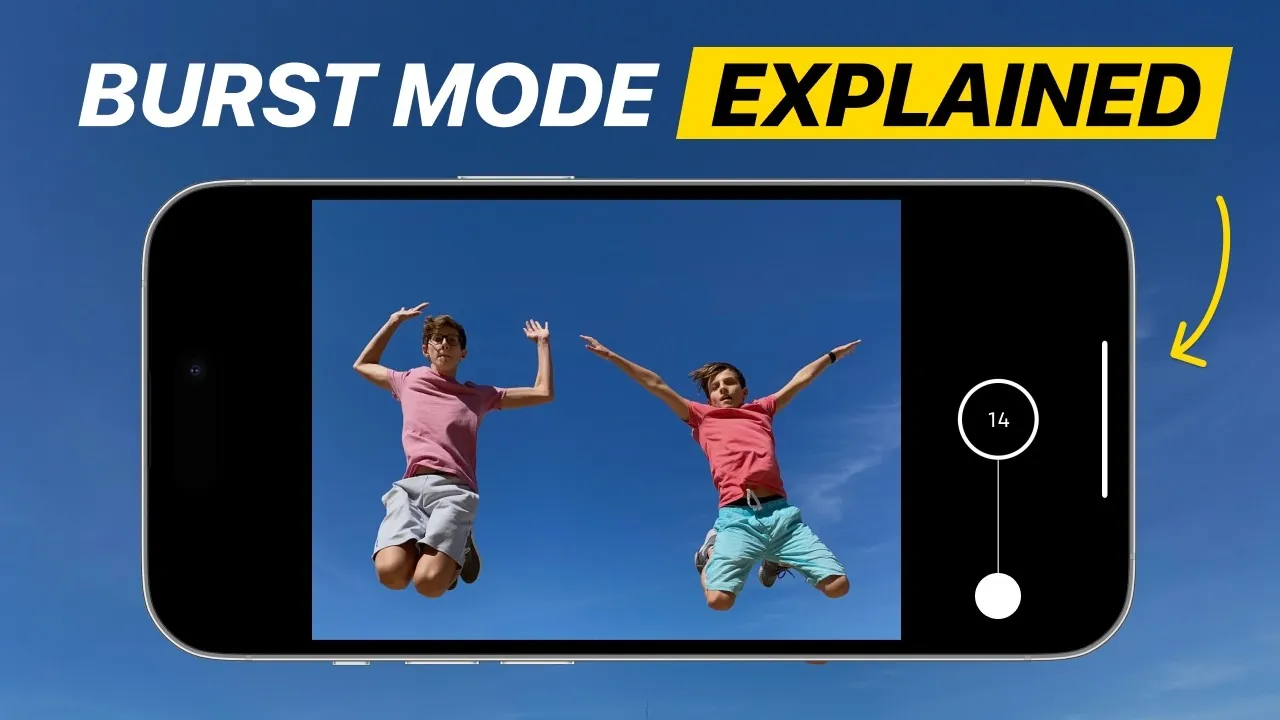
Capturing the perfect action shot can be challenging, especially when dealing with fast-moving subjects. The iPhone’s burst mode offers a straightforward yet powerful solution, allowing you to take multiple photos in rapid succession. Whether you’re photographing sports, dynamic poses, or fleeting moments, this feature ensures you never miss the ideal shot. By understanding how to use burst mode effectively, you can elevate your action photography and capture moments with precision. The video below from iPhone Photography School gives us more details on how to get the most out of Burst mode on the iPhone.

What Is Burst Mode?
Burst mode is a feature designed to capture approximately 10 photos per second, making it ideal for fast-paced scenarios where timing is critical. Whether it’s a soccer player scoring a goal, a dancer mid-leap, or a pet in motion, burst mode significantly increases your chances of capturing the perfect frame. By taking a rapid series of images, you can freeze moments that might otherwise be missed. This feature is particularly useful for situations where every fraction of a second counts, making sure you don’t lose the essence of the action.
How to Use Burst Mode
Activating burst mode on your iPhone is quick and intuitive, allowing you to focus on the action without being distracted by complex settings. Here are two simple methods to get started:
- On-screen method: Open the Camera app and drag the shutter button upward to initiate burst mode. This method is ideal for users who prefer on-screen controls.
- Physical button shortcut: Press and hold the volume up button to activate burst mode. This option provides a more tactile and convenient way to capture bursts, especially in fast-paced scenarios.
Both methods are designed to ensure you’re ready to capture the moment as it happens, minimizing the risk of missing critical shots.
Tips for Capturing Better Action Shots
To maximize the potential of burst mode, consider these practical tips for improved composition and framing:
- Choose a clean background: Position your subject against a simple backdrop, such as the sky, a plain wall, or an uncluttered environment. This helps emphasize the action and keeps the focus on your subject.
- Experiment with angles: Shooting from a low angle can make your subject appear more dynamic and add depth to the image. Alternatively, try capturing the action from unique perspectives to create visually striking photos.
- Guide your subject: If possible, provide instructions to your subject. For example, ask them to extend their arms, bend their knees, or hold a specific pose during a jump to enhance the visual impact of the shot.
Lighting plays a crucial role in action photography. Natural light often produces the best results, but if you’re shooting indoors, ensure your subject is well-lit to minimize motion blur and graininess. Adjusting your shooting position to make the most of available light can also improve the clarity and vibrancy of your images.
Reviewing and Selecting the Best Shots
After capturing a burst series, the images are automatically grouped together in your Photos app for easy review. Tap the stack and select “Select” to view each frame individually. This process allows you to:
- Identify the sharpest shots: Look for frames with clear details and minimal motion blur to ensure high-quality results.
- Discard unwanted frames: Remove less appealing images to save storage space and keep your photo library organized.
By carefully reviewing your burst images, you can select the frames that best capture the energy and emotion of the moment. This step is essential for creating a cohesive and impactful visual story.
Creative Uses for Burst Mode
Burst mode is a versatile tool that can be applied to a wide range of scenarios, making it an essential feature for action photography. Here are some creative ways to use it:
- Sports photography: Capture key moments, such as a player scoring a goal, celebrating a victory, or making a dramatic play.
- Motion photography: Freeze movement, such as people running, cycling, or walking through a frame, to create dynamic and engaging images.
- Dynamic posing: Perfectly capture jumps, spins, or other action-packed poses, making sure every detail is preserved.
- Candid moments: Use burst mode to capture spontaneous expressions, interactions, or fleeting moments that might otherwise go unnoticed.
This feature is particularly effective for situations where timing and spontaneity are critical, allowing you to document events with precision and creativity.
Maximizing Burst Mode’s Potential
To achieve the best results with burst mode, practice and experimentation are key. Use this feature whenever movement is involved, and explore different techniques to enhance your photos. Consider the following approaches:
- Experiment with angles: Try shooting from various perspectives to create unique and visually compelling images.
- Adapt to lighting conditions: Adjust your position or settings to make the most of available light, whether you’re shooting outdoors or indoors.
- Encourage dynamic poses: Work with your subject to create energetic and visually interesting compositions that capture the essence of the action.
With consistent practice, you’ll develop an eye for capturing dynamic, visually striking photos that stand out and tell a story.
Elevate Your Action Photography
The iPhone’s burst mode is a powerful tool for capturing high-quality images of moving subjects. By mastering this feature, you can ensure you never miss a critical moment, whether it’s a child playing, a pet running, or a friend leaping into the air. With thoughtful composition, proper lighting, and careful photo selection, burst mode allows you to create stunning images that convey energy, emotion, and movement. Embrace the possibilities of burst mode and take your action photography to the next level.
Uncover more insights about iPhone burst mode in previous articles we have written.
Source & Image Credit: iPhone Photography School
Filed Under: Apple, Apple iPhone, Guides
Latest Geeky Gadgets Deals
Disclosure: Some of our articles include affiliate links. If you buy something through one of these links, Geeky Gadgets may earn an affiliate commission. Learn about our Disclosure Policy.
Credit: Source link