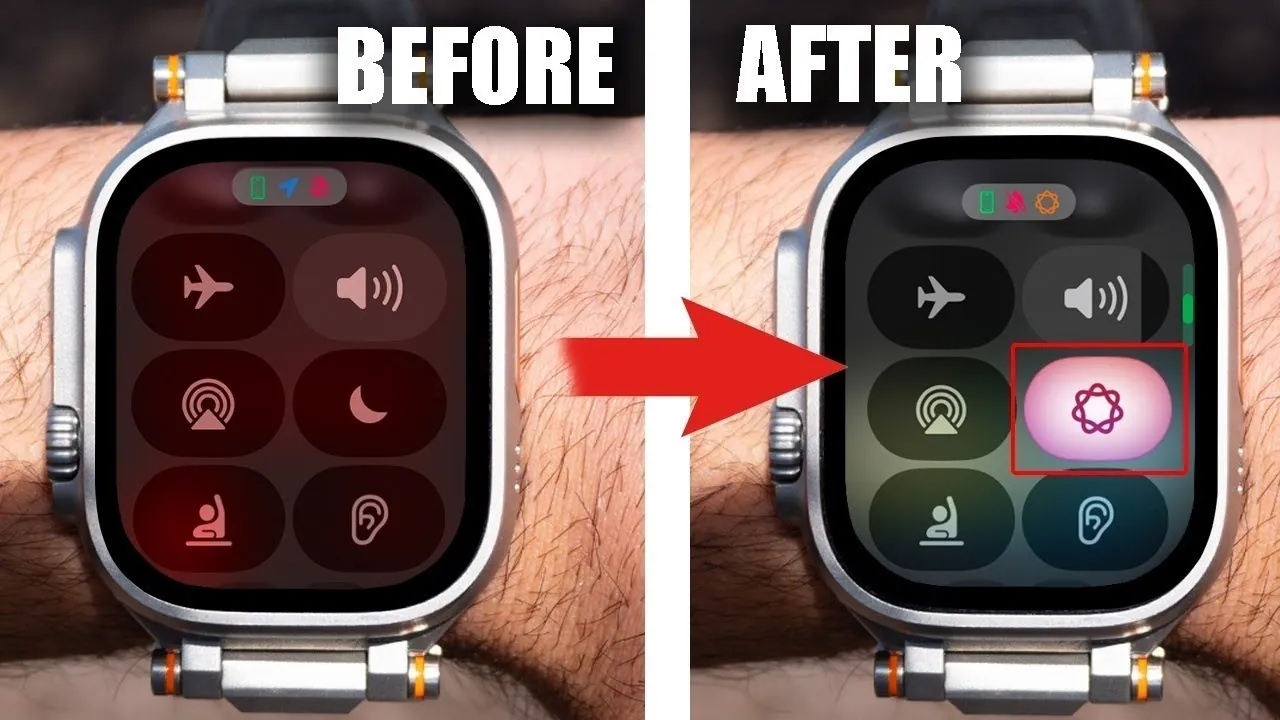
The Apple Watch is more than just a stylish accessory—it’s a multifunctional device designed to enhance your daily life. Packed with features that go beyond telling time, it can help you stay organized, improve productivity, and even support your fitness goals. Whether you’re a long-time user or just starting out, understanding its capabilities can help you make the most of this innovative device. The video below from HotshotTek gives us more details.

Use Your Apple Watch as a Camera Remote
Your Apple Watch can serve as a convenient remote control for your iPhone’s camera, making it an invaluable tool for capturing moments. This feature is particularly useful for group photos or selfies, allowing you to position your phone and snap pictures without physically touching it. Additionally, the watch lets you preview the camera feed, which is helpful for inspecting hard-to-reach areas or framing shots perfectly. If you’ve misplaced your iPhone, opening the camera app on your watch can even help you locate it discreetly by activating the camera feed.
Streamline Your Workflow with Focus Mode
Focus Mode is a powerful tool for reducing distractions and maintaining productivity. By syncing Focus Mode across all your Apple devices, you can create a seamless environment tailored to your needs. Customizing Focus Modes for specific activities can further enhance its utility. For example:
- Set up a “Workout” mode to silence non-essential notifications and display a motivational background.
- Create a “Work” mode with restricted notifications and a professional icon to help you concentrate on tasks.
These personalized settings ensure that your Apple Watch supports your goals, whether you’re exercising, working, or relaxing.
Master App Management and Reset Techniques
Keeping your Apple Watch running smoothly requires effective app management and knowing how to troubleshoot minor issues. If an app becomes unresponsive, consider these quick fixes:
- Perform a soft reset by holding the power button and digital crown simultaneously until the Apple logo appears.
- Force close an app by pressing and holding the side button until the power screen appears, then releasing it and holding the digital crown.
These techniques can resolve minor glitches, making sure your watch operates efficiently without unnecessary interruptions.
Make the Most of Customizable Watch Bands
Apple Watch bands are more than just a fashion statement—they’re a practical way to adapt your watch to different situations. For instance:
- Velcro bands can protect your watch screen when stored in a pocket, reducing the risk of scratches.
- Switching bands allows you to tailor your watch for various activities, such as workouts, formal events, or casual outings.
This versatility ensures your Apple Watch is always suited to your needs, whether you’re heading to the gym or attending a business meeting.
Optimize Timers and Workouts
The timer and workout features on your Apple Watch are designed to be flexible and efficient. Here’s how you can maximize their potential:
- Set multiple timers simultaneously and manage them effortlessly using Siri for hands-free convenience.
- Skip the standard 3-second countdown in the Workout app by tapping the screen, saving valuable time during your exercise routine.
These small adjustments can make a significant difference in your daily routine, helping you stay on track and achieve your goals more effectively.
Extend Battery Life with Smart Management
Battery life is a critical aspect of any wearable device, and the Apple Watch offers several ways to optimize it. Consider these strategies:
- Monitor the battery levels of all paired devices directly from your watch to stay informed.
- Enable Nightstand Mode to use your watch as a bedside clock while it charges overnight.
- Override battery optimization settings when you need a full charge for extended use, such as during travel or long events.
By implementing these tips, you can ensure your Apple Watch remains functional throughout the day without compromising its performance.
Enhance Convenience with Call and Display Features
The Apple Watch is designed to make everyday tasks more convenient, particularly when it comes to calls and display settings. Here’s how:
- Transfer calls seamlessly between your watch and iPhone, allowing you to switch devices effortlessly during conversations.
- Activate Theater Mode to disable the always-on display and prevent accidental screen activations. The red flashlight in this mode is especially useful for preserving night vision in low-light environments.
These features ensure your Apple Watch adapts to your lifestyle, providing flexibility and ease of use in various situations.
Use Accessibility and Haptic Feedback
Accessibility features on the Apple Watch are designed to make the device more user-friendly for everyone. Some key options include:
- Tapping the screen with two fingers prompts Siri to read the time aloud, a feature particularly helpful for visually impaired users.
- Customize haptic feedback and ringtone settings in the Sound and Haptics menu to suit your preferences, making sure you never miss an alert.
These tools enhance the usability of your Apple Watch, making it a more inclusive and adaptable device for all users.
Transform Your Apple Watch Experience
By exploring and using these features, you can unlock the full potential of your Apple Watch. From optimizing battery life and customizing Focus Modes to creatively using the camera app and using accessibility options, these tips can help you tailor the device to your unique needs. Take the time to experiment with these functionalities and discover how your Apple Watch can become an indispensable part of your daily routine.
Stay informed about the latest in Apple Watch tips by exploring our other resources and articles.
Source & Image Credit: HotshotTek
Filed Under: Apple, Gadgets News, Guides, Top News
Latest Geeky Gadgets Deals
Disclosure: Some of our articles include affiliate links. If you buy something through one of these links, Geeky Gadgets may earn an affiliate commission. Learn about our Disclosure Policy.
Credit: Source link