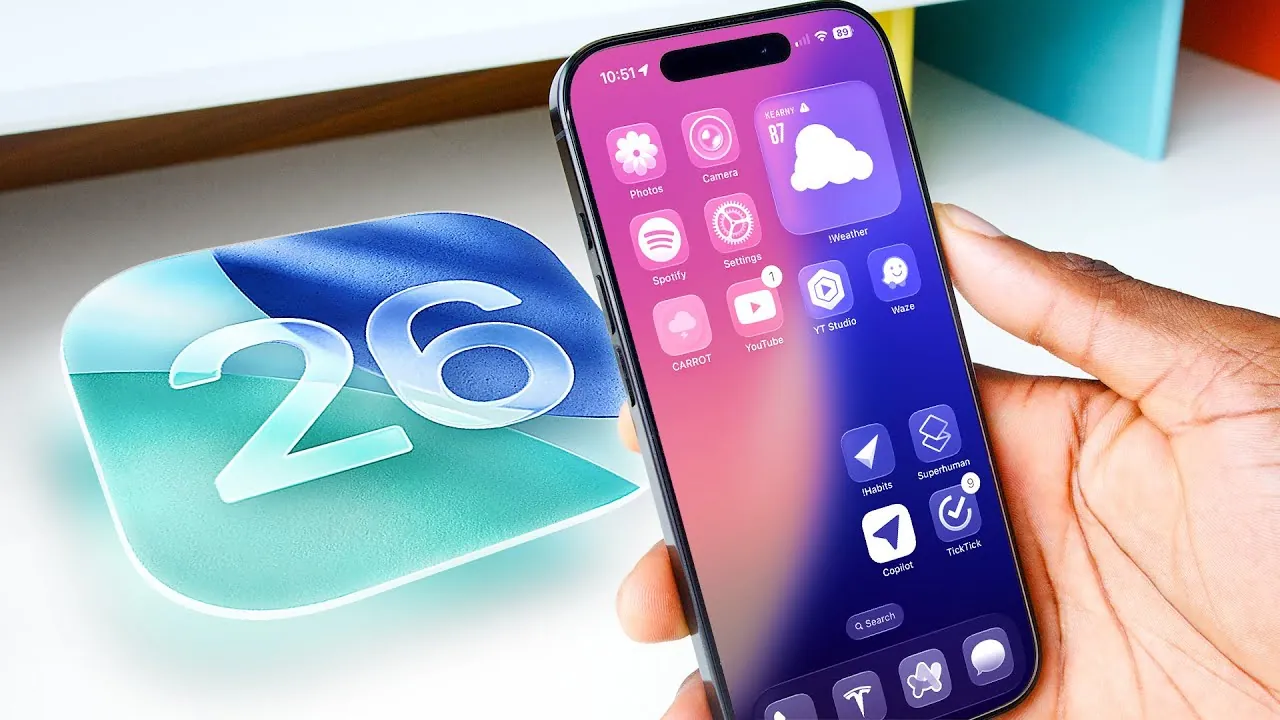
Apple’s iOS 26 represents a significant step forward in mobile software, combining advanced AI-driven enhancements, a refined design language, and practical updates that cater to both casual users and tech enthusiasts. This release focuses on making your device smarter, more visually appealing, and efficient in everyday tasks. In the video below
Marques Brownlee explores the top features that define iOS 26, including Liquid Glass, making sure you understand its most impactful updates.

1. Redesigned Camera App
The Camera app in iOS 26 has been thoughtfully reimagined to enhance usability while maintaining its powerful capabilities. The interface now features a cleaner layout, with frequently used tools prominently displayed for quicker access. Advanced settings, such as photo resolution, video format options, and manual adjustments, are better organized, making them easier to locate and use. Whether you’re capturing spontaneous moments or experimenting with professional-grade photography, this redesign ensures a seamless and intuitive experience.
For photography enthusiasts, the app introduces AI-guided composition suggestions, helping you frame shots more effectively. Additionally, the new Pro Mode offers granular control over exposure, focus, and white balance, catering to users who demand precision. This redesign strikes a balance between simplicity and functionality, making it accessible to all users.
2. Smarter Visual Intelligence
iOS 26 uses advanced artificial intelligence to redefine how your device interacts with visual content. The updated visual intelligence system can now identify objects, text, and scenes with remarkable accuracy. This capability powers features such as real-time reverse image search, allowing you to instantly gather information about objects or landmarks by simply pointing your camera at them.
Another standout feature is the ability to extract event details from images, such as posters or invitations, and automatically add them to your calendar. This eliminates the need for manual input, saving time and reducing errors. These AI-driven enhancements transform your device into a proactive assistant, streamlining everyday tasks and improving productivity.
3. Upgraded Phone App
The Phone app in iOS 26 has been overhauled to prioritize call management and user convenience. Key updates include:
- Call screening with transcription, allowing you to review unknown calls in text form before deciding whether to answer.
- The innovative Hold Assist feature monitors calls placed on hold and notifies you when a representative is available.
- A unified interface that combines favorites, recent calls, and voicemails into a single, streamlined view.
These updates are complemented by cross-device compatibility, allowing you to handle calls seamlessly across your iPhone, iPad, and Mac. Whether you’re managing personal or professional communication, these enhancements make the Phone app more efficient and user-friendly.
4. Enhanced Apple CarPlay
Apple CarPlay in iOS 26 introduces several updates designed to improve both safety and functionality while driving. Notifications for calls and messages are now less intrusive, making sure you can stay focused on the road. The addition of customizable widgets and live dashboard activities provides real-time updates, such as navigation prompts, weather conditions, and music controls, tailored to your preferences.
The refreshed design also includes multi-screen support, allowing you to view navigation on one screen while controlling media or checking notifications on another. These improvements make CarPlay a more integral and enjoyable part of your driving experience, blending convenience with safety.
5. Liquid Glass Design
iOS 26 introduces a bold new design language called Liquid Glass UI, which emphasizes transparency and reflective elements to create a dynamic, modern aesthetic. This design is evident throughout the operating system, from the lock screen to app interfaces. The lock screen now features customizable clocks and integrated notifications, blending style with functionality.
For users concerned about accessibility, iOS 26 offers options to reduce transparency, ensuring better readability without compromising the overall design. While opinions on the Liquid Glass UI may vary, it undeniably sets a new standard for visual innovation, making the operating system feel fresh and futuristic.
Additional Features to Explore
Beyond the headline features, iOS 26 includes several smaller but impactful updates that enhance everyday usability:
- An upgraded Photos app with a more intuitive library view and a new 3D spatial scene feature that separates subjects from backgrounds for creative editing.
- Offline live translation allows seamless communication without requiring an internet connection.
- New Messages features, such as inline polls, typing indicators, and customizable chat backgrounds, make conversations more interactive and personal.
- Charging time estimation, helping you plan your day more effectively, and customizable alarm snooze durations for added flexibility.
- An audio input selector in the Control Center allows quick adjustments for connected devices like headphones or speakers.
Why iOS 26 Stands Out
iOS 26 strikes a thoughtful balance between innovative design and practical functionality. From the streamlined Camera app to the smarter Phone app and the futuristic Liquid Glass UI, this update redefines how you interact with your device. Its AI-driven features and personalized enhancements cater to a wide range of users, making technology more intuitive and efficient. Whether you’re drawn to its visual appeal or its practical upgrades, iOS 26 offers a compelling step forward in mobile innovation.
Browse through more resources below from our in-depth content covering more areas on iOS 26 Features.
Source & Image Credit: Marques Brownlee
Filed Under: Apple, Apple iPhone, Top News
Latest Geeky Gadgets Deals
Disclosure: Some of our articles include affiliate links. If you buy something through one of these links, Geeky Gadgets may earn an affiliate commission. Learn about our Disclosure Policy.
Credit: Source link