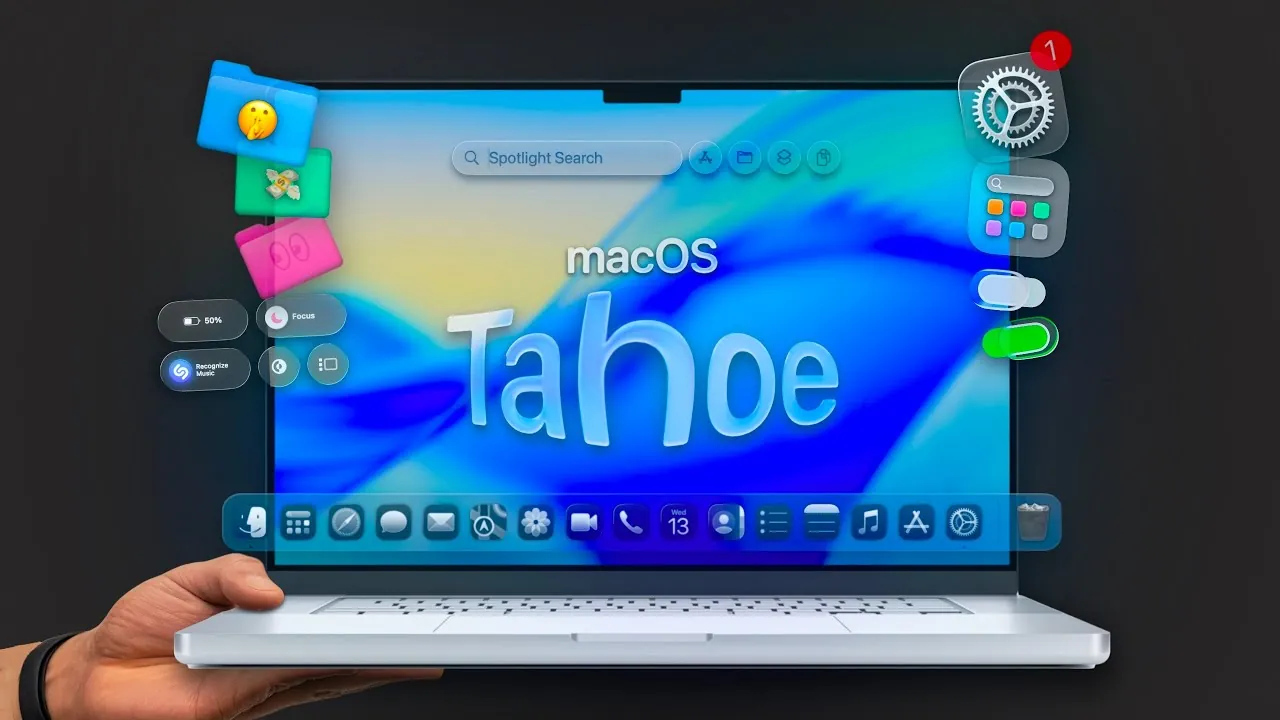
macOS Tahoe introduces a robust suite of features and customization options, designed to enhance both functionality and personalization. Whether your goal is to streamline workflows, improve system efficiency, or tailor the aesthetics of your Mac, this update provides tools to meet diverse needs. By exploring and adjusting the key settings outlined below in the video below from MacVince, you can unlock the full potential of macOS Tahoe and create a computing experience that aligns with your preferences.

Appearance Customization: Tailor Your Mac to Reflect Your Style
macOS Tahoe offers expanded options for personalizing your Mac’s appearance, allowing you to create a workspace that is both visually appealing and highly functional. These features allow for greater control over how your Mac looks and feels:
- New Themes: Choose from a variety of fresh themes to give your Mac a distinctive and modern look.
- Custom Icons and Widgets: Personalize your desktop by adding emojis or custom icons to folders and apps, improving both organization and aesthetics.
- Folder Tints: Assign unique colors to folders, making it easier to visually categorize and locate files at a glance.
- Lock Screen Updates: Adjust clock fonts, styles, and layouts to match your preferences, adding a personal touch to your lock screen.
- Reduce Transparency: Simplify the interface for a cleaner, classic appearance, which can also enhance performance on older devices.
These customization tools empower you to design a workspace that not only reflects your personality but also improves efficiency and usability.
Control Center Enhancements: Simplify Access to Essential Tools
The redesigned Control Center in macOS Tahoe introduces greater flexibility and customization, making sure that your most-used tools are always within reach. Key improvements include:
- Customizable Toggles: Access over 70 toggles to enable features like low power mode, split-screen tiling, dark mode, and screen recording, all from a single location.
- Resizable Toggles: Adjust the size of toggles to improve visibility and usability, especially on larger screens.
- Menu Bar Integration: Pin frequently used toggles to the menu bar for quick and convenient access.
- App Icon Management: Reduce clutter by blocking app icons from appearing in the menu bar, creating a cleaner and more organized interface.
These enhancements streamline your workflow, saving time and making sure that essential tools are always accessible when you need them.
Spotlight Search: Enhanced Efficiency and Privacy
Spotlight Search in macOS Tahoe has been upgraded to deliver faster results, smarter functionality, and improved privacy controls. These updates make it an indispensable tool for navigating your Mac:
- Keyboard Shortcuts: Quickly access apps, files, Siri shortcuts, and clipboard history with intuitive new shortcuts.
- Customizable Actions: Automate repetitive tasks by creating quick keys tailored to your workflow.
- Privacy Controls: Take control of what Spotlight indexes by disabling search history tracking or excluding specific apps and files from results.
These improvements not only enhance the speed and functionality of Spotlight but also ensure that your privacy is protected while using this powerful search tool.
Shortcuts and Automations: Streamline Repetitive Processes
macOS Tahoe bridges the gap between iPhone and Mac with enhanced shortcuts and automation capabilities. These features are particularly valuable for users managing complex workflows or repetitive tasks:
- Cross-Device Integration: Seamlessly import automations from your iPhone and expand them with Mac-exclusive options for greater flexibility.
- File Sorting: Automatically organize files into subfolders based on their content, saving time and reducing manual effort.
- Trigger Actions: Set up automations to perform specific tasks, such as launching apps or executing scripts when an external drive is connected.
By using these tools, you can simplify routine processes and focus on more critical aspects of your work, improving overall productivity.
Additional Features: Subtle Enhancements for a Better Experience
Beyond the major updates, macOS Tahoe introduces several smaller features that collectively enhance usability and aesthetics. These additions may seem minor, but they have a significant impact on the overall user experience:
- Dark Mode for PDFs: Reduce eye strain by allowing dark mode when reading documents in low-light environments, making late-night work sessions more comfortable.
- macOS Phone App: Make and receive calls directly from your Mac, making sure seamless communication without needing to switch devices.
- Live Activities: Stay organized with real-time updates for apps like Calendar and Reminders, displayed conveniently in the menu bar.
These features, while subtle, contribute to a more cohesive and user-friendly experience, making sure that macOS Tahoe caters to a wide range of user needs.
Maximizing the Benefits of macOS Tahoe
macOS Tahoe represents a significant step forward in customization, functionality, and user-centric design. By exploring and adjusting the 26 essential settings outlined above, you can create a Mac experience that is tailored to your unique requirements. Whether you’re a casual user looking for aesthetic improvements or a professional seeking to optimize workflows, macOS Tahoe provides the tools to enhance your productivity and enjoyment. Take the time to familiarize yourself with these features and unlock the full potential of your Mac today.
Discover other guides from our vast content that could be of interest on macOS Tahoe customization.
Source & Image Credit: MacVince
Filed Under: Gadgets News
Latest Geeky Gadgets Deals
Disclosure: Some of our articles include affiliate links. If you buy something through one of these links, Geeky Gadgets may earn an affiliate commission. Learn about our Disclosure Policy.
Credit: Source link