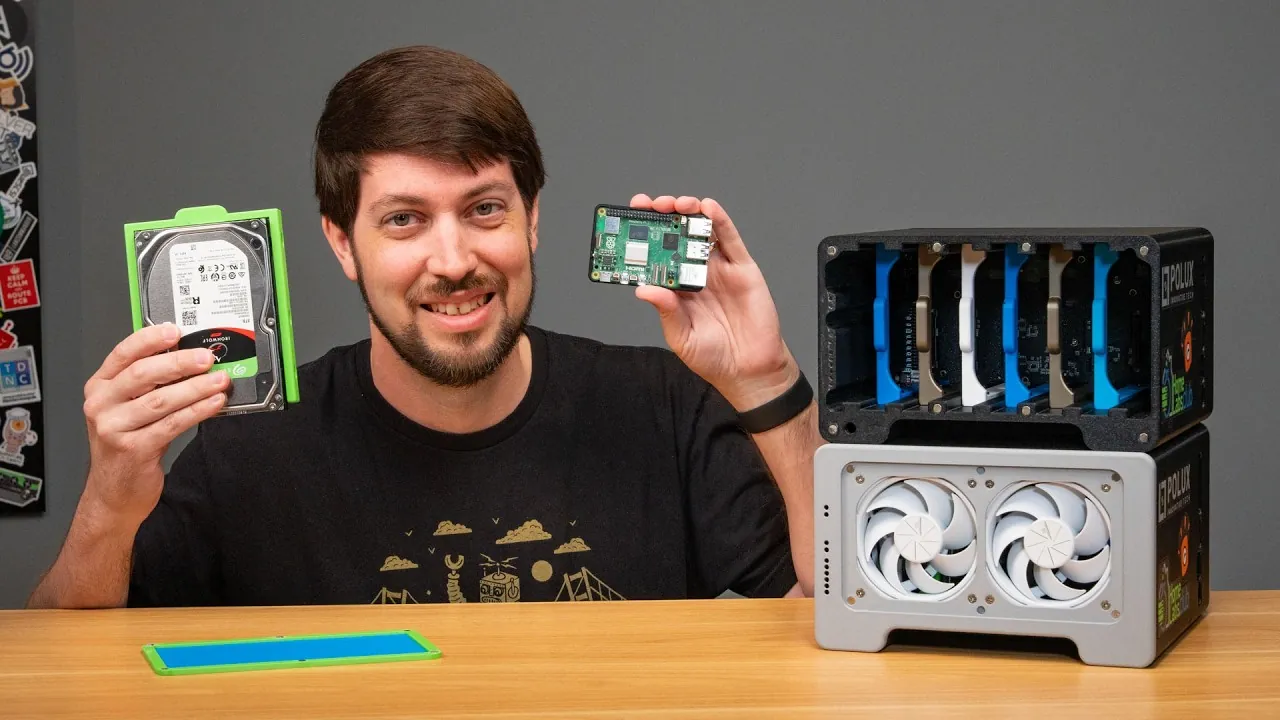
What if you could transform a humble Raspberry Pi into a fully functional network-attached storage (NAS) server? It sounds ambitious, even improbable, given the Raspberry Pi’s reputation as a lightweight, hobbyist-friendly device. Yet, with the release of the Raspberry Pi 5 and its improved hardware capabilities, pairing it with TrueNAS Scale, a robust, enterprise-grade storage solution, has become a tantalizing possibility. While the idea of running a powerful NAS system on such compact, energy-efficient hardware is exciting, it also raises a critical question: can a device designed for tinkering truly handle the demands of modern storage systems? The answer lies in a delicate balance of innovation, resourcefulness, and compromise.
Jeff Geerling provides more insights into the challenges and opportunities of building a TrueNAS storage server on a Raspberry Pi, offering insights into both its limitations and its potential. From allowing UEFI boot on ARM hardware to overcoming constraints like limited PCIe lanes and external Ethernet adapters, this journey is as much about problem-solving as it is about discovery. Whether you’re a tech enthusiast eager to experiment with ARM-based NAS setups or simply curious about the future of low-cost storage solutions, this overview will illuminate the trade-offs and triumphs of this unconventional pairing. By the end, you might find yourself rethinking what’s possible with small-scale hardware, or questioning whether the compromises are worth the reward.
Exploring ARM-Based NAS
TL;DR Key Takeaways :
- Running TrueNAS Scale on a Raspberry Pi highlights the potential and limitations of ARM-based hardware for NAS, offering an affordable and energy-efficient platform for experimentation.
- Key challenges include allowing UEFI boot, addressing hardware constraints like limited Ethernet support and PCIe lanes, and overcoming compatibility issues with peripherals.
- The Raspberry Pi’s hardware limitations, such as reduced processing power and scalability, make it less suitable for production environments but ideal for learning and experimentation.
- Alternatives like higher-end ARM boards (e.g., RK3588, Odroid HC4) or x86-based systems provide better performance and compatibility for demanding NAS tasks.
- Using a Raspberry Pi for NAS projects offers significant educational value, helping users develop troubleshooting skills, understand storage technologies, and explore ARM-based computing fundamentals.
Why Consider ARM-Based NAS?
ARM-based hardware, such as the Raspberry Pi, has gained popularity among hobbyists, educators, and tech enthusiasts due to its energy efficiency, low cost, and accessibility. TrueNAS Scale, a robust NAS solution traditionally designed for x86 systems, can be adapted for ARM devices like the Raspberry Pi. The Raspberry Pi 5, with its enhanced processing power and PCIe interface, introduces new possibilities for storage applications. However, compared to x86 systems, ARM devices often face limitations in performance, compatibility, and scalability, particularly for demanding NAS tasks.
Key differences between ARM and x86 hardware include:
- Energy Efficiency: ARM devices consume significantly less power, making them ideal for low-cost, energy-conscious setups.
- Affordability: ARM boards are generally more budget-friendly than x86-based systems, making them accessible to a wider audience.
- Performance and Compatibility: x86 systems provide superior support for advanced storage configurations and higher processing power, making them better suited for production environments.
While ARM-based NAS systems may not match the performance of x86 servers, they offer a valuable platform for experimentation and learning.
Overcoming UEFI Boot Challenges
One of the primary challenges in running TrueNAS Scale on a Raspberry Pi is allowing UEFI boot. Unlike x86 systems, the Raspberry Pi does not come with official UEFI firmware, requiring the use of community-developed alternatives. These solutions enable the Raspberry Pi to boot operating systems like TrueNAS Scale but involve a multi-step process that can be complex for beginners.
Steps to enable UEFI boot include:
- Downloading the appropriate UEFI firmware specifically designed for the Raspberry Pi.
- Flashing the firmware onto an SD card or USB drive.
- Making sure compatibility with the Raspberry Pi’s hardware and addressing potential initialization errors.
Even after successfully allowing UEFI boot, users may encounter issues such as limited peripheral support or hardware initialization errors. These challenges underscore the complexity of adapting ARM hardware for NAS purposes and highlight the need for patience and technical troubleshooting.
TrueNAS Raspberry Pi Storage Solution

Take a look at other insightful guides from our broad collection that might capture your interest in NAS storage solutions.
Installing TrueNAS Scale on a Raspberry Pi
The process of installing TrueNAS Scale on a Raspberry Pi involves several steps, each complicated by the device’s hardware constraints. For example, the Raspberry Pi 5 lacks native Ethernet support due to the absence of the RP1 chip, requiring the use of an external USB Ethernet dongle. Additionally, the single PCIe lane limits the number of drives that can be connected, complicating multi-drive setups and reducing overall flexibility.
Key steps in the installation process include:
- Downloading the TrueNAS Scale software and preparing a bootable drive with the necessary firmware.
- Using external adapters for Ethernet connectivity and storage expansion to address hardware limitations.
- Configuring the system to optimize performance within the constraints of the Raspberry Pi’s hardware.
While these challenges may deter users seeking a straightforward NAS solution, they provide valuable insights into the adaptability of TrueNAS Scale on non-standard hardware platforms.
Hardware Limitations and Workarounds
The Raspberry Pi’s hardware constraints significantly impact its suitability for NAS applications. These limitations require creative workarounds and careful planning to achieve functional setups. Key hardware challenges include:
- Ethernet Support: The lack of native Ethernet functionality necessitates the use of external USB adapters, which may reduce network performance and reliability.
- PCIe Interface: The single PCIe lane restricts the number of drives that can be connected, complicating setups involving SATA backplanes or NVMe storage devices.
- Peripheral Support: Limited GPIO and fan control options reduce flexibility for advanced configurations, such as custom cooling solutions or additional hardware integration.
These constraints make the Raspberry Pi less suitable for production environments but an excellent platform for experimentation and learning. By addressing these challenges, users can gain a deeper understanding of the trade-offs involved in building NAS systems.
Performance Insights and Alternatives
Testing ZFS, the advanced file system used by TrueNAS, on the Raspberry Pi highlights the challenges of running resource-intensive software on underpowered hardware. ZFS offers features such as data integrity, snapshots, and efficient storage management, but its demands can overwhelm the Raspberry Pi’s limited processing power and memory.
For users seeking better performance and compatibility, alternatives to the Raspberry Pi include:
- Higher-End ARM Boards: Devices like the RK3588 or Odroid HC4 offer improved processing power, enhanced PCIe support, and better storage options, making them more suitable for NAS applications.
- x86-Based Servers: Traditional x86 systems provide superior performance, scalability, and compatibility for demanding NAS tasks, making them the preferred choice for production environments.
These alternatives are better suited for users who prioritize reliability and performance over experimentation.
Educational Value of Raspberry Pi NAS Projects
Despite its limitations, using a Raspberry Pi for NAS experimentation offers significant educational benefits. By working with constrained hardware, users can:
- Develop troubleshooting skills by identifying and resolving configuration issues.
- Gain hands-on experience with storage technologies, including file systems like ZFS.
- Build a deeper understanding of the complexities involved in NAS setups and the trade-offs between different hardware architectures.
For hobbyists, educators, and students, the Raspberry Pi serves as an accessible and affordable platform for exploring the fundamentals of network-attached storage and ARM-based computing.
Broader Implications for ARM-Based NAS Systems
The challenges and insights gained from running TrueNAS Scale on a Raspberry Pi highlight the broader implications for ARM-based NAS systems. While ARM hardware offers advantages such as energy efficiency and affordability, its limitations in performance and compatibility make it less suitable for demanding applications. However, as ARM technology continues to evolve, future iterations of ARM-based devices may address these shortcomings, paving the way for more robust and versatile NAS solutions.
For now, the Raspberry Pi remains a valuable tool for experimentation and learning, offering users the opportunity to explore the potential of ARM-based hardware in the context of network-attached storage.
Media Credit: Jeff Geerling
Filed Under: DIY Projects, Guides, Hardware
Latest Geeky Gadgets Deals
Disclosure: Some of our articles include affiliate links. If you buy something through one of these links, Geeky Gadgets may earn an affiliate commission. Learn about our Disclosure Policy.
Credit: Source link