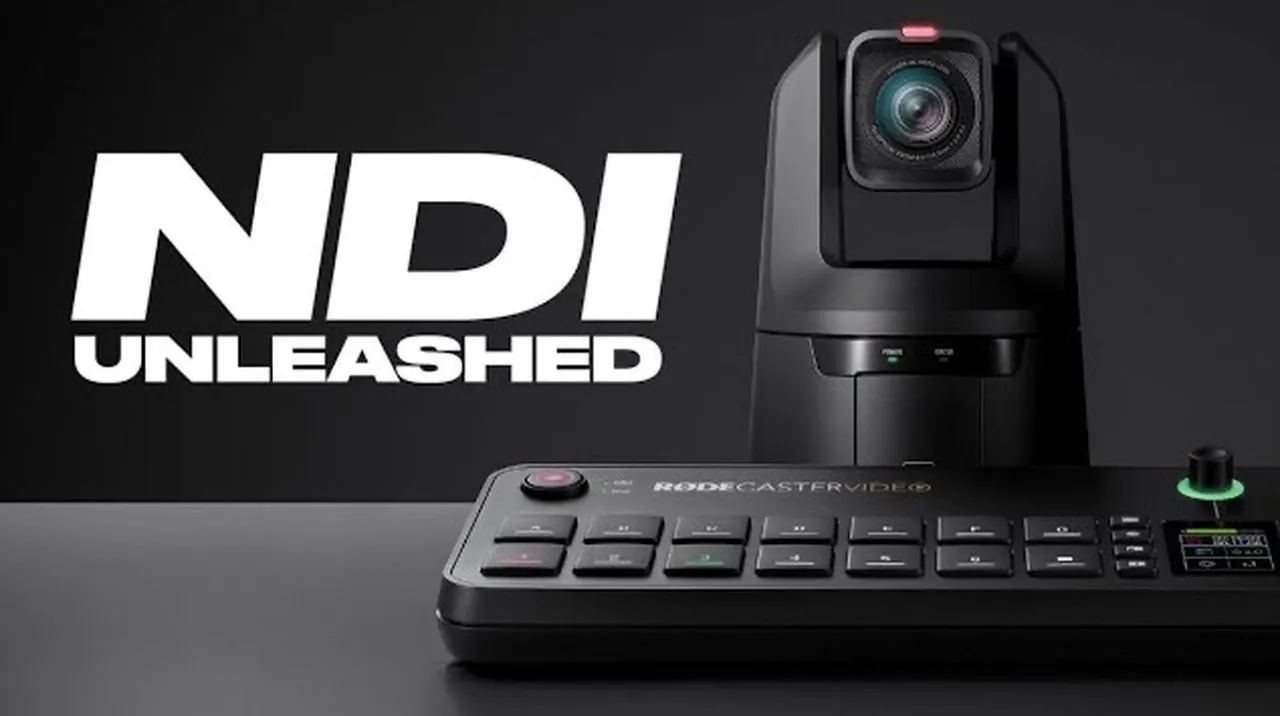
What if you could transform your video production workflow with a single update? The latest RØDECaster Video firmware update, v1.2.0, promises to do just that by introducing NDI (Network Device Interface) support, a innovative feature for anyone working with multi-camera setups. Imagine ditching the tangle of traditional video cables and seamlessly connecting up to four NDI video inputs and one output over a local Ethernet network. Whether you’re live streaming, producing remote content, or managing dynamic multi-camera environments, this update offers a cleaner, more efficient solution that redefines connectivity and creative potential.
The latest update release by RØDE doesn’t stop at simplifying connectivity; it also introduces advanced camera controls like PTZ (Pan, Tilt, Zoom) adjustments and a suite of creative tools designed to elevate your visuals. From precise real-time camera movements to polished overlays with rounded corners and luma key effects, the RØDECaster Video v1.2.0 firmware is packed with features that cater to both professionals and enthusiasts. As you explore this update, you’ll discover how it enables creators to push boundaries, refine workflows, and bring their vision to life with unprecedented ease. What could this mean for the future of your productions?
RØDECaster Video Highlights
TL;DR Key Takeaways :
- NDI Support: The update introduces NDI support, allowing up to four NDI video inputs and one output over a local Ethernet network, simplifying multi-camera workflows and allowing iPhones to be used as wireless video sources via the RØDE Capture app.
- PTZ Camera Control: Real-time pan, tilt, and zoom controls for compatible cameras allow precise adjustments, framing, and preset saving, ideal for dynamic live productions and events.
- Creative Visual Tools: Features like rounded corners for scene layers, luma key and key mask tools, and “Input as Overlay” enhance visual customization, allowing polished layouts and dynamic effects without post-production.
- Audio-Driven Features: Audio-linked camera switching transitions between angles based on active audio channels, while enhanced output mixers and customizable scene layouts improve audio-video integration and design flexibility.
- Empowering Video Production: The firmware update provides tools for professionals and enthusiasts to create high-quality, efficient, and flexible video content, meeting modern production demands with ease.
NDI Support: Simplifying Multi-Camera Connectivity
A standout feature of this update is the inclusion of NDI support, which transforms multi-camera workflows by allowing up to four NDI video inputs and one NDI output over a local Ethernet network. This eliminates the reliance on traditional video cables, resulting in a cleaner and more efficient setup. The RØDE Capture app further enhances this functionality by allowing you to use your iPhone as a wireless multi-angle video source, seamlessly integrating mobile devices into your production. This capability is particularly beneficial for live streaming, remote production, and multi-camera environments where seamless connectivity and flexibility are essential.
PTZ Camera Control: Precision in Real Time
The update also introduces PTZ (Pan, Tilt, Zoom) camera control, allowing precise adjustments to compatible cameras in real time. This feature allows you to fine-tune framing, reposition shots, and save presets for quick access during live productions. It is especially valuable in dynamic scenarios such as live events, interviews, or studio productions, where on-the-fly adjustments are critical. By offering greater control over camera movements, this tool ensures that your visuals remain polished and professional.
RØDECaster Video Update v1.2.0 Overview

Uncover more insights about cameras setups in previous articles we have written.
Creative Tools for Enhanced Visual Appeal
The firmware update brings several tools aimed at improving the visual quality and customization of your video content. These features are designed to streamline production while offering creative flexibility:
- Rounded Corners for Scene Layers: The ability to add rounded corners to scene layers and overlays provides a modern, polished look. With both global and individual customization options, you can achieve professional layouts without requiring additional post-production work.
- Luma Key and Key Mask Tools: These advanced tools enable background removal and visual cropping, allowing you to isolate specific areas of your video or remove black backgrounds. Additional controls for shadow and softness ensure a refined finish, making these tools indispensable for creating clean overlays and dynamic effects.
- Input as Overlay: The new “Input as Overlay” feature lets you use any video input source as a downstream key. This opens up creative possibilities such as picture-in-picture effects or graphic overlays, adding depth and context to your video presentations.
Audio-Driven Enhancements and Flexible Scene Layouts
The update also focuses on improving audio and video integration, as well as providing greater flexibility in scene design:
- Audio-Linked Camera Switching: This feature automatically transitions between camera angles based on active audio channels from the RØDECaster Pro 2 or Duo. It is particularly useful for interviews, panel discussions, or any scenario where audio cues can guide visual transitions, making sure a seamless viewing experience.
- Enhanced Output Mixers: Separate output mixers for HDMI and NDI outputs offer greater control over your audio and video streams. Additionally, gray pre-mute audio meters display muted channels, allowing precise audio monitoring and management.
- Customizable Scene Layouts: The ability to stretch or squash layers provides flexibility in designing tailored scene layouts. This feature is ideal for adapting to different screen formats or creating unique visual compositions that align with your creative vision.
Empowering Video Creators with Versatile Tools
The RØDECaster Video firmware update v1.2.0 represents a significant step forward in video production technology. By integrating NDI support, advanced camera controls, and innovative creative tools, this update enables creators to produce high-quality content with greater efficiency and flexibility. Whether you’re a seasoned professional or an aspiring video producer, these features are designed to meet the evolving demands of modern video production, allowing you to bring your creative vision to life with precision and ease.
Media Credit: RØDE
Filed Under: Camera News, Technology News
Latest Geeky Gadgets Deals
Disclosure: Some of our articles include affiliate links. If you buy something through one of these links, Geeky Gadgets may earn an affiliate commission. Learn about our Disclosure Policy.
Credit: Source link