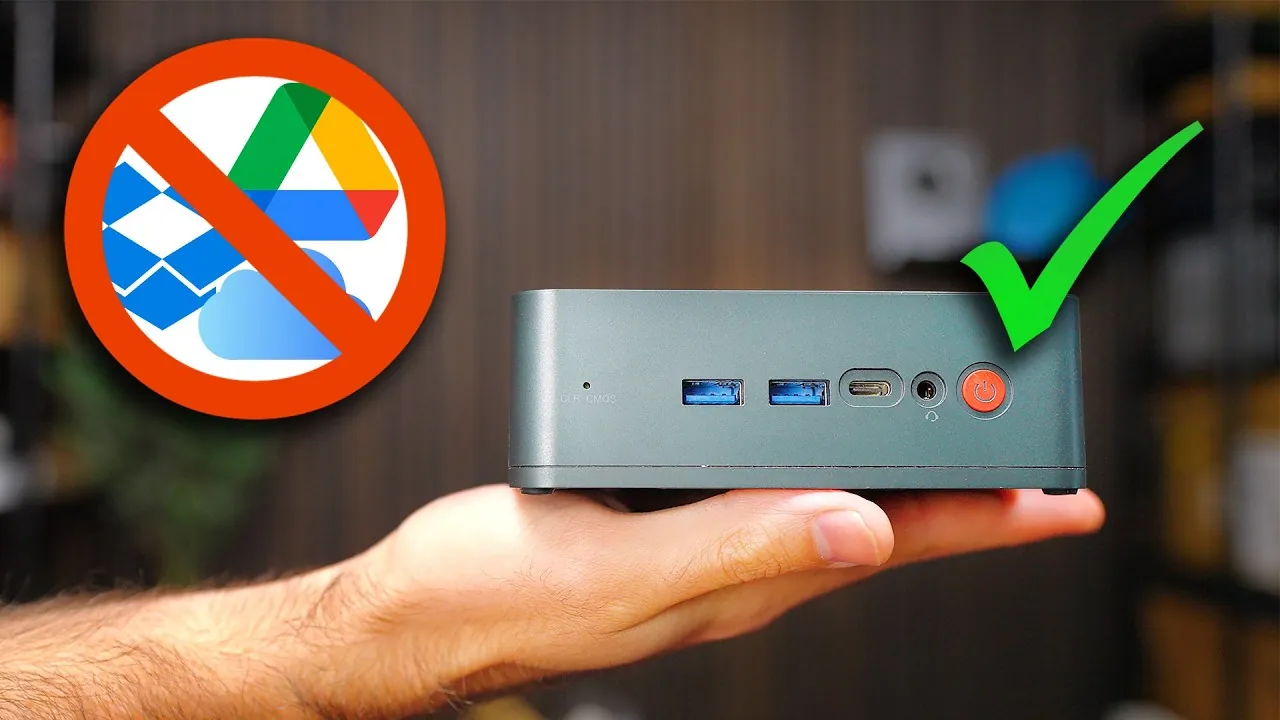
Imagine this: all your family photos, critical work documents, and favorite media files stored securely in one place, accessible anytime, anywhere, without relying on third-party services. Sounds ideal, right? Yet, the reality of subscription fees, privacy concerns, and limited customization options with commercial cloud storage often leaves users frustrated. What if you could bypass all of that by building your own personal cloud storage system at home? With the right tools and a bit of guidance, you can create a solution that’s not only cost-effective but also puts you in complete control of your data. In this hands-on breakdown, Raid Owl shows you how to take charge of your digital storage like never before.
By following the guide below by Raid Owl, you’ll discover how to combine reliable hardware and intuitive software to design a cloud storage system tailored to your exact needs. Whether you’re backing up treasured memories, managing collaborative projects, or setting up a media hub for your household, this tutorial covers everything, from choosing the right drives to configuring secure remote access. You’ll also learn how to prioritize security, implement backups, and scale your system as your storage demands grow. Ready to explore the freedom and flexibility of hosting your own cloud? Let’s uncover how you can make it happen, step by step.
Why Build Your Own Cloud Storage?
TL;DR Key Takeaways :
- Building a personal cloud storage system at home eliminates recurring subscription fees, provides full data ownership, and allows for customization tailored to specific needs.
- Key hardware components include a computer (e.g., Raspberry Pi or mini PC), high-capacity storage drives with redundancy configurations (e.g., RAID), and options for future scalability like NAS or DAS devices.
- TrueNAS is a recommended software for managing storage, allowing features like shared folders, media streaming, and file synchronization, while making sure optimized performance and redundancy.
- Secure remote access can be achieved through reverse proxies, custom domains with SSL, VPNs, and careful router configurations to protect data from external threats.
- Prioritizing security with strong passwords, two-factor authentication, regular updates, and system monitoring ensures the safety and reliability of your self-hosted cloud storage system.
Setting up a personal cloud storage system offers numerous advantages that go beyond cost savings. Here are some key benefits:
- Cost Savings: Eliminate the need for ongoing subscription fees associated with commercial cloud services.
- Data Ownership: Maintain full control and privacy over your files, making sure they are not stored on third-party servers.
- Customization: Design a system tailored to your specific needs, whether it’s for large-scale backups, media streaming, or file sharing.
Whether you want to back up family photos, manage work documents, or create a centralized hub for all your devices, a self-hosted cloud storage solution can meet your unique requirements.
1: Choose the Right Hardware
The hardware forms the backbone of your personal cloud storage. Selecting the right components ensures reliability and scalability. Here’s what you’ll need:
- Computer: A mini PC, Raspberry Pi, or a custom-built system with sufficient processing power to handle storage management tasks.
- Storage Drives: Invest in high-capacity hard drives (HDDs) or faster solid-state drives (SSDs). Use redundancy configurations like RAID 1, RAID 5, or RAID Z1 to protect against data loss.
- Expansion Options: For future scalability, consider Direct Attached Storage (DAS) or Network Attached Storage (NAS) devices to increase capacity.
Ensure that your chosen hardware is compatible with the software you plan to use and provides adequate performance for your storage and access needs.
Stop Paying for Cloud Services: Build Your Own Storage System Now

Here are more guides from our previous articles and guides related to personal cloud storage that you may find helpful.
2: Set Up the Software
The software you select will manage your storage system and provide the interface for accessing your files. TrueNAS is a popular choice due to its reliability and flexibility. Follow these steps to set up your software:
- Install TrueNAS: Download the software, create a bootable USB drive, and install it on your chosen hardware.
- Configure Storage Pools: Organize your drives into storage pools to optimize performance and redundancy.
- Create Shared Folders: Use the SMB protocol to enable file sharing across your home network, allowing multiple devices to access your cloud storage.
TrueNAS also supports additional applications, allowing you to expand functionality with features like media streaming, file synchronization, and more.
3: Implement Backup Solutions
Backing up your data is essential to ensure its safety and availability. Here’s how to integrate backups into your personal cloud storage system:
- Windows: Use the built-in Windows Backup tool to save files directly to your network share.
- macOS: Use Time Machine to create seamless backups to your cloud storage.
- Mobile Devices: Use apps like Immich to automatically back up photos and videos from your smartphone or tablet.
By combining these tools, you can create a comprehensive backup strategy that protects your data across all devices.
4: Configure Secure Remote Access
To access your cloud storage from outside your home network, you’ll need to set up secure remote access. Here are the key steps:
- Reverse Proxy: Use Nginx Proxy Manager to manage external connections and route traffic securely.
- Custom Domain and SSL: Pair your setup with a custom domain name and SSL certificates from providers like Cloudflare to encrypt connections.
- Port Forwarding: Configure your router to allow external access to your cloud storage. Avoid exposing critical systems like TrueNAS directly to the internet.
- VPN: For enhanced security, use a VPN to protect remote access and ensure encrypted communication.
These measures help safeguard your data while allowing convenient access from anywhere.
5: Prioritize Security
Security is a critical aspect of hosting your own cloud storage. Implement these best practices to protect your system:
- Strong Passwords: Use complex, unique passwords to secure your accounts and devices.
- Two-Factor Authentication (2FA): Enable 2FA wherever possible to add an extra layer of protection.
- Regular Updates: Keep your software and firmware up to date to address vulnerabilities and improve performance.
- System Monitoring: Regularly review logs and monitor system performance to detect potential issues early.
By staying vigilant and proactive, you can minimize risks and ensure the safety of your data.
6: Evaluate Costs and Scalability
While the initial investment in hardware and setup may seem significant, a self-hosted cloud storage system offers substantial long-term benefits. Here’s why:
- No Recurring Fees: Unlike subscription-based services, you won’t face ongoing monthly or annual charges.
- Scalability: Expand your system as your storage needs grow by adding more drives or upgrading hardware.
- Advanced Features: Enhance functionality with tools like Nextcloud or File Browser, which offer features such as document editing, calendar integration, and file synchronization.
This flexibility ensures that your personal cloud storage system remains a valuable and adaptable resource for years to come.
Media Credit: Raid Owl
Filed Under: Guides, Hardware
Latest Geeky Gadgets Deals
Disclosure: Some of our articles include affiliate links. If you buy something through one of these links, Geeky Gadgets may earn an affiliate commission. Learn about our Disclosure Policy.
Credit: Source link