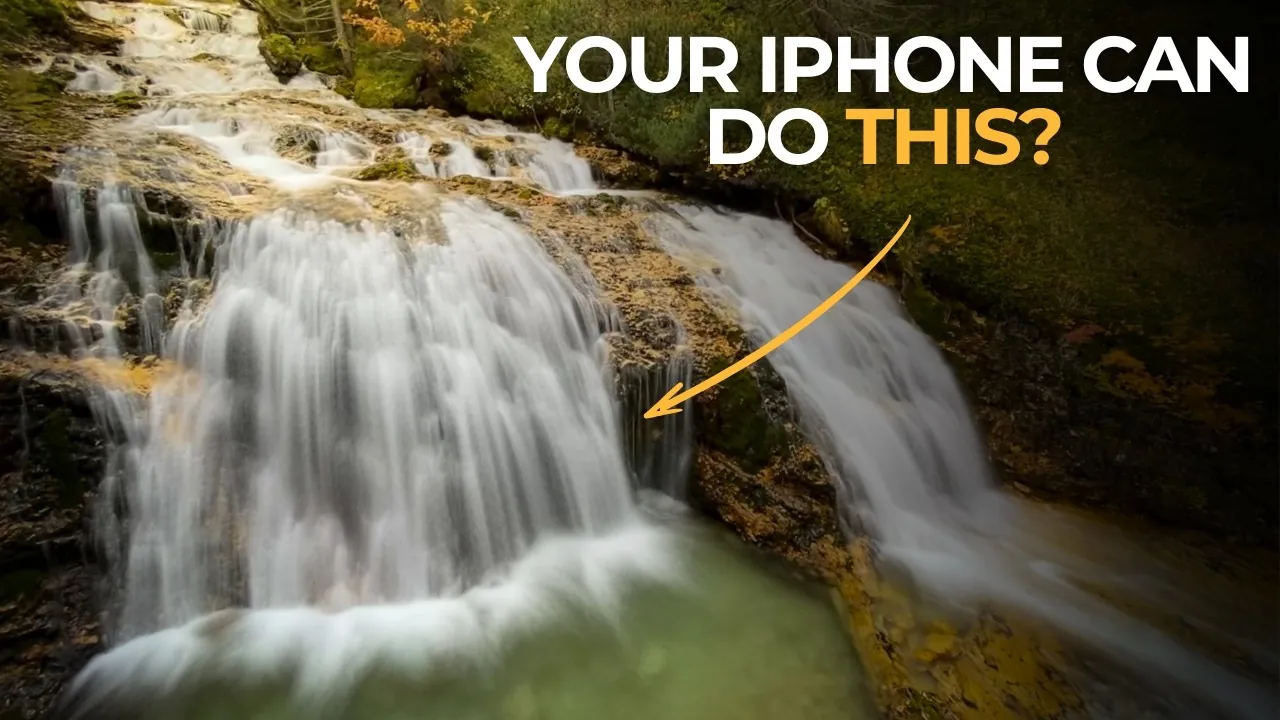
Long-exposure photography, once reserved for professional cameras, is now within reach for iPhone users with the right tools and techniques. By using the capabilities of the Slow Shutter Cam app, you can create dynamic, professional-quality images that capture motion and light in ways that go beyond what the naked eye can perceive. The video below from iPhone Photography School will walk you through mastering long-exposure photography, from understanding key settings to using essential equipment, making sure your photos are both striking and memorable.

Why Use the Slow Shutter Cam App?
The Slow Shutter Cam app is a powerful tool that improves iPhone photography by offering precise control over shutter speed. Unlike the default Camera app, it allows you to create stunning effects such as motion blur and light trails. Whether you’re photographing waterfalls, bustling cityscapes, or drifting clouds, this app provides the flexibility to experiment with creative techniques. Its user-friendly interface makes it accessible for beginners, while its advanced features cater to experienced photographers seeking greater control. By using this app, you can unlock new dimensions of creativity and produce images that stand out.
Essential Equipment for Long-Exposure Photography
Stability is crucial in long-exposure photography, as even the slightest movement can compromise the clarity of your shot. To achieve professional results, consider investing in the following equipment:
- Tripod: A sturdy tripod is indispensable for keeping your iPhone steady during extended exposures, ensuring sharp and clear images.
- Remote Trigger: A Bluetooth remote or the volume button on your headphones can help minimize camera shake when capturing your shot.
- Lens Attachments: Optional external lenses, such as wide-angle or neutral density (ND) filters, can enhance your creative possibilities by controlling light and perspective.
These tools are essential for maintaining stability and achieving the precision required for long-exposure photography.
Optimizing Your iPhone Settings
Before diving into long-exposure photography, it’s important to configure your iPhone settings to maximize image quality. Follow these steps to prepare your device:
- Photo Resolution: Set your iPhone to its highest resolution (typically 12 megapixels) to capture intricate details in your shots.
- File Format: Use HEIF (High-Efficiency Image File) to save storage space without sacrificing image quality.
- Slow Shutter Cam Settings: Within the app, select “Motion Blur” mode for dynamic effects and adjust the blur strength and shutter speed to suit your subject.
These adjustments ensure your photos are sharp, vibrant, and ready for further editing if needed.
Mastering Shutter Speed for Creative Effects
Shutter speed is the foundation of long-exposure photography, as it determines how motion is captured in your image. Understanding how to adjust this setting allows you to control the mood and energy of your photos. Here’s how different shutter speeds can be used:
- Short Shutter Speeds (e.g., 1/8 second): Ideal for subtle motion blur, such as gently flowing water or slow-moving subjects.
- Medium Shutter Speeds (e.g., 4 seconds): Perfect for creating smooth, misty effects in waterfalls or streams, adding a serene quality to your images.
- Long Shutter Speeds (e.g., 15 seconds or more): Best for capturing dramatic light trails, star trails, or the movement of clouds, adding a sense of motion and energy to your composition.
Experimenting with these settings allows you to tailor each shot to your creative vision, whether you’re aiming for subtlety or dramatic impact.
Framing and Composition: Elevating Your Shots
While technical settings are important, thoughtful composition is equally vital for creating compelling images. When framing your shot, consider the following tips:
- Focus on the Subject: Position your subject prominently to draw the viewer’s attention, whether it’s a waterfall, light trails, or moving clouds.
- Eliminate Distractions: Avoid clutter in the foreground, such as moving leaves or other elements that could detract from the main focus of your image.
- Highlight Motion: Align your shot to emphasize the flow of motion, creating a sense of direction and energy that engages the viewer.
By combining technical precision with artistic framing, you can create images that are both visually striking and emotionally resonant.
Experimentation: Unlocking Your Creative Potential
Long-exposure photography thrives on experimentation, offering endless opportunities to refine your skills and explore new creative possibilities. The Slow Shutter Cam app provides the flexibility to test various settings and techniques, allowing you to achieve unique results. Here are some ideas to inspire your experimentation:
- Adjust shutter speeds to explore how different durations affect the appearance of water, from soft, misty effects to more defined streams.
- Capture light trails in urban environments, showcasing the dynamic energy of a city at night.
- Experiment with blur strength to either highlight or soften motion, tailoring the effect to your subject and artistic vision.
Each experiment not only enhances your technical skills but also helps you develop a personal style that sets your work apart.
Elevate Your Photography with Long-Exposure Techniques
With the Slow Shutter Cam app and the right approach, your iPhone can become a powerful tool for long-exposure photography. By mastering shutter speed, optimizing your settings, and using essential equipment like a tripod and remote trigger, you can capture breathtaking images that showcase motion and light in extraordinary ways. Whether you’re photographing tranquil landscapes or vibrant cityscapes, this technique adds depth, artistry, and a sense of wonder to your work. With practice and a willingness to experiment, you’ll unlock the full potential of your iPhone’s camera, creating photos that leave a lasting impression.
Explore further guides and articles from our vast library that you may find relevant to your interests in Long-exposure photography.
Source & Image Credit: iPhone Photography School
Filed Under: Apple, Apple iPhone, Guides
Latest Geeky Gadgets Deals
Disclosure: Some of our articles include affiliate links. If you buy something through one of these links, Geeky Gadgets may earn an affiliate commission. Learn about our Disclosure Policy.
Credit: Source link