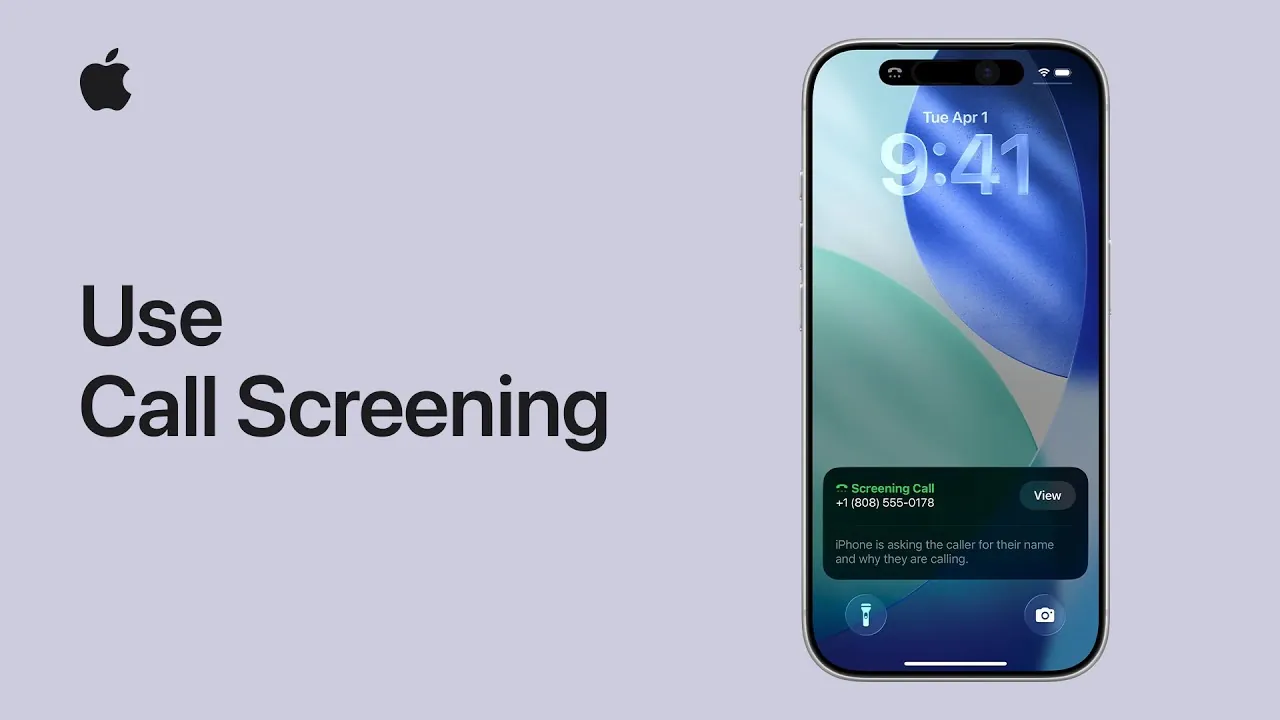
iOS 26 introduces a robust call screening feature that enhances your ability to manage incoming calls with precision and ease. This tool enables you to identify unknown callers, view live transcriptions of their responses, and decide how to respond—all without picking up the phone. Whether you want to silence unfamiliar numbers, screen calls for more context, or interact through text-based replies, this feature provides a seamless way to stay in control of your communication.
With iOS 26, you can minimize interruptions, avoid spam calls, and ensure you never miss important messages. By integrating advanced call management tools directly into your iPhone, this update prioritizes both convenience and efficiency. The video below from Apple shows us how to use this new feature on the iPhone.
Getting Started with Call Screening
To begin using the call screening feature, you’ll need to configure its settings within the Phone app. The setup process is straightforward and allows you to tailor the feature to your preferences. Follow these steps to get started:
- Open the Phone app on your iPhone.
- Navigate to “Settings.”
- Find and select the “Call Screening” option.
Once inside the call screening settings, you can customize how your iPhone handles calls from unknown numbers. The interface is intuitive, offering options to silence calls, screen them, or maintain your current call-handling preferences. This flexibility ensures the feature aligns with your specific needs, whether you’re looking to reduce distractions or gain more control over who can reach you.
Silencing and Screening Unknown Numbers
One of the most practical aspects of iOS 26’s call screening feature is its ability to manage calls from numbers not saved in your contacts. You can choose between two primary options: silencing or screening calls. Here’s how each works:
- Silence Calls: Incoming calls from unknown numbers are automatically sent to voicemail, making sure they don’t disturb you. This is ideal for avoiding interruptions while still allowing important messages to be left for you to review later.
- Screen Calls: Callers are prompted to state their name and reason for calling. This information is then presented to you, allowing you to decide whether to engage without answering the call directly.
These options provide a balance between maintaining your privacy and staying informed about potentially important calls. Whether you’re in a meeting, focusing on work, or simply enjoying uninterrupted time, this feature ensures you remain in control of your phone’s activity.
Live Transcription: Real-Time Caller Insights
The live transcription feature in iOS 26 takes call screening to the next level by providing real-time text of what the caller is saying. As the caller speaks, their words appear on your screen, giving you immediate insight into the purpose of the call. This functionality is particularly useful for identifying spam or telemarketing calls without engaging directly.
For example, if a caller introduces themselves and explains their reason for contacting you, you can quickly determine whether the call is worth your attention. This feature is not only practical but also ensures you can make informed decisions about how to handle each call, saving you time and reducing unnecessary interruptions.
Text-Based Interaction and Suggested Replies
In addition to live transcription, iOS 26 offers the ability to interact with callers through text-based replies. This feature allows you to respond without answering the call, providing a convenient way to communicate in situations where speaking isn’t ideal. You can either type a custom response or choose from a list of suggested replies generated by the system.
For instance, if a delivery service calls, you might select a reply like, “Please leave the package at the door.” Alternatively, if a colleague calls during a busy moment, you could respond with, “I’ll call you back shortly.” This feature is particularly helpful for managing your time effectively while making sure important messages are acknowledged.
Making Informed Decisions to Answer
At any point during the call screening process, you can choose to answer the call if the information provided aligns with your priorities. The combination of live transcription and text-based interaction gives you the context needed to make an informed decision. If the caller’s reason for contacting you is urgent or relevant, you can seamlessly transition from screening to speaking.
This flexibility ensures that you remain in control of your communication, allowing you to prioritize calls that matter most while filtering out distractions. Whether you’re managing a busy schedule or simply looking to streamline your phone interactions, this feature adapts to your needs.
Why iOS 26 Call Screening Enhances Communication
The call screening feature in iOS 26 represents a significant advancement in call management technology, offering a comprehensive set of tools to improve how you handle incoming calls. By combining live transcription, text-based interaction, and suggested replies, this feature enables you to:
- Identify unknown callers: Gain immediate context about who is calling and why without answering.
- Silence or screen calls: Minimize interruptions by sending unknown numbers to voicemail or prompting callers to provide more information.
- Receive real-time transcriptions: View live text of what callers are saying to make quick, informed decisions.
- Communicate efficiently: Use text-based replies to respond without answering, saving time and maintaining control.
- Stay in control: Decide when and if to answer calls based on the information provided during screening.
These features not only help you avoid spam and telemarketing calls but also ensure you remain accessible for important messages. Whether you’re managing a hectic day or simply seeking to reduce distractions, iOS 26’s call screening tools are designed to fit seamlessly into your routine.
Take Control of Your Calls with iOS 26
By using the advanced call screening capabilities of iOS 26, you can transform the way you manage phone interactions. This feature is more than just a convenience—it’s a practical solution for staying connected on your terms. Whether you’re silencing calls to focus on work, screening unknown numbers for context, or using text-based replies to save time, iOS 26 ensures you remain in control of your communication.
Here are more detailed guides and articles that you may find helpful on iOS 26 call screening.
Source & Image Credit: Apple Support
Filed Under: Apple, Apple iPhone, Guides
Latest Geeky Gadgets Deals
Disclosure: Some of our articles include affiliate links. If you buy something through one of these links, Geeky Gadgets may earn an affiliate commission. Learn about our Disclosure Policy.
Credit: Source link