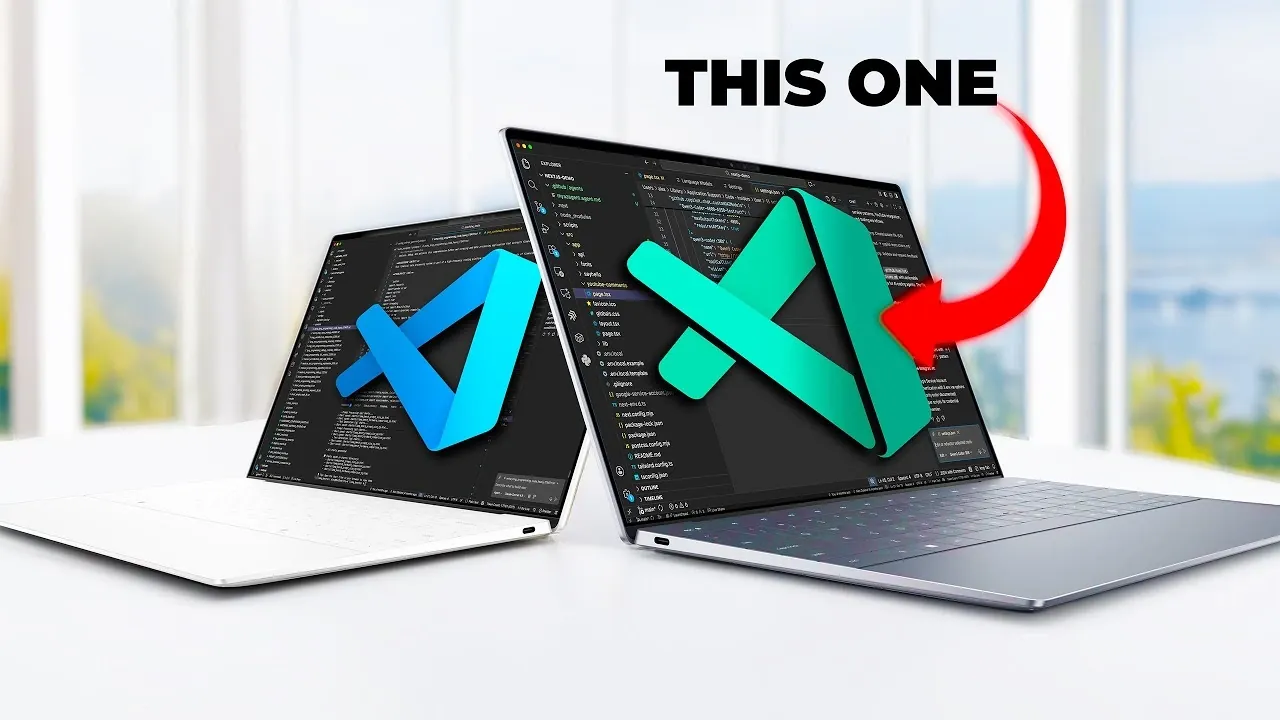
Have you ever wondered if your go-to tools might be holding you back? For millions of developers, Visual Studio Code (VS Code) is the undisputed champion of code editors, celebrated for its versatility and reliability. But here’s the twist: you might be using the wrong version. While the familiar “blue” VS Code delivers a stable, predictable experience, the lesser-known “green” version, officially called Visual Studio Code Insiders, offers a bold, experimental playground for those ready to embrace the future of development. If you’re working on innovative technologies like artificial intelligence (AI) or crave a more dynamic coding environment, the green version might just be the secret weapon you didn’t know you needed. Could your choice of editor be quietly limiting your potential?
Below Alex Ziskind explains why the green version of VS Code isn’t just an alternative, it’s a fantastic option for developers looking to stay ahead of the curve. From its early access to experimental features to its superior support for AI workflows, the Insiders version offers tools that can supercharge your productivity and creativity. But it’s not all smooth sailing, this version comes with trade-offs, like potential instability and daily updates that demand a certain level of adaptability. Whether you’re curious about its advanced customization options or intrigued by its ability to streamline resource-intensive projects, this guide will help you decide if the green version is the right fit for your workflow. After all, sometimes the path less traveled leads to the most exciting destinations.
VS Code: Blue vs. Green
TL;DR Key Takeaways :
- The standard “blue” version of Visual Studio Code prioritizes stability and reliability, while the “green” Insiders version offers early access to experimental features and innovative tools, particularly beneficial for AI and emerging technologies.
- The green version excels in AI model integration, allowing developers to deploy large-scale models, host custom AI models locally, and use external servers for distributed processing, enhancing productivity and scalability.
- Advanced customization through JSON-based configuration in the green version allows developers to fine-tune their environment, manage API keys, and optimize model-specific settings for complex workflows.
- The green version is designed for performance and scalability, supporting high-performance hardware and secure data paths, making it ideal for resource-intensive applications and large-scale projects.
- Streamlined AI workflow management in the green version includes features like real-time monitoring, automated code refactoring, and boilerplate generation, saving time and improving efficiency for developers.
Blue vs. Green: Understanding the Core Differences
The blue version of VS Code is designed with stability and reliability in mind, making it an excellent choice for developers who prioritize a consistent and predictable coding environment. It is the default option for most users and is updated less frequently to ensure minimal disruptions.
In contrast, the green Insiders version serves as a testing ground for new features and experimental tools. It provides developers with early access to updates and capabilities that are still in development. This version is updated daily, offering a dynamic and forward-looking environment for those eager to explore the latest advancements.
For developers working with AI or other advanced technologies, the green version offers a distinct advantage. Its frequent updates and experimental features allow you to stay ahead of the curve, making it an invaluable tool for innovation. However, this comes with the trade-off of potential instability, which may not be suitable for all workflows.
Enhanced AI Model Integration
One of the standout features of the green version is its superior support for AI model integration. Whether you are hosting AI models locally or using external servers, the Insiders version provides the tools and flexibility needed to streamline your workflow. It is particularly well-suited for developers working with OpenAI-compatible models or other advanced frameworks.
For example, the green version allows you to:
- Deploy large-scale AI models, including those with trillions of parameters, using high-performance hardware or cloud-based resources.
- Host custom AI models locally to enable faster iteration and testing cycles.
- Use external servers for distributed processing, making sure scalability and efficiency.
These capabilities make the green version an ideal choice for developers engaged in machine learning projects or automating complex workflows. By integrating AI tools directly into your coding environment, you can significantly enhance productivity and reduce the time spent on repetitive tasks.
Run OpenAI-compatible Models with the vs Code Green Build
Master Visual Studio Code with the help of our in-depth articles and helpful guides.
Advanced Customization with JSON-Based Configuration
The green version of VS Code excels in customization, offering developers the ability to fine-tune their environment through JSON-based configuration files. These files provide control over critical parameters, allowing you to tailor the editor to your specific needs.
Key configuration options include:
- Defining input and output tokens for AI models.
- Managing API keys for seamless integration with external services.
- Adjusting model-specific settings to optimize performance and functionality.
This level of customization is particularly beneficial for developers managing complex projects or working with resource-intensive applications. By using these configurations, you can create a development environment that aligns perfectly with your workflow, enhancing both efficiency and effectiveness.
Performance, Scalability, and Resource Management
The green version is designed to handle demanding workloads, making it a powerful tool for developers working on large-scale projects. Its support for high-performance hardware configurations and secure data paths ensures that your applications can scale without compromising performance.
Practical applications of this scalability include:
- Testing AI model performance on local GPUs for rapid iteration and debugging.
- Deploying models to cloud platforms for distributed processing and enhanced scalability.
- Managing resource-intensive applications with minimal impact on system performance.
This focus on performance and scalability makes the green version particularly valuable for teams exploring advanced technologies or developing applications that require significant computational resources.
Streamlined AI Workflow Management
The green version simplifies the management of AI workflows through its enhanced features and tools. A dedicated side panel interface allows you to monitor and control your AI models in real-time, providing greater visibility into your projects. Additionally, the Insiders version includes an agent mode that automates repetitive tasks, such as:
- Refactoring code to improve readability and maintainability.
- Generating boilerplate code to accelerate development.
- Optimizing workflows to reduce manual effort and improve efficiency.
These features not only save time but also enable you to focus on more complex and creative aspects of your projects. By automating routine tasks, the green version helps you maximize productivity and achieve better results.
Security and Experimental Features
When working with external servers or integrating third-party tools, security is a critical concern. The green version addresses this by emphasizing secure data paths and robust API key management. These measures help protect sensitive information, making sure that your workflows remain both efficient and secure.
Another advantage of the green version is its ability to test experimental features and extensions without affecting your primary VS Code instance. This functionality is particularly useful for developers who want to explore new tools or workflows without risking disruptions to their main environment. While some experimental features may still be under development, they offer valuable insights into the future direction of VS Code and its potential to enhance your coding experience.
Choosing the Right Version for Your Needs
The decision between the blue and green versions of VS Code ultimately depends on your priorities and workflow requirements. If you value stability and a consistent coding environment, the blue version is likely the better choice. However, if you are a developer eager to explore innovative features, experiment with AI integrations, and push the boundaries of modern development, the green version offers a compelling set of tools and capabilities.
By adopting the green version, you gain access to experimental features, advanced customization options, and robust performance tools that can transform your approach to coding. While it may not be suitable for all users, the green version is an excellent choice for those looking to stay ahead in a rapidly evolving technological landscape.
Media Credit: Alex Ziskind
Filed Under: AI, Guides
Latest Geeky Gadgets Deals
Disclosure: Some of our articles include affiliate links. If you buy something through one of these links, Geeky Gadgets may earn an affiliate commission. Learn about our Disclosure Policy.
Credit: Source link