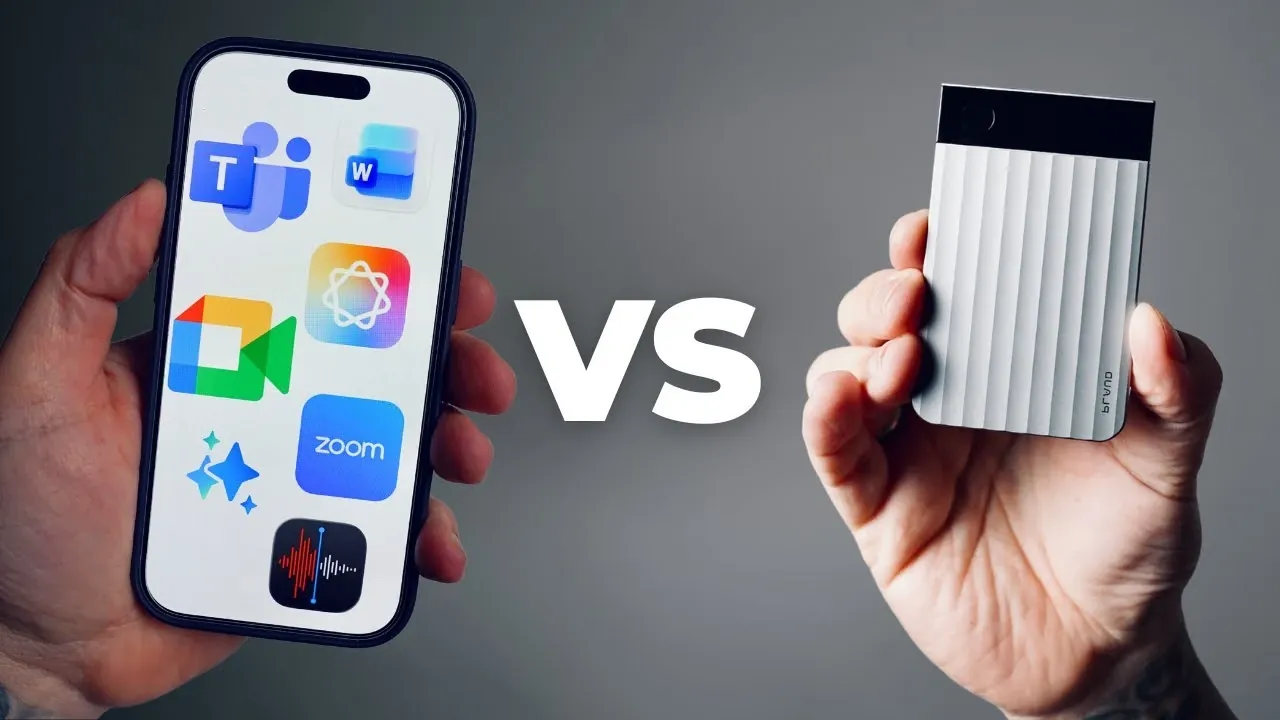
What if your meeting notes could write themselves, accurately, securely, and in real time? With the rise of AI-powered note-taking tools, this is no longer a futuristic dream but a practical reality. From virtual meetings to hybrid setups, these tools promise to save time, reduce errors, and even enhance collaboration. But with so many options, Plaude Note, Otter AI, Zoom’s built-in tools, and more, how do you decide which one is truly the best for your needs? The stakes are high: choose the wrong tool, and you might end up with incomplete transcripts, data security concerns, or features that just don’t fit your workflow. So, which AI note-taker stands out in this crowded field?
In the video below, Mark Gilroy compares some of the most popular options, breaking down their strengths, limitations, and ideal use cases. Whether you’re looking for real-time transcription, offline functionality, or seamless integration with platforms like Zoom or Microsoft Teams, this guide will help you navigate the choices. You’ll discover how tools like Plaude Note cater to professionals with advanced features and robust security, while Otter AI shines in virtual environments with its user-friendly design. By the end, you’ll have a clearer sense of which AI note-taker aligns with your priorities, be it affordability, accessibility, or innovative functionality. After all, the right tool isn’t just about taking notes; it’s about transforming how you work.
AI Note-Taking Tool Comparison
TL;DR Key Takeaways :
- AI-powered note-taking tools enhance meeting documentation with improved efficiency, accuracy, and accessibility across various formats (virtual, hybrid, in-person).
- Plaude Note stands out for hybrid/in-person use with features like offline functionality, real-time transcription, speaker differentiation, and robust data security (GDPR, HIPAA, ISO compliance).
- Otter AI excels in virtual meetings with real-time transcription, keyword search, and seamless integration with platforms like Zoom and Microsoft Teams.
- Built-in tools from platforms like Zoom, Google Meet, and Microsoft Teams offer convenience and team collaboration but are limited to their ecosystems and less effective for hybrid/in-person use.
- Choosing the right tool depends on specific needs, with Plaude Note ideal for secure and offline use, Otter AI for virtual collaboration, and free tools like smartphone apps or Microsoft Word for basic tasks.
Plaude Note: A Specialized Device for Professionals
Plaude Note is a dedicated device designed to optimize meeting documentation. It offers advanced features such as real-time transcription, speaker differentiation, and customizable summaries. With support for over 200 languages and industry-specific terminology, it caters to a diverse and global audience.
Key benefits include:
- Offline functionality, making sure uninterrupted use even without internet access.
- Long battery life, making it ideal for extended meetings or conferences.
- Compliance with GDPR, HIPAA, and ISO standards, making sure robust data security for sensitive information.
While Plaude Note requires an upfront investment, it includes a subscription plan offering 300 monthly transcription minutes. This makes it a reliable choice for professionals managing hybrid or in-person meetings, particularly in industries where data security and accuracy are critical.
Native Smartphone Tools: Convenient but Limited
Modern smartphones are equipped with built-in recording and transcription tools, offering a free and accessible option for casual users. These tools are integrated into your device, providing convenience for basic note-taking tasks.
However, their limitations include:
- High battery consumption, which can be problematic during extended use.
- Inconsistent transcription accuracy, especially in noisy environments or with multiple speakers.
- Lack of advanced features such as speaker differentiation or customizable summaries.
For users with basic needs, these tools are a practical starting point. However, they may fall short for professionals or those requiring detailed and reliable documentation of complex discussions.
Which is the Best AI Note Taking Solution For You?

Here are more detailed guides and articles that you may find helpful on AI note taking.
Microsoft Word: Simple Transcription for Audio Files
Microsoft Word offers a transcription feature for audio files, available with a Microsoft subscription. This tool provides a straightforward way to convert recordings into text, making it suitable for occasional transcription needs.
Despite its simplicity, it lacks advanced capabilities such as:
- Real-time transcription during live meetings.
- Speaker identification for multi-participant discussions.
- Customizable summaries for quick insights and efficient review.
While useful for basic tasks, Microsoft Word may not meet the demands of dynamic or collaborative environments where real-time capabilities and advanced features are essential.
Otter AI: A Virtual Meeting Powerhouse
Otter AI is a leading choice for virtual meetings, offering features like real-time transcription, keyword search, and automated summaries. It integrates seamlessly with platforms such as Zoom and Microsoft Teams, making it a strong option for remote collaboration.
Strengths include:
- Generous transcription minutes in both free and paid plans, accommodating frequent users.
- Advanced search functions for quick access to key points within transcripts.
- Real-time capabilities tailored for virtual environments, enhancing productivity during meetings.
However, Otter AI’s workflow may be less effective for in-person meetings, and its language and accent support is not as comprehensive as Plaude Note’s. For virtual collaboration, though, it remains a top contender due to its seamless integration and user-friendly features.
Built-In Tools from Zoom, Google Meet, and Microsoft Teams
Platforms like Zoom, Google Meet, and Microsoft Teams offer integrated transcription and note-taking tools. These solutions are designed to work seamlessly within their ecosystems, providing convenience for virtual meetings.
Advantages include:
- Team collaboration features, allowing shared access to meeting notes and transcripts.
- Compliance with organizational privacy standards, making sure secure handling of sensitive data.
- Ease of use within their respective platforms, eliminating the need for additional software.
However, these tools are platform-specific, limiting their flexibility for hybrid or in-person use. Additionally, transcription quality can vary depending on factors such as audio clarity and participant accents, making them less reliable for critical applications.
Accessibility and Inclusion: A Key Benefit
AI note-taking tools play a significant role in enhancing accessibility by providing accurate transcriptions and summaries. These features are particularly beneficial for individuals with memory challenges, ADHD, or multilingual needs. Advanced functionalities like speaker differentiation and customizable summaries ensure inclusivity, allowing all participants to engage effectively in discussions. By bridging communication gaps, these tools foster a more inclusive and productive meeting environment.
Data Security: A Crucial Consideration
For professionals handling sensitive information, data security is a top priority. Plaude Note stands out with its compliance with GDPR, HIPAA, and ISO certifications, making sure that your data is managed securely. Similarly, built-in tools from platforms like Zoom and Microsoft Teams adhere to organizational privacy standards, offering peace of mind for enterprise users. When evaluating AI note-taking tools, it is essential to consider their security measures to protect confidential information.
Choosing the Right Tool for Your Needs
The best AI note-taking tool depends on your specific needs, meeting formats, and budget. Here’s a quick breakdown to guide your decision:
- Best for Virtual Meetings: Built-in tools from Zoom, Google Meet, or Microsoft Teams, or Otter AI for seamless integration and real-time transcription.
- Best for Budget-Conscious Users: Free options like native smartphone tools or Microsoft Word for basic functionality.
- Best for Hybrid and In-Person Use: Plaude Note for its offline capabilities, advanced features, and robust data security.
Each tool offers unique strengths and limitations, so it’s essential to evaluate your priorities. Whether you prioritize real-time transcription, data security, or offline functionality, there is an AI note-taking solution tailored to your needs. By understanding the capabilities of each option, you can make an informed decision that enhances your productivity and ensures effective meeting documentation.
Media Credit: That Mark Gilroy
Filed Under: AI, Guides
Latest Geeky Gadgets Deals
Disclosure: Some of our articles include affiliate links. If you buy something through one of these links, Geeky Gadgets may earn an affiliate commission. Learn about our Disclosure Policy.
Credit: Source link