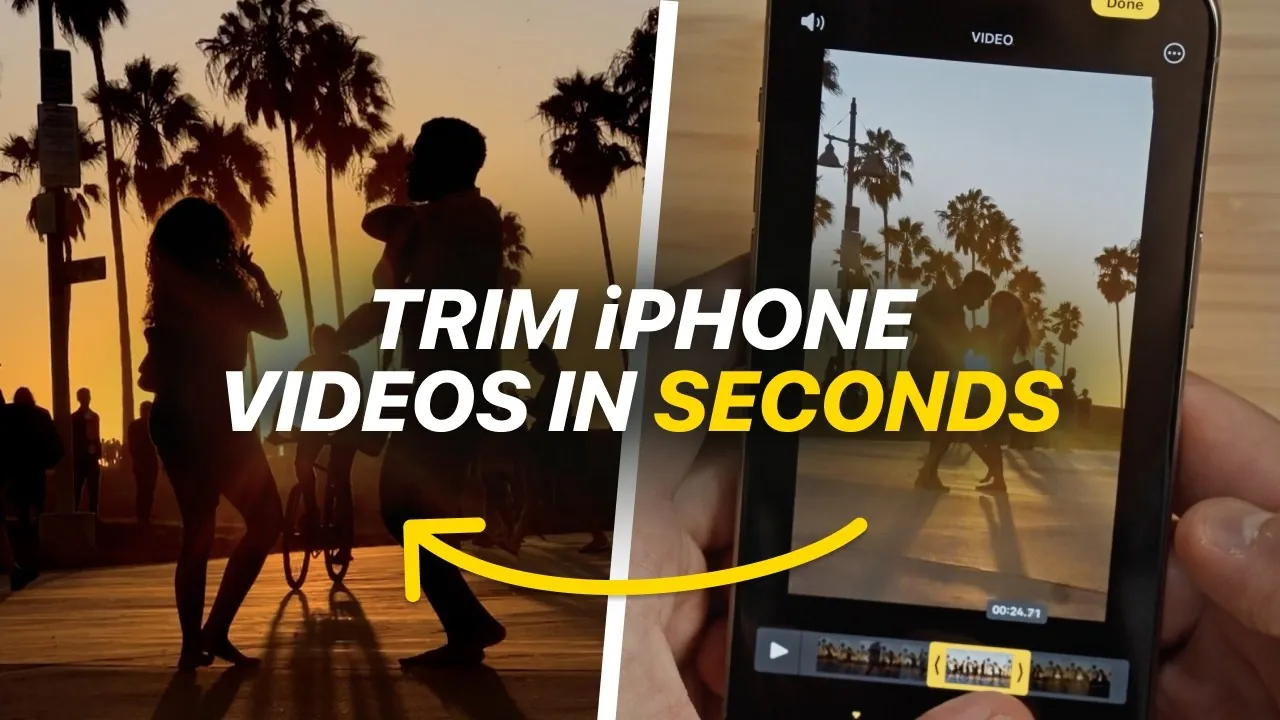
Video editing begins with mastering the basics, and trimming is one of the most essential skills to develop. The iPhone Photos app provides a straightforward yet powerful platform for refining your video clips, making it an excellent tool for both beginners and semi-technical users. The video below from iPhone Photography School explores the app’s trimming features, non-destructive editing capabilities, and saving options, equipping you with the knowledge to create polished, professional-quality videos effortlessly.

Why Trimming is Essential
Trimming forms the foundation of effective video editing. It allows you to cut away unnecessary footage from the beginning or end of a clip, making sure your video starts and ends precisely where it should. Whether you’re removing dead space, eliminating errors, or emphasizing key moments, trimming sharpens your narrative and keeps your audience engaged.
The iPhone Photos app simplifies this process with its intuitive drag handles, allowing you to adjust the start and end points of your video with ease. For greater precision, the app offers a frame-by-frame editing mode, allowing you to fine-tune your cuts for seamless transitions. By mastering trimming, you can significantly enhance the quality of your videos, making sure they capture and maintain your audience’s attention.
Features That Enhance Your Editing Experience
The Photos app offers more than just basic trimming. It includes a variety of features designed to improve your editing experience and help you achieve professional results. Key features include:
- Real-Time Previews: Instantly see how your edits affect the flow of your video before saving, giving you confidence in your adjustments.
- Audio Control: Mute distracting background noise or retain audio to preserve dialogue and ambient sounds that enrich your story.
- Precision Editing: Use the frame-by-frame mode to make detailed adjustments, making sure your cuts are smooth and visually appealing.
These tools make the Photos app a versatile choice for users at any skill level, whether you’re just starting out or looking to refine your editing techniques.
Saving Options for Flexibility
One of the standout features of the Photos app is its non-destructive editing approach, which ensures your original video remains untouched even after making changes. This flexibility is invaluable, as it allows you to experiment freely without the risk of permanently altering your footage. The app provides two primary saving options:
- Save as New Clip: Create a trimmed version of your video while preserving the original file. This is ideal for sharing edited clips while maintaining access to the unaltered footage.
- Revert Edits: Restore your video to its original state at any time, allowing you to undo changes and refine your edits as needed.
These options are particularly useful for collaborative projects or when revisiting your work to make further improvements. They empower you to experiment with confidence, knowing that every adjustment can be undone.
The Advantages of Non-Destructive Editing
Non-destructive editing is a key feature that sets the Photos app apart. It allows you to explore creative possibilities without the fear of making irreversible mistakes. This approach is especially beneficial for beginners, as it encourages experimentation and reduces the pressure to achieve perfection on the first attempt.
For collaborative projects, non-destructive editing offers additional advantages. You can share edited versions of your clips while keeping the original files intact, making sure that all team members have the flexibility to make further adjustments. This feature fosters creativity and collaboration, making it easier to achieve a shared vision.
Expanding Your Skills Beyond Trimming
Trimming is not just a standalone skill—it serves as the foundation for more advanced video editing techniques. Once you’ve mastered the basics, you can use trimmed clips as building blocks for larger projects. Practical applications include:
- Montages: Combine multiple trimmed clips to create dynamic highlight reels or storytelling sequences that captivate your audience.
- Tutorials: Focus on key moments to deliver clear, concise instructions that are easy to follow.
- Short Films: Use clean, well-edited footage to craft compelling narratives that leave a lasting impression.
The Photos app provides the tools you need to start small and gradually take on more complex projects. By building on your trimming skills, you can unlock new creative possibilities and elevate your video editing capabilities.
Unlocking the Full Potential of the iPhone Photos App
The iPhone Photos app is more than just a basic editing tool—it’s a gateway to creating high-quality videos with minimal effort. By focusing on trimming, using non-destructive editing, and using flexible saving options, you can produce polished content that stands out. These foundational skills not only improve your editing abilities but also prepare you for more advanced projects. Start with the basics, experiment confidently, and watch your video editing skills grow as you explore the full potential of this versatile app.
Explore further guides and articles from our vast library that you may find relevant to your interests in Video Trimming.
Source & Image Credit: iPhone Photography School
Filed Under: Apple, Apple iPhone, Guides
Latest Geeky Gadgets Deals
Disclosure: Some of our articles include affiliate links. If you buy something through one of these links, Geeky Gadgets may earn an affiliate commission. Learn about our Disclosure Policy.
Credit: Source link