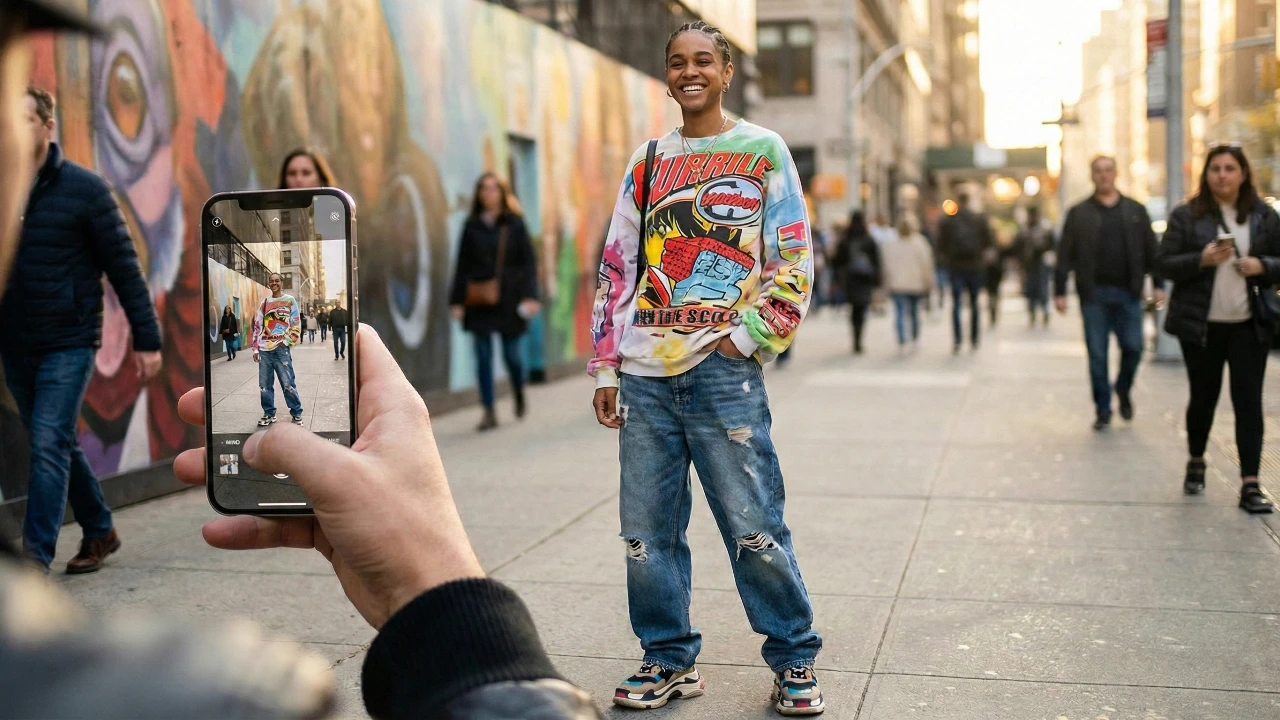
Capturing high-quality portraits with your iPhone has never been more accessible, thanks to advanced camera technology and intuitive tools. Whether you’re using the latest iPhone 15 Pro Max or an earlier model, mastering a few essential techniques can significantly enhance your photography. The video below from iPhone Photography School explores key aspects such as lighting, lens selection, composition, and editing, equipping you with the knowledge to create stunning, professional-grade portraits.

Mastering Lighting for Flawless Portraits
Lighting is the foundation of exceptional portrait photography. The way light interacts with your subject can dramatically influence the mood, clarity, and overall quality of your images. Soft, diffused light is particularly effective, as it minimizes harsh shadows and enhances natural skin tones.
- Avoid direct sunlight: Harsh sunlight can create unflattering shadows and cause discomfort for your subject, leading to squinting or uneven lighting.
- Use natural indoor light: Position your subject near a window to take advantage of soft, even illumination that flatters facial features.
- Incorporate artificial lighting: Tools like ring lights or LED panels provide consistent and adjustable lighting, especially in low-light conditions.
By prioritizing proper lighting, you can reduce the need for extensive editing while making sure your portraits look polished and professional straight out of the camera.
Selecting the Ideal Lens for Portraits
The lens you choose plays a pivotal role in shaping the aesthetic and quality of your portraits. iPhones equipped with telephoto lenses, such as 2x, 3x, or 5x zoom options, are particularly well-suited for portrait photography. These lenses create a natural compression effect, isolating your subject and enhancing the background blur for a professional look.
- Telephoto lenses: These are ideal for capturing close-up portraits with a pleasing depth of field, making sure your subject remains the focal point.
- Wide and ultra-wide lenses: While useful for landscapes or group shots, these lenses can distort facial features in close-up portraits and are best avoided for this purpose.
Choosing the right lens ensures your portraits maintain balanced proportions and a clean, focused composition, elevating the overall quality of your images.
Perfecting Composition for Visual Appeal
Strong composition is key to creating portraits that captivate the viewer. By applying simple yet effective techniques, you can enhance the visual impact of your photos and ensure your subject stands out.
- Rule of thirds: Position your subject slightly off-center to create a balanced and dynamic composition that draws the viewer’s eye.
- Leading lines: Use natural elements like pathways, fences, or railings to guide the viewer’s attention toward your subject.
- Minimize distractions: Opt for clean, uncluttered backgrounds to keep the focus on your subject and avoid visual noise.
Attention to composition not only improves the aesthetic quality of your portraits but also helps convey a sense of professionalism and artistry.
Maximizing iPhone Portrait Mode Features
Portrait mode on the iPhone replicates the shallow depth of field typically achieved with professional cameras, blurring the background while keeping the subject in sharp focus. To make the most of this feature, consider the following tips:
- Adjust the depth slider: Use the f-stop control to customize the intensity of the background blur. A lower f-stop creates a more pronounced blur, while a higher f-stop retains more background detail.
- Use natural light: While artificial lighting effects like stage or studio light can be tempting, they may appear unnatural if overused. Stick to natural light for a more authentic look.
By combining these adjustments with thoughtful lighting and composition, you can achieve portraits that are both realistic and visually striking.
Refining Portraits with Editing Tools
Post-capture editing is an essential step in perfecting your portraits. The iPhone’s built-in editing tools, along with third-party apps, offer a wide range of options for enhancing your images.
- iPhone Photos app: This built-in tool allows you to adjust focus, modify blur intensity, and tweak basic settings like brightness, contrast, and saturation.
- Third-party apps: Applications like Adobe Lightroom or Snapseed provide advanced editing features, including presets, color grading, and detailed adjustments for fine-tuning your portraits.
Editing enables you to bring out the best in your photos, making sure they look polished and ready to share or print.
Exploring the iPhone 15 Pro Max’s Portrait Innovations
The iPhone 15 Pro Max introduces advanced features that enhance the flexibility and convenience of portrait photography. One of its standout capabilities is the ability to capture depth information in standard photo mode, allowing you to apply portrait blur after the photo is taken.
- Post-capture adjustments: Modify focus and blur intensity during editing without compromising image quality, giving you greater creative control.
- Streamlined workflow: Automatically capturing depth data simplifies the process of creating professional-looking portraits, even in dynamic or fast-paced environments.
These advancements make it easier than ever to achieve high-quality results, whether you’re a seasoned photographer or a casual user.
Combining Techniques for Professional Results
To consistently produce exceptional portraits, integrate the techniques outlined in this guide:
- Start with soft, natural lighting to highlight your subject’s features.
- Use a telephoto lens for balanced proportions and a pleasing background blur.
- Apply composition principles like the rule of thirds and leading lines for visual impact.
- Take advantage of portrait mode to achieve a shallow depth of field.
- Refine your images with editing tools to enhance their overall quality.
By mastering these strategies, you can elevate your iPhone photography, creating portraits that stand out for their clarity, artistry, and professionalism. Whether capturing candid moments or planned shots, these techniques empower you to make the most of your iPhone’s capabilities.
Check out more relevant guides from our extensive collection on iPhone portrait mode that you might find useful.
Source: iPhone Photography School
Filed Under: Apple, Apple iPhone, Top News
Latest Geeky Gadgets Deals
Disclosure: Some of our articles include affiliate links. If you buy something through one of these links, Geeky Gadgets may earn an affiliate commission. Learn about our Disclosure Policy.
Credit: Source link