
The newly released Claude Code remote control feature enables you to manage local coding sessions from anywhere, providing flexibility for developers who need to switch between devices without losing progress. Below Nate Herk, takes you through the functionality that relies on secure connections established through a QR code or session URL, making sure all data remains on your local machine. While this approach safeguards privacy and data integrity, it also requires your local terminal to stay active throughout the session, highlighting the importance of maintaining a stable setup.
You’ll learn how to set up the remote control feature step by step, including generating a session link and connecting your devices. This walkthrough will also cover key considerations, such as managing session interruptions caused by inactivity or system updates and outline security practices to protect your local environment. By understanding these aspects, you’ll be equipped to use this feature effectively while minimizing risks.
Key Features of the Remote Control Functionality
TL;DR Key Takeaways :
- The Claude Code remote control feature enables seamless management of local coding sessions from any device, making sure work continuity and flexibility without transferring data to the cloud.
- Key functionalities include session continuity across devices, AI-powered automation for efficiency and local-only data management to safeguard privacy and data integrity.
- Setup requires a Pro or Max subscription, an active terminal on the local machine and an internet connection, with QR codes or session links used for secure connections.
- Security measures are crucial, as session links lack two-factor authentication; users must protect their local machines, avoid sharing links and monitor sessions for unauthorized access.
- Current limitations include no remote session initiation without a running terminal, lack of advanced security features and restricted availability to individual users, with potential for future improvements to address these issues.
The remote control feature in Claude Code allows you to remotely access and manage local coding sessions with ease. Using a QR code or session URL, you can securely connect your device to your local environment without transferring data to the cloud. This ensures that all files and processes remain on your machine, safeguarding your privacy and data integrity.
Key functionalities include:
- Seamless session continuity: Start a session on one device, such as your laptop and continue it on another, like your phone, without losing context or progress.
- AI-powered automation: Pre-configured AI agents automate repetitive tasks and provide intelligent suggestions, enhancing your efficiency and workflow.
- Local-only data management: All files and processes remain on your local machine, making sure sensitive information is not exposed to external servers or cloud storage.
This feature is particularly beneficial for developers who require flexibility in managing their workflows while maintaining control over their local environment.
Step-by-Step Setup Process
Setting up the remote control feature is straightforward, but it requires a Pro or Max subscription plan. Follow these steps to get started:
- Open your terminal and run the designated command to generate a session link or QR code.
- Use your remote device to scan the QR code or access the session link to establish a connection with your local machine.
- Ensure your local machine remains online with the terminal running to maintain the connection throughout the session.
While the setup process is simple, there are a few important considerations. Sleep mode is supported, but prolonged inactivity, system updates, or closing the terminal will disrupt the session. If this occurs, you’ll need to restart the process to re-establish the connection.
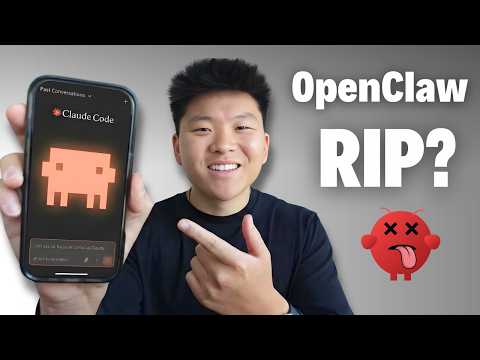
Claude Code Remote Control Setup Guide 2026
Check out more relevant guides from our extensive collection on Claude Code that you might find useful.
Requirements and Limitations to Consider
To make the most of the remote control feature, you must meet specific requirements and be aware of its limitations:
- Internet connection: Both your local machine and the remote device must have an active internet connection to maintain the session.
- Running terminal: The terminal on your local machine must remain active to initiate and sustain the session.
- Subscription plan: This feature is available exclusively for individual users with Pro or Max plans. Team or enterprise plans are not supported.
Additionally, the feature does not support API authentication and sessions cannot be initiated remotely if your local machine is offline. These limitations require careful planning to avoid disruptions during critical workflows.
Security Guidelines for Safe Usage
While the remote control feature offers significant flexibility, it also necessitates strict attention to security. Session URLs and QR codes act as keys to your local environment and should be handled with care. Since there is no two-factor authentication or password protection for session links, you must take proactive measures to safeguard your sessions:
- Secure your local machine: Ensure that your local machine is accessible only to trusted users and is protected by strong passwords or biometric authentication.
- Do not share session links: Avoid sharing session URLs or QR codes with unauthorized individuals, as they provide direct access to your local environment.
- Monitor active sessions: Regularly check your sessions to ensure there is no unauthorized access or suspicious activity.
By adhering to these best practices, you can minimize risks and maintain the integrity of your local environment while using the remote control feature.
Current Limitations and Opportunities for Improvement
Although the remote control feature is a valuable tool, it has certain limitations that may affect its usability for some users. These include:
- The inability to initiate sessions remotely without a running terminal on the local machine.
- The lack of advanced security measures, such as two-factor authentication or password protection for session links.
- Restricted availability for individual users only, with no support for team or enterprise plans.
Future updates could address these limitations by introducing features such as remote session initiation, enhanced security protocols and expanded support for collaborative workflows. These enhancements would make the feature more versatile and appealing to a broader range of users.
Relevance in the Broader Industry Landscape
The introduction of remote control functionality in Claude Code aligns with a growing trend in AI-driven productivity tools. As AI continues to play a significant role in software development, contributing to approximately 41% of code generation, tools like Claude Code are becoming indispensable for developers. By allowing remote access to local sessions, this feature meets the increasing demand for flexible, AI-powered development environments, allowing developers to work efficiently from virtually anywhere.
Maximizing the Potential of Claude Code’s Remote Control
The remote control feature in Claude Code offers a powerful way to manage local coding sessions remotely, enhancing flexibility and productivity. To fully use this tool, it’s essential to understand its setup process, requirements and limitations while adhering to security best practices. By staying informed about potential updates and enhancements, you can optimize your workflow and maintain productivity, no matter where you are.
Media Credit: Nate Herk | AI Automation
Filed Under: AI, Guides
Disclosure: Some of our articles include affiliate links. If you buy something through one of these links, Geeky Gadgets may earn an affiliate commission. Learn about our Disclosure Policy.
Credit: Source link