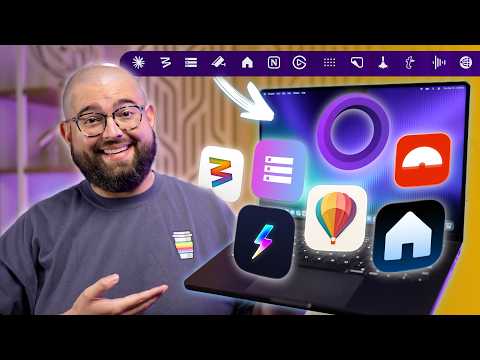
Mac menu bar apps have become indispensable tools for users seeking to optimize their workflows and simplify daily tasks. These compact yet powerful applications provide quick access to essential features, helping you manage everything from storage and screen recording to smart home devices and social media. Below is a curated list of ten must-have menu bar apps that can significantly improve your Mac experience. The video below from Stephen Robles shows us how to get the most out of your Mac.
1. Disk View: Simplify Storage Management
Disk View is a highly practical app that provides a clear overview of your Mac’s storage status. It displays real-time information about available space on internal, external, and network drives directly in the menu bar. By offering this data at a glance, Disk View helps you avoid running out of storage unexpectedly. This free tool is particularly useful for users managing large files or multiple drives, making sure efficient disk space utilization.
2. Supercharge: Customize Your Mac’s Capabilities
Supercharge enables you to tailor your Mac’s functionality by adding customizable actions to the menu bar and Finder. Whether you need to clear notifications, eject drives, or integrate with Apple Shortcuts, this app offers a versatile set of tools to streamline your workflow. Its unique “pay-what-you-want” pricing model makes it accessible to a wide range of users, providing a cost-effective way to enhance your Mac’s usability.
3. Screen Studio: Advanced Screen Recording Made Easy
Screen Studio is a feature-rich app designed for professional-quality screen recording. It includes tools like automatic zooms, animations, and built-in editing capabilities, making it ideal for creating tutorials, presentations, or content for social media. With its subscription-based model, Screen Studio caters to content creators who require polished results without the need for complex software. Its intuitive interface ensures that even beginners can produce high-quality recordings effortlessly.
4. YY Home: Seamless Smart Home Integration
YY Home brings the convenience of smart home control to your Mac’s menu bar. By integrating with Apple HomeKit, this app allows you to manage devices, control scenes, and monitor cameras with ease. While the app is free to download, a one-time purchase of $13 unlocks its full range of features. For smart home enthusiasts, YY Home offers a centralized and efficient way to manage connected devices directly from your Mac.
5. Just Peak: Quick Access to Websites
Just Peak is a simple yet effective app that declutters your desktop by providing direct access to frequently visited websites and social media platforms. The free version supports up to three bookmarks, while a $20 upgrade unlocks unlimited usage. This app is particularly useful for users who need to navigate between multiple online resources quickly, making it a valuable addition to any digital workspace.
6. Aeronaut: Efficient Social Media Management
Aeronaut is a third-party app tailored for BlueSky users, offering features like bookmarks and multi-account support. While basic browsing is free, a subscription unlocks advanced functionalities, making it an excellent choice for social media professionals and enthusiasts. Aeronaut simplifies the process of managing multiple accounts, making sure a smoother and more organized social media experience.
7. Dot Calendar: A Comprehensive Scheduling Tool
Dot Calendar combines sleek design with powerful features, including agenda views, progress tracking, and world clock integration. This app is perfect for users who need a visually appealing and functional calendar to stay organized. Available for a $10 one-time purchase during its launch, Dot Calendar ensures that your schedule is always accessible and easy to manage.
8. Moom: Effortless Window Management
Moom is a highly effective tool for managing windows on your Mac. It offers grid-based customization, resizing, snapping, and layout automation, making multitasking more efficient. Priced at $15 for a one-time purchase, Moom is ideal for users who frequently work with multiple windows and need a streamlined way to organize their workspace.
9. NotePlan: Integrated Productivity Solution
NotePlan combines note-taking, project management, and calendar integration into a single, cohesive app. Designed for users who need an all-in-one productivity tool, NotePlan’s subscription-based model provides a comprehensive solution for managing both personal and professional tasks. Its seamless integration of features ensures that you can stay organized and focused without switching between multiple apps.
10. Audio Hijack: High-Quality Audio Recording
Audio Hijack is a powerful app designed for recording and monitoring audio. With features tailored for podcasters and content creators, this tool ensures high-quality recordings and smooth audio management. Priced at $70 for a one-time purchase, Audio Hijack is an investment that delivers robust functionality for users who prioritize audio quality in their projects.
Additional Apps Worth Exploring
While the ten apps above are standout choices, several others deserve attention for their unique capabilities:
- Pastebot: A clipboard manager that provides quick access to copied items, available for $15 as a one-time purchase.
- Notion: Offers menu bar integration for faster navigation within your workspace, with both free and paid plans available.
- CleanShot X: A versatile screen capture and recording tool, priced at $30 for a one-time purchase, ideal for users who need advanced screenshot functionality.
Maximize Your Mac’s Potential
Incorporating these menu bar apps into your workflow can significantly enhance your productivity and overall Mac experience. From managing storage and organizing tasks to controlling smart home devices and creating professional content, these tools offer practical solutions for a wide range of needs. By using the capabilities of these apps, you can transform your Mac into a more efficient and versatile tool for both work and leisure.
Master Mac apps with the help of our in-depth articles and helpful guides.
Here are more detailed guides and articles that you may find helpful on Mac Apps.
Source: Stephen Robles
Filed Under: Apple, Guides, Laptops
Disclosure: Some of our articles include affiliate links. If you buy something through one of these links, Geeky Gadgets may earn an affiliate commission. Learn about our Disclosure Policy.
Credit: Source link