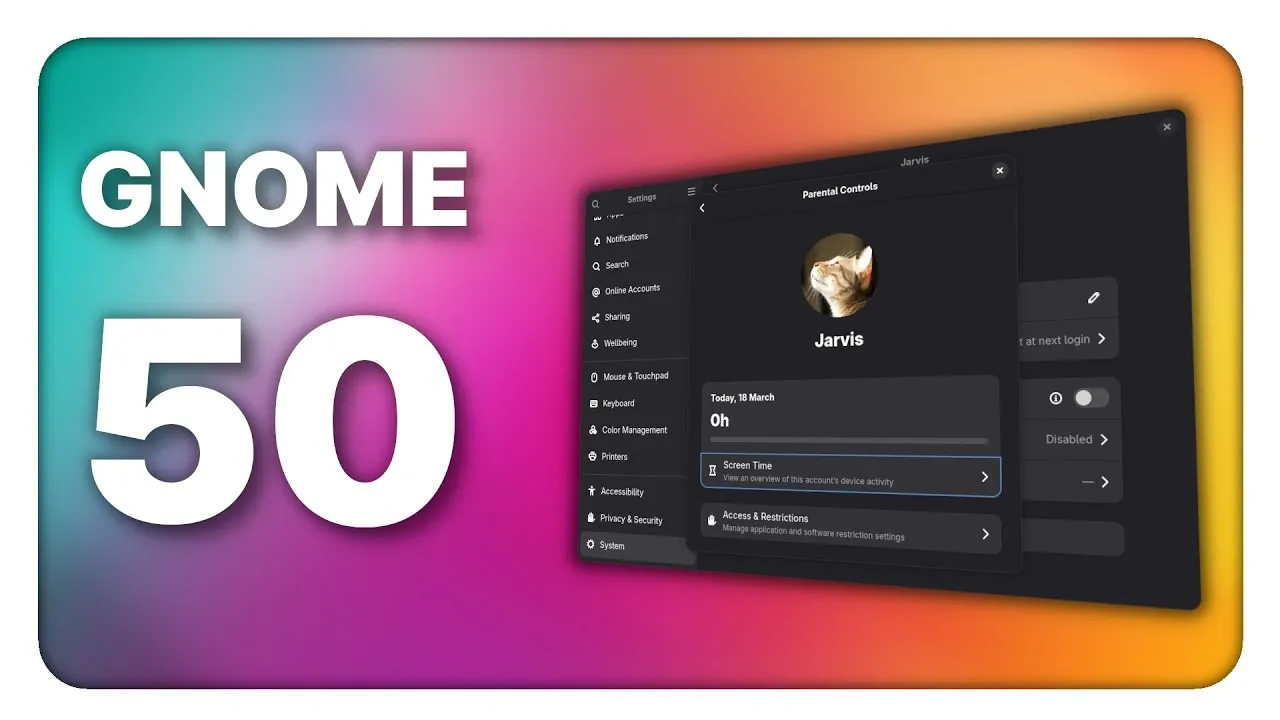
GNOME 50 marks a notable update to the GNOME desktop environment, focusing on accessibility, performance and usability improvements. A key change in this release is the adoption of Wayland as the default display protocol, replacing X11. This shift introduces features like HDR support, fractional scaling, and better handling of hybrid GPU setups, including Nvidia hardware. According to The Linux Experiment, these updates reflect GNOME’s ongoing efforts to provide a modern and adaptable desktop experience.
Discover how GNOME 50 enhances productivity with updates to core applications, such as GNOME Calendar’s new ICS export functionality and customizable weekdays, as well as Nautilus’ faster thumbnail rendering and improved batch renaming. Gain insight into expanded UI customization options, including independent text scaling and a reduced motion toggle, designed to accommodate diverse user needs. This launch overview provides a detailed look at how these features contribute to a more versatile and user-focused desktop environment.
Wayland as the Default Display Protocol
TL;DR Key Takeaways :
- Wayland Transition: GNOME 50 completes the transition to Wayland, replacing X11 for improved performance, security and support for modern features like HDR, variable refresh rates and fractional scaling.
- Accessibility Enhancements: Significant updates to the OrCA screen reader, including global settings, automatic language switching and better compatibility with Electron apps, ensure a more inclusive experience.
- Parental Controls and Digital Well-Being: New tools for managing screen time, bedtime schedules, app restrictions and web filtering promote healthier device usage for families.
- Improved Remote Desktop and Graphics Support: Enhanced remote desktop functionality with headless sessions, high DPI support and local camera integration, alongside refined display scaling and GPU compatibility.
- Core Application and UI Upgrades: Updates to GNOME Calendar, PDF Viewer and GNOME Web, along with expanded UI customization options like independent text scaling and reduced motion toggle, improve usability and personalization.
The transition to Wayland is now complete in GNOME 50, officially replacing the older X11 protocol. This shift brings significant improvements in both performance and security, while also allowing advanced features such as HDR support, variable refresh rates, and fractional scaling. Users with hybrid GPU setups, including those using Nvidia hardware, will benefit from smoother performance and enhanced compatibility. By fully adopting Wayland, GNOME demonstrates its commitment to a future-ready display protocol that meets the demands of modern computing.
Accessibility Enhancements for Inclusive Computing
Accessibility is a cornerstone of GNOME 50, with substantial updates to the OrCA screen reader. These updates include global settings, automatic language switching, and improved compatibility with Electron-based applications. Whether navigating PDFs, web pages, or other documents, users with disabilities will experience a more seamless and inclusive interface. These enhancements reflect GNOME’s dedication to making sure that its desktop environment is accessible to everyone, regardless of their abilities.
Advance your skills in Linux by reading more of our detailed content.
Parental Controls and Digital Well-Being Tools
GNOME 50 introduces robust parental controls designed to help you manage device usage effectively. These tools allow you to set screen time limits, enforce bedtime schedules, and restrict app usage for child accounts. Additionally, a backend for web filtering has been implemented, with plans to introduce a user-friendly interface in future updates. These features promote healthier digital habits and provide greater control over how devices are used within your household.
Refined Display Scaling and Graphics Support
With the official support for fractional scaling, GNOME 50 offers precise scaling options tailored for high-resolution monitors. This ensures that text and UI elements appear sharp and appropriately sized, regardless of your display’s resolution. The addition of variable refresh rates and improved GPU detection further enhances the visual experience, particularly for users with Nvidia hardware. These updates make GNOME 50 a versatile choice for a wide range of hardware configurations, making sure optimal performance across devices.
Enhanced Remote Desktop Functionality
Remote desktop capabilities receive a major boost in GNOME 50, making remote work and troubleshooting more efficient. You can now host headless sessions, allowing remote access without requiring a connected display. Other improvements include high DPI support, smoother video streaming, and local camera integration. These updates ensure that remote desktop functionality is not only more powerful but also more user-friendly, catering to the needs of both professionals and casual users.
Smarter File Management with Nautilus
The Nautilus file manager has been updated with a range of productivity-focused features. You can now customize captions in grid view, enjoy faster thumbnail rendering, and take advantage of improved batch renaming capabilities. Additionally, enhanced multi-file type search functionality simplifies the process of locating and organizing files. These refinements make file management more intuitive and efficient, saving you time and effort in your daily tasks.
Core Application Upgrades
GNOME 50 delivers meaningful updates to its core applications, enhancing their functionality and usability to better meet user needs:
- GNOME Calendar: Features such as customizable weekdays, ICS export and performance improvements streamline scheduling and event management.
- PDF Viewer (Papers): New annotation tools, including free text and drawing, along with improved search integration, enhance document interaction.
- GNOME Web: Automatic cookie banner blocking ensures a cleaner and less intrusive browsing experience.
- GNOME Maps: A redesigned sidebar for points of interest and improved navigation tools make exploring locations more intuitive.
Expanded UI Customization and Settings
Personalization options have been significantly expanded in GNOME 50. You can now adjust text size independently of display scaling, providing greater flexibility in tailoring the interface to your preferences. A new reduced motion toggle allows for smoother animations, catering to users who prefer a less dynamic visual experience. Redesigned settings pages for sound, network, and keyboard layouts improve navigation and usability, while the ability to customize the first day of the week adds another layer of personalization.
Performance and Security Enhancements
GNOME 50 introduces a series of performance optimizations designed to improve speed and efficiency. The adoption of the Glyin image library reduces memory usage and accelerates image processing, making sure a smoother user experience. Enhanced sandboxing and cookie blocking strengthen security, while improved color management and HDR support deliver richer and more vibrant visuals. These updates ensure that GNOME 50 remains both fast and secure, meeting the demands of modern users.
A Desktop Environment Tailored to Modern Needs
GNOME 50 represents a thoughtful and forward-looking update that addresses the evolving needs of its user base. By prioritizing accessibility, performance, and usability, this release establishes a solid foundation for future growth and innovation. Whether you’re a long-time GNOME user or exploring it for the first time, GNOME 50 offers a polished and adaptable desktop environment designed to meet the diverse demands of today’s computing landscape.
Media Credit: The Linux Experiment
Filed Under: Linux News, Technology News, Top News
Disclosure: Some of our articles include affiliate links. If you buy something through one of these links, Geeky Gadgets may earn an affiliate commission. Learn about our Disclosure Policy.
Credit: Source link