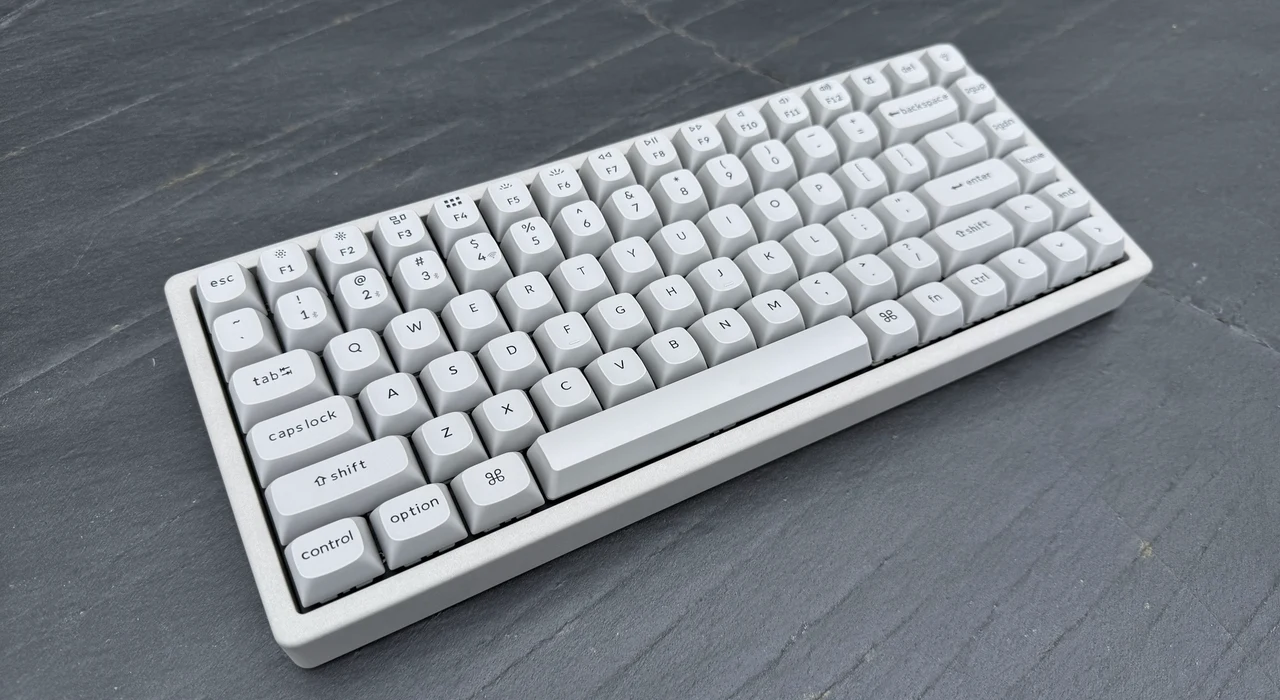
Keychron has built a reputation on lineups that quietly iterate, but the K2 HE Concrete Edition is something different. A 75% wireless magnetic-switch board housed in architectural-grade concrete, packing TMR sensors, Rapid Trigger, and a price tag that undercuts its closest gaming rivals. Priced at $199.99, this is a 75% layout wireless mechanical keyboard housed in a body cast from architectural-grade concrete composite, with CNC-machined aluminum side panels framing the stone. Inside that improbable shell sits the same Gateron double-rail magnetic switch platform that has been winning over Hall Effect converts for the past year, complete with TMR sensors, an adjustable actuation range from 0.2 to 3.8 millimeters, Rapid Trigger, and a full menu of analog gaming features. It is the kind of product that sounds like a stunt until you handle it.
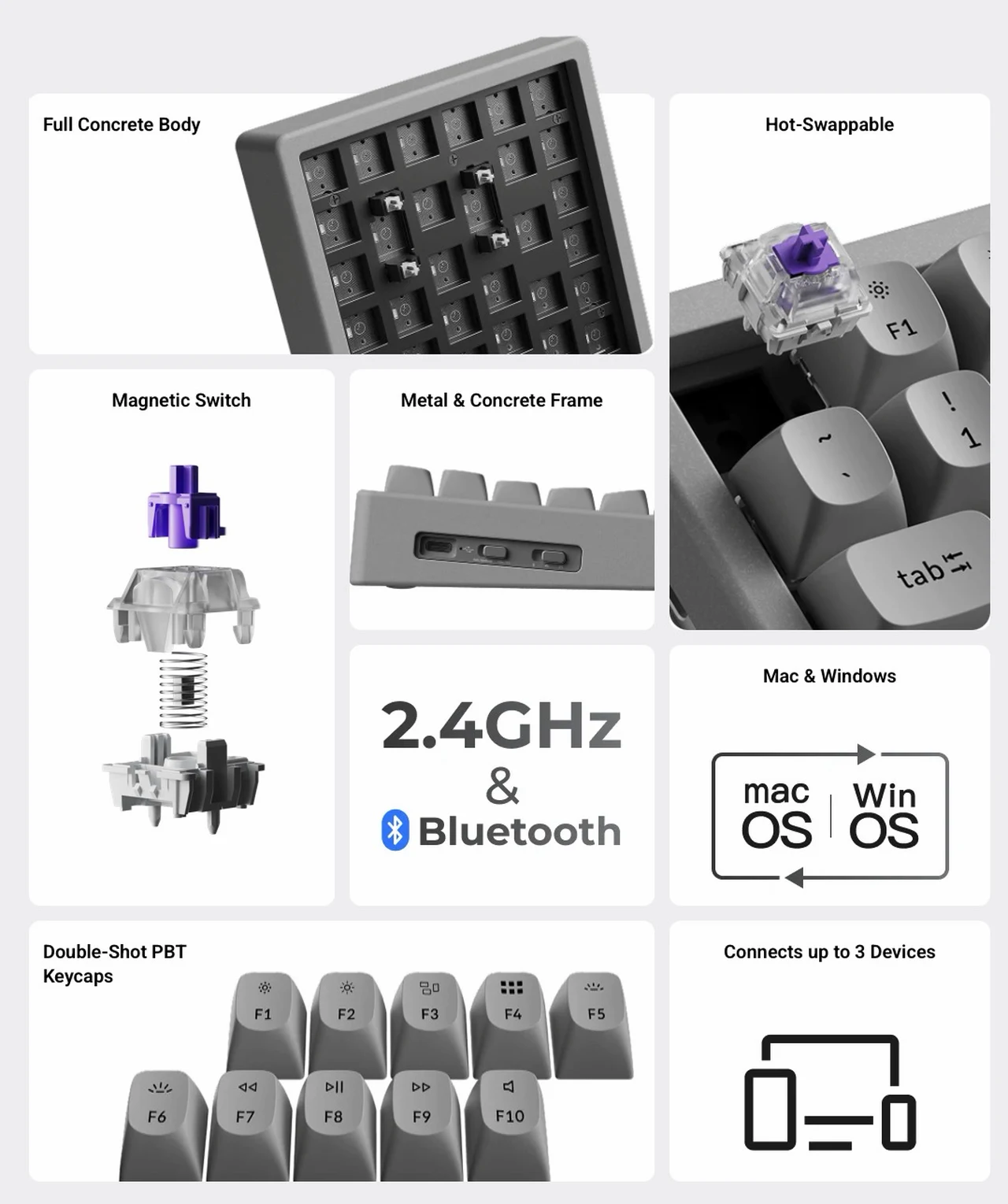
The concrete is real, the typing acoustics are unusually good, and the magnetic-switch gaming feature set is competitive with boards that cost noticeably more. After spending time with the K2 HE Concrete across work sessions, competitive games, and a few honest experiments with the analog mode, the short version is that Keychron has made a statement piece that earns its place on a desk. The longer version requires unpacking what TMR sensors actually do, why magnetic switches matter for gaming, and where the keyboard’s boundaries sit.
The Concrete Itself
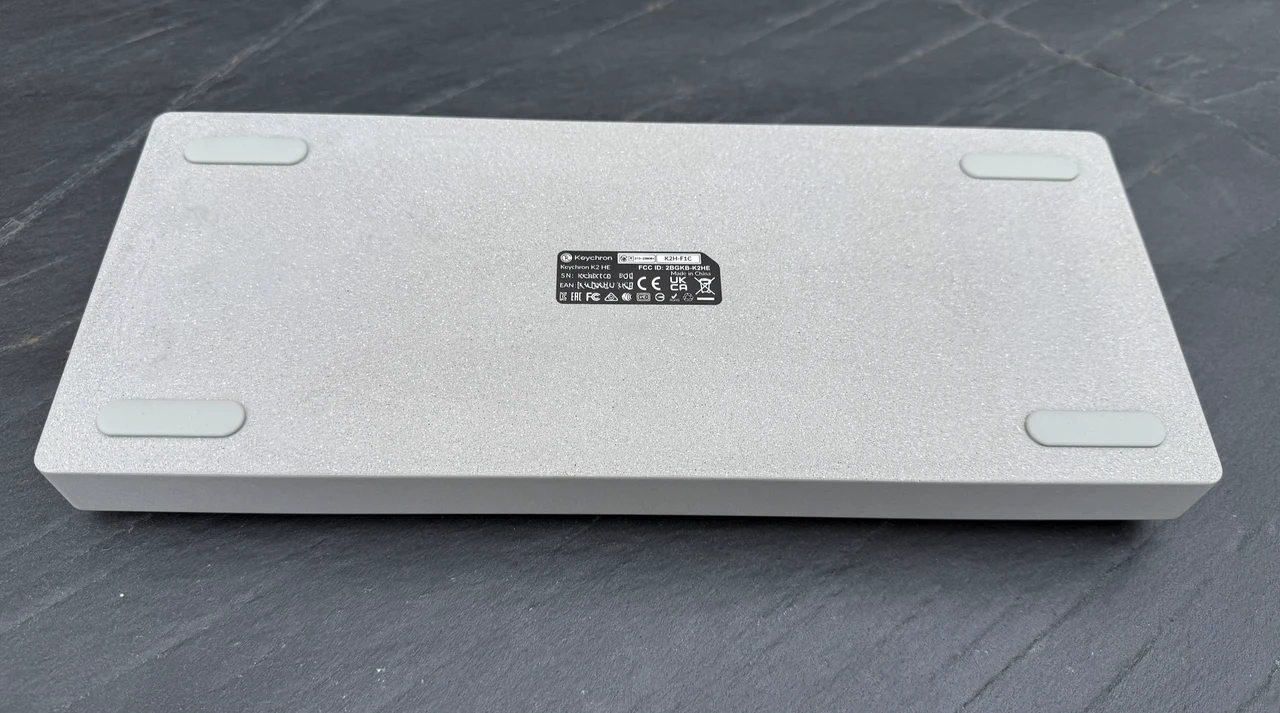
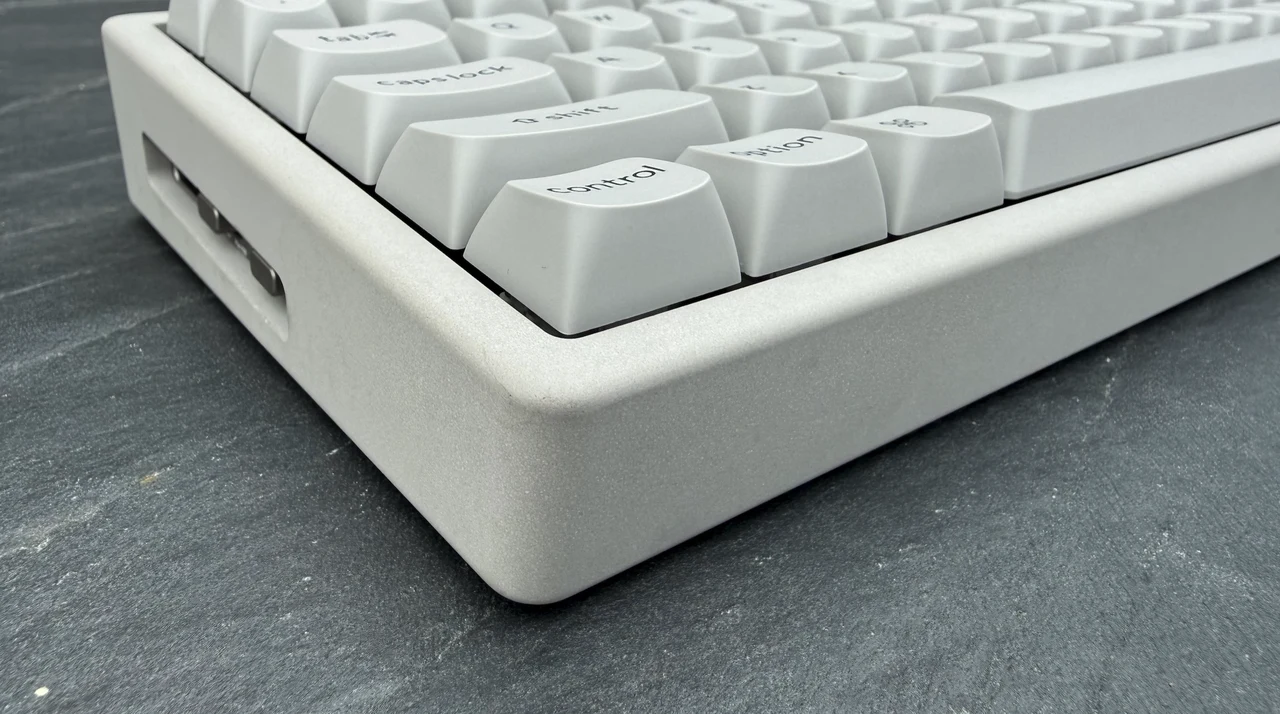
The Concrete Edition is built around a frame Keychron describes as architectural-grade concrete composite, with CNC-machined aluminum side panels and a north-facing RGB plate inside. The result is heavy. The board weighs 1,743 grams in a 75% layout that measures 322 by 132 millimeters, which puts it in the same density class as a small countertop tile. That heft is the point. Concrete absorbs vibration in a way that aluminum-only cases cannot, and the surface texture is genuinely tactile.
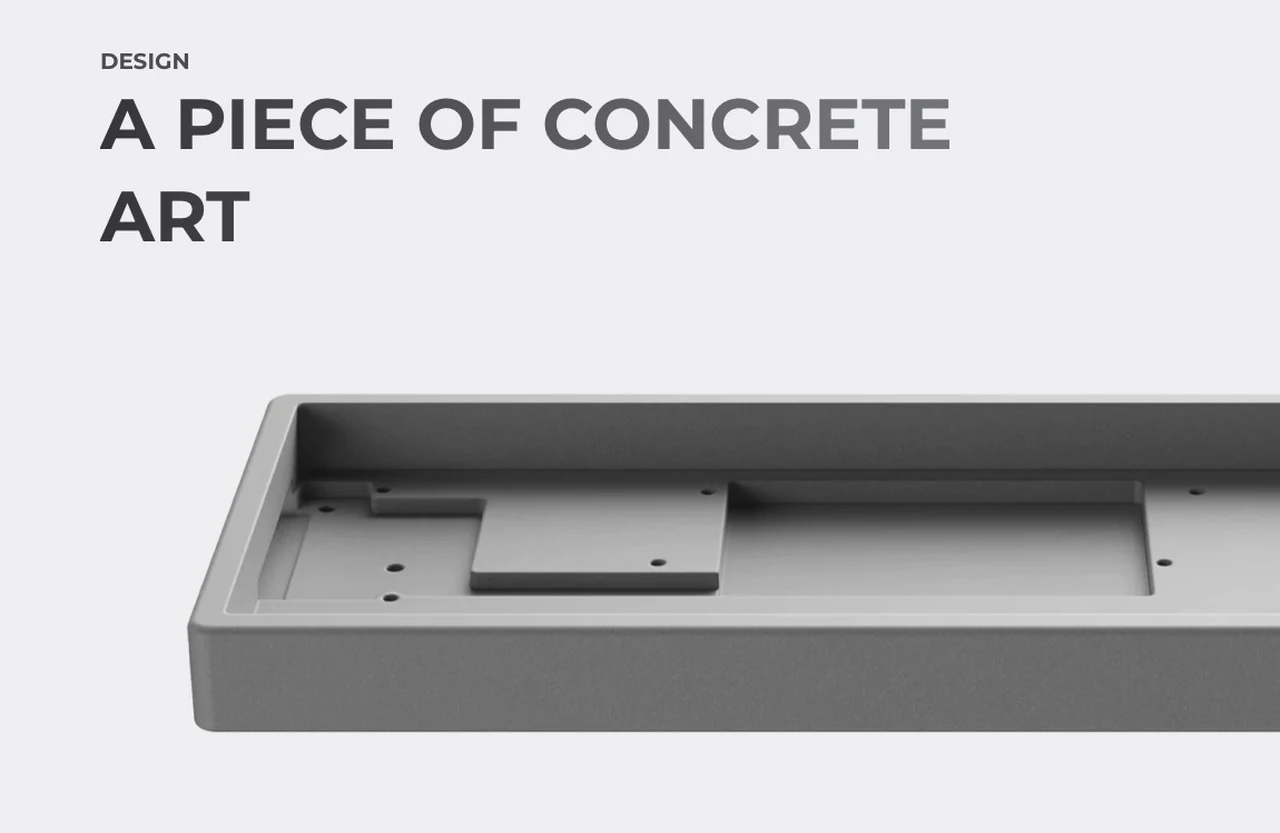
It is cool to the touch in the morning, slightly rough under the fingertips, and visually unique in a way that no anodized aluminum slab can match. Each unit shows tiny variations in surface mottling. If you have ever wanted a keyboard that looks like it belongs on a Brutalist architect’s reference shelf, this is the one.
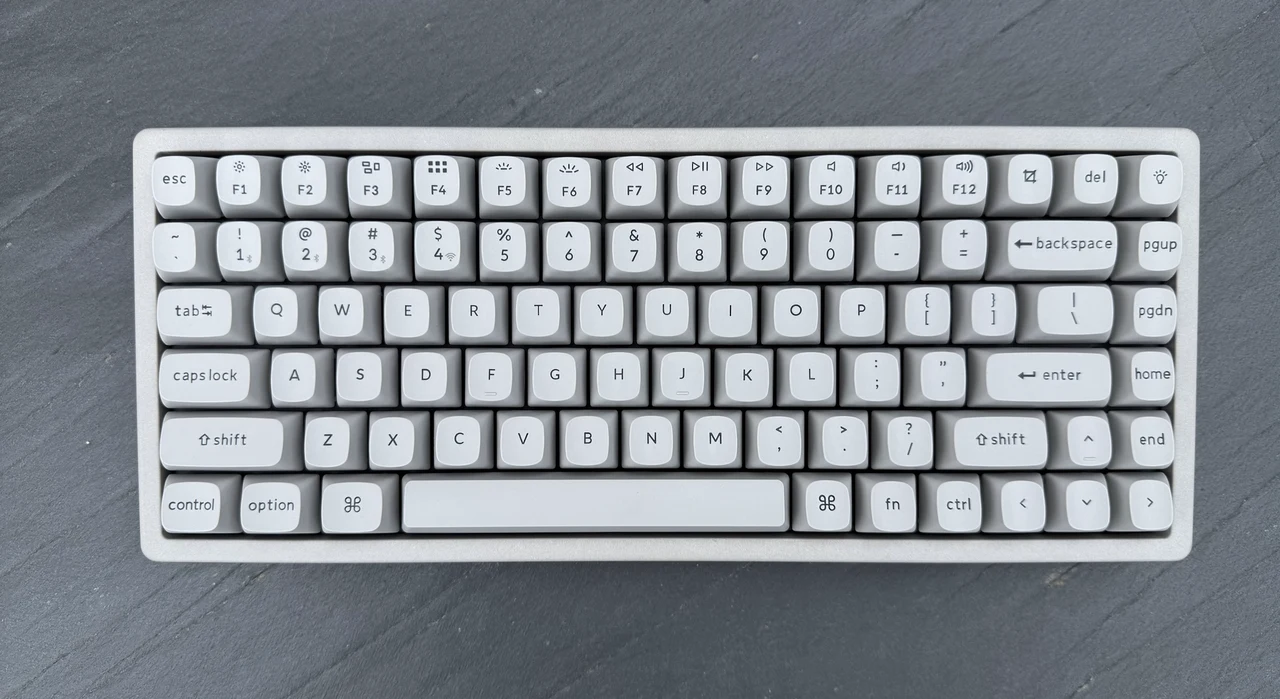
The front height lands at 27.39 millimeters without keycaps and the back height at 34.21 millimeters, giving a four-degree typing angle. There are no flip-out feet, no screen, and no second knob. The board is unapologetically minimalist apart from its material story, and Keychron has wisely paired the raw concrete with non-shine-through OSA-profile double-shot PBT keycaps.
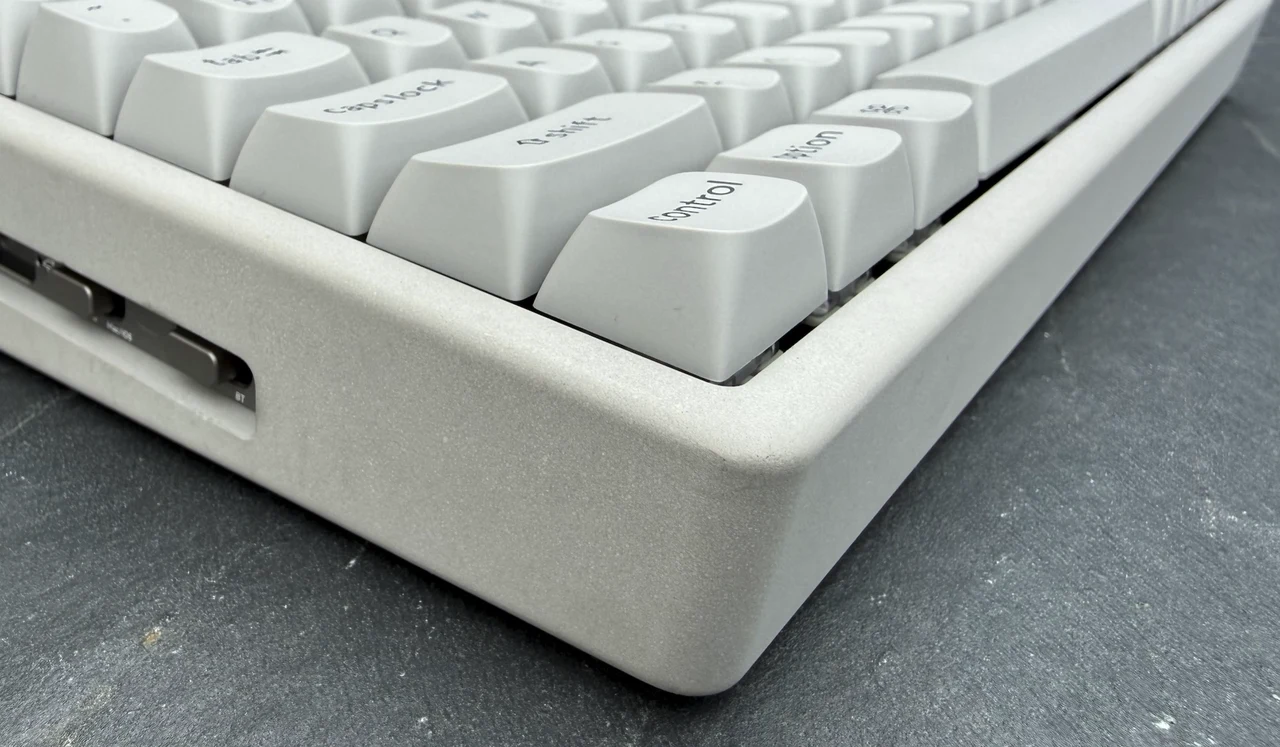
Backlighting is present, but it glows around the keys rather than through them, which suits the industrial aesthetic. There are practical considerations to acknowledge. Concrete is not unbreakable. It will chip if dropped on a hard floor, and that mass means you really do not want to slide the board across a desk without lifting it. For a keyboard intended to sit in one place, neither caveat is a deal-breaker, but neither should be ignored.
Magnetic Switches, TMR, and What Hall Effect Actually Buys You
The K2 HE runs on Gateron’s double-rail magnetic switches, paired with Tunneling Magnetoresistance sensors that detect how deeply a key is pressed by reading subtle changes in a magnetic field. Traditional mechanical switches register a binary on or off when the keypress crosses a fixed physical contact point. Magnetic switches read the analog position of the stem continuously, which unlocks features that mechanical switches cannot offer.
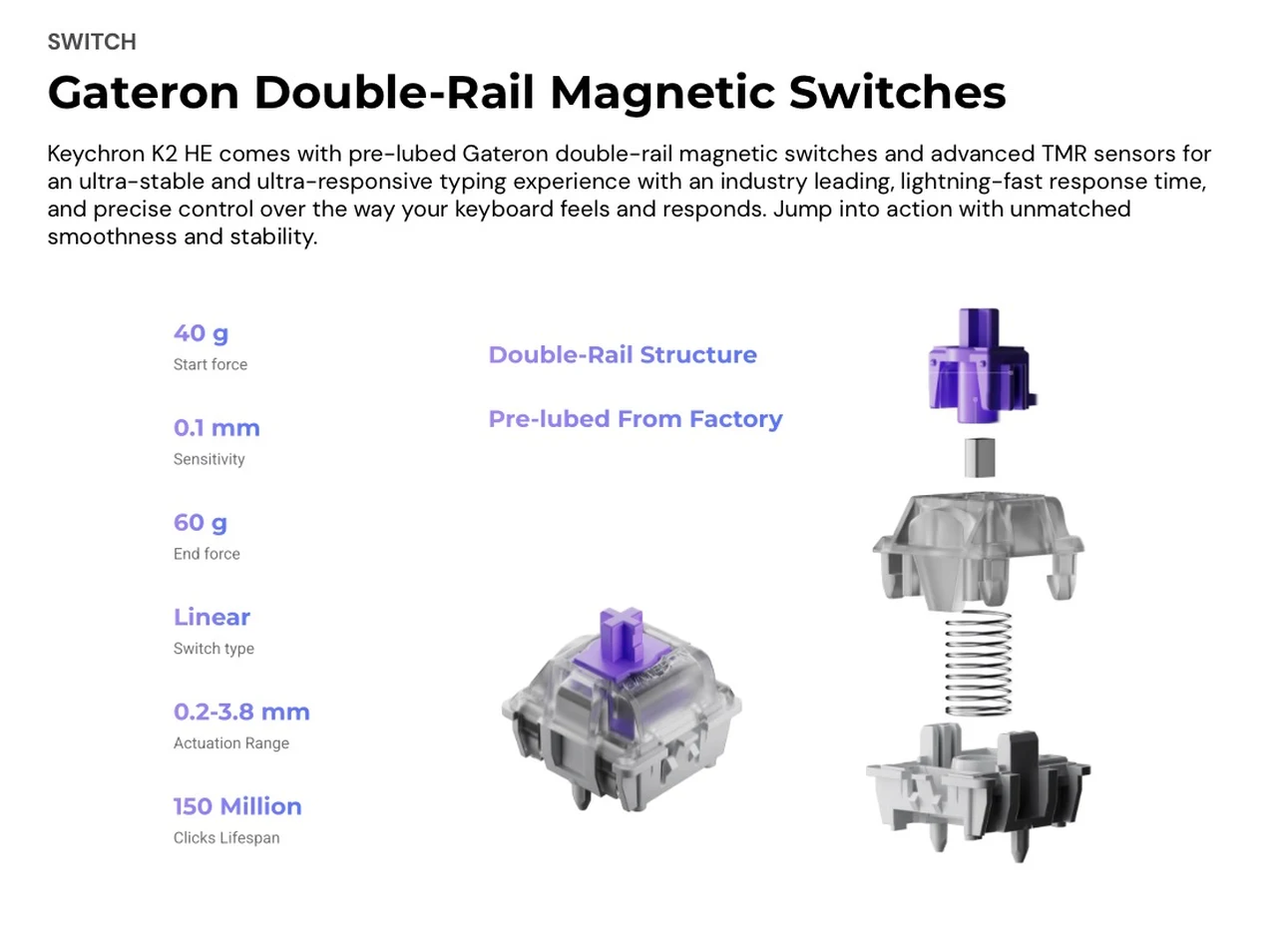
The most obvious payoff is adjustable actuation. You can set any key on the K2 HE to register anywhere from 0.2 millimeters to 3.8 millimeters of travel, in 0.1-millimeter steps. Set the WASD cluster to a hair-trigger 0.2 millimeters for instant reaction in games, then push the Enter and modifier keys out to 2 or 3 millimeters to avoid accidental presses while typing. That kind of per-key tuning is impossible on any traditional mechanical board. The TMR sensors are the technical differentiator over older Hall Effect implementations.
Keychron quotes magnetic field sensitivity up to 100 millivolts per volt per Oersted, which translates to higher resolution position tracking and lower latency. In practice, the keyboard feels predictable and fast, with input that registers before the brain notices the keypress. What you give up is switch flexibility. The K2 HE only accepts the Gateron double-rail magnetic switches sold through Keychron. It does not work with Gateron Magnetic Jade or KS-20 magnetic switches, and obviously not with any traditional mechanical switch. The Nebula switch that ships in this edition is a strong default, and Aurora and Dawn variants are sold as upgrades, but if you have spent years collecting switches, this board will not play with your stash.
The Gaming Feature Set
Beyond adjustable actuation, the K2 HE bundles the full magnetic-switch gaming playbook. Rapid Trigger, also called Dynamic Rapid Trigger here, activates and deactivates keys based on travel direction rather than a fixed actuation point, which means a key can reset and re-fire much faster than on a traditional mechanical board. For tap-strafing in Apex Legends or counter-strafing in Valorant, this is a genuine, measurable advantage.
Last Key Priority resolves what happens when you press conflicting directional keys at the same time, prioritizing the most recent input so a quick A-to-D transition does not stutter mid-stride. Snap Click goes further by letting a deeper press override a shallower one already held down, which is useful for the same kind of directional switching. The headline feature for creative players is Dynamic Keystrokes, which assigns up to four distinct actions to a single key based on press depth. A shallow tap can move a character forward, a deeper press can switch to a sprint, and the release can trigger a third action.
The fourth slot opens further options on press release. Layered correctly, this is the keyboard equivalent of a controller’s analog trigger. Analog Mode takes the same principle and applies it across the whole board, letting any key produce variable input rather than the usual on or off. This is most useful in racing games, flight sims, or anything where smooth throttle and steering inputs matter. None of these features are enabled by default. All of them are unlockable through the Launcher web app, which means the keyboard ships as a calm typing tool until you decide to weaponize it.
Wireless Connectivity and the 1000 Hz Reality
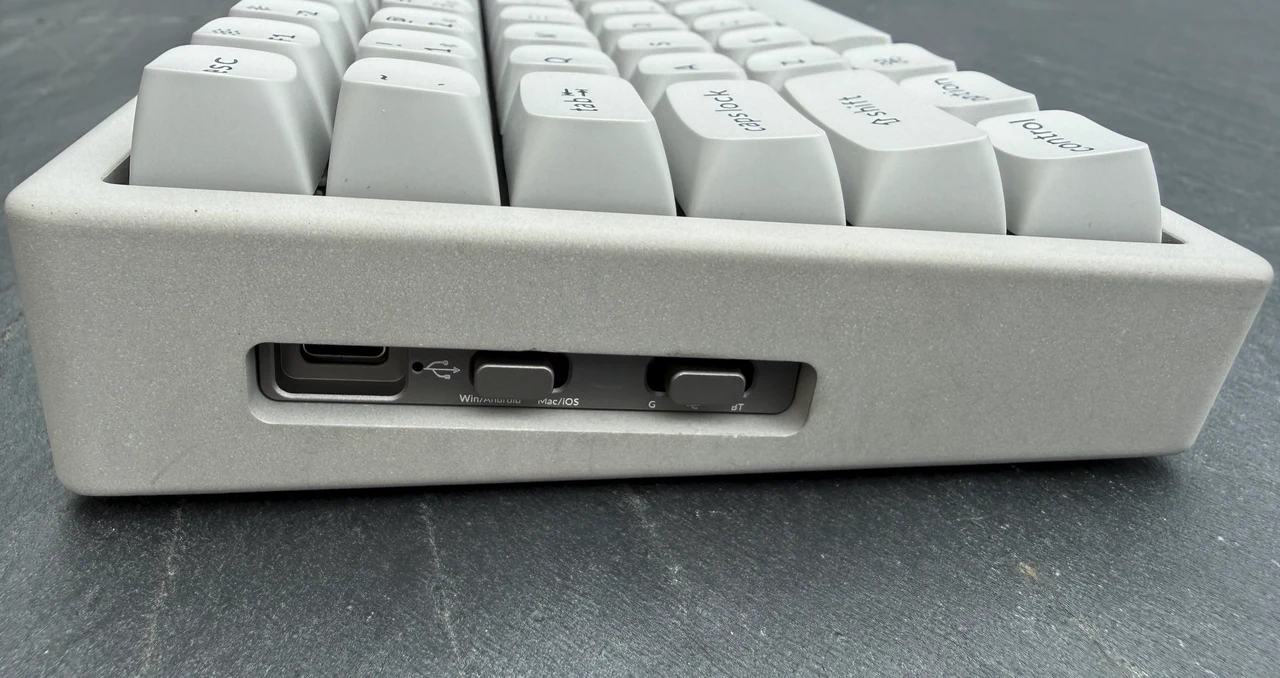
The K2 HE connects three ways: 2.4 GHz wireless via the supplied dongle, Bluetooth 5.2 to up to three devices, and USB-C wired. Polling rate hits 1,000 Hz in both wired and 2.4 GHz modes, dropping to 125 Hz over Bluetooth, which is standard for the protocol. This is the one specification where the K2 HE shows its place in the product hierarchy. Newer Keychron flagships such as the Q3 Ultra 8K push polling to 8,000 Hz, and competitive gaming peripherals from Razer and Wooting have spent the last year escalating that arms race. Keychron’s pitch is that the K2 HE’s latency, as measured by third-party testing on RTINGS, already outperforms most flagship keyboards in its class.
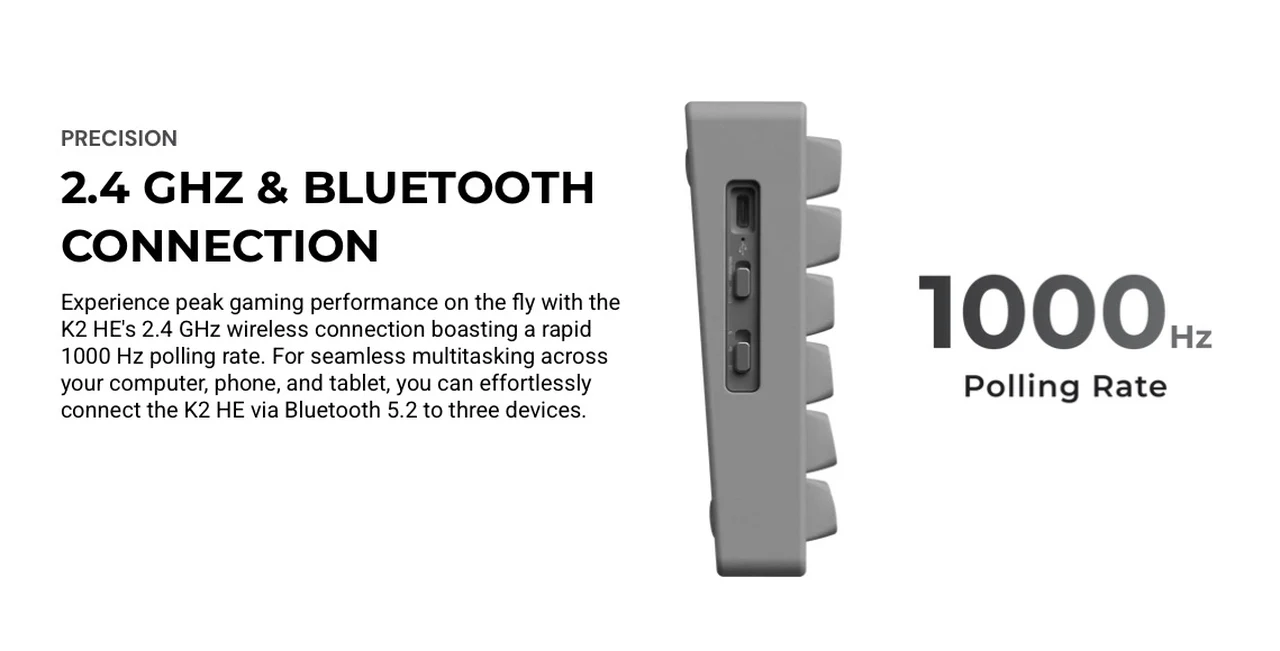
That is plausible. The combination of TMR sensors and a tight 2.4 GHz implementation lands the board in the top tier of real-world responsiveness even at the lower polling rate. Battery life is rated at up to 110 hours, drawn from a 4,000 mAh lithium-polymer pack. That is dramatically less than the 660 hours quoted for the new ZMK-based Q3 Ultra 8K, but the K2 HE runs QMK firmware, which is more power-hungry by design, and the RGB backlight adds further drain when active. For a board that will likely live on a desk near a charging cable, 110 hours is comfortably enough to forget about for a working week.
QMK, the Launcher, and Day-to-Day Programming
The K2 HE runs QMK on an ARM-based MCU with 256 KB of flash. For most buyers, the day-to-day reality is the Keychron Launcher web app, a browser-based configurator that handles key remapping, macros, RGB tuning, firmware updates, and the HE-specific magnetic switch settings. It runs in Chrome, Edge, or Opera and connects to the keyboard over USB, so the configuration interface works identically on macOS, Windows, and Linux. For users with existing QMK expertise, the underlying firmware remains fully open source.
You can compile your own builds if you want. The Launcher is the path of least resistance for everyone else, and it has matured into a clean, fast, web-native tool that does not require an install. Keychron also includes the system toggle and dual keycap sets that have become a brand signature, allowing two saved layouts on the keyboard, one for macOS and one for Windows. Swapping the physical keycaps and flicking the toggle gives you a native experience on either platform without reprogramming.
Acoustics, Build, and the Things You Notice on Day One
Inside the concrete shell, the K2 HE runs a three-layer acoustic stack: 3.5 millimeter EVA acoustic foam, EPDM foam, and a bottom case PET film. The aluminum plate keeps switches secured with reinforced sidewalls around the stem, an upgraded stabilizer design that delivers genuinely consistent feel on the larger keys. The result is a damp, low-pitched typing sound that leans toward thock rather than clack.
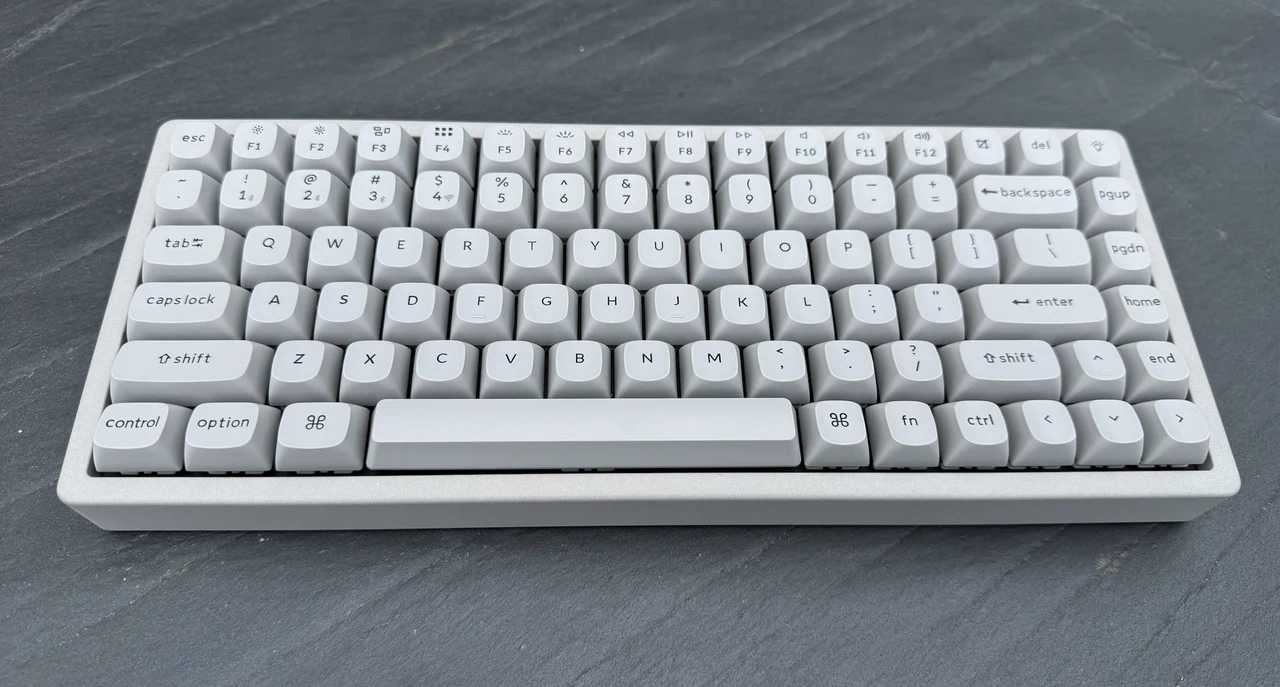
The pre-lubed Gateron double-rail switches contribute most of that character, with the concrete body soaking up resonance that an aluminum-only chassis would amplify. North-facing RGB sits under the plate, with 22-plus backlight modes adjustable through the Launcher. OSA-profile keycaps, which combine OEM height with a spherical top, are a sensible default for a 75% board. They are less aggressive than the KSA caps on Keychron’s Q-series and easier to adapt to from a low-profile or laptop keyboard.
The K2 HE Concrete Against the K Max and K QMK
Within Keychron’s own range, the K2 HE Concrete Edition slots above the K Max and K QMK on features but below the company’s premium Q-series on materials. The K Max gives you mechanical switches with a richer acoustic stack including IXPE foam and a silicone pad, but lacks every magnetic switch feature. The K QMK is the older mechanical sibling, with Bluetooth and wired connectivity only. If you want analog gaming features, the K2 HE platform is the entry point. The Concrete Edition is the most distinctive shell that platform comes in, with a meaningful price premium over the standard K2 HE that buys you the concrete body, the aluminum side panels, and the non-shine-through OSA keycaps.
The Verdict and Who Should Buy It
The Keychron K2 HE Concrete Edition is a genuinely unusual product that succeeds on two unrelated axes. As a piece of industrial design, it is the most distinctive keyboard Keychron has shipped in years. As a magnetic-switch gaming board, it delivers Rapid Trigger, adjustable actuation, and Dynamic Keystrokes at a price that undercuts the dedicated gaming brands. That combination is rare. The compromises are honest. Polling rate caps at 1,000 Hz rather than chasing the 8K trend. Switch compatibility is restricted to Gateron’s double-rail magnetic family. The concrete body is heavy and chip-prone in the way concrete always is. Battery life, while practical, is a fraction of what Keychron’s new ZMK boards manage.
What this keyboard signals more broadly is that material experimentation is moving back into the mainstream of the mechanical keyboard market after years of nearly identical aluminum slabs. If concrete works commercially, expect to see more terrazzo, more stone, and more genuinely odd shells from competitors over the next product cycle. For now, the K2 HE Concrete Edition is the one to buy if you want a board that delivers serious magnetic-switch performance and looks like nothing else on the market.
Sources: Keychron
Filed Under: Hardware
Disclosure: Some of our articles include affiliate links. If you buy something through one of these links, Geeky Gadgets may earn an affiliate commission. Learn about our Disclosure Policy.
Credit: Source link