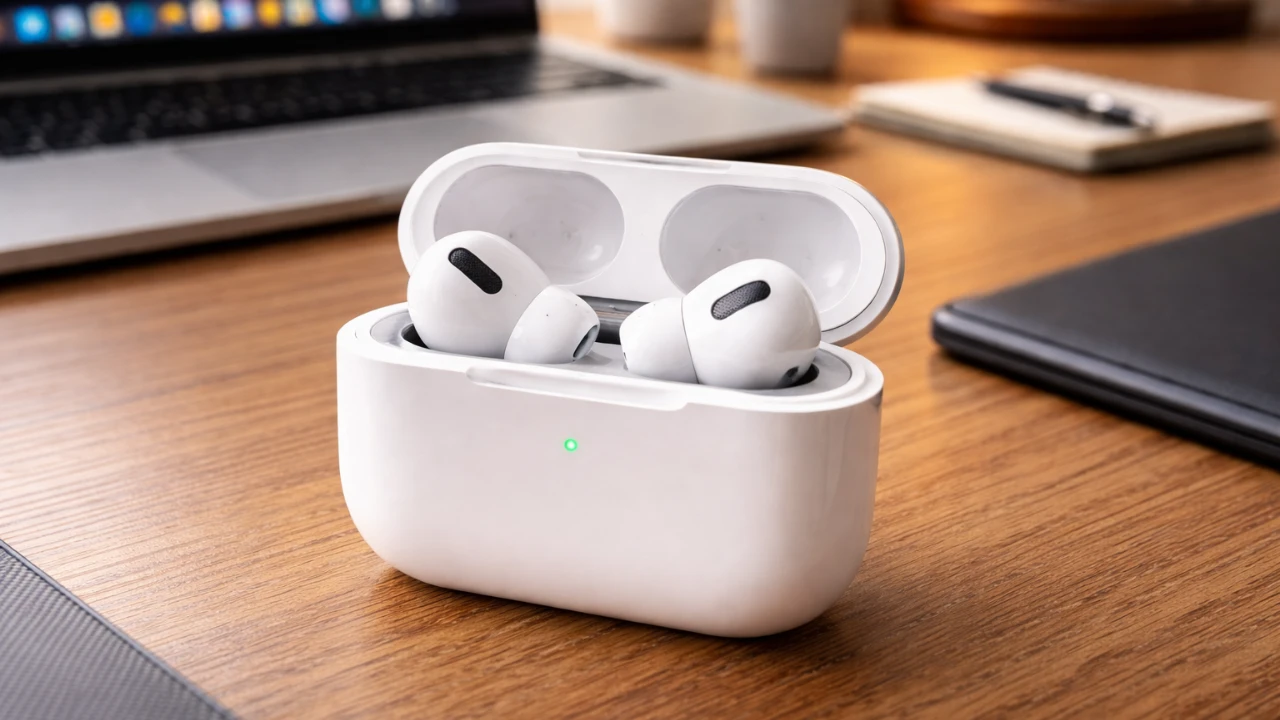
Your AirPods Pro come equipped with a range of features designed to enhance your listening experience. However, many of these settings remain underutilized. By customizing these options, you can unlock the full potential of your earbuds, tailoring them to your preferences and lifestyle. Below, we explore 15 essential settings you should adjust immediately to maximize the functionality and convenience of your AirPods Pro. The video below from HotShotTek gives us more details.

Adaptive Audio: Effortless Sound Adjustment
Adaptive Audio combines Transparency Mode and Active Noise Cancellation to deliver a seamless listening experience. This feature dynamically adjusts to your surroundings, allowing you to stay aware of your environment while enjoying immersive sound. For example, if you’re walking through a noisy street, Adaptive Audio reduces distractions without completely isolating you. Activating this setting ensures smooth transitions between quiet and loud environments, making it ideal for both busy commutes and serene settings.
Conversation Awareness: Simplify Interactions
Conversation Awareness is designed to make quick interactions effortless. When you or someone nearby speaks, your AirPods Pro automatically lower the media volume and enhance voice clarity. Whether you’re ordering coffee, chatting with a colleague, or answering a quick question, this feature ensures you can communicate without needing to remove your earbuds. Allowing this setting can save time and make everyday interactions more seamless.
Audio Sharing: Share Your Listening Experience
Audio Sharing allows two sets of AirPods to connect to a single device, allowing you to share music, podcasts, or movies with a friend. This feature is perfect for traveling, relaxing at home, or enjoying a movie together. Simply enable Audio Sharing in your device settings to create shared audio experiences. It’s a convenient way to enjoy content together without compromising on sound quality.
Automatic Ear Detection: Customize Playback Control
Automatic Ear Detection pauses your media when you remove an earbud. While this feature is convenient, it can interrupt playback during shared listening or when using just one earbud. If you find this disruptive, you can disable it in your settings to ensure uninterrupted playback. This customization is particularly useful for those who frequently share their AirPods or prefer single-earbud use.
Volume Control via Stem: Quick Adjustments on the Go
The AirPods Pro stem includes a touch-sensitive surface that allows for intuitive volume control. By sliding your finger up or down the stem, you can adjust the volume without needing to reach for your device. This feature is especially useful during workouts, commutes, or other activities where quick adjustments are necessary. Activating this setting ensures you can manage your audio effortlessly, even when you’re on the move.
Spatial Audio: Immerse Yourself in 3D Sound
Spatial Audio creates a surround sound effect, making it feel as though you’re in the middle of the action. Using your iPhone’s TrueDepth camera, you can personalize this feature to match your ear shape for optimal immersion. This setting is ideal for enjoying movies, games, or music that supports Dolby Atmos, providing a cinematic listening experience. Allowing Spatial Audio can transform how you experience your favorite content.
Headphone Accommodations: Tailor Audio to Your Hearing
Headphone Accommodations allow you to fine-tune audio settings to suit your hearing preferences. You can adjust tone, vocal range and brightness, creating a personalized listening experience. This feature is particularly helpful for users with specific hearing needs or those who want to enhance certain audio elements. Customizing these settings ensures your AirPods Pro deliver sound tailored to your unique preferences.
Live Listening: Amplify Your Surroundings
Live Listening turns your iPhone into a remote microphone, transmitting sound directly to your AirPods Pro. This feature is useful in crowded environments or when you need to hear someone speaking from a distance, such as during a lecture or meeting. By allowing Live Listening, you can amplify your surroundings and focus on important sounds, making it a practical tool for various situations.
Device Switching: Take Control of Connections
Automatic device switching allows your AirPods Pro to seamlessly transition between Apple devices. While convenient, this feature can sometimes disrupt your workflow. Disabling automatic switching gives you manual control over which device your AirPods Pro connect to. This is particularly helpful if you frequently switch between multiple Apple devices, such as an iPhone, iPad, or Mac, and prefer a more consistent connection.
Remote Camera Control: Snap Photos Hands-Free
Your AirPods Pro can double as a remote camera control for your iPhone. By pressing the stem, you can capture photos or start a timer. This feature is great for group photos, selfies, or situations where your phone is set up at a distance. Activating this setting adds convenience and versatility to your AirPods Pro, making them more than just an audio device.
Live Translation: Communicate Across Languages
Live Translation enables real-time language translation by pressing both earbuds simultaneously. Whether you’re traveling abroad or engaging in multilingual conversations, this feature helps you communicate effortlessly in different languages. Allowing Live Translation can break down language barriers and make international interactions smoother and more accessible.
Pairing with Non-Apple Devices: Expand Compatibility
AirPods Pro are not limited to Apple devices. By using the haptic button on the case, you can pair them with Android or Windows devices. This ensures you can enjoy their features even if you’re not fully immersed in the Apple ecosystem. Pairing with non-Apple devices expands the versatility of your AirPods Pro, making them a valuable accessory regardless of your preferred platform.
Sleep Detection: Conserve Battery While You Rest
Sleep Detection pauses your media when your AirPods Pro sense you’ve fallen asleep. This feature is perfect for those who enjoy listening to music or podcasts before bed. By allowing Sleep Detection, you can conserve battery life and avoid unnecessary playback, making sure your AirPods are ready for use the next day.
Head Gestures: Control Calls Without Touching
Head Gestures allow you to nod to accept calls or shake your head to decline them. This hands-free feature adds convenience, especially when you’re busy or on the move. Activating Head Gestures ensures you can manage calls effortlessly, even in situations where reaching for your device isn’t practical.
Reset and Pairing Mode: Troubleshoot with Ease
If you encounter connectivity issues, resetting your AirPods Pro can often resolve the problem. By pressing and holding the haptic button on the case, you can reset your AirPods and re-enter pairing mode. This ensures a smooth connection process with any device, making troubleshooting quick and straightforward.
Maximize Your AirPods Pro Experience
Customizing these 15 settings allows you to fully harness the capabilities of your AirPods Pro. From personalized audio adjustments to practical features, these options are designed to enhance your daily life. Take the time to explore these settings and tailor your AirPods Pro to your unique needs, making sure a seamless and optimized listening experience.
Deep dive into the latest in Adaptive Audio by exploring our other resources and articles.
Source: HotshotTek
Filed Under: Apple, Apple iPhone, Guides
Disclosure: Some of our articles include affiliate links. If you buy something through one of these links, Geeky Gadgets may earn an affiliate commission. Learn about our Disclosure Policy.
Credit: Source link