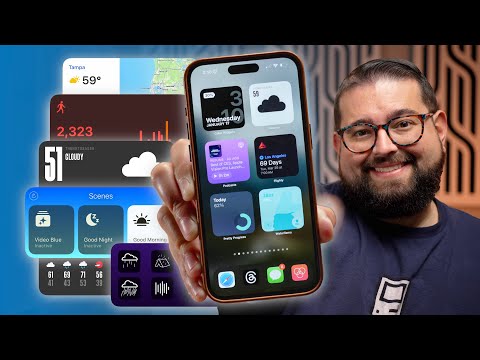
In the dynamic world of iPhone apps, widgets have emerged as a game-changer for users seeking a more personalized and efficient smartphone experience. A recent video from Stephen Robles gives us a treasure trove of information, and delves deep into this world, showcasing 42 iPhone widgets, each with its own unique widget functionality. Spanning various categories like weather, news, travel, and more, this overview is a must-watch for any iPhone user looking to enhance their device’s capabilities.
- Weather Widgets:
If you’re a weather enthusiast, the video introduces a range of weather apps equipped with engaging widgets. From the iPhone’s native weather app to the more quirky Carrot Weather, these apps don’t just tell you about the weather; they transform the experience. Imagine widgets with snarky forecasts, detailed precipitation maps, and visually striking designs, all at your fingertips. - News and Travel Widgets:
For the globetrotters and news junkies, the video highlights apps like Tripit and Flighty, which offer widgets displaying crucial trip details and flight information. And for keeping up with the latest headlines, Apple News and Flipboard widgets ensure you’re always in the know. - Music and Podcast Widgets:
The video also explores the realm of audio entertainment. Widgets from Apple Music, Spotify, Apple Podcasts, Overcast, and others bring a new level of convenience with features like direct play buttons and various customization options. - Home Screen Design Widgets:
If customizing your iPhone’s aesthetic is your thing, apps like Widget Smith, Launcher, and Color Widgets offer innovative ways to personalize your home screen. These apps allow you to add photos, create app shortcuts, and even integrate clear spaces for a minimalist look. - Productivity Widgets:
For those looking to boost their productivity, the video showcases apps like Fantastical, Things 3, and Timery, each offering widgets designed to help you stay on top of your tasks. From streamlined reminders to dictionary widgets, these tools are perfect for keeping you organized and efficient. - Health and Fitness Widgets:
The health-conscious will be pleased to know that the video covers a range of health and fitness apps. Streaks, Padama, and SmartGym, among others, offer widgets for habit tracking, step counting, glucose monitoring, and managing workout routines. - Smart Home Widgets:
For smart home enthusiasts, widgets from apps like Home widget and Home Cam provide seamless control over your devices. You can monitor and manage your smart home ecosystem right from your iPhone’s home screen. - Food and Water Tracking Widgets:
If you’re focused on dietary goals, apps like AnyList, Waterminder, and Crouton come with widgets to help you track grocery shopping, water intake, calorie counting, and meal planning. - Budgeting Widgets:
Managing finances becomes a breeze with budgeting apps like Budget Flow and Copilot. These widgets offer various designs and functionalities, ensuring you stay on top of your financial health.
The video concludes by inviting viewers to share their favorite widgets and apps, fostering a community of iPhone users eager to explore and share. It’s a testament to the vast, customizable world of iPhone widgets, a world where personalization and efficiency go hand in hand.
Source Stephen Robles
Filed Under: Apple, Apple iPhone
Latest Geeky Gadgets Deals
Disclosure: Some of our articles include affiliate links. If you buy something through one of these links, Geeky Gadgets may earn an affiliate commission. Learn about our Disclosure Policy.
Credit: Source link