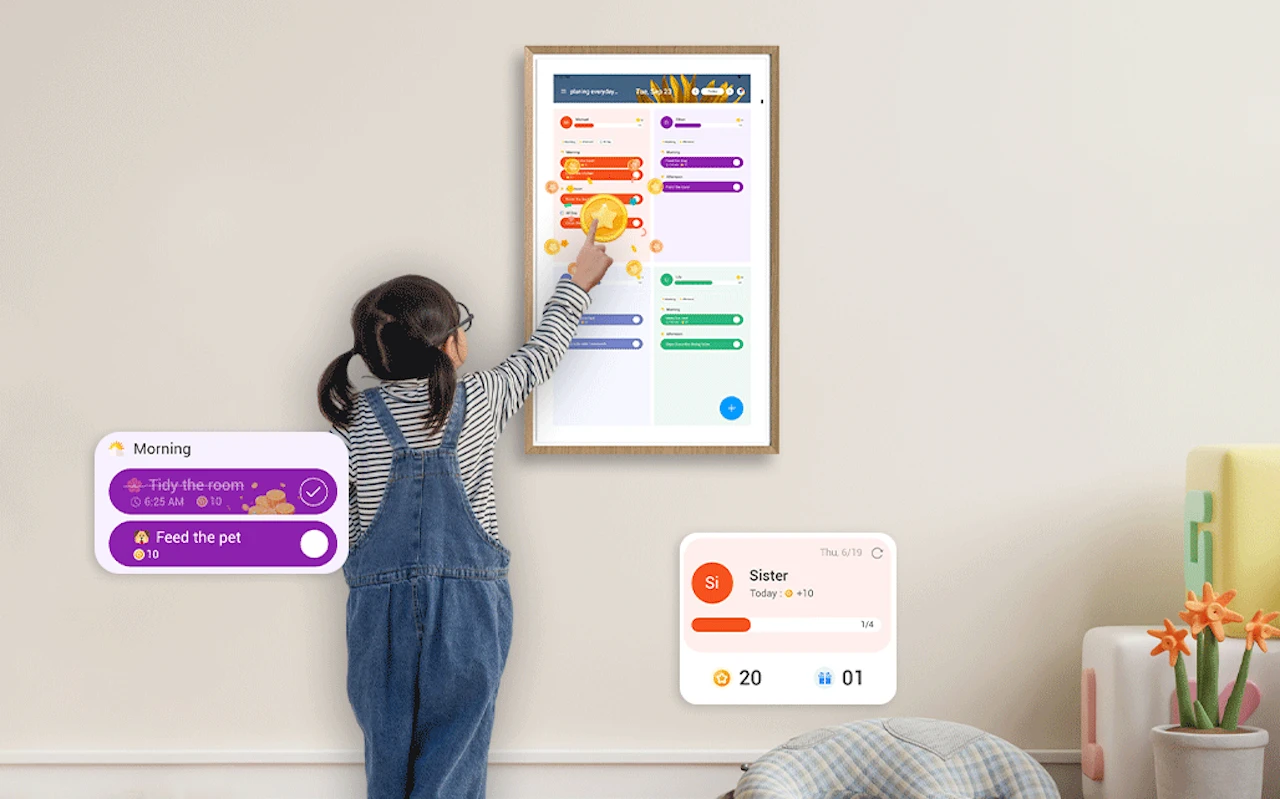
What if you could have all the family’s schedules in one space that uses hands-free voice control for updates or status checks? I recently had the opportunity to try out the world’s first dual-mode digital calendar from Apolosign, as well as the brand’s portable smart TV, and wanted to share some insights.
It’s relatively easy to find voice-controlled devices today. You can have a robot vacuum kick into gear to suck up dropped pet kibble just as easily as tell the lights in your home office to turn on when you step inside. The difference with the Apolosign calendar is how simple it makes scheduling soccer practice, checking what time to serve dinner, and even having homework on the “To Do” list before the kids get off the bus.
First Look: What Makes Apolosign Different?
The main reason I wanted to try Apolosign was all the rumors about its design. Yes, I love the family scheduling ecosystem that includes a wall-mounted Apolosign Digital Calendar and a fully portable TV, but it’s the pricing model and elegant design that I liked the most.
This 2008-founded brand focuses on factory-direct production, meaning they help keep costs down by shipping the latest technology directly to customers instead of incurring price markups from intermediaries. I like that kind of commitment to customer service.
Hands-On: Apolosign Digital Calendar
Alright, so first let me tell you about the Apolosign digital calendar. I chose the 21.5” model, but there are other sizes available. That gave me the most room to wall-mount the device so that I could see it across the kitchen.
I immediately shifted from app-only scheduling to something a bit more personalized. The digital wall calendar has “dual mode,” meaning you can stick to Calendar Mode using color-coded, slim UI task management, or you can go with Android Mode, which opens up the interactive screen to apps, widgets, music players, weather, and even smart home control in a single dashboard.
The Apolosign Digital Calendar was easy to set up with my Google Calendar. I also used the Points and Rewards system to motivate the kids when it came time for household chores. Things stay cleaner when they know there’s an incentive at the end of mopping. You also get some template designs, auto brightness, and other technical features, but it’s the design and convenience that stood out to me.
Adding Flexibility: Apolosign Portable TV
Moving over to the Apolosign Portable Smart TV reinforces the convenience factor I love from this brand. Having a simplified screen (with optional 4K on the 32” form factor) means I can easily watch a YouTube instructional in the garage for installing custom shelving, as well as using it outside the bathroom when it’s tub time for the youngest.
Instead of being stuck in the living room all day, the Apolosign portable TV moves with you from room to room. It can show upcoming events in the Calendar app, then switch back to Netflix to catch up on streaming shows. Overall, it’s a pretty sweet addition to the home that makes Friday evenings feel like a ’90s movie night, rather than everyone being on their own screens all the time.
My favorite part was pairing the portable smart TV with calendars, so we have a full morning-to-bedtime routine nailed down that has made life so much easier.
Getting All the Technical Specs
This wouldn’t be much of a review if I didn’t include some of the technical details of the Apolosign Digital Calendar and Apolosign Portable TV. Here you go:
Digital Calendar Details:
- Available in 15.6”, 21.5”, and 27” for wall mounting or desktop placement.
- Dual-system mode with calendar and Android apps for customization.
- Schedule synchronization ensures everyone in the family stays on task for upcoming events.
- A points and rewards system to encourage kids to finish tasks or build new habits.
- Innovative smart screen management with auto brightness, touch operation, and voice control.
- Works with Amazon Alexa and Google Assistant.
- Fantastic design that elevates your home aesthetics.
- It can function as a digital photo frame that blends into any décor style.
Portable Smart TV Details:
- Available in 24” and 32” (32” supports 1080P or 4K).
- Pre-installed with the Apolosign Calendar App to sync schedules.
- Uses dual-system mode for calendar or Android apps.
- Built-in high-capacity battery allows flexible room use.
- Leverage the open Android ecosystem for third-party apps.
- You can play movies, videos, music, and support video conferencing.
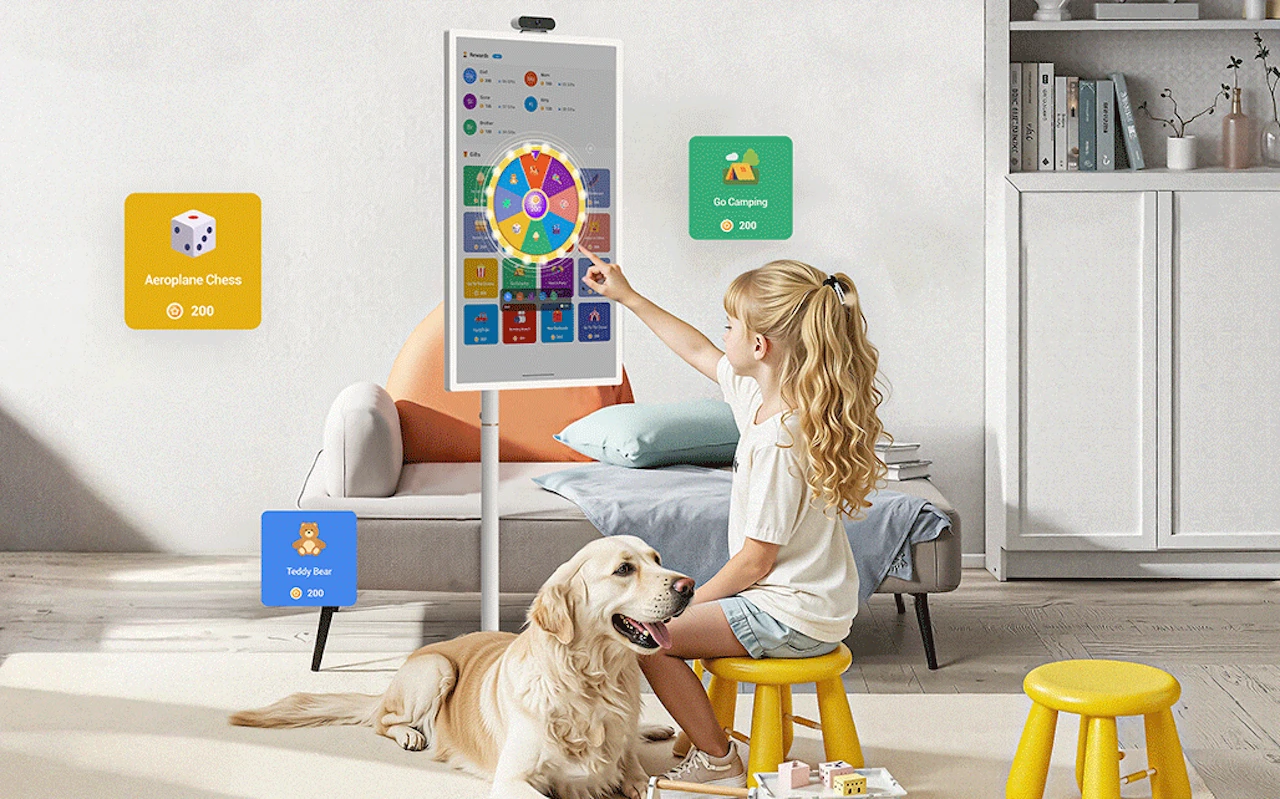
Who is Apolosign Designed For
Both the Apolosign Digital Calendar and portable smart TV ensure you get coverage all across various home spaces. They offer cross-device synchronization, which enhances family planning and meeting needs. Seeing that my family is always on the go is a big plus. However, you can efficiently utilize the devices in other ways.
In the kitchen, the digital dashboard calendar has evolved into a command center for scheduling and tracking who will be present during meals. We use the portable smart TV most often in the living room, but also bring it around to the backyard porch during game night.
I’ve already thought about installing another Apolosign calendar upstairs in the main hallway. That would help us quickly glance over on the way to the restroom to make sure we’re on time for various appointments (and hopefully get out the door earlier in the morning).
The point is, both devices feel natural in your daily routines. The calendar fits just as well in the kitchen as it does in the home office. The dual-system mode is what sells most of the people who come for a visit. Being able to toggle between a calendar, family photos, and streaming music is something we all love.
If I had any complaints, it would be to see some additional styling themes in the digital wall calendar UI. That’s just a personalization thing, but I think it would help. As for the portable smart TV, heavier video usage can drain the battery slightly faster, so you need to be prepared if you’re going outside or need to travel a distance between charges.
A Family Scheduling System That Feels Fresh

Usually, I try to remain a little more unbiased in my reviews, but the whole-home smart calendar system from Apolosign really does the trick for home management. The Apolosign Digital Calendar is wonderful and something I use daily, even to show off the latest pictures from a kid’s play or football game.
The Apolosign Portable TV is a must-have in our home. We entertain a lot, and having a screen that can go from the kitchen during food prep to the living room when it’s time to stream DWTS is a significant benefit.
I give the 2025 lineup of Apolosign’s new products two thumbs up. The interactive devices make life way more convenient and organized, and they’ve done a great job of including a modern, warm design that looks good in our home. You can learn more by visiting Apolosign’s Official Website. Be sure to look closely as the brand frequently runs promotions and sales that are well worth checking out.
Filed Under: Gadgets News, Technology News
Latest Geeky Gadgets Deals
Disclosure: Some of our articles include affiliate links. If you buy something through one of these links, Geeky Gadgets may earn an affiliate commission. Learn about our Disclosure Policy.
Credit: Source link