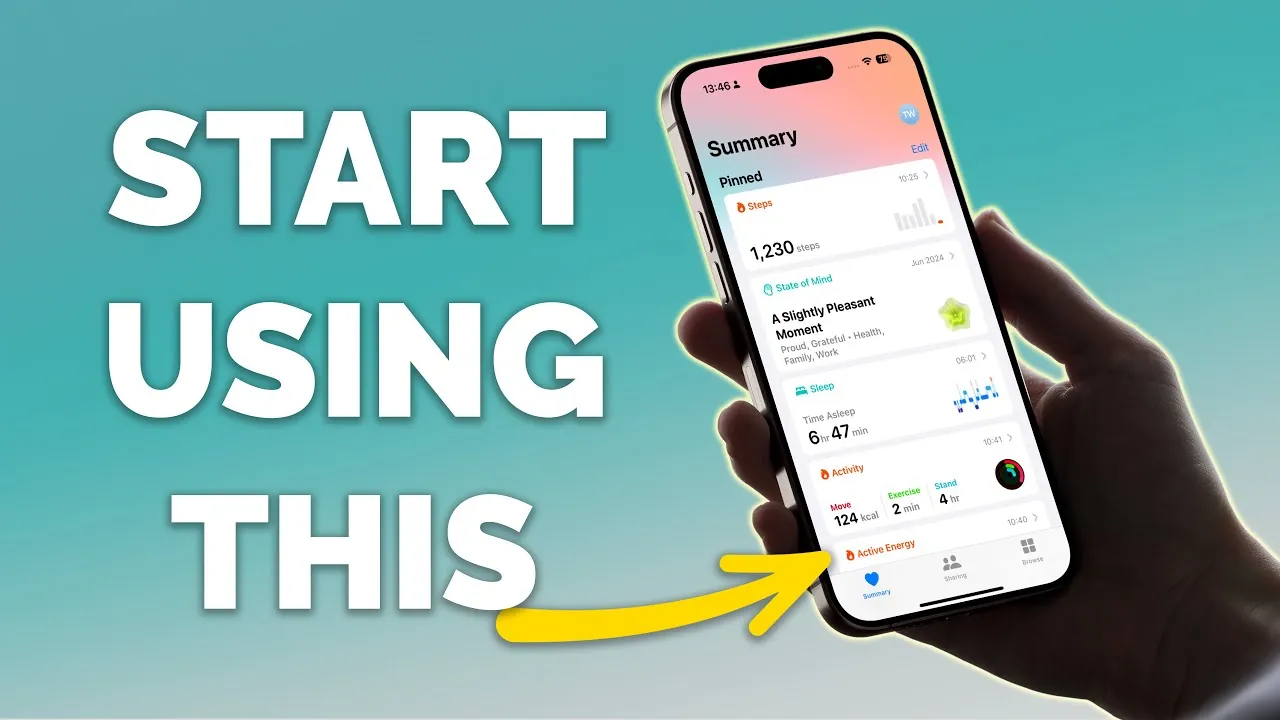
The Apple Health app is a powerful and versatile tool that goes far beyond simple step tracking. Designed to help you monitor and manage various aspects of your health, it offers features ranging from sleep tracking to medication management. Despite its potential, many users fail to explore its full range of capabilities. By taking the time to understand and customize its features, you can transform your iPhone into a personalized health hub, empowering you to take a proactive approach to your physical and mental well-being. Below, we delve into 13 essential features that can help you maximize the app’s utility. The video below from Proper Honest Tech shows us how to get the most out of the app.

Customizing Your Summary Page
The Summary page serves as your personalized health dashboard, offering a quick overview of the metrics that matter most to you. To tailor this page to your needs, tap the “Edit” button or navigate to the “Browse” section. From there, you can pin key metrics such as steps, heart rate, or sleep data to the top of the page. This customization ensures that your most relevant health information is always easily accessible, allowing you to stay focused on your goals.
Automating Your Sleep Schedule
Quality sleep is a cornerstone of good health, and the Health app provides tools to help you establish and maintain consistent sleep routines. The sleep schedule feature allows you to set bedtime reminders, wake-up alarms, and even create separate schedules for weekdays and weekends. Additionally, the “Wind Down” mode minimizes distractions by dimming your screen and suggesting calming activities, such as meditation or reading, to help you relax before bed. These features work together to promote better sleep hygiene and overall well-being.
Tracking Your Mental Health
Mental health is an integral part of overall wellness, and the Health app includes features to help you monitor it effectively. You can log your mood and emotions throughout the day, set reminders for regular mental health check-ins, and review trends over time. By identifying patterns and potential triggers, these tools provide valuable insights into your emotional well-being, allowing you to take proactive steps toward maintaining a balanced mental state.
Managing Medications
The medication management feature ensures you never miss a dose. You can add your medications, set reminders, and log doses with ease. Visual cues and notifications help you stay on track, while customizable schedules allow the system to adapt to your specific needs. This feature is particularly useful for managing complex medication regimens or making sure consistency in daily routines.
Setting Up an Emergency Medical ID
The Medical ID feature could prove lifesaving in an emergency. By setting it up in the Health app, you enable first responders to access critical information—such as allergies, medical conditions, and emergency contacts—directly from your lock screen. This ensures that vital details are readily available when they are needed most, providing peace of mind for you and your loved ones.
Storing Vision Prescriptions
Keeping track of your vision prescriptions is made simple with the Health app. You can log details such as sphere, cylinder, and expiration dates for your glasses or contact lenses. This feature ensures that your prescription information is always at your fingertips, whether you’re ordering new lenses or visiting an eye doctor.
Tracking Symptoms
If you experience recurring symptoms like headaches, joint pain, or fatigue, the app allows you to log them with details such as severity, duration, and timing. Over time, this data can help you identify patterns and provide valuable insights to your healthcare provider. This feature supports more accurate diagnoses and tailored treatment plans, enhancing your overall care.
Monitoring Hearing Health
Protecting your hearing is easier with the app’s hearing health tools. It tracks headphone audio levels and alerts you to potentially harmful exposure. Additionally, you can manually log hearing test results or upload scanned documents, creating a comprehensive record of your hearing health. These features help you take proactive steps to preserve your auditory well-being.
Detecting Sleep Apnea
For those concerned about sleep apnea, the Health app offers valuable monitoring tools when paired with a compatible Apple Watch. It tracks breathing disturbances during sleep, providing early indicators that may prompt you to seek medical advice. Addressing these issues early can lead to better outcomes and improved sleep quality.
Tracking Daylight Exposure
Exposure to natural light is essential for maintaining mood, regulating sleep, and supporting eye health. The Health app tracks your daily daylight exposure, helping you ensure you’re getting enough sunlight. This feature is particularly beneficial if you spend long hours indoors or live in regions with limited daylight during certain seasons.
Sharing Health Data Securely
The Health app allows you to share selected health metrics with trusted individuals or healthcare providers. Whether you’re managing a chronic condition or simply keeping loved ones informed, this feature ensures your data is both accessible and secure. By allowing seamless communication, it supports better collaboration and care.
Logging Menstrual Cycles
The menstrual cycle tracking feature is a valuable tool for reproductive health. You can log periods, symptoms, and fertility data, and receive notifications for cycle predictions or irregularities. These insights help you stay informed about your health and provide a clearer understanding of your body’s rhythms.
Enhancing Features with Apple Watch Integration
Pairing the Health app with an Apple Watch unlocks advanced capabilities, such as respiratory tracking, heart rate monitoring, and daylight exposure tracking. This integration provides a more detailed and comprehensive view of your health, making the app even more powerful. Together, these tools offer a seamless and enriched health management experience.
Discover other guides from our vast content that could be of interest on iPhone Health app features.
Source & Image Credit: Proper Honest Tech
Filed Under: Apple, Apple iPhone
Latest Geeky Gadgets Deals
Disclosure: Some of our articles include affiliate links. If you buy something through one of these links, Geeky Gadgets may earn an affiliate commission. Learn about our Disclosure Policy.
Credit: Source link