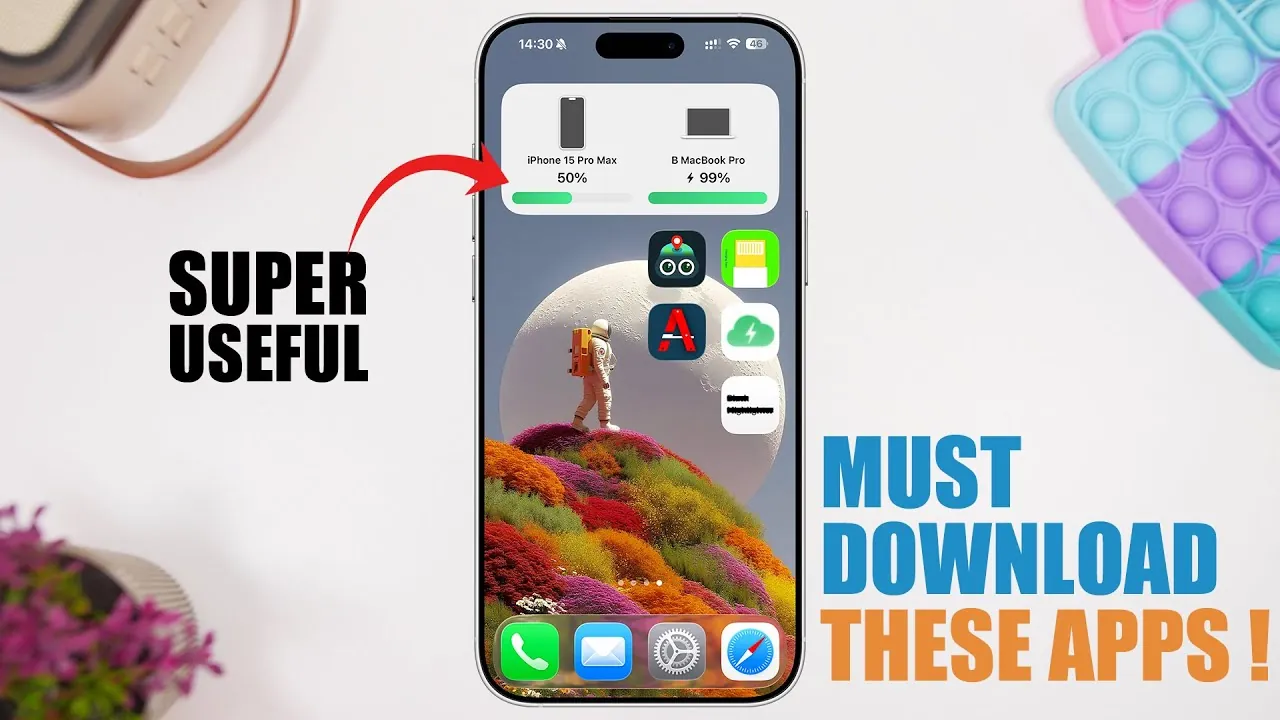
Your iPhone is more than just a communication device—it’s a versatile tool capable of transforming the way you manage your daily life. With the right apps, you can enhance its functionality, solve common challenges, and unlock features that make your device even more powerful. Below is a carefully curated selection of apps designed from iReviews to help you maximize your iPhone’s potential and streamline your digital experience.

iFixit: Simplify Troubleshooting and Repairs
Technical issues can disrupt your productivity, but iFixit provides a practical and user-friendly solution. This app offers detailed, step-by-step guides to help you diagnose and resolve common iPhone problems, ranging from software glitches to hardware malfunctions. Whether you’re dealing with a cracked screen, battery issues, or connectivity problems, iFixit enables you to take charge of your device’s maintenance. Additionally, the app connects you to a store where you can purchase repair kits and tools specifically designed for your iPhone model. By using iix it, you can save time and money while confidently addressing technical challenges.
All Tools: Your All-in-One Utility Suite
Why download multiple apps when All Tools consolidates essential utilities into one comprehensive package? This app is a versatile toolkit that includes features such as file transfer, Wi-Fi calling, internet speed tests, a compass, health monitoring tools, and unit converters. Designed to save both time and storage space, All Tools ensures you’re prepared for a variety of situations. Whether you need to measure your internet speed, convert units for a project, or check your health metrics, this app provides a seamless and efficient solution.
Highlighter: Protect Sensitive Information
Privacy is a growing concern, especially when sharing screenshots or images. Highlighter is an intuitive app that helps you safeguard sensitive information by allowing you to obscure or highlight specific areas of an image. With customizable colors and tools, you can easily conceal personal details such as financial information, addresses, or private messages. The app’s user-friendly interface ensures precision, giving you peace of mind when sharing visuals with others. Whether for professional or personal use, Highlighter is an essential tool for protecting your privacy.
Screenshot Sensei: AI-Powered Screenshot Organization
Managing a cluttered collection of screenshots can be overwhelming, but Screenshot Sensei simplifies the process with its AI-powered organization features. This app automatically categorizes your screenshots into folders, generates summaries, and tags them with relevant keywords for easy retrieval. Whether you’re saving receipts, capturing creative ideas, or organizing work-related content, Screenshot Sensei ensures your screenshots are always accessible and neatly arranged. By streamlining this often-overlooked aspect of digital life, the app helps you stay organized and efficient.
Dual Camera: Capture Every Perspective
Photography enthusiasts and content creators will appreciate the unique features of Dual Camera, an app that allows you to use your front and rear cameras simultaneously. This capability is ideal for creating dynamic content, such as reaction videos, immersive travel vlogs, or creative storytelling projects. Beyond dual-camera functionality, the app includes tools like geotagging, watermarking, background removal, and audio overlays, giving you greater control over your creative output. Whether you’re a professional photographer or a casual user, Dual Camera expands your creative possibilities.
Swiper: Effortless Photo Management
A cluttered photo library can make it difficult to find specific memories, but Swiper offers a simple and effective solution. With an intuitive swipe-based interface, you can quickly organize your photos—swipe left to delete or right to keep. The app also allows you to browse images by date, making it easier to locate specific events or moments. By streamlining the photo management process, Swiper helps you maintain an organized library, so you can focus on enjoying your memories rather than sorting through them.
Charging Time: Stay on Top of Your Battery
Keeping track of your iPhone’s battery status is effortless with Charging Time. This app provides real-time updates on your charging progress and sends notifications when your battery reaches a specific level. Customizable widgets allow you to monitor your battery directly from your home screen, making sure your device is always ready when you need it. Whether you’re preparing for a long day or simply want to avoid overcharging, Charging Time helps you manage your battery efficiently.
Cloud Battery: Manage Multiple Devices with Ease
For users who rely on multiple Apple devices, Cloud Battery is an indispensable tool. This app consolidates the battery levels of all your connected devices—such as your iPhone, iPad, and Apple Watch—into a single, easy-to-read dashboard. You can customize which devices appear on your home screen, making it simple to monitor their power levels at a glance. By providing a centralized view of your devices’ battery statuses, Cloud Battery ensures you’re always prepared and never caught off guard by a low battery.
Enhance Your iPhone Experience
These apps demonstrate how your iPhone can be more than just a smartphone—it can be a powerful tool tailored to your unique needs. From troubleshooting and utility tools to advanced photo management and privacy protection, each app offers practical features that enhance your device’s functionality. By integrating these applications into your routine, you can unlock your iPhone’s full potential, streamline your daily tasks, and enjoy a more efficient and personalized digital experience.
Here are more guides from our previous articles and guides related to iPhone troubleshooting apps that you may find helpful.
Source & Image Credit: iReviews
Filed Under: Apple, Apple iPhone, Guides
Latest Geeky Gadgets Deals
Disclosure: Some of our articles include affiliate links. If you buy something through one of these links, Geeky Gadgets may earn an affiliate commission. Learn about our Disclosure Policy.
Credit: Source link