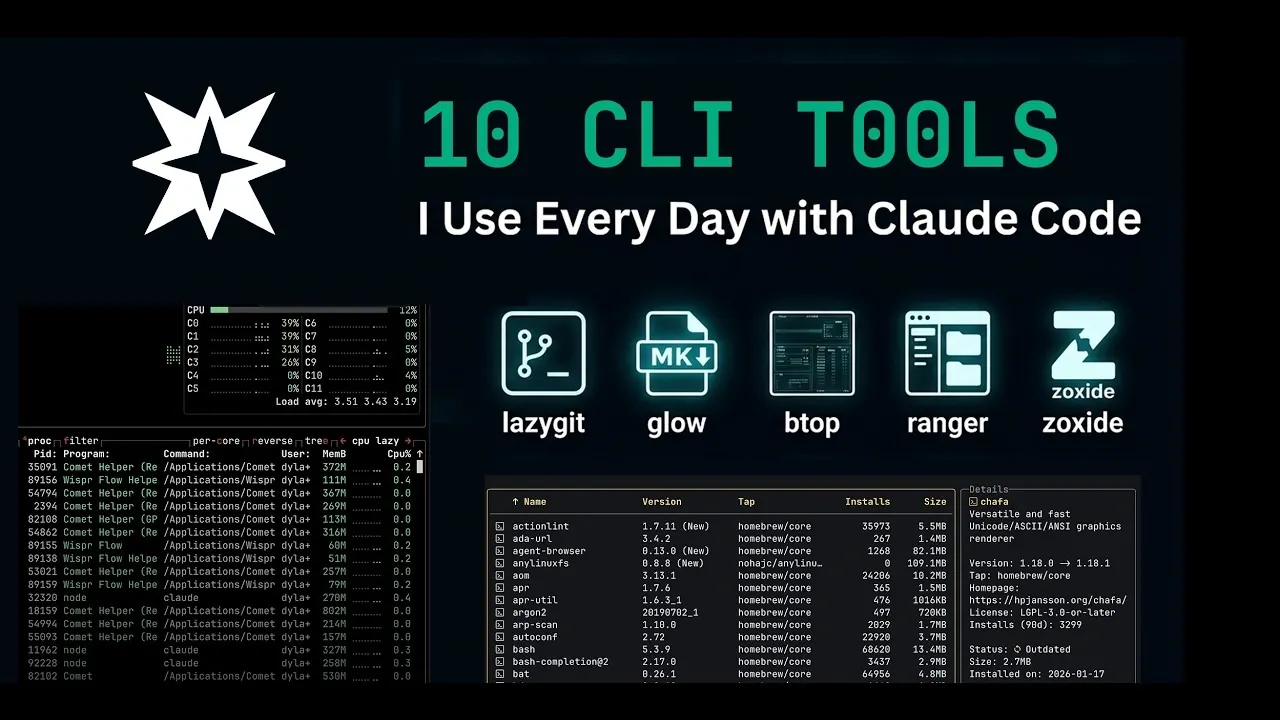
Command-line workflows often require precision and efficiency, particularly when using Claude Code for development tasks. According to StarMorph AI, addressing challenges like version control, file management and system monitoring can streamline these workflows. For instance, Lazy Git simplifies Git repository management by offering a terminal-based interface for tasks such as resolving merge conflicts or reviewing commit histories, reducing reliance on graphical interfaces.
You’ll see how to incorporate features like Zoxide’s fuzzy directory navigation to navigate file systems more efficiently and Glow’s markdown viewing for handling documentation directly in the terminal. This deep dive also covers utilities like BTOP for real-time system monitoring and Shaffa for displaying image previews, offering practical ways to enhance your command-line experience.
CLI Tools to Use with Claude Code
TL;DR Key Takeaways :
- Lazy Git: Simplifies Git repository management with an intuitive terminal interface, streamlining tasks like branch management, commit history viewing and conflict resolution.
- Glow: Enhances Markdown file viewing in the terminal with clean, formatted layouts, ideal for documentation and README reviews.
- LM Fit: Benchmarks AI models by evaluating memory usage, performance and size, aiding developers in selecting the best models for their needs.
- Zoxide: Speeds up directory navigation with a fuzzy search algorithm that learns frequently visited paths, saving time in complex file systems.
- BTOP: Provides advanced system monitoring with real-time insights into CPU, memory and processes, helping optimize system performance.
1. Lazy Git: Streamline Git Repository Management
Version control is a cornerstone of modern development, but it can often feel overwhelming. Lazy Git simplifies this process by providing an intuitive interface for managing Git repositories directly from the terminal. With features like branch management, commit history viewing and conflict resolution, Lazy Git eliminates the need to switch to a graphical interface. Whether you’re staging files or troubleshooting merge conflicts, this tool ensures that Git operations are both efficient and accessible.
2. Glow: Simplify Markdown Viewing
Markdown files are a staple in development workflows and Glow makes them easier to read and manage. This terminal-based markdown viewer presents files in a clean, formatted layout, making it ideal for reviewing documentation, README files, or project notes. If your projects involve markdown-heavy documentation, Glow is an essential addition to your toolkit.
3. LM Fit: Benchmark AI Models with Confidence
For developers working with artificial intelligence, LM Fit is a powerful CLI tool for benchmarking locally runnable models. It evaluates models based on critical parameters such as memory usage, performance and size, helping you identify the best option for your specific requirements. LM Fit is particularly valuable for navigating the complexities of AI model selection, making sure you make informed decisions.
4. Models: Comprehensive AI Model Insights
Models serves as a detailed reference guide for AI model providers. This CLI tool offers comparisons of pricing, benchmarks and agent change logs, keeping you informed about the latest advancements in AI technologies. Whether you’re exploring new models or comparing existing ones, Models provides reliable insights to support your development goals.
5. Tap Room: Optimize Homebrew Package Management
Managing packages with Homebrew becomes seamless with Tap Room. This tool provides a clear overview of installed packages and simplifies the process of discovering new ones. Whether you’re updating dependencies or exploring additional tools, Tap Room ensures that your package management workflow is efficient and hassle-free.
Enhance your knowledge on Claude Code by exploring a selection of articles and guides on the subject.
6. Ranger: Visual File Browsing for the Terminal
Ranger introduces a visual interface to terminal-based file browsing, making directory management more intuitive. With features like preview panes and customizable keyboard shortcuts, Ranger is an excellent choice for systems without graphical user interfaces. If you prioritize efficiency in file navigation, this tool is a must-have.
7. Zoxide: Smarter and Faster Directory Navigation
Navigating complex directory structures can be time-consuming, but Zoxide simplifies the process with its fuzzy search algorithm. By learning your most frequently visited paths, Zoxide allows you to jump to directories in seconds. This tool is a significant time-saver for developers working with intricate file systems.
8. BTOP: Advanced System Monitoring Made Easy
BTOP is a visually appealing system monitoring tool designed for Linux users. It provides real-time insights into CPU performance, memory usage and running processes through an intuitive interface. With BTOP, you can optimize system resources and troubleshoot performance issues effectively, making it an invaluable tool for maintaining system health.
9. Shaffa: View Images Directly in the Terminal
Shaffa bridges the gap between visual content and command-line workflows by allowing image previews directly in the terminal. This functionality is especially useful in environments where graphical tools are unavailable. For developers working with visual assets, Shaffa offers a practical solution for integrating visual content into terminal-based workflows.
10. Eza: Modernize File Organization
Eza is a modern alternative to the traditional `ls` command, offering enhanced file organization features. With icons, grids and color-coded directories, Eza makes it easier to identify file types and navigate your file system. Its user-friendly design ensures clarity and efficiency, making it a valuable upgrade for terminal users.
Maximize Your Terminal Efficiency
These ten CLI tools are tailored to address common challenges faced by developers working with Claude Code and the terminal. From simplifying version control with Lazy Git to optimizing directory navigation with Zoxide, each tool offers unique benefits that can enhance your workflow. Whether you’re an experienced developer or just beginning your journey, integrating these tools into your setup will help you work smarter, faster and with greater precision.
Media Credit: StarMorph AI
Filed Under: AI, Guides
Disclosure: Some of our articles include affiliate links. If you buy something through one of these links, Geeky Gadgets may earn an affiliate commission. Learn about our Disclosure Policy.
Credit: Source link