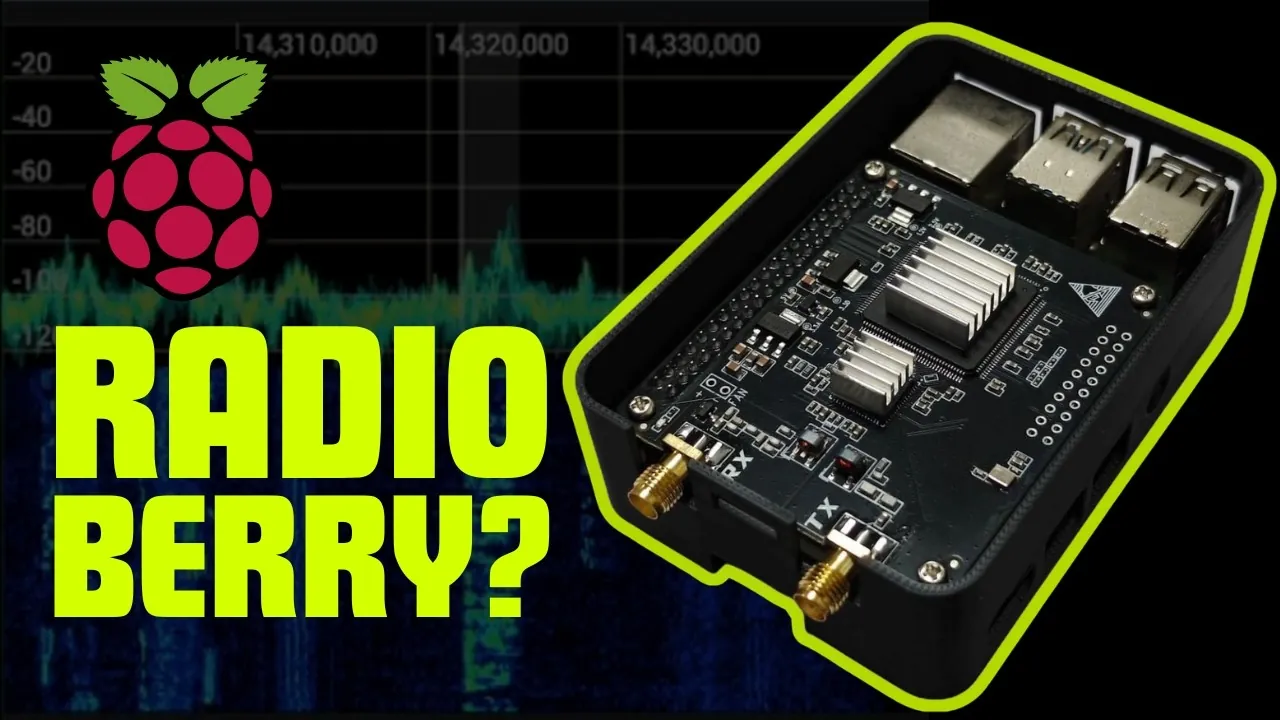
What if you could broadcast signals across the globe using just a credit-card-sized computer and a handful of components? It might sound like a scene from a sci-fi novel, but with a Raspberry Pi and some clever engineering, you can transform this humble device into a fully functional ham radio transmitter. This isn’t just a tech experiment—it’s a gateway into the fascinating world of Software-Defined Radio (SDR), where modern computing meets the timeless art of radio communication. Whether you’re a seasoned amateur radio enthusiast or a curious tinkerer, this project offers a rare blend of accessibility, innovation, and hands-on learning.
In this guide, Temporarily Offline take you through how the Raspberry Pi, paired with the versatile Radio Berry platform, can become the heart of a network-discoverable SDR transmitter. From assembling the hardware to configuring the software, we’ll guide you through every step of the process, showing how to unlock features like FT8 digital communication and low-power long-distance transmission. Along the way, you’ll gain insights into the intersection of open source tools and radio technology, discovering how this setup fosters creativity and experimentation. By the end, you’ll not only have a working transmitter but also a deeper appreciation for the possibilities of SDR. Sometimes, the most powerful signals come from the smallest devices.
Build a Raspberry Pi SDR
TL;DR Key Takeaways :
- The Radio Berry platform is an open source SDR solution designed for seamless integration with Raspberry Pi devices, featuring an Intel Cyclone processor for efficient signal processing.
- Building an SDR transmitter requires a Raspberry Pi, Radio Berry board, amplifier board, Chameleon whip antenna, and a stable power supply, with straightforward assembly using pin headers.
- Software setup involves installing Raspberry Pi OS, allowing Wi-Fi and SSH, and using Spark SDR software for control, offering an intuitive interface for managing radio settings and experimenting with communication modes.
- The system supports FT8 mode for low-power digital communication, allowing long-distance signal transmission with just 1 watt of power, showcasing the efficiency of SDR technology.
- This project emphasizes hands-on learning and experimentation, encouraging customization and innovation with open source tools, making it suitable for both beginners and experienced ham radio enthusiasts.
What Is the Radio Berry Platform?
The Radio Berry platform is an open source SDR solution specifically designed to integrate seamlessly with Raspberry Pi devices. At its core is an Intel Cyclone processor, which efficiently handles signal processing tasks, making it an excellent choice for amateur radio enthusiasts. The platform’s compatibility with Hermes Light and HP SDR specifications ensures it meets established performance standards, offering flexibility for various configurations and modes.
This platform is particularly appealing because it caters to both beginners and experienced operators. Whether you’re just starting out or looking to expand your expertise, the Radio Berry provides a versatile foundation for SDR experimentation. Its open source nature also encourages customization, allowing you to adapt the system to your specific needs and interests.
Setting Up the Hardware
To build your SDR transmitter, you’ll need the following components:
- A Raspberry Pi 3, 4, or 5 (the Raspberry Pi 4 is a popular choice for its balance of performance and affordability).
- The Radio Berry board, which connects directly to the Raspberry Pi via pin headers.
- An amplifier board to enhance signal strength for effective transmission.
- A Chameleon whip antenna, such as the 17 ft model, to ensure reliable signal transmission.
- A stable power supply capable of supporting the additional hardware.
Begin by securely attaching the Radio Berry board to the Raspberry Pi using the pin headers. Next, connect the amplifier board and antenna. Double-check all connections to ensure they are secure and stable. Using a reliable power supply is critical to avoid interruptions during operation, as insufficient power can lead to performance issues or hardware instability.
Raspberry Pi Ham Radio Transmitter Project 2025

Find more information on Raspberry Pi by browsing our extensive range of articles, guides and tutorials.
Installing and Configuring the Software
Once the hardware is assembled, the next step is to install and configure the software. Follow these steps to prepare your Raspberry Pi for operation:
- Install a lightweight Raspberry Pi OS using the Raspberry Pi Imager tool. This operating system is optimized for the Raspberry Pi’s hardware, making sure smooth and efficient performance.
- Set up Wi-Fi connectivity and enable SSH for remote access. This is particularly useful if you plan to operate the system without a dedicated monitor or keyboard.
- Download and install the Spark SDR software, which serves as the control interface for your SDR transmitter. This software allows you to adjust radio settings, monitor signals, and experiment with different communication modes.
These steps ensure your Raspberry Pi is fully configured to function as an SDR transmitter. The Spark SDR software’s intuitive interface makes it easier to manage your setup and explore the capabilities of SDR technology.
Operating Your SDR Transmitter
With the hardware and software in place, you’re ready to begin operating your SDR transmitter. The Spark SDR software includes network discovery features, allowing you to control your radio from other devices on the same network. This functionality adds convenience and flexibility, especially for remote operation.
One of the standout features of this setup is its ability to operate in FT8 mode, a widely used digital communication protocol in ham radio. Despite its low-power transmission capability—approximately 1 watt—this system can transmit signals across impressive distances. This highlights the efficiency and potential of SDR technology, making it a valuable tool for both hobbyists and professionals.
Experimenting with SDR Technology
This project is inherently experimental, offering numerous opportunities to explore and expand your understanding of SDR capabilities. Using the Chameleon whip antenna, you can test signal transmission and reception under various conditions, experimenting with factors such as antenna placement and environmental interference.
The open source nature of the Radio Berry platform also encourages customization and innovation. You can modify the software to add new features, enhance the hardware for improved performance, or try out different configurations and modes. These experiments not only deepen your understanding of SDR and ham radio technology but also foster creativity and problem-solving skills.
Why This Project Matters
Transforming a Raspberry Pi into an SDR transmitter demonstrates the powerful synergy between modern computing and traditional ham radio. This project introduces you to the fundamentals of SDR technology while encouraging hands-on learning and experimentation.
By combining accessible hardware, open source tools, and robust performance, this setup provides a practical and versatile entry point into the world of digital communication and radio transmission. Whether you’re a hobbyist exploring a new interest or a seasoned operator seeking to expand your capabilities, this project offers a unique opportunity to engage with SDR technology and its vast potential.
Media Credit: Temporarily Offline
Filed Under: DIY Projects, Guides, Hardware
Latest Geeky Gadgets Deals
Disclosure: Some of our articles include affiliate links. If you buy something through one of these links, Geeky Gadgets may earn an affiliate commission. Learn about our Disclosure Policy.
Credit: Source link