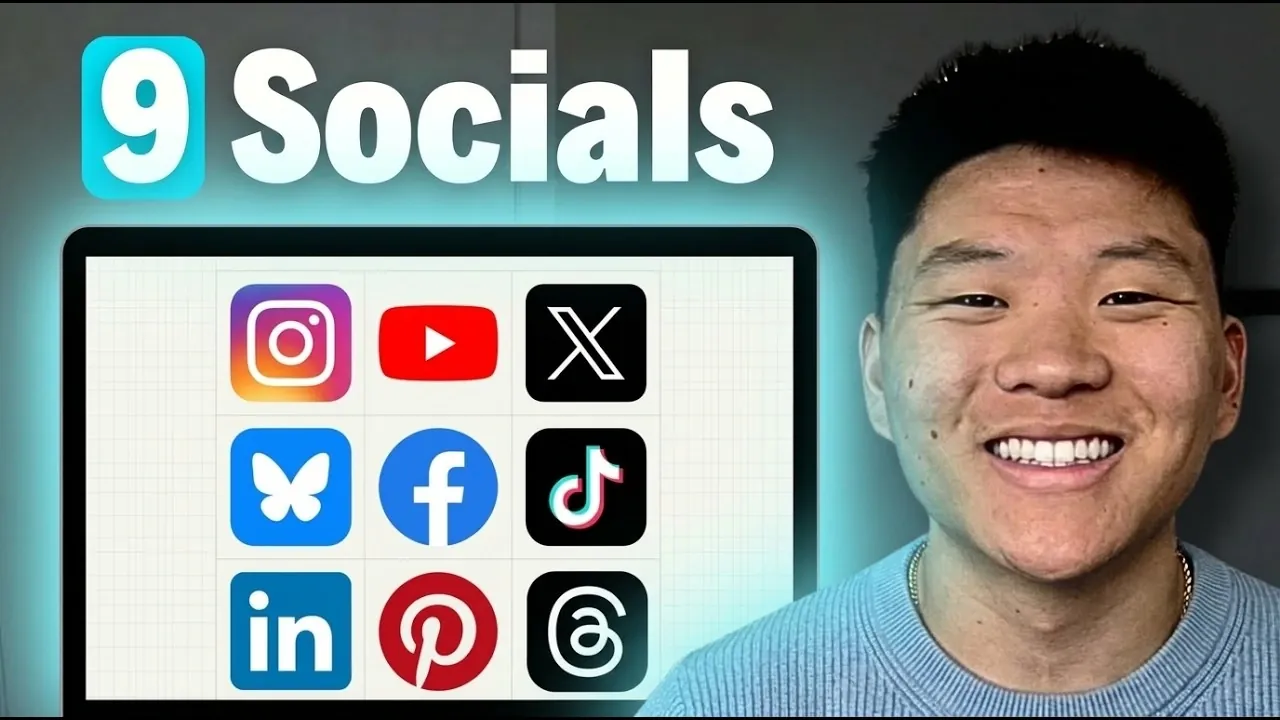
Combining Claude Code and Blotato enables creators to repurpose long-form content into tailored posts for multiple platforms, as demonstrated by Nate Herk | AI Automation. This approach adapts a single YouTube video into formats suited for platforms like LinkedIn, Instagram and X (formerly Twitter). For instance, LinkedIn posts can emphasize professional takeaways, while Instagram might prioritize visually engaging carousels. The process integrates automation for tasks such as transcript extraction, text generation and image creation, allowing creators to focus on refining their messaging.
Explore strategies for maintaining consistent output across platforms without sacrificing quality. Gain insight into organizing your workspace with tools like Visual Studio Code to streamline content workflows. Discover practical methods for testing and adjusting your process to meet the specific demands of each platform, making sure both efficiency and customization in your content creation.
How This Workflow Functions
TL;DR Key Takeaways :
- Integrating Claude Code and Blotato enables efficient transformation of long-form content (e.g., YouTube videos) into platform-specific posts for LinkedIn, Instagram and X, emphasizing automation, customization and scalability.
- Automation streamlines tasks such as extracting transcripts, generating tailored posts, creating visuals and scheduling content for up to nine platforms, saving time and effort.
- Customization ensures content aligns with each platform’s unique audience and brand voice, using professional tones for LinkedIn, casual styles for X and visually branded assets for Instagram.
- A structured workflow with tools like Visual Studio Code, Claude Code and Blotato supports organization, scalability and adaptability, allowing for iterative improvements and evolving strategies.
- Thorough testing and refinement ensure platform-specific formatting, optimized visuals and tailored text, while future advancements in AI promise enhanced analytics and fully automated content strategies.
This system is designed to repurpose long-form content into tailored posts that resonate with audiences across different platforms. For example, a single YouTube video can be transformed into:
- Professional insights for LinkedIn to engage a business-oriented audience.
- Visually appealing carousels for Instagram to capture attention through imagery.
- Concise, impactful statements for X to align with its fast-paced, conversational nature.
Each platform demands a unique approach to maximize engagement. Visuals, such as infographics and carousels, enhance the appeal of your posts, while text-based content provides depth and context. Once generated, drafts are saved for review, allowing you to refine and approve posts before they are published. This ensures that your content aligns with your brand’s voice and meets platform-specific standards.
The Role of Automation in Efficiency
Automation is the cornerstone of this workflow, significantly reducing the time and effort required for content creation. Key automated tasks include:
- Extracting transcripts from YouTube videos to create a foundation for content.
- Generating text-based posts tailored to each platform’s audience.
- Creating visuals, such as infographics, based on key points from the content.
- Scheduling posts to maintain consistent activity across platforms.
The system supports up to nine platforms, making sure that your content is optimized for each one’s unique requirements. Scheduling tools further enhance efficiency by automating post timing, freeing you from the need for constant manual intervention. This allows you to focus on strategy and creativity rather than repetitive tasks.

Find more information on Claude Code by browsing our extensive range of articles, guides and tutorials.
Essential Tools and Setup
To implement this workflow effectively, you’ll need a robust setup that integrates the right tools. Key components include:
- Visual Studio Code: A versatile development environment for configuring and managing the system.
- Claude Code: A paid AI-driven extension that simplifies content generation and customization.
- Blotato: A tool that facilitates API-driven automation and scheduling, seamlessly integrating with your social media accounts.
This setup ensures a smooth and efficient process for creating, customizing and distributing content. By using these tools, you can build a system that is both powerful and adaptable to your specific needs.
Customizing Content for Your Brand
Customization is vital for maintaining your brand’s unique voice and tone across platforms. For instance:
- LinkedIn posts can adopt a professional tone to appeal to a business-focused audience.
- X posts may use a casual and conversational style to align with the platform’s dynamic nature.
- Instagram visuals can incorporate brand assets, such as logos and color schemes, for consistency.
The workflow is designed to be iterative, allowing you to refine prompts and incorporate feedback to improve output quality. For example, if a specific type of Instagram post performs exceptionally well, you can adjust the system to prioritize similar content in the future. This adaptability ensures that your content strategy evolves alongside your audience’s preferences.
Organizing and Scaling Your Workflow
A well-organized workspace is essential for managing large-scale content projects. Consider structuring your files into dedicated folders for:
- Scripts: To store and manage automation code.
- Drafts: For reviewing and refining generated content.
- Brand assets: To ensure visual consistency across platforms.
Additionally, a `cloud.md` file can serve as a system prompt, guiding the AI’s behavior and making sure consistency in outputs. This structured approach not only simplifies collaboration but also keeps your workflow organized and efficient.
Scaling your workflow is another key advantage of this system. You can create reusable workflows, or “skills,” for various tasks, such as:
- Content creation: Generating posts tailored to different platforms.
- Inspiration generation: Developing ideas for new content.
- Post scheduling: Automating the timing of your posts for maximum engagement.
As your content strategy grows, these skills can be adapted and expanded to include new platforms or formats, such as Instagram Stories or TikTok videos. This scalability ensures that your system remains effective and relevant over time.
Testing and Refining the System
Thorough testing is crucial before fully deploying the system. Key testing steps include:
- Verifying post formatting: Making sure that content aligns with each platform’s requirements.
- Optimizing visuals: Resizing images and graphics to meet platform-specific standards.
- Adjusting text length: Tailoring content to fit character limits, such as those on X.
Addressing these issues during the testing phase minimizes errors and ensures a smoother execution. Additionally, updating your skill documentation with lessons learned from testing helps improve future iterations of the workflow.
Future Potential of Content Automation
The ultimate aim of this workflow is to automate the entire content creation and distribution process. By incorporating detailed brand guidelines and iterative feedback, the system can produce high-quality, platform-specific content with minimal manual input. This not only saves time but also ensures a consistent and professional online presence.
As AI technology continues to advance, the potential for further enhancements is significant. Future updates could include advanced analytics to measure post performance, allowing you to adjust strategies based on data-driven insights. This would further optimize your content strategy, making sure it remains effective in an ever-changing digital environment.
Media Credit: Nate Herk | AI Automation
Filed Under: AI, Guides
Disclosure: Some of our articles include affiliate links. If you buy something through one of these links, Geeky Gadgets may earn an affiliate commission. Learn about our Disclosure Policy.
Credit: Source link