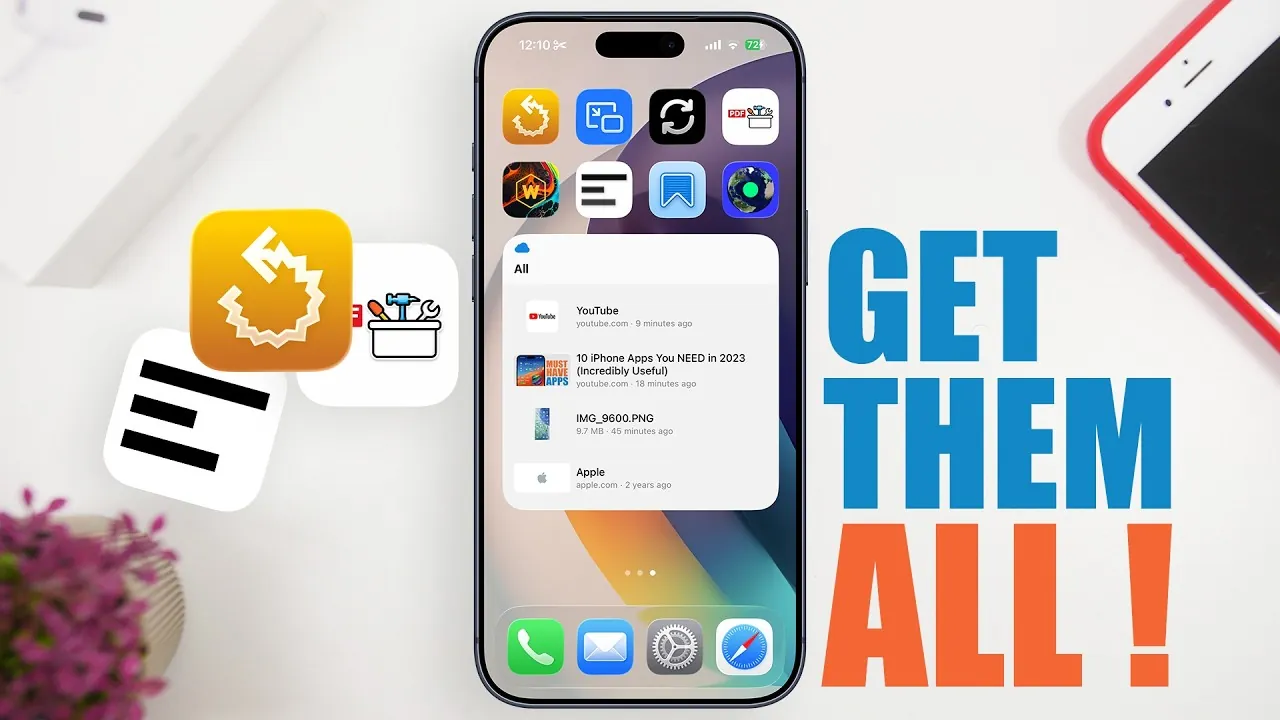
In 2026, the iPhone continues to evolve as a powerful tool for productivity, creativity, and personalization. With the right apps, you can unlock its full potential, tailoring your device to meet your unique needs. Whether you’re aiming to streamline your workflow, stay organized, or add a personal touch to your device, these eight apps stand out for their innovative features and practical benefits. From recovering lost browser tabs to exploring global radio stations, these tools are designed to enhance your iPhone experience in meaningful ways. The video below from iReviews gives us more details on these awesome iPhone apps.
Tab Recall: Recover Closed Safari Tabs Instantly
Accidentally closing a Safari tab can disrupt your workflow, especially when you’re juggling multiple tasks or conducting in-depth research. Tab Recall eliminates this frustration by allowing you to instantly reopen recently closed tabs. You can customize how many tabs are restored and even exclude specific domains to maintain privacy or focus. This app is particularly useful for students, professionals, and anyone who relies on seamless browsing. By keeping your tabs accessible, Tab Recall ensures your online activities remain uninterrupted and stress-free.
Picture-in-Picture Splitware: Simplify Multitasking
Multitasking on your iPhone becomes effortless with Picture-in-Picture Splitware. This app introduces floating windows that can display websites, videos, or task lists, which you can resize and reposition to suit your workflow. Imagine watching a tutorial while taking notes or keeping a checklist visible as you browse the web. The flexibility of this tool makes it invaluable for users who want to maximize their productivity without switching between apps. With Picture-in-Picture Splitware, multitasking becomes more intuitive and efficient.
Daily Notifier: Never Miss a Task or Reminder
Staying organized is easier than ever with Daily Notifier, a powerful app designed to keep you on track. It offers customizable reminders and notifications, allowing you to set recurring alerts for daily routines or one-time reminders for important events. The app’s intuitive interface ensures that scheduling tasks is quick and hassle-free. Whether you’re managing work deadlines, personal appointments, or household chores, Daily Notifier helps you stay in control of your time. With this app, you’ll never miss a task or forget an important event again.
PDF Toolbox: All-in-One PDF Management
For anyone who frequently works with PDFs, PDF Toolbox is an essential app. It provides a comprehensive suite of features, including merging, splitting, compressing, converting, and securing PDF files. You can also add watermarks, sign documents, and edit metadata, making it a versatile tool for both professional and personal use. Whether you’re managing contracts, academic papers, or personal documents, PDF Toolbox simplifies every aspect of PDF handling. Its all-in-one functionality saves time and ensures that your files are always organized and accessible.
Wallcraft: Personalize Your iPhone’s Aesthetic
Your iPhone’s appearance can reflect your personality, and Wallcraft makes it easy to achieve a unique look. This app offers a vast library of high-quality wallpapers, including live and dynamic options. Whether you prefer minimalist designs, nature-inspired visuals, or vibrant animations, Wallcraft provides endless customization options. With exclusive designs and frequent updates, you can refresh your home and lock screens regularly. Wallcraft ensures your iPhone always stands out with a personalized aesthetic that matches your style.
Blackout: Edit Screenshots with Precision
Sharing screenshots often requires editing to protect sensitive information or highlight specific details. Blackout is a must-have app for this purpose, offering precise tools to redact text or hide elements with customizable colors. Its undo and redo functionality ensures accuracy, allowing you to make adjustments effortlessly. Whether you’re sharing professional documents, personal messages, or social media content, Blackout streamlines the editing process. This app is perfect for anyone who values privacy and clarity when sharing visual content.
Any Box: Centralize Your Files and Links
Managing digital content can be overwhelming, but Any Box simplifies the process by centralizing your files, links, and media in one place. The app integrates seamlessly with the iPhone’s share sheet, allowing you to save content directly from other apps. You can also access your saved items offline, making sure that important information is always at your fingertips. With its user-friendly interface and robust organizational features, Any Box is an indispensable tool for anyone looking to streamline their digital life.
Radio Garden: Discover Global Radio Stations
Radio Garden offers a unique way to explore the world through sound. This app connects you to radio stations from across the globe via an interactive map interface. You can browse stations by location or use the search function to find specific channels. Whether you’re discovering new music, learning a language, or staying informed about international news, Radio Garden provides an immersive audio experience. It’s an excellent tool for broadening your horizons and connecting with diverse cultures through radio.
Enhance Your iPhone Experience with These Apps
These eight apps are designed to elevate your iPhone experience in 2026, offering practical solutions for productivity, organization, and personalization. Whether you’re recovering lost tabs with Tab Recall, multitasking with Picture-in-Picture Splitware, or exploring global audio with Radio Garden, each app brings unique value to your device. By integrating these tools into your daily routine, you can unlock new levels of efficiency, creativity, and enjoyment. Explore these apps today and discover how they can transform the way you use your iPhone.
Browse through more resources below from our in-depth content covering more areas on iPhoneapps.
Source & Image Credit: iReviews
Filed Under: Apple, Apple iPhone, Guides, Top News
Disclosure: Some of our articles include affiliate links. If you buy something through one of these links, Geeky Gadgets may earn an affiliate commission. Learn about our Disclosure Policy.
Credit: Source link