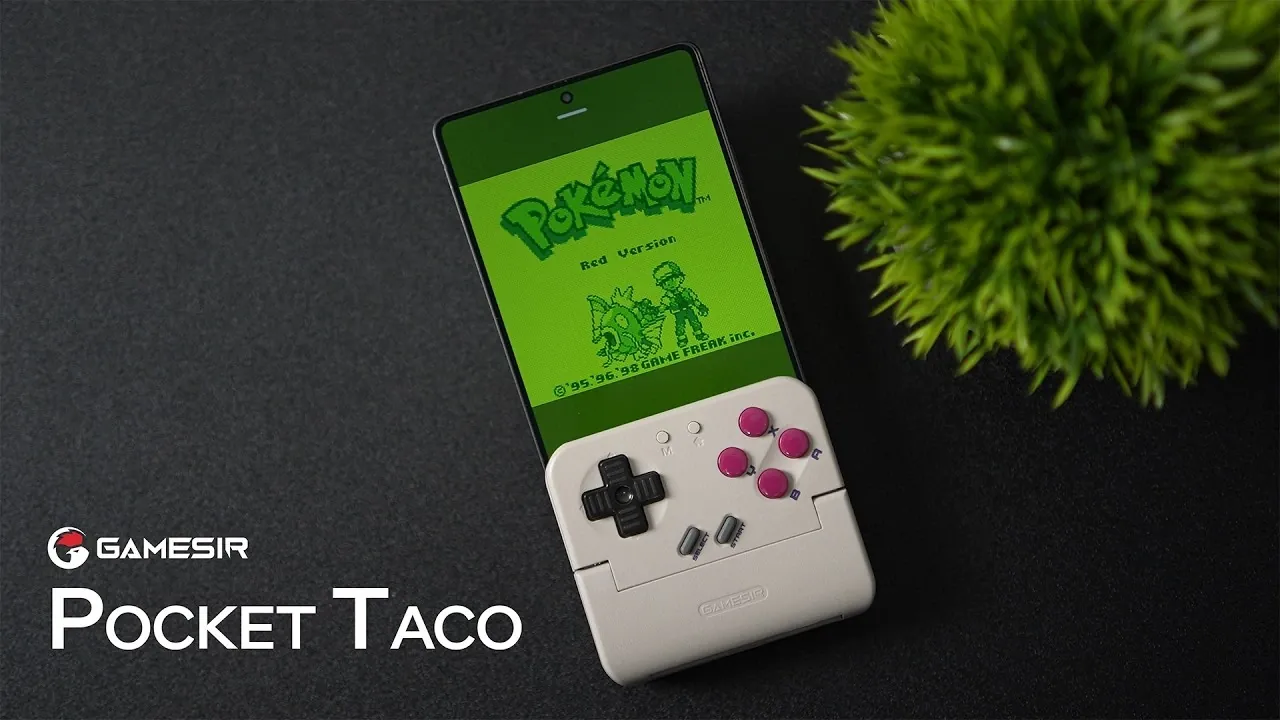
What if your smartphone could transform into a retro gaming console, complete with the tactile charm of a GameBoy? The GameSir Pocket Taco makes this dream a reality, blending nostalgia with modern convenience in a way that feels almost too good to be true. In this walkthrough, ETA Prime shows how this compact Bluetooth controller turns your phone into a versatile handheld gaming device, perfect for reliving classic titles or enjoying your favorite mobile games with precision and style. With its lightweight design, customizable controls, and a robust 6,000 mAh battery, the Pocket Taco is more than just a gaming accessory, it’s a gateway to immersive, on-the-go entertainment.
This guide will explore what makes the GameSir Pocket Taco such a standout choice for gamers, from its seamless compatibility across platforms to its thoughtful design that evokes the golden age of handheld gaming. Whether you’re a retro enthusiast or just looking for a better way to game on your phone, there’s a lot to unpack here. Imagine playing your favorite GameBoy or SNES classics with the tactile feedback they deserve, all while enjoying the convenience of modern wireless technology. By the end, you’ll see why this device isn’t just about nostalgia, it’s about redefining portable gaming for today’s players.
GameSir Pocket Taco Overview
TL;DR Key Takeaways :
- The GameSir Pocket Taco is a compact Bluetooth controller compatible with Android, iPhone, Nintendo Switch, and PC, offering seamless connectivity and flexibility for gamers.
- Its lightweight, portable design with a clamp-on mechanism transforms smartphones into retro-style handheld consoles, appealing to nostalgic gamers.
- Customizable controls, including remappable buttons and adjustable layouts via the GameSir app, provide a tailored gaming experience for various genres.
- A robust 6,000 mAh battery with pass-through charging ensures extended gaming sessions without interruptions.
- Optimized for retro gaming, it supports popular emulators and features a precise D-pad, making it ideal for classic 2D games while offering advanced software customization options.
Wide Compatibility for Effortless Connectivity
The GameSir Pocket Taco stands out for its broad compatibility, making it a versatile choice for gamers who use multiple platforms. It connects effortlessly to Android and iOS devices, Nintendo Switch, and PCs via Bluetooth, eliminating the need for cumbersome cables. This wireless functionality ensures a smooth and uninterrupted gaming experience, whether you’re playing on your smartphone or switching to another device. The controller’s ability to adapt to various platforms makes it an excellent all-in-one solution for gamers who value flexibility and convenience.
Portable Design with Retro Appeal
Portability is a key feature of the Pocket Taco, making it ideal for gaming on the go. Its lightweight and compact design ensures easy transport, while the included carrying case provides added protection during travel. The controller features a clamp-on mechanism that securely attaches to your smartphone, creating the look and feel of a classic handheld console. This thoughtful design not only enhances comfort but also evokes a sense of nostalgia for retro gaming enthusiasts. Whether you’re commuting, traveling, or simply relaxing at home, the Pocket Taco offers a practical and enjoyable gaming solution.
This Controller Turns Your Phone Into A GameBoy! GameSir Pocket Taco

Learn more about mobile gaming by reading our previous articles, guides and features :
Customizable Controls for Personalized Gameplay
The Pocket Taco excels in providing customizable control options to suit individual preferences. It features cushion membrane buttons, tactile shoulder switches, and a textured D-pad for precise and responsive inputs. Through the GameSir app, users can remap buttons, adjust layouts, and even configure the D-pad to mimic analog stick functionality. This level of customization allows gamers to tailor the controller to their preferred style, whether they favor a Japanese-style button arrangement or an Xbox-inspired setup. The versatility of the controls makes the Pocket Taco suitable for a wide range of game genres, from platformers to RPGs.
Extended Battery Life with Pass-Through Charging
Equipped with a 6,000 mAh battery, the Pocket Taco supports extended gaming sessions without the need for frequent recharging. Its pass-through charging feature allows you to charge your smartphone while gaming, making sure uninterrupted play even during long marathons. This dual functionality is particularly beneficial for gamers who prioritize convenience and reliability. Whether you’re tackling a challenging level or exploring a vast game world, the Pocket Taco’s battery life ensures you can stay immersed in the action.
Advanced Software Features for Enhanced Performance
The GameSir app unlocks a range of advanced customization options that enhance the controller’s functionality. Users can adjust D-pad settings, remap buttons using the built-in keyboard mode, and enable screen scaling for a more tailored visual experience. Regular firmware updates ensure the controller remains up-to-date with the latest features and improvements. Additionally, the app includes an adjustable sleep timer, helping to optimize battery usage during periods of inactivity. These software features add a layer of versatility and control, making the Pocket Taco a powerful tool for gamers who value precision and adaptability.
Perfect for Retro Gaming Enthusiasts
The Pocket Taco truly shines in the realm of retro gaming. It supports popular emulators like RetroArch, allowing users to play classic titles from systems such as the GameBoy, NES, and SNES. The absence of physical analog sticks, while a limitation for modern 3D games, is an intentional design choice that enhances the experience of retro gaming. The precise D-pad control is particularly well-suited for 2D platformers, RPGs, and other classic genres, delivering an authentic and nostalgic gaming experience. For fans of retro titles, the Pocket Taco offers a focused and enjoyable way to revisit old favorites.
Additional Features and Considerations
The GameSir Pocket Taco is available in multiple color options, including an atomic purple version that pays homage to the aesthetics of classic gaming consoles. While its features are robust, the lack of physical analog sticks may deter gamers seeking a controller for modern 3D titles. However, for those who prioritize retro gaming and simpler control schemes, the Pocket Taco excels in delivering a streamlined and enjoyable experience. Its thoughtful design, advanced customization options, and portability make it a standout choice for gamers who value both functionality and nostalgia.
Media Credit: ETA PRIME
Filed Under: Gadgets News, Gaming News
Latest Geeky Gadgets Deals
Disclosure: Some of our articles include affiliate links. If you buy something through one of these links, Geeky Gadgets may earn an affiliate commission. Learn about our Disclosure Policy.
Credit: Source link