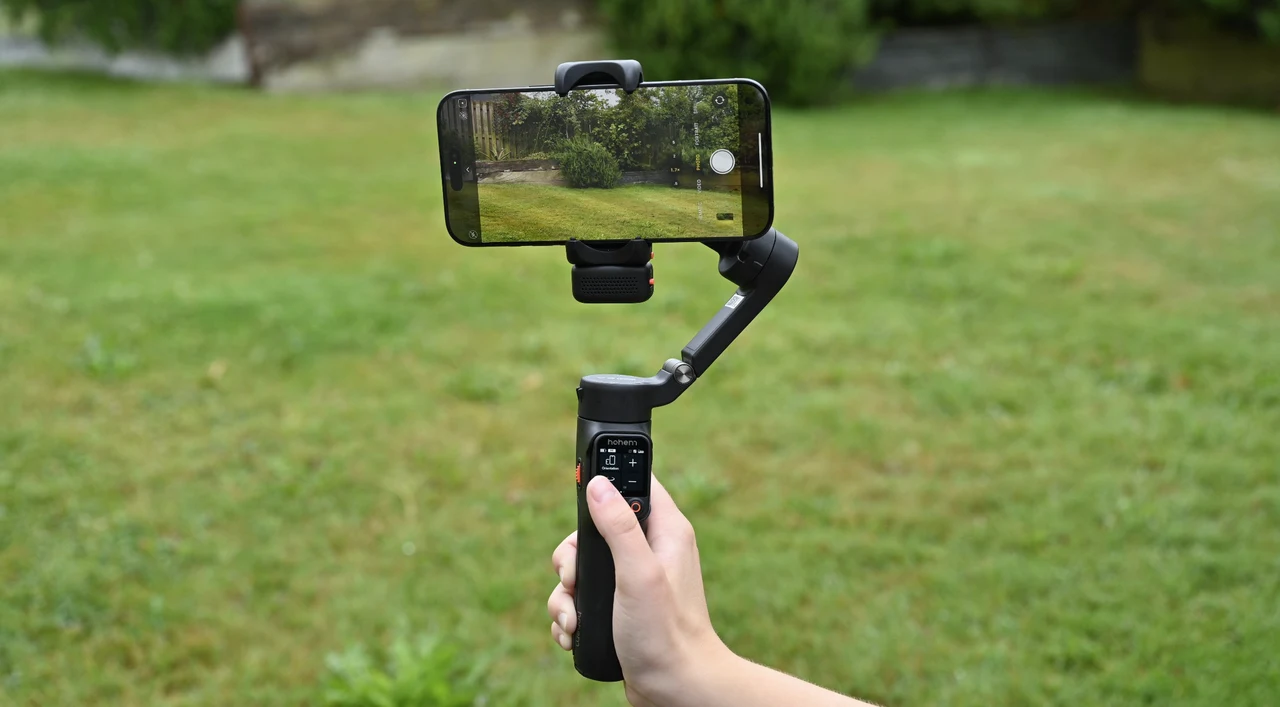
If you’re looking for a compact, travel-friendly gimbal that doesn’t compromise on professional features, I can definitely recommend checking out the Hohem iSteady V3 Ultra. As someone who creates content regularly for social media and professional projects, I’ve put this gimbal through its paces in different environments, and the results have been consistently impressive. Connection to the phone application is Easy via Bluetooth, and there are plenty of options within the app that allow you to control your shots, resolutions, filters, and more. The addition of AI tracking is particularly handy, especially if you are a vlogger or would like to keep your subject in focus at all times.
First Impressions and Build Quality
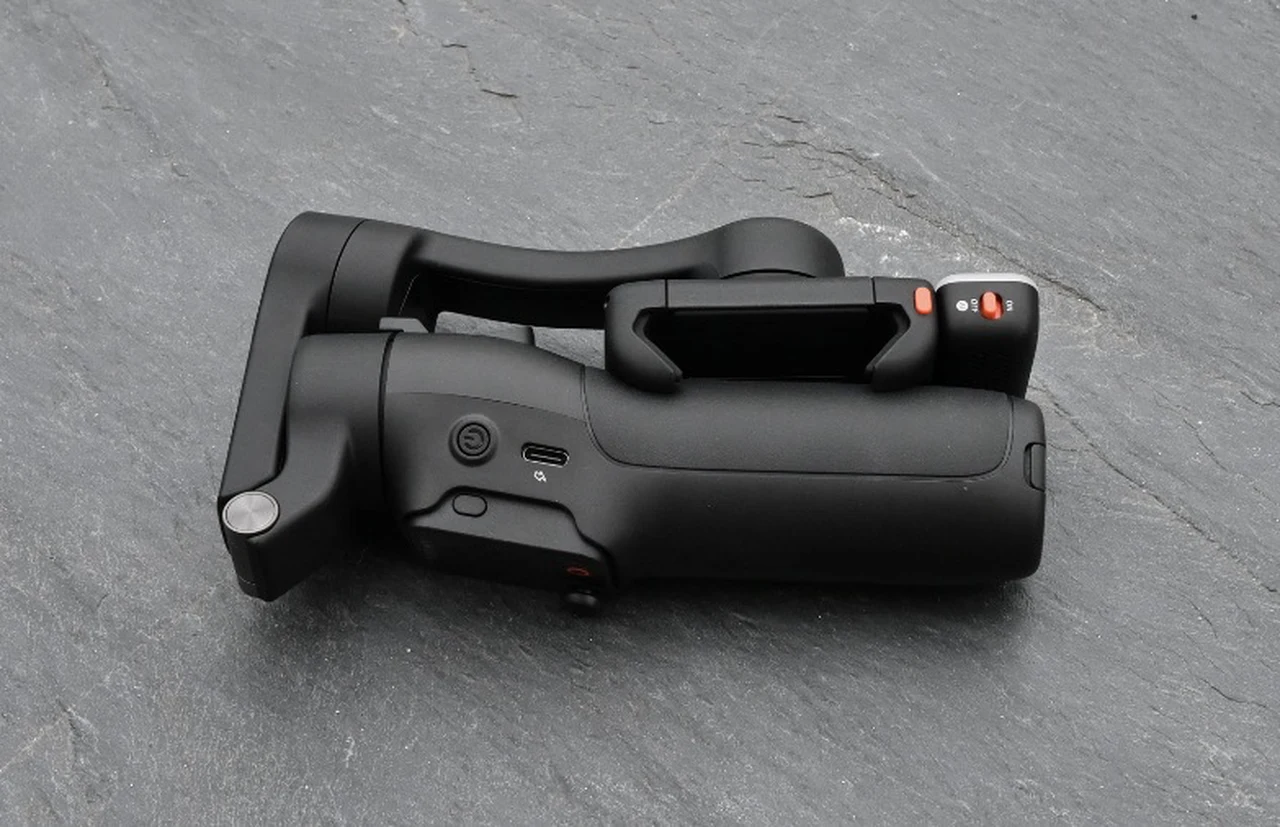
The iSteady V3 Ultra arrives in a small, compact box with the gimbal folded neatly inside, together with a charging cable and slip case, which will protect it while it’s in your bag. Once you pick up the gimbal, you immediately feel the quality construction, and once powered o,n the integrated technology becomes apparent. The build quality is robust and offers premium functionality at an affordable price of under $200.
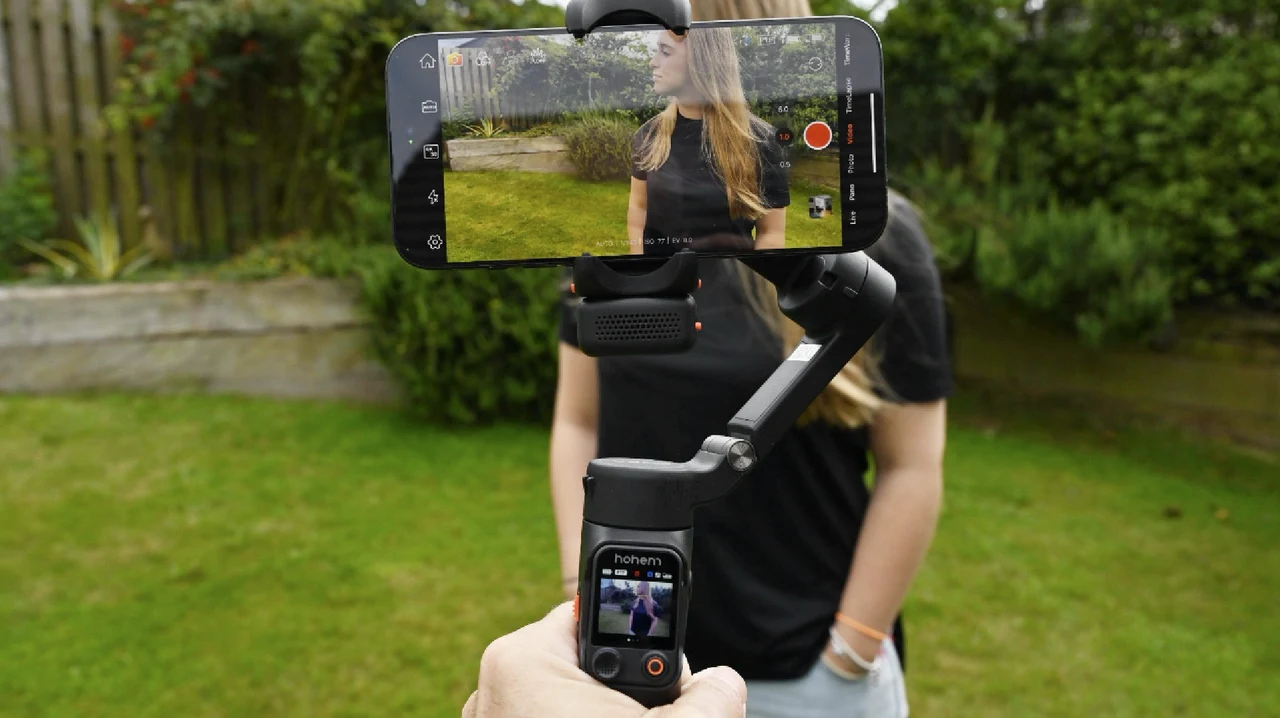
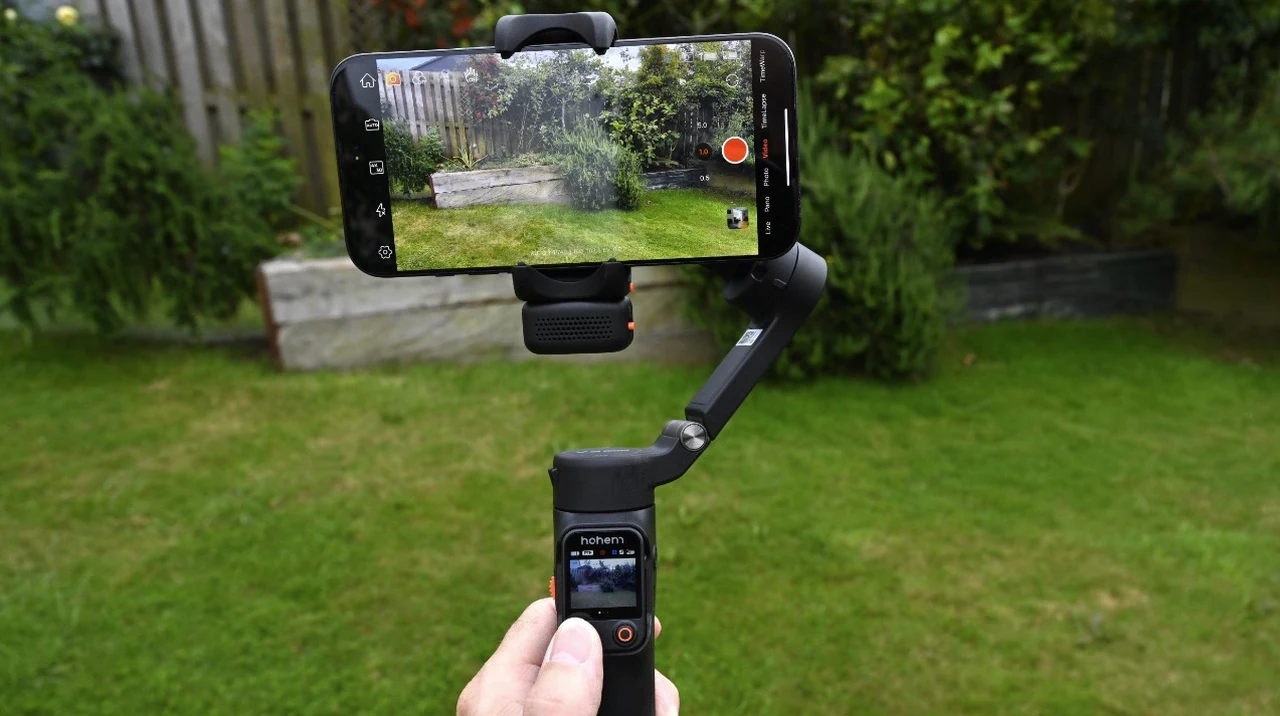
At 400g maximum payload capacity, it handles my iPhone 15 Pro Max with ease, and the foldable design makes it genuinely portable—a crucial factor for content creators on the go. I particularly like the way you can quickly change the orientation of your phone directly from the removable remote touchscreen control panel in the handle. Going from portrait to landscape as needed at the touch of a button on the touch screen interface.
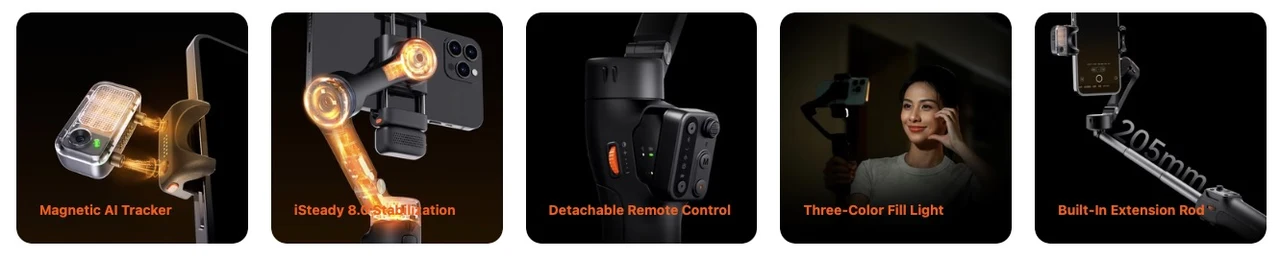
The standout feature that caught my attention immediately was the magnetic AI tracker module. This isn’t just a gimmick; it’s a genuinely useful tool that transforms how you approach mobile videography. The magnetic attachment system is both secure and convenient, with small release buttons providing the ability to quickly swap it from front-facing to rear-facing whenever required. The snap-on magnetic connection provides confidence that the tracker won’t accidentally detach during use.
The Innovative AI Tracking System
Unlike traditional gimbals that require constant manual adjustment, the iSteady V3 Ultra’s AI tracking system operates through intuitive gesture controls. Which can be enabled or disabled in the phone application. Working within the optimal range of 0.5 to 1.5 meters, the system responds reliably to hand gestures. To control the system if perhaps you have it on a tripod and are positioned a few feet away.

The OK sign gesture activates tracking with a reassuring green light confirmation, while showing your palm stops tracking (indicated by a red light). What impressed me most was the double-L gesture for reframing—this allows you to adjust composition mid-shot without breaking the tracking flow. The shutter control gesture works seamlessly, and the landscape/portrait switching gesture eliminates the need to physically adjust the gimbal orientation.
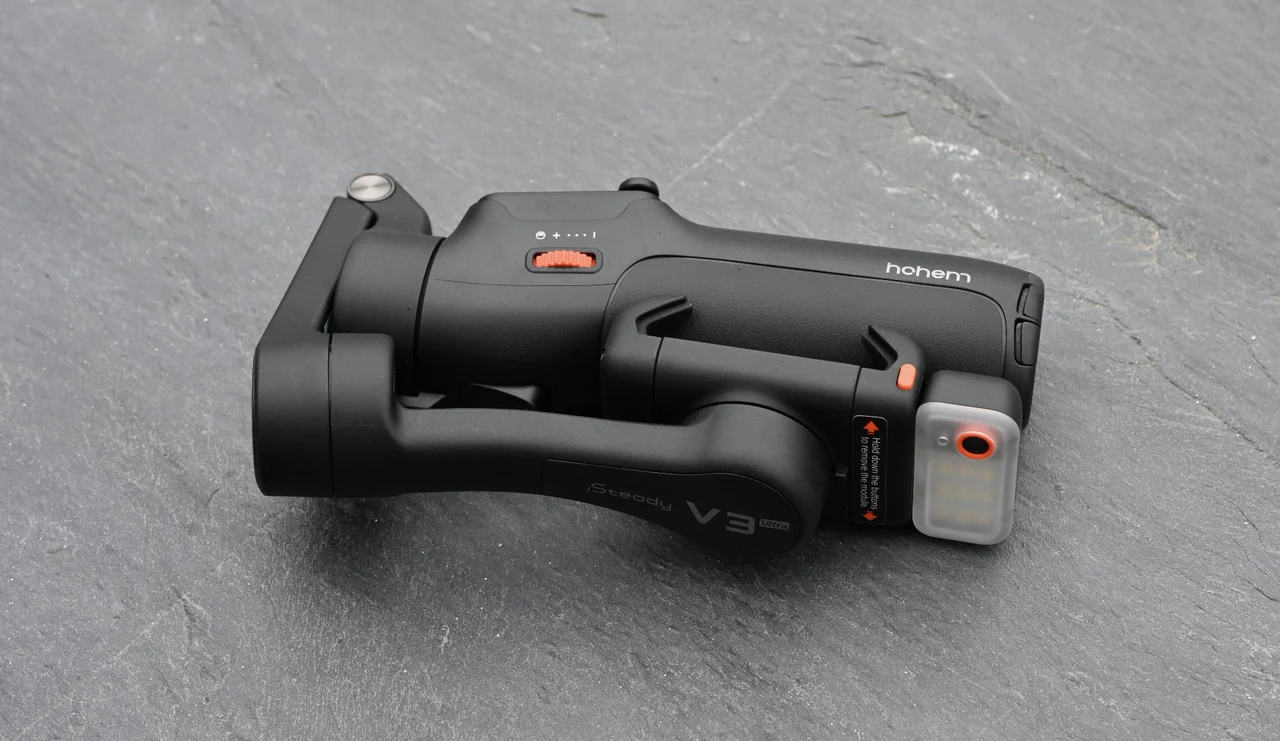
Importantly, this AI tracking system works universally across all apps—not just the Hohem Joy app. Whether I’m using the native camera app, Instagram, TikTok, or any video conferencing platform, the tracking functionality remains consistent. This universal compatibility is a significant advantage over competitors that lock you into proprietary ecosystems.
Touchscreen Remote: A Fantastic Option
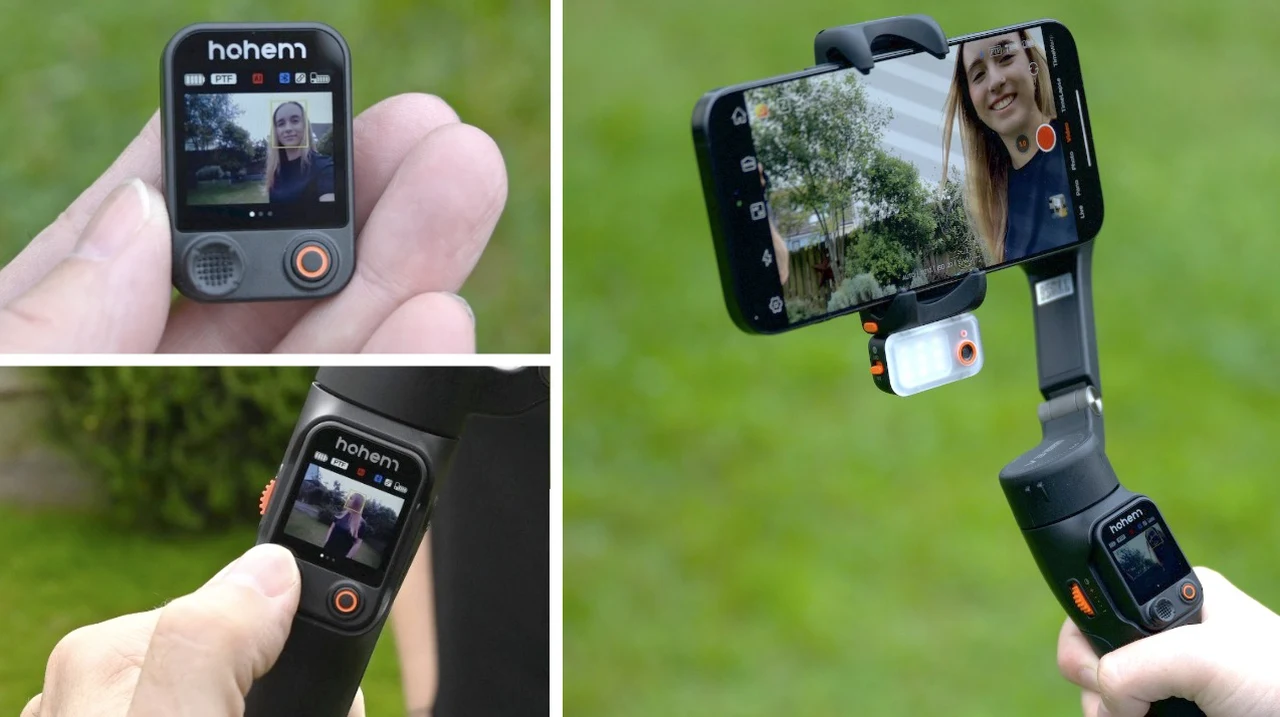
The detachable remote controller with its color touchscreen interface is a fantastic addition and offers precise gimbal control. This isn’t just an incremental improvement—it’s a complete reimagining of how users interact with their stabilizer. Having used previous Hohem models with traditional button navigation, the upgrade to a full-color touchscreen display is fantastic. The visual interface provides immediate access to manual orientation controls, working modes, and zoom functionality, all presented in an intuitive, graphical format that eliminates the guesswork of button combinations. You can even set up a color live feed that you can view directly on the mini handheld remote.

The joystick integration is particularly well-executed. Pushing up and down tilts the gimbal accordingly, while left and right movements control pan. The long-press activation for the fill light feels natural and eliminates the need to memorize complex button combinations. During AI tracking sessions, being able to adjust composition using the joystick while maintaining tracking lock is incredibly useful.
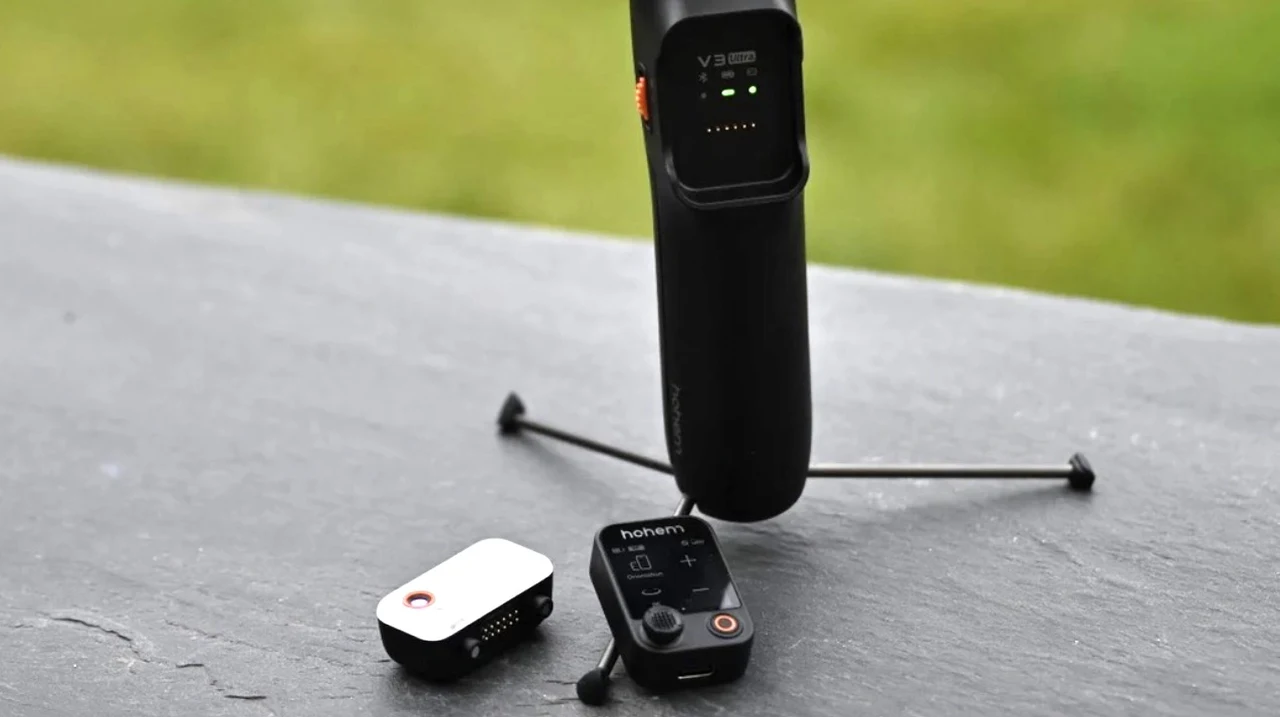
The shutter button’s single-press functionality for both photos and video recording works flawlessly, and the tactile feedback provides confidence that commands have been registered. When attached to the handle, the remote powers the gimbal on and off simultaneously, creating a seamless user experience.
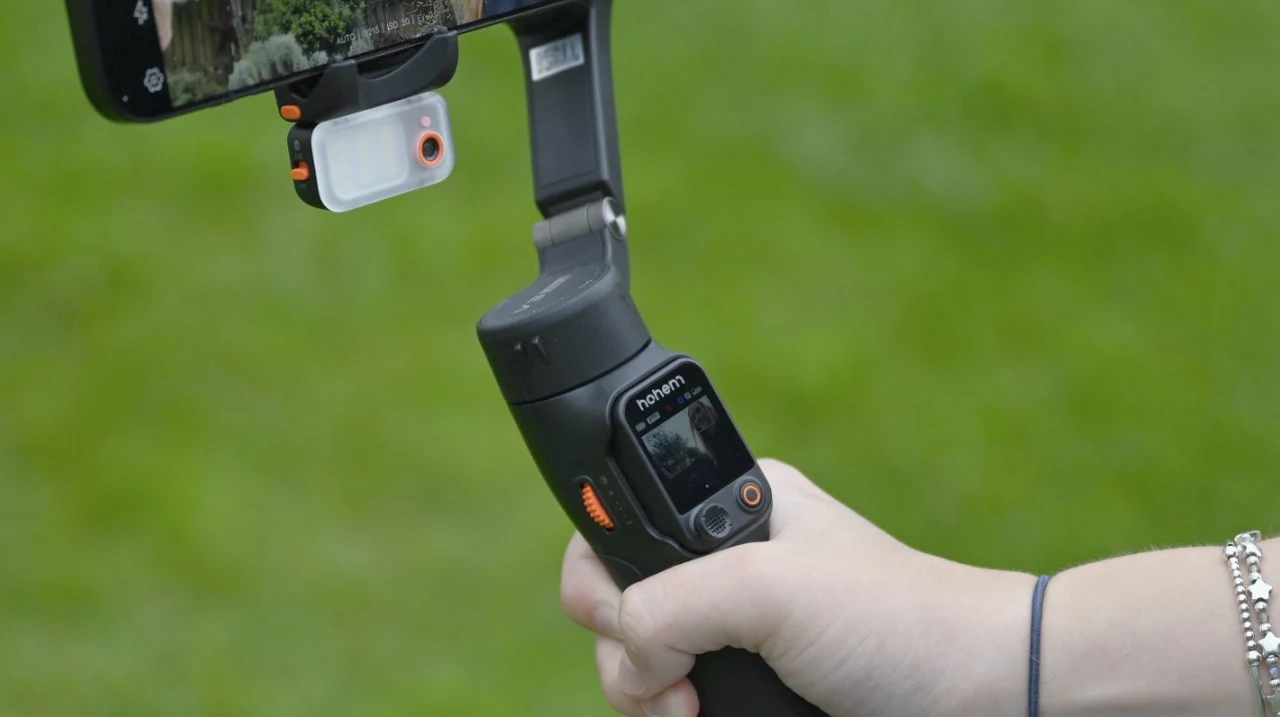
The touchscreen’s information display is comprehensive without being overwhelming. At a glance, I can monitor gimbal battery life, current working mode, AI tracking status, Bluetooth connectivity, and remote battery life. This real-time feedback eliminates guesswork and allows for better planning during shoots.
Advanced Interface Features
Sliding right on the touchscreen reveals live feed monitoring options, while sliding left unveils advanced features that would typically require diving deep into app menus. The joystick parameters section allows fine-tuning of pan and roll rotation sensitivity, while quick access to panorama and timelapse modes streamlines workflow.
The fill light functionality also deserves particular praise. Being able to adjust both temperature and brightness directly from the touchscreen, rather than relying on physical wheel controls, provides much more precise control. The language settings, gimbal sounds, and motor strength adjustments are all easily accessible, making the entire system highly customizable.
Stabilization Performance and Modes
The iSteady 8.0 stabilization algorithm delivers exceptional results across all four gimbal modes. Pan Follow mode is perfect for standard walking shots, providing smooth horizontal movement while locking vertical and roll axes. Pan and Tilt Follow mode adds vertical movement control, ideal for dynamic scenes requiring more complex camera movements.
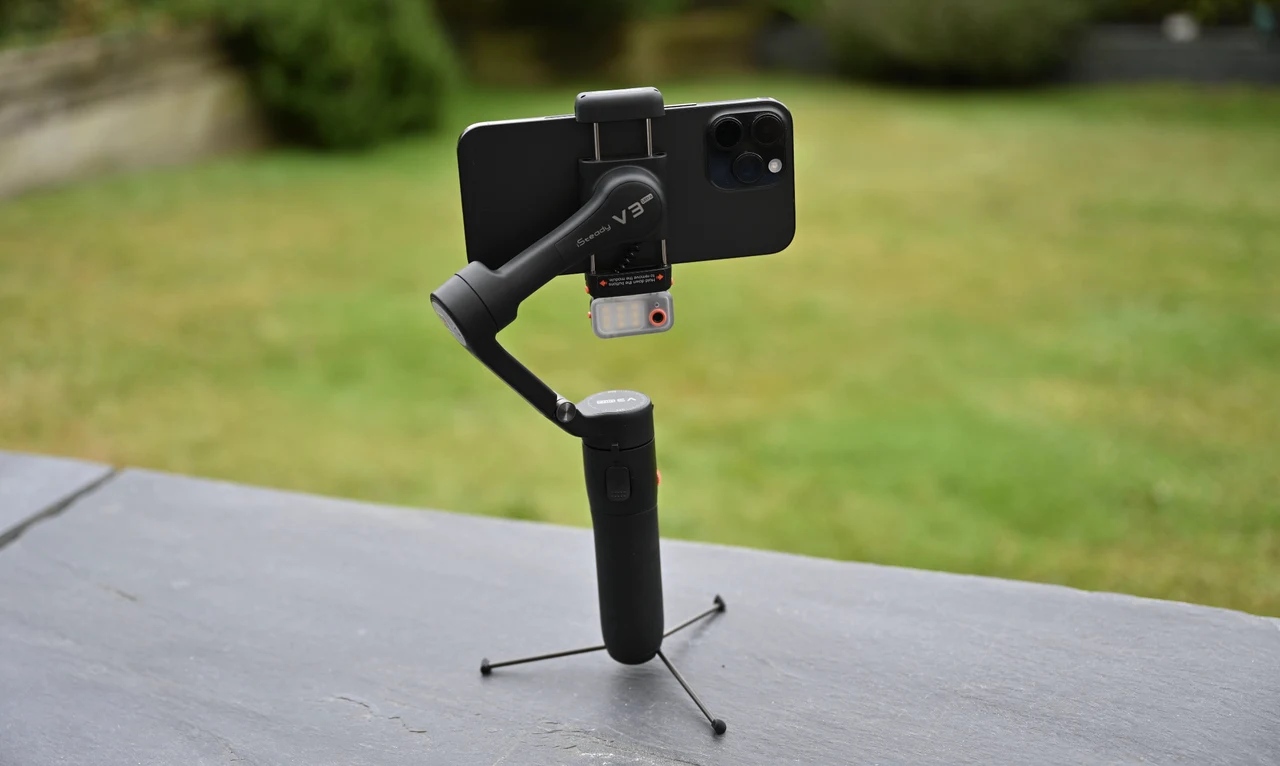
The POV (Point of View) mode unlocks all motors, allowing for creative roll movements that add cinematic flair to footage. Lock mode is invaluable for maintaining consistent framing while moving around subjects—particularly useful for product demonstrations or interview scenarios.
The trigger button’s functionality is well-implemented: double-tap to recenter, triple-tap to flip between front and rear cameras, and hold for instant lock mode activation. The motor protection system provides peace of mind. For instance, if you accidentally grab the arm instead of the handle, the gimbal automatically shuts down to prevent damage.
Built-in Versatility
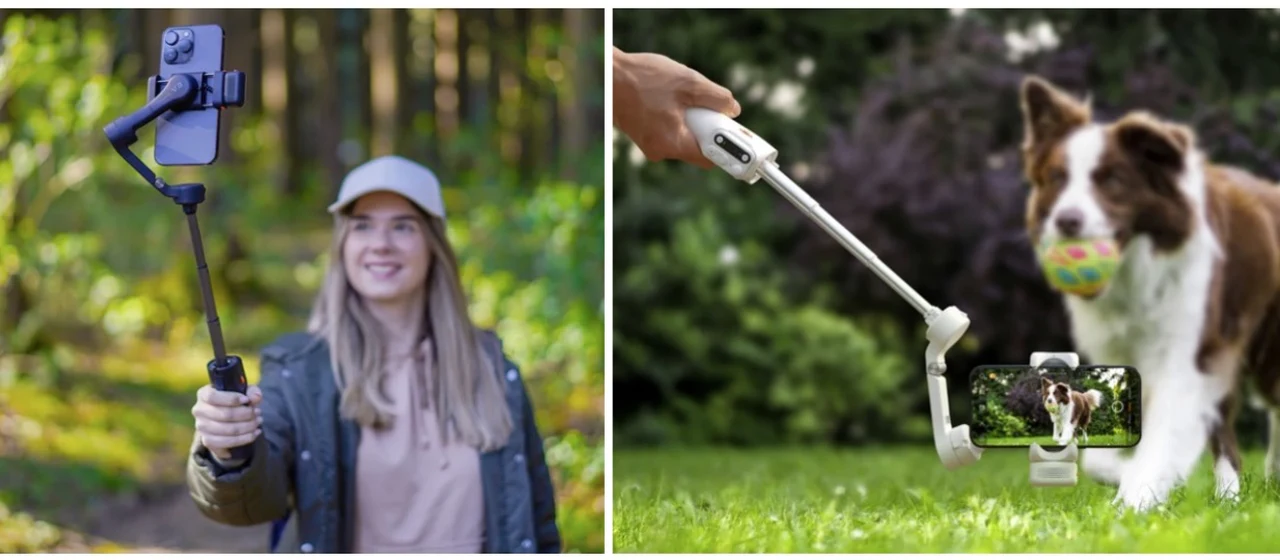
The 205mm extension rod, which slides out from the handle, transforms the gimbal’s utility significantly. For group shots, pet photography, or capturing new angle shots or expansive landscapes, the extended reach eliminates the need for additional equipment. The ability to achieve high-angle shots or low-angle filming without uncomfortable positioning is a genuine workflow improvement.
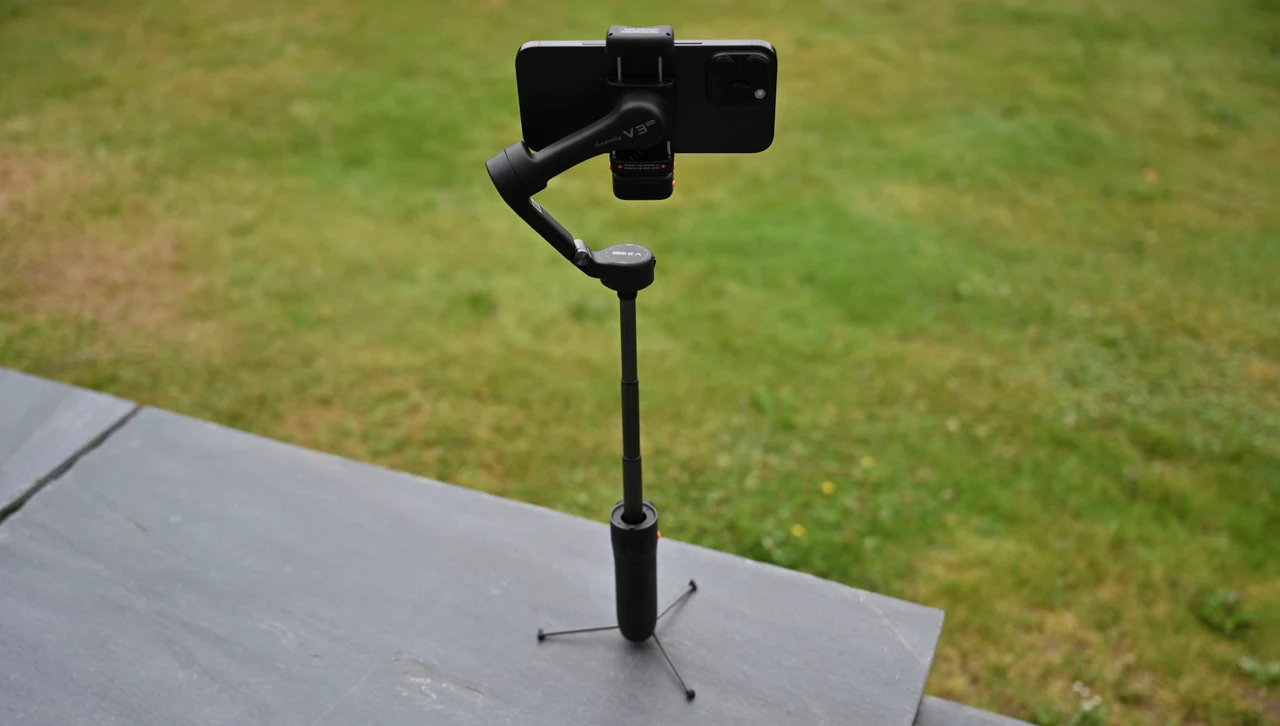
What strikes me most about this system is how such a compact, travel-friendly device maintains incredibly robust construction while delivering so many professional-grade features. The gimbal collapses down into a remarkably small form factor that’s perfect for travel, yet unfolds to provide a wide variety of filming capabilities. The extendable tripod feet store neatly within the bottom of the handle, creating a neat design that allows perfect positioning at any height when recording from various surfaces. Whether I’m setting up for desktop vlogs or positioning the gimbal on uneven outdoor terrain, the extending tripod feature provides the stability needed for professional results.
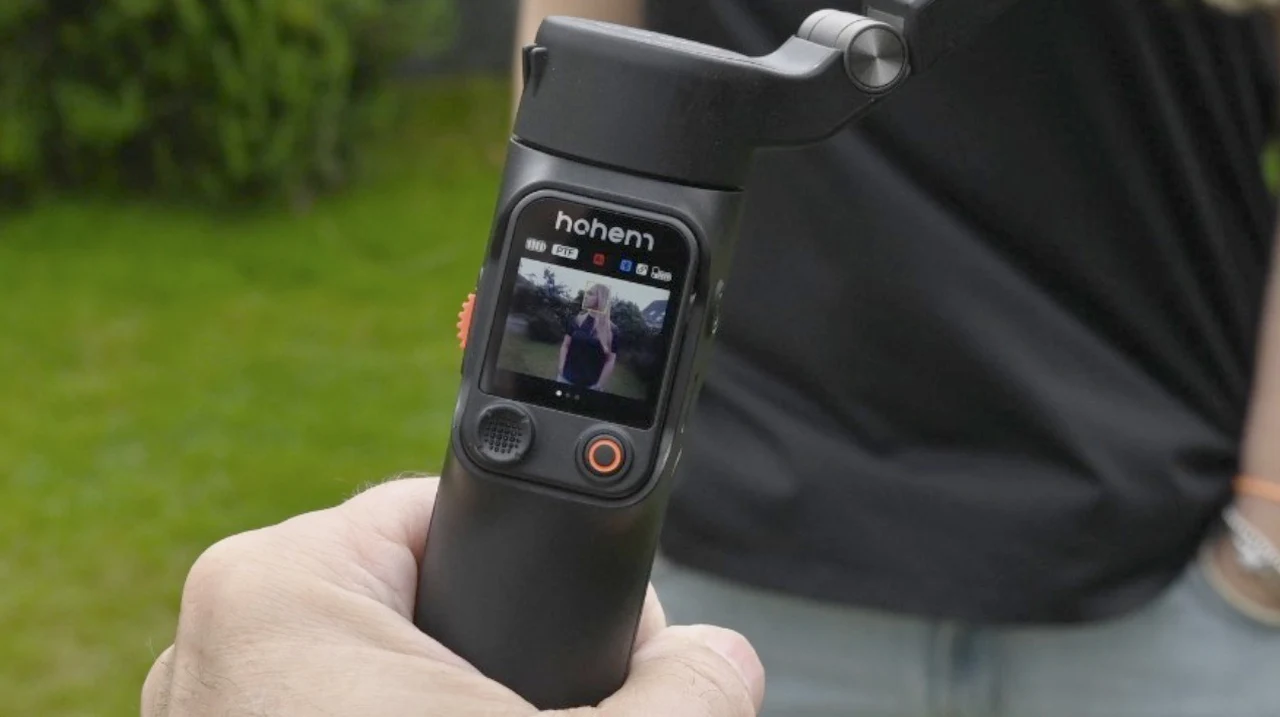
The AI tracking system truly excels in these scenarios—even when I move around during recording, it consistently keeps my face in focus and properly framed. The 360° infinite pan tracking capability means there are no movement limitations, allowing for complete freedom during recording sessions. The AI live feed monitoring provides real-time feedback on tracking performance, ensuring optimal results throughout the shoot. The additional tripod mount at the bottom of the handle expands mounting options further, while the removable remote control becomes invaluable for making precise micro-adjustments without needing to physically touch the tripod or gimbal itself. With an effective range of up to 33 feet (10 meters), the remote provides genuine freedom for solo content creators who need to maintain distance from their setup.
Fill Light Innovation
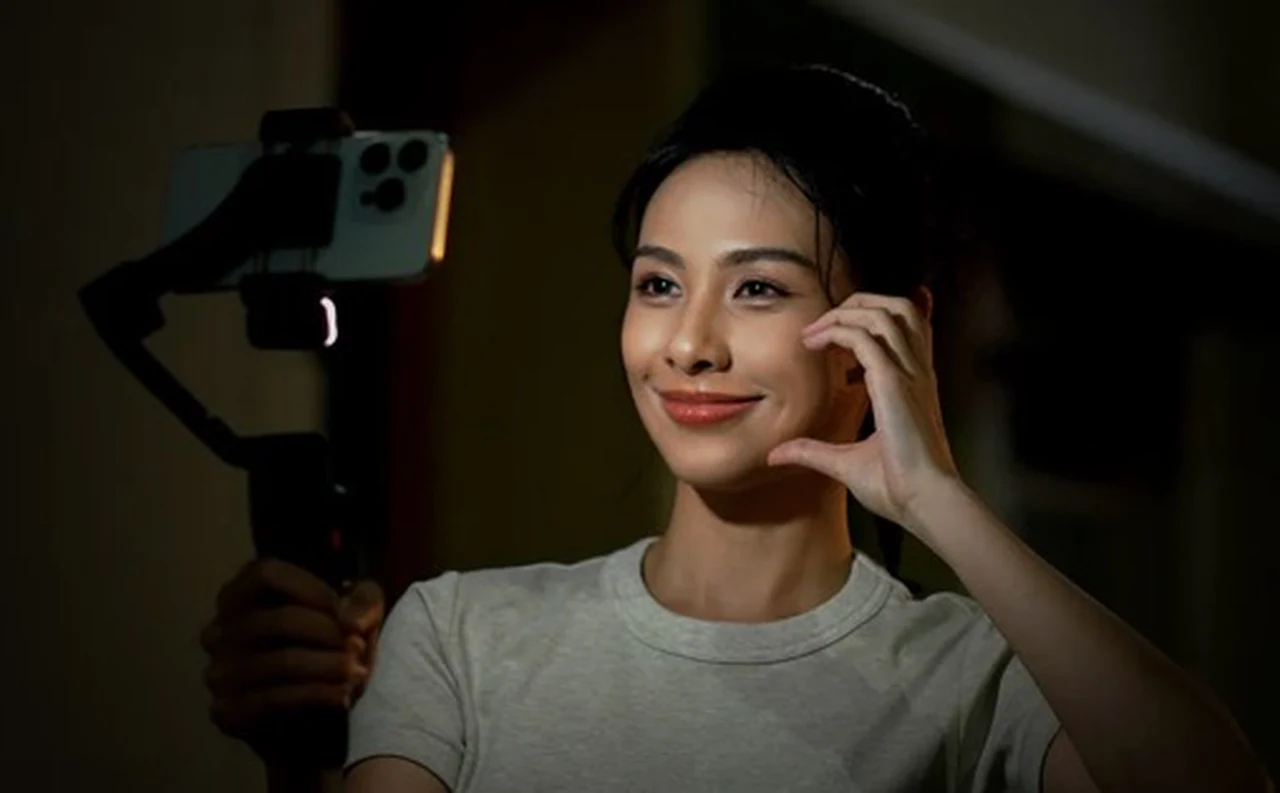
The upgraded fill light system delivers a 4%-100% brightness range, provides adequate lighting for most indoor scenarios, while the three-color temperature control (cool, warm, neutral) allows for proper color matching to ambient conditions. The side wheel control offers fluid brightness adjustment, though I found the touchscreen controls more precise for fine-tuning. Having three distinct color temperature options rather than just warm and cool provides more professional lighting control for different recording environments.
App Integration and Connectivity
The Hohem Joy app is available to download and install from the Apple App Store or Google Play Store and requires Bluetooth 5.1 connectivity and serves as the gateway to advanced features within the comprehensive yet easy-to-use app. The application’s interface is well-designed, offering both automatic and manual shooting modes. The manual mode’s focus control capabilities provide professional-level control that’s typically unavailable in smartphone apps.
The pre-designed story templates are genuinely helpful for beginners, providing structured guidance for common shooting scenarios. The resolution and frame rate selection options cover all standard requirements, from social media content to professional production.
Compatibility and Limitations
The extensive compatibility list covers most major smartphones, though the notable exclusions of Xiaomi Ultra models seem arbitrary. The 400g payload limit and 12.5mm thickness restriction accommodate most devices, but users with heavy cases or unusual form factors should verify compatibility. The 58mm-98mm width range covers standard smartphones adequately, though the upper limit might exclude some tablets or unusually wide devices.
Real-World Performance

During extended testing across various scenarios—from outdoor vlogs to indoor product demonstrations—the iSteady V3 Ultra consistently delivered smooth, professional-looking footage. The 9hr battery life easily supports full-day shooting sessions, and the USB-C charging with 5V-2A support provides reasonable charging speeds.
The gesture recognition works reliably in good lighting conditions, though performance degrades in very low light or high-contrast situations. The AI tracking accuracy is impressive, maintaining subject lock even during rapid movements or partial occlusions.
Final Verdict
The Hohem iSteady V3 Ultra Gimbal Stabilizer offers a combination of magnetic AI tracking, touchscreen remote control, and comprehensive built-in features. That creates a complete, compact content creation solution that rivals much more expensive professional equipment.
While the learning curve for mastering all features is steeper than basic gimbals, the investment in time pays dividends in creative flexibility and professional results. The universal app compatibility, innovative control interface, and thoughtful design details make this gimbal suitable for both casual users and serious content creators.
For anyone serious about mobile videography, the iSteady V3 Ultra offers exceptional value and capability that justifies its position as a premium smartphone gimbal solution. The combination of innovation, build quality, and practical features makes it an easy recommendation for content creators seeking to improve their mobile filming capabilities.
Hohem iSteady V3 Ultra Specifications
Physical Specifications:
• Maximum Payload:400g (0.88lbs)
• Smartphone Thickness: ≤12.5mm
• Smartphone Width: 58mm-98mm (≤7 inches)
• Extension Rod Length: 205mm built-in
• Form Factor: Foldable and compact for travel
• Built-in Tripod: Extendable legs with telescopic design
• Additional Tripod Mount: Standard mount at bottom of handle
Stabilization & Control:
• Stabilization System: iSteady 8.0 algorithm with 3-axis stabilization
• Pan Tracking: 360° infinite pan capability
• Gimbal Modes: Pan Follow, Pan & Tilt Follow, POV, Lock Mode
• Motor Protection: Automatic shutdown if improperly handled
• AI Tracking Range: 0.5-1.5 meters (1.64-4.92 feet)
• Remote Control Range: Up to 33 feet (10 meters)
AI Tracking Features:
• Magnetic AI Tracker: Detachable and reversible design
• Universal App Compatibility: Works with all camera and streaming apps
• Gesture Controls: OK sign, palm stop, double-L reframe, shutter control
• AI Live Feed Monitoring: Real-time tracking feedback
• Face Tracking: Automatic focus and framing maintenance
Remote Control:
• Type: Detachable color touchscreen interface
• Display: Full-color touchscreen with intuitive controls
• Joystick: Tilt and pan control with long-press fill light activation
• Shutter Button: Single-press photo/video capture
• Advanced Features: Swipe navigation for monitoring and parameters
• Battery: Charges automatically when attached to the handle
Fill Light System:
• Maximum Illumination: 110 Lux
• Brightness Range: 4%-100% adjustable
• Color Temperature: Three options (cool, warm, neutral)
• Control Methods: Side wheel and touchscreen adjustment
Connectivity & App:
• Charging: USB-C port with 5V-2A recommended
• Battery Life: Full-day shooting capability
• Firmware Updates: Available through the app
Shooting Modes:
• Manual and Automatic modes
• Panorama: Clone me, 120°, 3×3 formats
• Time-lapse: Fixed, custom, directional options
• Additional Modes: Time warp, slow motion, moment capture
• Pre-designed Templates: Story mode with guided shooting
Compatibility:
• iPhone: 15 Pro Max, 15 Pro, 15, 14 series, 13 series, 12 series, 11 series, XS Max, XS, XR, X
• Samsung: Galaxy S23 Ultra, S21 Ultra, S21, S20 Ultra, S20, S10, S9
• Google: Pixel 6 Pro, 6, 5, 4 XL, 4
• Huawei: Mate 40 series, 30 series, P50 Pro, P40 series, P30 series, P20 series
• OnePlus: 9 Pro, 8 Pro, 8, 7 Pro
• OPPO: Reno6 series, 5 series, 3 Pro, Find X3, X2 series
• VIVO: X70 series, X60 series, X50, X30 series
• Note: Not compatible with Xiaomi Ultra models (11/12S/13/14 Ultra)
Package Contents:
• Hohem iSteady V3 Gimbal
• Magnetic AI Tracker with Fill Light
• Detachable Remote Controller
• USB-C Charging Cable
• Hex Key
• Storage Pouch
• Quick Start Guide
Filed Under: Camera News, Gadgets News, Reviews, Top News
Latest Geeky Gadgets Deals
Disclosure: Some of our articles include affiliate links. If you buy something through one of these links, Geeky Gadgets may earn an affiliate commission. Learn about our Disclosure Policy.
Credit: Source link