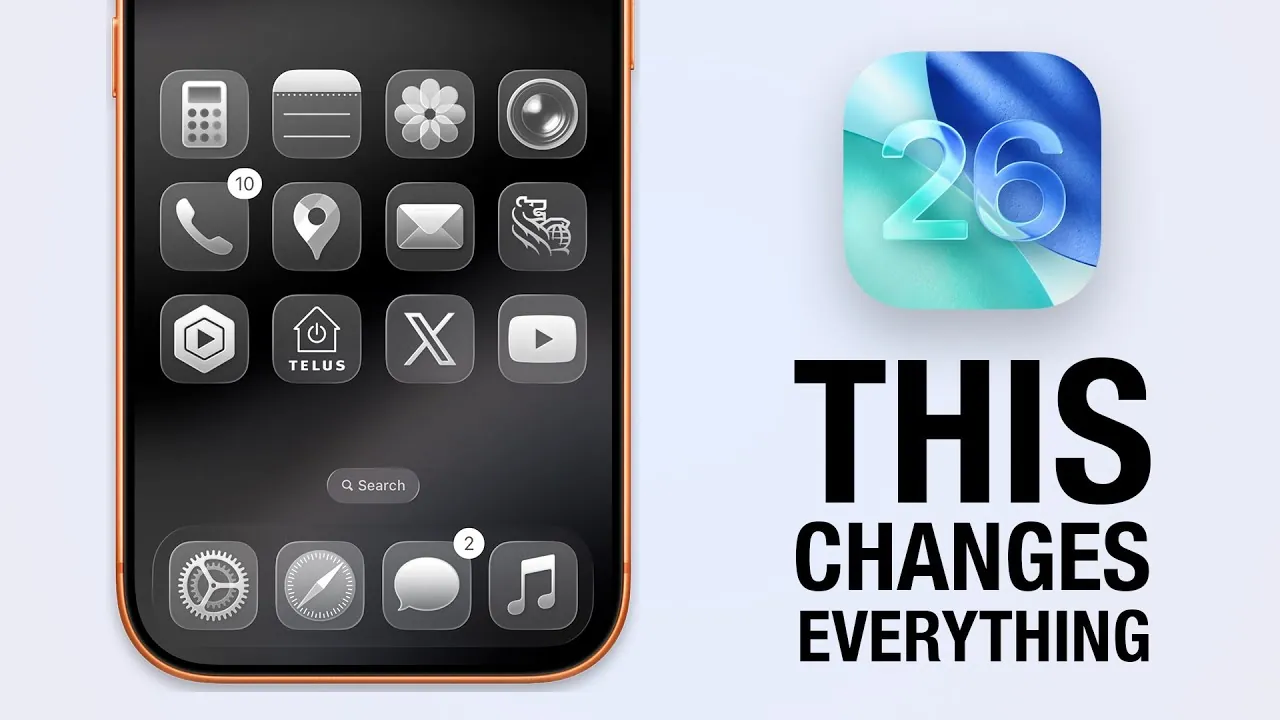
Apple has officially launched iOS 26, a comprehensive update that introduces a blend of aesthetic innovation and practical functionality. With its new “Liquid Glass” design and a suite of enhanced features, this release aims to elevate the iPhone experience for all users. Whether you’re a casual user or a tech enthusiast, iOS 26 offers tools and improvements that cater to a wide range of preferences. Below is an in-depth look at the most noteworthy updates and how they enhance usability and personalization in a new video from iDB.

Liquid Glass: A Redefinition of Design
The centerpiece of iOS 26 is the “Liquid Glass” interface, a visually captivating redesign that transforms the way your iPhone looks and feels. This update introduces fluid animations, light-reflecting effects, and transparent elements, creating a dynamic and immersive user experience. Key highlights include:
- Shimmering App Icons: App icons now feature a glass-like finish, adding depth and a refined aesthetic to your home screen.
- Floating Tab Bars: Traditional static menus are replaced with dynamic, floating navigation bars for a sleek and modern look.
- Clear Icon Mode: Minimalists can enjoy a cleaner interface by blending app icons seamlessly into the background.
This design overhaul not only enhances the visual appeal of the iPhone but also improves usability by making interactions more fluid and intuitive.
Messages: Enhanced Communication and Personalization
The Messages app receives a significant upgrade in iOS 26, focusing on smarter communication and deeper personalization. The new features are designed to make conversations more engaging and efficient. Key updates include:
- Customizable Backgrounds: Add a personal touch to your chats by selecting unique designs that reflect your style.
- Interactive Group Chats: AI-powered tools, such as poll suggestions and real-time typing indicators, make group conversations more collaborative.
- Apple Cash Integration: Simplify group payments directly within the app (currently available in the U.S.).
- Enhanced Spam Filtering: Improved tools for managing unknown senders and blocking unwanted messages ensure a clutter-free inbox.
These enhancements make the Messages app a more powerful tool for both personal and professional communication.
Phone App: Smarter Call Management
The Phone app in iOS 26 introduces intelligent features designed to streamline call handling and improve accessibility. These updates focus on convenience and efficiency, making sure a better experience for users. Key features include:
- Unified Layout: Favorites and recent calls are now displayed in a single, easy-to-navigate interface.
- AI-Powered Call Screening: Real-time transcription of unknown calls helps you decide whether to answer.
- Hold Assist: Receive alerts when a live agent becomes available during long hold times.
- Real-Time Translation: Seamlessly communicate across languages during calls and FaceTime sessions.
These updates make managing calls more intuitive and accessible, catering to a wide range of user needs.
Camera and Photos: Advanced Yet User-Friendly
iOS 26 brings significant improvements to the Camera and Photos apps, focusing on usability and advanced functionality. These updates make capturing and organizing memories easier than ever. Key enhancements include:
- Streamlined Camera Interface: Essential controls like flash and exposure are now accessible with a simple swipe, reducing clutter.
- Refreshed Photos Layout: Separate tabs for your library and collections improve navigation and organization.
- AI-Powered Search: Enhanced search capabilities allow you to quickly locate specific images using keywords or context.
- Dynamic Photo Effects: Add a futuristic touch to your photos with spatial wallpapers and holographic effects.
These updates ensure that both casual photographers and enthusiasts can enjoy a seamless and powerful experience.
Lock Screen: A New Level of Personalization
The lock screen in iOS 26 has been reimagined to offer greater customization options, allowing users to tailor their devices to their preferences. Key features include:
- Resizable Clock: Adjust the size of the clock for improved visibility and a personalized aesthetic.
- Dynamic Adjustments: The clock seamlessly adapts to photo shuffle wallpapers, creating a cohesive design.
- Full-Screen Album Art: Music enthusiasts can enjoy an immersive visual experience with full-screen album art while listening to their favorite tracks.
These updates make the lock screen both functional and visually appealing, reflecting your unique style.
Additional Features to Explore
Beyond the major updates, iOS 26 introduces a variety of smaller enhancements that collectively improve the overall user experience. These features include:
- Music Automix: Enjoy smooth transitions between songs with beat-matching technology.
- Maps Visited Places: Easily track and categorize locations for future reference.
- Game Center Revamp: A redesigned interface simplifies managing games and connecting with friends.
- Wallet Enhancements: Access airport maps, luggage tracking, and flight-sharing options for a more streamlined travel experience.
- AirPods Video Recording: Start video recording with a simple press of the AirPods’ stem.
- Customizable Snooze: Set snooze durations between 1 and 15 minutes for greater control over alarms.
- Adaptive Power Mode: Dynamically adjust CPU usage to extend battery life when needed.
- Charging Time Estimate: View the estimated time remaining to reach 80% charge for better planning.
- Visual Intelligence for Screenshots: AI-powered suggestions help organize and share screenshots more effectively.
While these features may seem minor individually, they collectively enhance the overall functionality and convenience of iOS 26.
Discover the Possibilities of iOS 26
iOS 26 represents a significant step forward in both design and functionality, offering a seamless blend of aesthetic appeal and practical tools. The “Liquid Glass” redesign sets a new benchmark for visual innovation, while the enhanced communication, personalization, and usability features cater to a diverse range of user needs. Whether you’re drawn to the sleek interface, smarter apps, or customizable options, iOS 26 delivers a comprehensive upgrade that transforms the iPhone experience. Explore its features and see how this update can enhance your daily interactions with your device.
Take a look at other insightful guides from our broad collection that might capture your interest in Liquid Glass redesign.
Source & Image Credit: iDB
Filed Under: Apple, Apple iPhone, Guides, Top News
Latest Geeky Gadgets Deals
Disclosure: Some of our articles include affiliate links. If you buy something through one of these links, Geeky Gadgets may earn an affiliate commission. Learn about our Disclosure Policy.
Credit: Source link