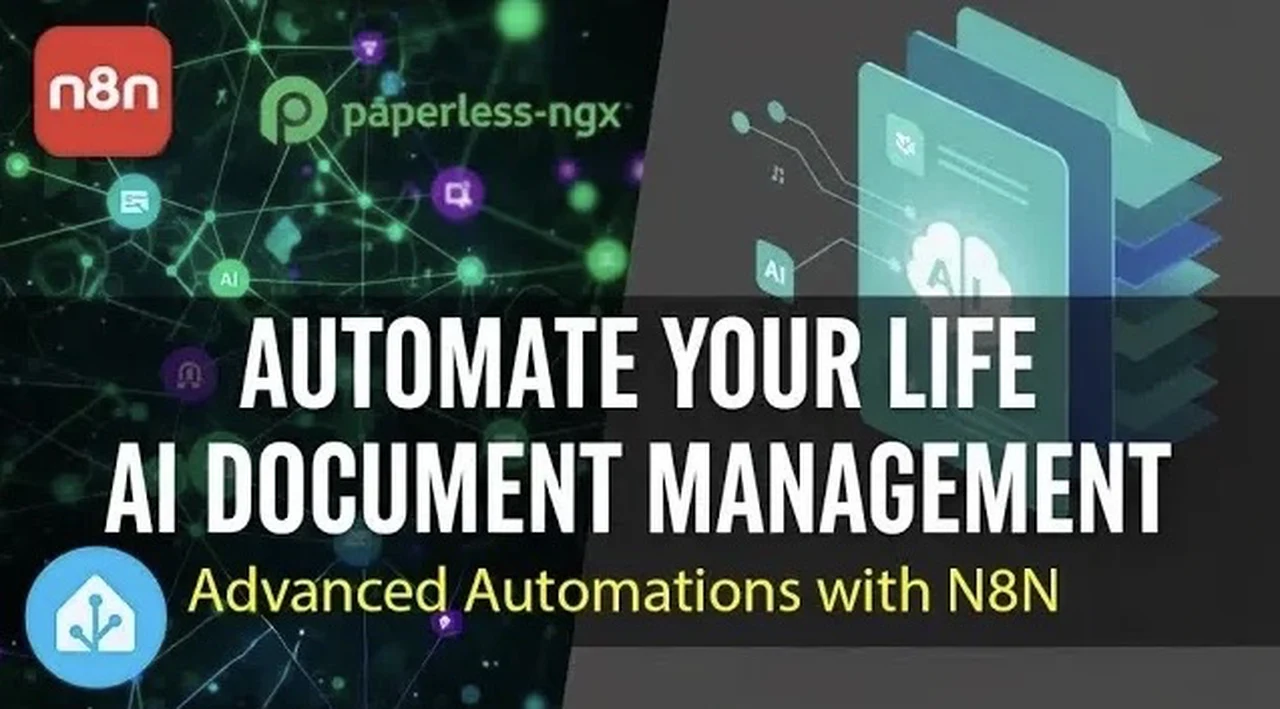
What if you could take the chaos of managing endless documents, emails, and data and turn it into a seamless, automated system that works for you? The n8n Home Assistant add-on promises just that, a way to not only simplify your workflows but also supercharge them with the power of AI. Imagine a world where your emails are categorized without lifting a finger, your financial records reconcile themselves, and your documents are intelligently tagged and organized. With its ability to integrate with advanced tools like OpenAI and Google Gemini, n8n doesn’t just automate; it transforms the way you approach productivity. This isn’t just another tool, it’s the missing link in your automation ecosystem.
In this piece, we’ll explore how n8n bridges the gap between everyday tasks and innovative automation, offering solutions that are as practical as they are innovative. From AI-powered document management to dynamic integrations with platforms like Strava, Notion, and Google Sheets, the possibilities are vast. Whether you’re a tech-savvy professional or a curious beginner, you’ll discover how to harness n8n’s intuitive drag-and-drop interface and modular workflows to tackle even the most complex challenges. By the end, you might just find yourself rethinking what’s possible with automation. After all, why settle for managing tasks when you can master them?
n8n Home Assistant Overview
TL;DR Key Takeaways :
- n8n is an open source workflow automation platform that complements tools like Home Assistant and Node-RED, offering advanced integrations, AI capabilities, and external platform connectivity.
- The n8n Home Assistant add-on simplifies setup with a user-friendly drag-and-drop interface, allowing quick creation of tailored workflows without technical hurdles.
- Key AI features include metadata extraction, file classification, and task automation, making it ideal for managing large datasets and repetitive processes.
- Practical use cases include document management, email processing, data reconciliation, Google Sheets updates, and integrations with platforms like Strava and Notion.
- Core features such as extensive API support, event-based triggers, reusable sub-workflows, and a visual editor make n8n a versatile and powerful automation tool.
What is n8n?
n8n is an open source workflow automation platform designed to handle advanced and complex tasks. While Home Assistant and Node-RED excel in home automation and event-based triggers, n8n specializes in workflows that require external integrations, advanced logic, and AI capabilities. Rather than replacing these tools, it complements them, creating a more robust automation ecosystem. Its ability to bridge gaps between various platforms makes it an indispensable tool for users looking to expand their automation capabilities.
How to Get Started
Setting up n8n as a Home Assistant add-on is a straightforward process, allowing you to quickly begin designing workflows. Follow these steps to get started:
- Add the n8n repository to your Home Assistant instance through the add-on store.
- Configure the necessary settings, such as authentication and access permissions, to ensure smooth operation.
- Start the add-on and access its intuitive drag-and-drop interface to begin creating workflows tailored to your needs.
This streamlined setup process minimizes technical hurdles, allowing you to focus on building automations rather than troubleshooting installation issues.
n8n Home Assistant AI Document Management & Advanced Automations

Discover other guides from our vast content that could be of interest on n8n.
AI Integration: A Key Feature
One of the standout features of n8n is its seamless integration with AI technologies. Supporting advanced language models like OpenAI and Google Gemini, n8n allows you to incorporate AI into your workflows for enhanced functionality. Here are some practical applications:
- Metadata Extraction: Automatically extract and organize metadata from documents, improving efficiency and reducing manual effort.
- File Classification: Use AI to categorize files intelligently, saving time on repetitive tasks.
- Task Automation: Use AI to handle repetitive processes, allowing you to focus on higher-value activities.
These capabilities are particularly beneficial for users managing large datasets or seeking intelligent solutions to streamline their workflows.
Practical Use Cases
The versatility of n8n is evident in its wide range of applications, making it a valuable tool for both personal and professional use. Below are some key use cases:
- Document Management: Automate metadata tagging and categorization in systems like Paperless, reducing manual input and improving accuracy.
- Email Processing: Streamline email workflows by automating the ingestion, categorization, and secure handling of messages and attachments.
- Data Reconciliation: Match financial transactions, such as bank payments, with expected records to reduce errors and manual reconciliation efforts.
- Google Sheets Integration: Automatically update spreadsheets with Home Assistant statistics or other data, offering advanced functionality beyond native integrations.
- Strava and Notion Integration: Automatically create detailed Notion pages with workout data from Strava, including maps and metrics, for seamless activity tracking.
These examples demonstrate how n8n can simplify daily tasks while enhancing productivity across various domains.
Designing Workflows with Ease
n8n’s drag-and-drop interface is designed to make workflow creation intuitive and accessible, even for users with limited technical expertise. Key features that enhance the workflow design process include:
- Sub-Workflows: Create modular and reusable workflows to keep processes organized and efficient.
- API Support: Integrate with third-party tools and services to extend functionality and meet specific requirements.
- Webhooks and Event Triggers: Automate workflows based on specific events, incoming data, or external triggers.
This flexibility allows users to tailor workflows to their unique needs, whether managing simple tasks or tackling complex projects.
Core Features That Set n8n Apart
n8n offers a range of features that distinguish it from other automation tools, making it a powerful addition to any automation toolkit:
- Extensive API Capabilities: Seamlessly connect with external tools and services for enhanced functionality.
- Event-Based Triggers: Automate workflows in response to specific events or data inputs, making sure timely execution.
- Reusable Sub-Workflows: Simplify complex processes by breaking them into manageable, reusable components.
- Visual Workflow Editor: Design workflows effortlessly with an intuitive drag-and-drop interface, reducing the learning curve for new users.
These features empower users to create highly customized workflows that address their specific needs and challenges.
A Flexible Philosophy
n8n promotes a flexible and experimental approach to automation, encouraging users to explore innovative ways to manage their tasks. By integrating it into your Home Assistant setup, you can unlock new possibilities for automating your home, business, or personal projects. Its adaptability ensures that you can choose the best tool for each task, extending functionality beyond the default capabilities of other platforms.
Media Credit: Vaclav Chaloupka
Filed Under: AI, Guides, Technology News
Latest Geeky Gadgets Deals
Disclosure: Some of our articles include affiliate links. If you buy something through one of these links, Geeky Gadgets may earn an affiliate commission. Learn about our Disclosure Policy.
Credit: Source link