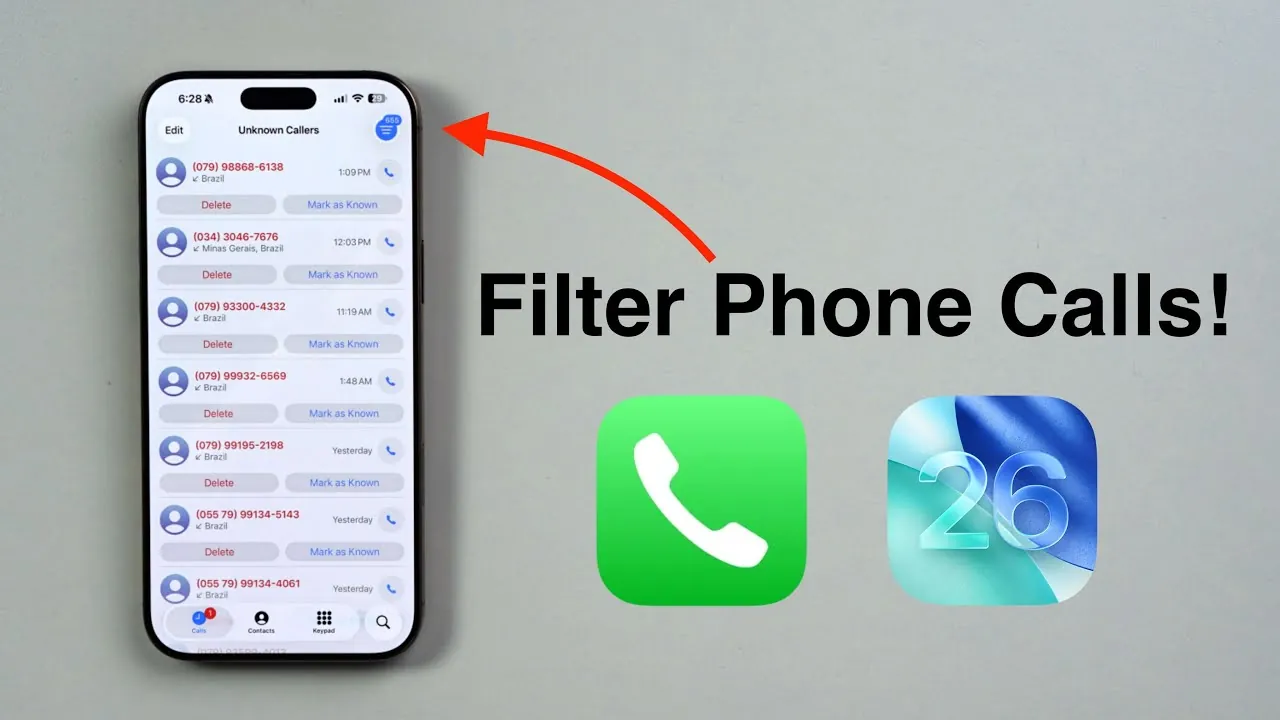
iOS 26 introduces a robust set of tools designed to help you manage incoming phone calls with greater efficiency and precision. With features such as real-time call screening, live voicemail transcription, and intelligent caller categorization, this update aims to reduce spam, telemarketing, and robocalls while making sure you never miss an important call. These tools provide a streamlined approach to handling communication, offering both convenience and control. The video below from Daniel About Tech shows us how this is done.

Key Call Filtering Features in iOS 26
iOS 26 equips users with several advanced options to filter and manage incoming calls effectively. These features are tailored to give you control over who can reach you and how unknown or suspicious calls are handled.
- “Ask Reason for Calling”: This feature prompts unknown callers to state their purpose before the call connects. By providing a brief explanation, the caller allows you to assess the importance of the call without direct interaction. This is particularly useful for screening unfamiliar numbers while avoiding unnecessary interruptions.
- “Silence Unknown Callers”: Calls from numbers not saved in your contacts are automatically silenced and sent to voicemail. While this reduces spam significantly, it’s important to note that legitimate calls from unknown numbers may also be silenced. Use this feature selectively to balance convenience and accessibility.
These tools offer flexibility, allowing you to customize your call filtering preferences based on your specific needs and priorities.
Live Voicemail Transcription: Enhancing Call Management
One of the standout features in iOS 26 is live voicemail transcription, which provides a seamless way to review messages from unknown callers. When a voicemail is left, the system transcribes the message in real-time, offering several practical benefits:
- Quick Review: You can instantly read the content of the voicemail without listening to the audio, saving time and effort.
- Informed Decisions: The transcription allows you to decide whether to return the call, ignore it, or save the message for future reference.
For instance, if a delivery service or a healthcare provider contacts you from an unfamiliar number, you can immediately determine the call’s relevance and respond accordingly. This feature not only saves time but also ensures you stay informed without unnecessary distractions.
Organizing Calls with Enhanced Categorization
iOS 26 introduces advanced call organization tools that simplify the management of your call history. Incoming calls are automatically sorted into distinct categories, including:
- Known Contacts: Calls from saved numbers are grouped for easy access.
- Screened Calls: Calls that have been filtered or screened are categorized separately.
- Missed Calls: Missed calls are clearly labeled for quick follow-up.
- Voicemails: Voicemail messages, along with their transcriptions, are stored in an organized manner.
- Unknown Callers: Calls from unfamiliar numbers are grouped for review at your convenience.
This categorization system ensures that you can quickly locate and prioritize important communications. Additionally, voicemail transcriptions are stored alongside call details, creating a comprehensive record for future reference. Whether you’re managing a busy schedule or simply trying to stay organized, these tools make call management more efficient and user-friendly.
Reducing Spam Calls with Advanced Technology
Spam call management is a key focus of iOS 26, using advanced technologies to minimize unwanted interruptions. The system uses machine learning and caller identification to:
- Accurately Identify Spam: Telemarketing and robocalls are detected and blocked with high precision, reducing the likelihood of interruptions.
- Enhance Productivity: By filtering out spam calls, you can focus on important tasks without unnecessary distractions.
The integration of real-time call screening further enhances this functionality, allowing you to evaluate the legitimacy of a call before deciding to answer. This is particularly beneficial for users who frequently receive calls from unknown numbers, providing an added layer of security and convenience.
Real-Time Call Screening: A Smarter Way to Manage Unknown Callers
Real-time call screening is another innovative feature in iOS 26 that enables you to handle unknown callers with confidence. When you receive a call from an unrecognized number, the system transcribes the caller’s response to the “Ask Reason for Calling” prompt in real-time. This allows you to:
- Make Informed Decisions: Review the caller’s stated reason and decide whether to answer, block, or ignore the call.
- Maintain Opportunities: Screen potential business contacts or service providers without missing important connections.
For example, if a potential client reaches out from an unfamiliar number, you can assess their reason for calling and respond appropriately. This feature ensures you remain in control of your communication while minimizing disruptions.
Practical Benefits for Everyday Users
The call filtering and screening features in iOS 26 offer tangible benefits for a wide range of users. Whether you’re a professional managing a packed schedule or a casual user seeking to avoid telemarketing calls, these tools can help you:
- Reduce Interruptions: Block spam and robocalls effectively, allowing you to focus on what matters most.
- Streamline Communication: Automated voicemail transcription and call categorization simplify the process of managing incoming calls.
- Stay in Control: Maintain authority over your phone without missing important calls or opportunities.
By automating key aspects of call management, iOS 26 enhances your daily interactions and improves overall productivity. These features are designed to adapt to your needs, making sure a seamless and efficient communication experience.
Here are more guides from our previous articles and guides related to iOS 26 Call Filtering that you may find helpful.
Source & Image Credit: Daniel About Tech
Filed Under: Apple, Apple iPhone, Guides
Latest Geeky Gadgets Deals
Disclosure: Some of our articles include affiliate links. If you buy something through one of these links, Geeky Gadgets may earn an affiliate commission. Learn about our Disclosure Policy.
Credit: Source link