
If you are interested in harnessing the power of artificial intelligence (AI) in your business or daily workflow. You might be interested in building your very own AI assistant using Python, that can understand and respond to real-time audio providing a new direction for AI assistants. Imagine having your very own AI assistant and being greeted by a friendly, efficient AI voice that can improve your productivity or perhaps book appointment in seconds for either you or your customers. If you’re keen on giving your business an AI technological edge, this Python project guide is for you.
You’ll learn how to build an AI assistant using Python that can handle real-time interactions, making your business more efficient and improving customer satisfaction. First things first, you need to set up your Python environment. This means installing some important libraries that will power your voice bot. You’ll be using AssemblyAI for turning spoken words into text, OpenAI for coming up with responses, ElevenLabs for creating audio, and PortAudio and MP for managing sound. To keep things tidy and avoid messing up other projects, it’s a good idea to use a virtual environment. This is like a separate workspace for your AI assistant can control everything it needs without any mix-ups.
Now, let’s talk about security. When you’re using AI services, you have to be careful to keep things secure. You’ll need to get some API keys from AssemblyAI, OpenAI, and ElevenLabs. These keys are like secret passwords that let your bot talk to these services. Make sure you keep them safe and don’t let them get into the wrong hands.
Build an AI Assistant using Python
Here are some other articles you may find of interest on the subject of artificial intelligence:
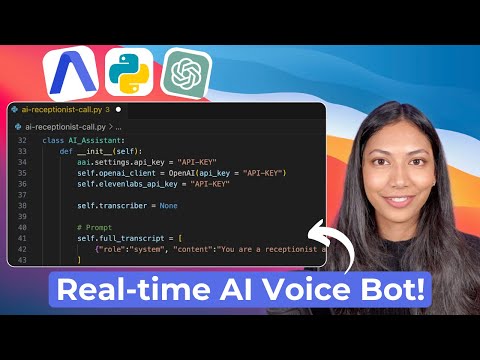
Next up, you’ll create the heart of your voice bot: the AI assistant class. This is a piece of code in your Python script that will manage everything your bot does. It will listen to what people say and figure out the best responses.
To turn spoken words into text, you’ll set up a connection to AssemblyAI’s transcription service. You’ll also keep a record of the conversation so that your bot can understand the context and give better answers. You’ll need to write some methods to control this transcription process, like starting and stopping it, and dealing with any errors that might come up.
Once you have the conversation written down, you’ll use OpenAI’s GPT-3.5 Turbo to come up with good responses. This AI is pretty smart and will give you replies that are just right for a dental clinic receptionist. It will look at the conversation and come up with what to say next.
But your bot can’t just text back; it needs to speak. That’s where ElevenLabs comes in. You’ll use their technology to turn the AI’s written responses into spoken words. You can even pick a voice that fits your clinic’s style. This way, your clients will hear a natural-sounding voice that makes the conversation feel real.
To get the ball rolling, you’ll write a bit of code that starts the conversation with a greeting from your bot. Once you run your Python script, your voice bot will be ready to chat with your clients, helping them book appointments without any wait.
By carefully following these instructions, you’ll end up with an AI voice bot that’s not just a cool addition to your clinic but a real helper that can take care of your clients’ needs quickly and pleasantly. It’s a perfect example of how Python and AI can be used to create interactive, real-time tools for businesses.
Filed Under: Guides, Top News
Latest Geeky Gadgets Deals
Disclosure: Some of our articles include affiliate links. If you buy something through one of these links, Geeky Gadgets may earn an affiliate commission. Learn about our Disclosure Policy.
Credit: Source link