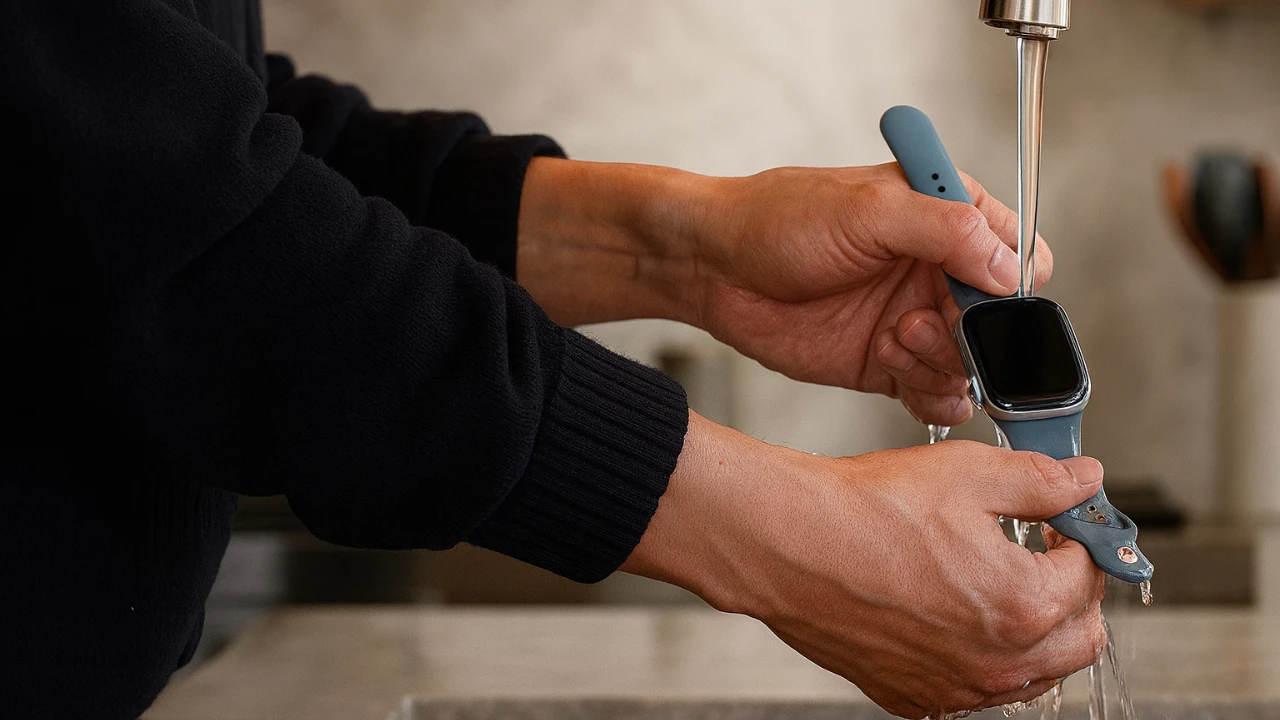
Keeping your Apple Watch clean is crucial for maintaining its performance, durability, and functionality. Regular cleaning not only preserves its sleek design but also ensures that critical components, such as sensors and speaker ports, operate as intended. By following a structured and careful cleaning process, you can protect your device and extend its lifespan. The video below from Apple shows us the correct way to clean an Apple Watch.
Step 1: Prepare Your Materials and Device
Before starting, gather the necessary materials to clean your Apple Watch safely and effectively. You will need:
- A non-abrasive, lint-free cloth
- Fresh water
- A soft-bristle brush (optional, for cleaning speaker ports)
Begin by turning off your Apple Watch. Press and hold the side button, then slide the power-off slider to shut it down completely. If your watch band is made of leather or if you prefer to avoid getting it wet, remove the band before cleaning. This step reduces the risk of water damage and allows for a more thorough cleaning process.
Step 2: Clean the Watch Body
Start by gently wiping the watch body with a dry, lint-free cloth to remove surface dust and smudges. If stubborn dirt or grime remains, dampen the cloth slightly with fresh water and carefully clean the surface. Avoid using soaps, cleaning agents, or abrasive materials, as these can harm the watch’s finish and internal components.
For more persistent debris, rinse the watch under lightly running warm water. Pay special attention to the back crystal, which houses sensors essential for features like heart rate monitoring and ECG readings. Keeping this area clean ensures accurate sensor performance and optimal functionality.
Step 3: Maintain the Digital Crown
The digital crown is a key component of your Apple Watch, allowing smooth navigation and interaction with the device. While rinsing the watch, rotate and press the digital crown to dislodge any debris trapped between the crown and the housing. This simple action helps maintain its responsiveness and prevents long-term wear or mechanical issues.
Step 4: Clean the Speaker Ports and Meshes
Speaker ports and meshes, particularly on newer models like the Series 10 or 11, are prone to accumulating dirt and debris over time. To clean these areas effectively, hold the watch under lightly running water and use a soft-bristle brush to gently scrub the speaker ports in circular motions. Spend approximately 30 seconds to 1 minute on this step to remove debris without damaging the delicate mesh.
Step 5: Dry Your Apple Watch Thoroughly
After cleaning, it is essential to dry your Apple Watch thoroughly to prevent moisture from seeping into the device. Use a lint-free cloth to carefully dry all areas, focusing on the back crystal, digital crown, and speaker ports. Ensure no moisture remains, as even small amounts of water can compromise the device’s functionality over time.
Step 6: Reassemble and Test
Once the watch is completely dry, reattach the band and turn the device back on by holding the side button until the Apple logo appears. To expel any remaining water from the speaker, activate the water lock feature through the control center. Hold the digital crown until the display reads “unlocked,” which will clear water from the speaker ports.
Finally, test the audio quality and overall functionality of your Apple Watch. If you notice any issues, repeat the cleaning process, paying extra attention to areas like the speaker ports and digital crown. Regular testing ensures that your watch continues to perform at its best.
Preserve Your Apple Watch for Long-Term Use
By incorporating regular cleaning into your routine, you can maintain the performance and longevity of your Apple Watch. Using non-abrasive materials, fresh water, and careful techniques protects key components like the digital crown, speaker ports, and back crystal sensors. Following these steps ensures your Apple Watch remains a reliable and functional companion, delivering the full range of features it was designed to offer.
Take a look at other insightful guides from our broad collection that might capture your interest in Apple Watch cleaning.
Source & Image Credit: Apple Support
Filed Under: Apple, Gadgets News, Guides, Top News
Latest Geeky Gadgets Deals
Disclosure: Some of our articles include affiliate links. If you buy something through one of these links, Geeky Gadgets may earn an affiliate commission. Learn about our Disclosure Policy.
Credit: Source link