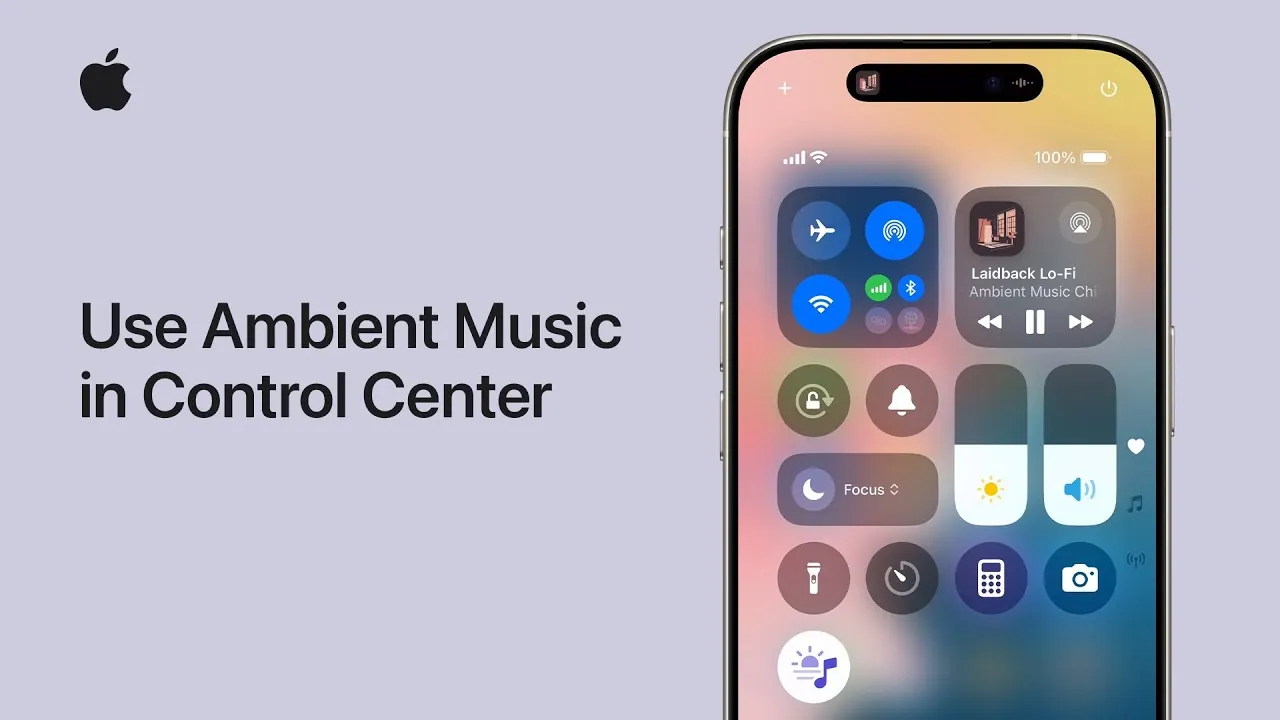
Apple has introduced a significant enhancement with the release of iOS 18.4 and iPadOS 18.4, the integration of ambient music directly into the Control Center. This feature is designed to complement your daily activities by offering curated playlists and mood-based categories that help you focus, relax, or unwind. With seamless integration and customization options, your device becomes a personalized auditory companion, enhancing your overall experience. The video below from Apple shows us how to use this feature.

What Is Ambient Music in the Control Center?
Ambient music in the Control Center is a feature that allows you to access curated playlists directly from your iPhone or iPad. By prioritizing simplicity and accessibility, Apple has made it easier to incorporate music into your daily routine. Whether you are working, meditating, or preparing for sleep, this feature provides a tailored listening experience to suit your needs.
The playlists are categorized into four primary mood-based options: Sleep, Chill, Productivity, and Well-being. Each category is carefully designed to enhance specific activities, making sure that the music aligns with your current mood or task. This thoughtful integration makes ambient music a practical tool for improving focus, relaxation, and mindfulness.
How to Set Up Ambient Music
Setting up ambient music is a straightforward process, allowing you to quickly access this feature and begin enjoying its benefits. Follow these steps to enable it on your device:
- Open the Settings app on your iPhone or iPad.
- Navigate to the Control Center section and tap the “+” button to add the ambient music control.
- Once added, swipe down to access the Control Center and tap the ambient music icon.
- Explore the four mood-based categories: Sleep, Chill, Productivity, and Well-being.
Each category is tailored to specific activities. For instance, the Sleep category offers calming tracks to help you relax and prepare for rest, while the Productivity category provides music designed to minimize distractions and enhance focus. This intuitive setup ensures that you can seamlessly integrate ambient music into your daily life.
Customizing Playlists for a Personalized Experience
One of the standout features of ambient music in the Control Center is the ability to customize playlists within each mood-based category. After selecting a category, you can browse curated options such as Laidback Lo-fi for relaxation or Meditation Music for mindfulness. These playlists are carefully crafted to suit a variety of preferences and activities.
Once you’ve chosen a playlist, you can save it for quick access directly in the Control Center. This customization ensures that your music aligns with your personal preferences and daily goals, making it easier to create the perfect auditory environment for any situation. Whether you prefer soothing melodies or upbeat tracks, the flexibility of this feature allows you to tailor your listening experience.
Practical Applications of Ambient Music
The ambient music feature is designed to integrate seamlessly into your daily routine, offering a versatile tool for enhancing various aspects of your life. Here are some practical ways to use it:
- Boost Productivity: Play focus-enhancing tracks during work or study sessions to maintain concentration and minimize distractions.
- Relax and Unwind: Use chill playlists to create a calming atmosphere after a busy day, helping you de-stress and recharge.
- Improve Sleep: Select sleep-focused playlists to help you drift off peacefully and enjoy a restful night.
- Enhance Meditation: Incorporate curated meditation tracks into your mindfulness practices for a more immersive experience.
This flexibility makes ambient music a valuable addition to your daily life, offering a simple yet effective way to improve your overall well-being.
Seamless Integration with iOS and iPadOS
The ambient music feature is fully integrated into iOS 18.4 and iPadOS 18.4, making sure a smooth and intuitive user experience. By centralizing control within the Control Center, Apple eliminates the need to navigate through multiple apps or menus, streamlining access to your favorite playlists.
Additionally, the feature supports customization of the Control Center layout, allowing you to prioritize ambient music controls for easy access. This thoughtful design ensures that the feature is both functional and user-friendly, making it an integral part of your device’s ecosystem.
The Benefits of Ambient Music
Research has consistently shown that ambient music can positively impact mood, productivity, and overall well-being. By incorporating this feature into the Control Center, Apple provides users with an accessible way to harness these benefits. Whether you’re creating a focused work environment, relaxing after a hectic day, or improving your sleep quality, ambient music offers a practical and effective solution.
The curated playlists and mood-based categories are designed to enhance specific activities, making sure that the music you listen to aligns with your goals. This thoughtful approach not only improves your listening experience but also helps you stay balanced and productive throughout your day.
Gain further expertise on iOS by checking out these recommendations.
Source & Image Credit: Apple Support
Filed Under: Apple, Apple iPad, Apple iPhone, Guides
Latest Geeky Gadgets Deals
Disclosure: Some of our articles include affiliate links. If you buy something through one of these links, Geeky Gadgets may earn an affiliate commission. Learn about our Disclosure Policy.
Credit: Source link