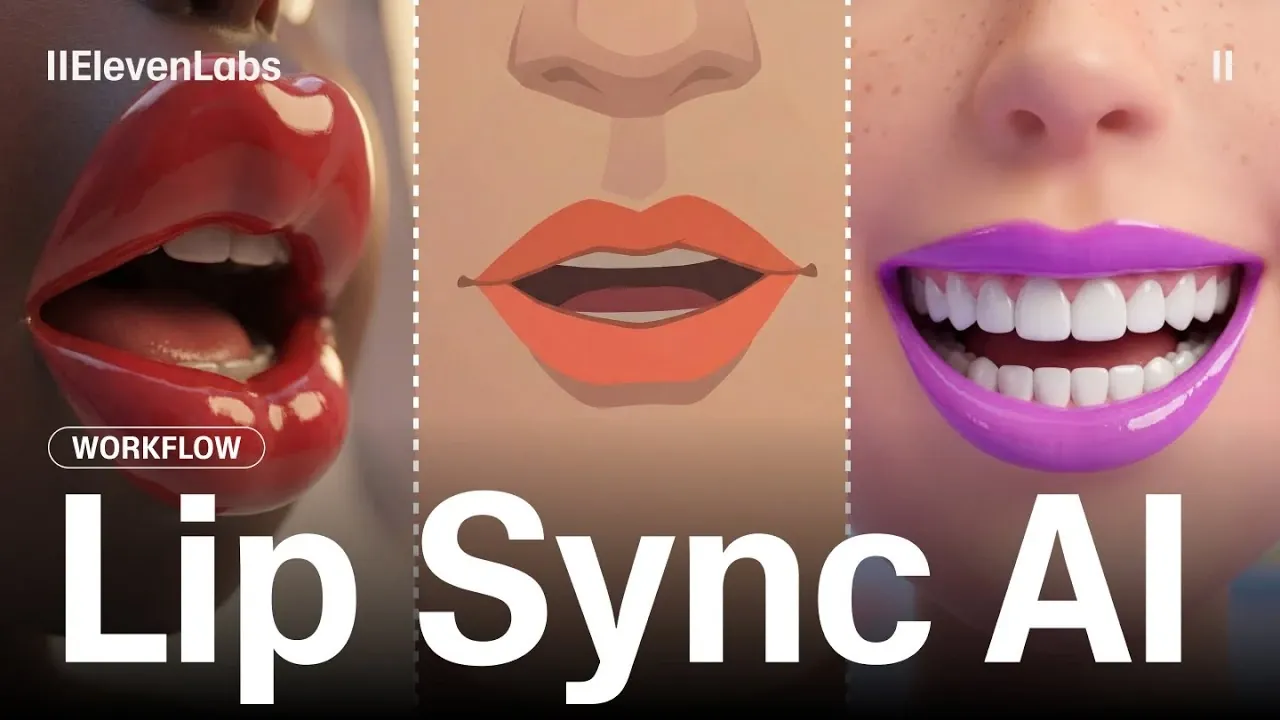
Have you ever been captivated by a video where the audio and visuals align so seamlessly that it feels almost lifelike? That’s the power of modern AI-driven lip-syncing. ElevenLabs explains how creators can now use advanced models like WAN 2.6, Omnihuman 1.5, and Creatify Aurora to synchronize any audio with video, delivering results that are both realistic and visually compelling. Whether you’re producing a cinematic masterpiece or experimenting with shorter clips, these AI models are transforming the way we approach audio-visual storytelling.
This guide unpacks everything you need to know to excel at AI lip-syncing, from exploring the unique capabilities of each model to applying practical techniques that elevate your final product. Learn how high-quality visuals, precise adjustments, and innovative upscaling methods can take your content to the next level. Whether you’re drawn to the versatility of WAN 2.6 or the streamlined performance of Creatify Aurora, this guide will help you navigate the options and unlock the full potential of AI-enhanced video creation.
AI Lip-Syncing Tools Overview
TL;DR Key Takeaways :
- AI tools like Creatify Aurora, Omnihuman 1.5, and WAN 2.6 are transforming lip-syncing, offering specialized solutions for creating synchronized, professional-grade audio-visual content.
- Each model has unique strengths: Creatify Aurora excels in long-form content but requires upscaling, Omnihuman 1.5 balances quality and flexibility, and WAN 2.6 delivers high-quality visuals for short clips with advanced creative control.
- Enhancing video quality involves using tools like Topaz Video Enhance AI for upscaling, refining prompts for better synchronization, and applying post-processing techniques for polished results.
- Efficient workflow management, including model selection, prompt engineering, and time allocation, is essential for optimizing production processes and achieving desired outcomes.
- Balancing cost and quality is critical: Creatify Aurora is cost-effective for long-form videos, Omnihuman 1.5 offers a mid-range solution, and WAN 2.6 provides premium results for short clips at a higher cost.
Top AI Models for Lip Syncing
AI-powered lip-syncing tools vary in their capabilities, making it essential to select the right model based on your project’s specific requirements. Below is an overview of three leading models and their unique attributes:
- Creatify Aurora: This model is optimized for long-form content, offering fast generation speeds and nuanced facial expressions. However, its resolution is capped at 720p, necessitating the use of upscaling tools like Topaz Video Enhance AI to achieve higher-quality output.
- Omnihuman 1.5: Renowned for its detailed facial expressions and realistic movements, this model strikes a balance between quality and flexibility. It supports videos up to 30 seconds in length but requires multiple prompts for refinement, making it ideal for professional applications.
- WAN 2.6: Designed for short-form videos, this model excels in producing high-quality visuals and offers significant creative freedom for directing actions and camera angles. However, its complexity and shorter duration limits make it less suitable for extended projects.
Comparing Features and Trade-Offs
Each AI model comes with distinct advantages and trade-offs. Understanding these differences is crucial for selecting the most effective tool for your project.
- Resolution and Video Length: Creatify Aurora supports longer videos but is limited to 720p resolution. Omnihuman 1.5 offers a balance between video length and quality, while WAN 2.6 focuses on short, high-resolution clips.
- Generation Speed: Creatify Aurora is the fastest, making it ideal for time-sensitive projects. Omnihuman 1.5 and WAN 2.6, on the other hand, require more time for refining prompts and generating polished results.
- Creative Control: WAN 2.6 provides the most flexibility for directing scenes, but it demands a higher level of expertise to fully use its potential.
By carefully evaluating these factors, you can align the capabilities of each model with your project’s specific goals and constraints.
AI Lip Sync Workflow Tips

Master AI audio with the help of our in-depth articles and helpful guides.
Enhancing Video Quality
Achieving professional-grade results often requires integrating additional tools and techniques into your workflow. Here are some strategies to enhance the quality of your videos:
- Upscaling: For models like Creatify Aurora, which are limited to 720p resolution, tools such as Topaz Video Enhance AI can upscale videos to 1080p or higher, making sure a polished final product.
- Prompt Refinement: Models like WAN 2.6 benefit from precise prompts to improve synchronization and visual consistency. For instance, using phrases like “smooth continuous shot” can enhance the overall output.
- Post-Processing: Incorporate video editing software to fine-tune color grading, lighting, and transitions, further elevating the quality of your content.
These enhancements not only improve the visual appeal of your videos but also ensure they meet professional standards.
Streamlining Your Workflow
Efficient workflow management is essential for balancing cost, time, and output quality. Implementing the following practices can help you optimize your process:
- Model Selection: Choose Creatify Aurora for long-form content, Omnihuman 1.5 for balanced results, and WAN 2.6 for short, high-quality clips.
- Prompt Engineering: Tailor prompts to achieve specific outcomes, such as smoother transitions or more expressive facial movements. Experimenting with different phrasing can yield significant improvements.
- Processing Tools: Use upscaling software and editing tools to overcome resolution limitations and enhance the overall quality of your videos.
- Time Management: Allocate sufficient time for models like Omnihuman 1.5 and WAN 2.6, which require longer processing periods for refined results.
By adopting these strategies, you can streamline your workflow and maximize the efficiency of your production process.
Balancing Cost and Quality
Cost efficiency is a critical consideration when working with AI models. Here’s a breakdown of how the three models compare in terms of cost and quality:
- Creatify Aurora: The most affordable option for long-form videos, offering fast generation speeds but requiring upscaling for higher resolutions.
- Omnihuman 1.5: A mid-range solution that balances cost and quality, making it suitable for professional use without exceeding budget constraints.
- WAN 2.6: The most resource-intensive model, delivering unmatched visual fidelity for short clips but at a higher cost.
Carefully evaluate your project’s scope, budget, and quality requirements to determine the most suitable model for your needs. Balancing these factors ensures you achieve the desired results without unnecessary expenses.
Maximizing the Potential of AI Lip-Syncing Tools
AI-powered lip-syncing tools like Creatify Aurora, Omnihuman 1.5, and WAN 2.6 offer powerful solutions for creating synchronized audio-visual content. By understanding their capabilities, limitations, and trade-offs, you can select the right model for your specific needs. Additionally, integrating upscaling tools, refining prompts, and managing your workflow effectively will help you achieve polished, professional results. Whether you’re producing long-form content or short, high-quality clips, these tools provide the flexibility and precision required to bring your creative vision to life.
Media Credit: ElevenLabs
Filed Under: AI, Guides
Latest Geeky Gadgets Deals
Disclosure: Some of our articles include affiliate links. If you buy something through one of these links, Geeky Gadgets may earn an affiliate commission. Learn about our Disclosure Policy.
Credit: Source link