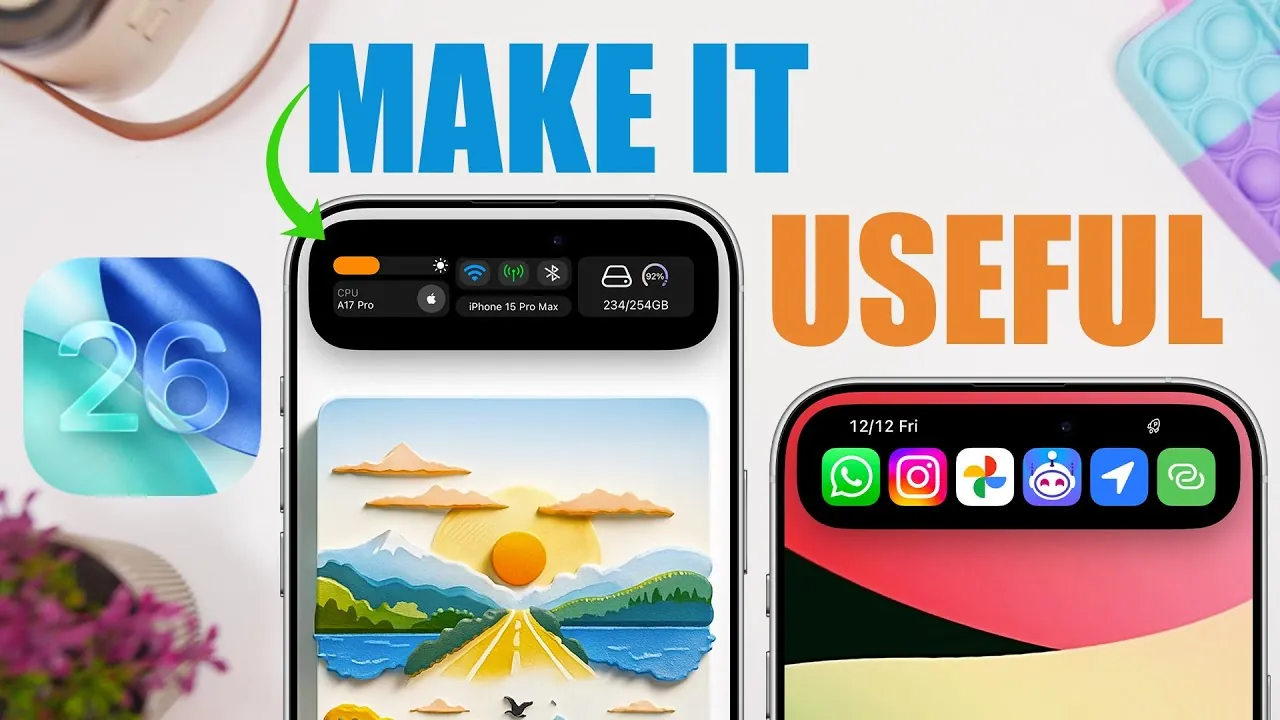
The Dynamic Island, a signature feature of iPhones, has been significantly enhanced with the release of iOS 26. This interactive display interface now combines an array of built-in tools and third-party app integrations, designed to streamline productivity, enhance entertainment, and simplify device management. Whether you’re managing tasks, tracking downloads, or enjoying your favorite music, the Dynamic Island serves as a versatile and efficient hub for everyday convenience. The video below from iReviews shows us some great tips and tricks to get the most out of the iPhone’s Dynamic Island.
Enhanced Built-in Features for Everyday Efficiency
iOS 26 introduces a range of built-in features to the Dynamic Island, allowing users to handle daily tasks more efficiently without the need to switch between apps. These tools are designed to save time, reduce distractions, and keep essential information readily accessible.
- Safari Download Tracking: Monitor file downloads in real time with a progress bar displayed directly on the Dynamic Island. This feature also allows you to cancel downloads instantly, eliminating the need to navigate back to Safari.
- Timer Management: Seamlessly view, pause, or reset timers without leaving your current activity. The Dynamic Island ensures you stay on schedule while multitasking.
- Reminder Integration: Keep important reminders visible and actionable. From setting alarms to snoozing tasks or marking them as completed, the Dynamic Island simplifies task management.
These built-in tools are designed to help you stay organized and focused, making sure that your iPhone adapts to your needs throughout the day.
Third-Party App Integrations for Customization and Advanced Functionality
The Dynamic Island’s potential is further amplified by its compatibility with third-party app integrations. These additions allow users to customize their interface and access advanced features tailored to their specific needs.
- Widget Flow: Personalize the Dynamic Island with widgets that display real-time information such as weather updates, calendar events, storage usage, and connectivity stats. This feature allows you to prioritize the information that matters most to you.
- Lock Launcher: Quickly access your favorite apps or system settings directly from the Dynamic Island. This shortcut feature minimizes navigation time and enhances overall efficiency.
- Live Lyrics: Enjoy synchronized song lyrics while listening to music on platforms like Spotify or Apple Music. The Dynamic Island displays lyrics in real time, creating a more immersive music experience.
- Control Bar: Manage media playback with advanced controls, including shuffle, volume adjustment, and song navigation. These controls are conveniently accessible from the Dynamic Island, making it easier to enjoy your favorite content.
- Dynamic X: Monitor real-time device performance, including Wi-Fi and cellular traffic, through customizable widgets. This feature is particularly useful for users who want to stay informed about their device’s connectivity and performance metrics.
These integrations transform the Dynamic Island into a powerful tool for both productivity and entertainment, offering a seamless blend of functionality and personalization.
The Dynamic Island as a Centralized Hub for iOS 26
The Dynamic Island is more than just a display feature—it serves as a centralized hub that redefines how users interact with their iPhones. By combining built-in tools with third-party integrations, the Dynamic Island provides a unified platform for managing tasks, controlling media, and accessing real-time information. Its intuitive design ensures that users can perform multiple actions without disrupting their workflow or entertainment.
With iOS 26, Apple has expanded the capabilities of the Dynamic Island, making it an indispensable feature for users seeking convenience, efficiency, and customization. Whether you’re setting reminders, tracking downloads, or enjoying music, the Dynamic Island adapts to your needs, offering a seamless and intuitive user experience.
By exploring its full range of features, you can unlock new ways to boost your productivity and enhance your entertainment—all from a single, interactive interface. The Dynamic Island continues to evolve, making sure it remains a valuable and versatile tool for iPhone users.
Gain further expertise in Dynamic Island by checking out these recommendations.
Source & Image Credit: iReviews
Filed Under: Apple, Apple iPhone, Guides
Latest Geeky Gadgets Deals
Disclosure: Some of our articles include affiliate links. If you buy something through one of these links, Geeky Gadgets may earn an affiliate commission. Learn about our Disclosure Policy.
Credit: Source link