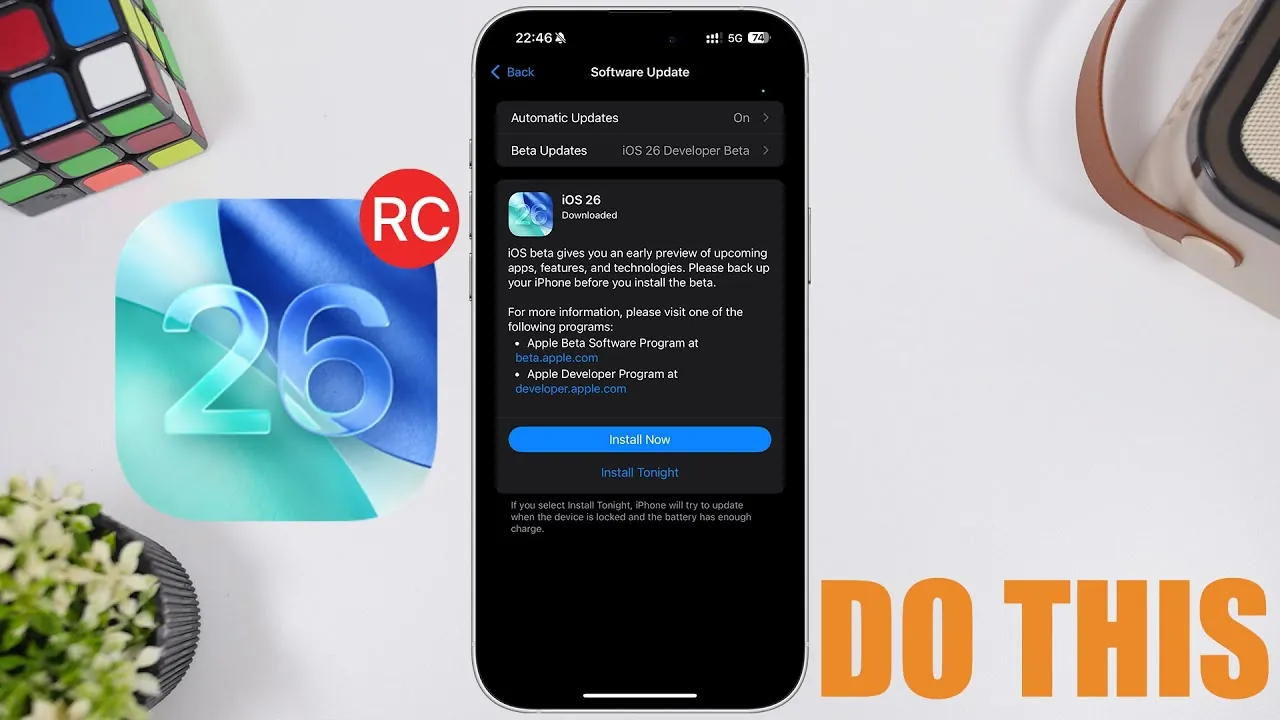
Apple is poised to release the Release Candidate (RC) version of iOS 26 tomorrow, aligning with the highly anticipated launch of the iPhone 17 series. This RC version represents the final stage before the public rollout of iOS 26, offering users a near-complete preview of the software. While the update is expected to focus on refinements and battery performance improvements, it’s essential to take specific steps to prepare your device for a seamless transition. The video below from iReviews gives us more details on iOS 26 RC.

When and What to Expect
The iOS 26 RC will be available starting September 9, 2025, shortly after Apple’s iPhone 17 event concludes. As a Release Candidate, this version is nearly identical to the final public release, giving users early access to the finalized software. While rare, Apple reserves the option to issue a second RC if last-minute adjustments are required. By installing the RC, you’ll gain access to the same features, optimizations, and enhancements that will soon be available to all users globally.
For those who prefer to wait, the public release of iOS 26 is expected to follow within a week. However, the RC offers an excellent opportunity to explore the latest software advancements ahead of the general rollout.
Ensure Sufficient Storage Space
One of the most critical steps in preparing for the iOS 26 RC update is managing your device’s storage. The update is anticipated to be significantly larger than earlier beta versions, with an estimated size ranging between 15 and 20 GB. To avoid installation errors or delays, it’s recommended to free up at least 25 GB of storage. Here are some practical ways to achieve this:
- Temporarily delete large apps that you rarely use to create space.
- Clear cached data from apps, which can accumulate over time and take up unnecessary storage.
- Transfer photos, videos, or other large files to cloud storage or an external device.
Proper storage management not only ensures a smooth update process but also prevents potential errors that could disrupt the installation.
Adjust Your Update Preferences
Once you’ve installed the iOS 26 RC, you’ll have the option to disable beta updates if you prefer to stick with public releases moving forward. This is particularly useful for users who want to avoid receiving future beta versions, such as iOS 26.1. To adjust your update preferences:
- Navigate to your device’s update settings.
- Locate the beta update toggle and turn it off to stop receiving beta versions.
Alternatively, if you’d rather skip the RC entirely and wait for the finalized public release, you can disable beta updates now. This flexibility allows you to tailor your update experience based on your preferences, making sure you only receive the software versions you’re comfortable using.
Understanding RC vs. Public Release
The Release Candidate version is designed to be nearly identical to the public release, offering users a preview of the finalized software. For most users, installing the RC provides early access to the latest features, enhancements, and bug fixes without waiting for the broader rollout. However, if you prefer to avoid potential minor issues that could arise in the RC, you can opt to wait for the official public release.
It’s worth noting that if Apple identifies any critical issues during the RC phase, they may release a second RC to address these concerns. In such cases, users who have already installed the first RC will receive the updated version automatically. For those who choose to wait, the public release will include all final adjustments, ensuring a polished experience.
Steps to Prepare for iOS 26 RC
To ensure a smooth and hassle-free experience with the iOS 26 RC update, follow these essential steps:
- Free up at least 25 GB of storage to accommodate the update size and avoid installation errors.
- Decide whether to continue receiving beta updates or switch to public releases based on your preferences.
- Adjust your update settings to align with your chosen update path, making sure you receive the desired software versions.
- Install the RC version if you want early access to the finalized software and its new features.
By taking these steps, you can minimize potential disruptions and maximize your experience with the latest iOS update.
Making the Most of iOS 26 RC
The release of iOS 26 RC marks a pivotal moment for Apple users, offering an early glimpse into the company’s latest software advancements. By preparing your device—whether through storage optimization, update preference adjustments, or understanding the differences between RC and public releases—you can ensure a smooth transition to the new operating system. Whether you choose to install the RC or wait for the public release, these preparations will help you fully enjoy the benefits of iOS 26.
Uncover more insights about iOS 26 in the previous articles we have written.
Source & Image Credit: iReviews
Filed Under: Apple, Apple iPhone, Guides, Top News
Latest Geeky Gadgets Deals
Disclosure: Some of our articles include affiliate links. If you buy something through one of these links, Geeky Gadgets may earn an affiliate commission. Learn about our Disclosure Policy.
Credit: Source link