
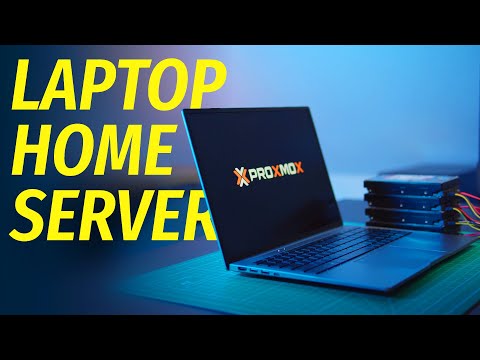
If you are considering the possibility of using a laptop as a home server you’ll be pleased to know that Wolfgang has created a great tutorial and overview of how you has used the Ninker N16 Pro laptop to create a home server. When you think about setting up a home server, a laptop might not be the first thing that comes to mind. However, laptops specifications are more than capable of taking on the role of a home server. But the question remains: can it truly handle the continuous operation and varied demands of server use?
Virtualization is a key feature for modern servers, and setting up Proxmox on the Ninker N16 Pro is a straightforward task. This platform allows the laptop to run multiple operating systems and virtual machines, effectively turning it into a powerhouse capable of handling diverse server tasks. Performance tests have shown that the Ninker N16 Pro can manage multiple tasks simultaneously without breaking a sweat, proving its mettle as a server.
Build a home server using a laptop
The Ninker N16 Pro offers a level of BIOS customization that is essential for a machine that’s expected to run around the clock. This flexibility allows users to optimize the laptop’s settings for peak server performance, a significant benefit for those who need a reliable and efficient system. The laptop’s durability is also a critical factor, as a home server needs to be robust enough to operate non-stop. The Ninker N16 Pro is built to withstand such demands, and its comprehensive I/O options, including multiple USB ports and Ethernet connectivity, are indispensable for linking various peripherals and network devices.
Here are some other articles you may find of interest on the subject of network attached storage.
For those who need a server that can handle media, the Ninker N16 Pro shines in its ability to transcode video quickly. This capability is crucial for anyone wanting to use their home server for entertainment purposes, as it ensures smooth streaming and playback of media files. The laptop’s prowess in this area makes it an attractive option for a home entertainment server.
Another important aspect of running a home server is energy efficiency. Servers that operate 24/7 can consume a lot of power, leading to high electricity bills. The Ninker N16 Pro is designed to be more energy-efficient than many desktop PCs, which could mean significant savings on energy costs over time.
Things to consider when building a home server from a laptop
However, there are certain factors to consider when using a laptop as a home server. It’s essential to have BIOS support for always-on operation, adequate connectivity for all necessary devices, and the ability to expand storage if needed. The Ninker N16 Pro checks these boxes and also operates with minimal fan noise, making it suitable for a quiet home environment.
- Hardware Suitability
- Ensure the CPU is powerful enough for server tasks (e.g., the Ninker N16 Pro’s 12-core CPU).
- Verify sufficient RAM (e.g., 16GB) for multitasking and handling server applications.
- Check storage capacity and speed (e.g., 1TB SSD) to support server data requirements.
- Confirm the laptop’s durability for continuous operation.
- BIOS Customization and Management
- Utilize BIOS features for continuous operation.
- Configure power management settings to optimize for long-term use.
- Enable settings for automatic reboot and recovery in case of power failures.
- Connectivity and Expansion
- Assess the availability and variety of ports (USB, Ethernet) for peripherals and network connections.
- Consider the need for external storage options and the capability to connect additional hard drives.
- Evaluate wireless connectivity options for flexibility.
- Virtualization Capability
- Check compatibility with virtualization platforms like Proxmox.
- Assess the laptop’s ability to run multiple operating systems and virtual machines efficiently.
- Media Handling and Transcoding
- Evaluate the laptop’s capability to handle media server tasks, including transcoding video for smooth streaming.
- Ensure support for relevant media formats and codecs.
- Energy Efficiency
- Compare the laptop’s power consumption with traditional desktop servers.
- Consider the impact on electricity costs for 24/7 operation.
- Noise and Heat Management
- Monitor noise levels, especially important in a home environment.
- Assess cooling systems to prevent overheating during continuous use.
- Software and Operating System
- Choose an appropriate operating system for server use (e.g., Linux variants for stability and flexibility).
- Install and configure server-specific software and tools.
- Security Considerations
- Implement robust security measures, including firewalls and antivirus software.
- Regularly update software to protect against vulnerabilities.
- Backup and Recovery Plans
- Set up a reliable backup system for data protection.
- Plan for disaster recovery and data restoration in case of hardware failure.
- Maintenance and Monitoring
- Schedule regular maintenance checks for hardware and software.
- Use monitoring tools to keep track of server performance and health.
- Network Setup and Management
- Configure network settings for optimal performance and security.
- Plan for scalability in case of increased server demand.
- Physical Placement
- Choose a location with adequate ventilation and minimal dust.
- Ensure the server is accessible for maintenance but secure from unauthorized access.
The Ninker N16 Pro laptop emerges as a viable option for those looking to set up a laptop-based home server. Its combination of strong specifications, customization options, and efficient power usage, along with its ability to run Proxmox for virtualization, presents it as a compelling choice compared to traditional desktop servers. Whether you’re looking to manage data, run a media center, or host websites, the Ninker N16 Pro proves that a laptop can indeed fulfill the role of a home server.
Filed Under: DIY Projects, Laptops
Latest Geeky Gadgets Deals
Disclosure: Some of our articles include affiliate links. If you buy something through one of these links, Geeky Gadgets may earn an affiliate commission. Learn about our Disclosure Policy.
Credit: Source link