
Hubel Labs has created a fantastic introduction to the new OpenAI Assistants API which were recently unveiled at OpenAI’s very first DevDay. The new API tool has been specifically designed to dramatically simplified the process of building custom chatbots, offering more advanced features when compared to the ChatGPT custom GPT Builder which is integrated into the ChatGPT online service.
The API’s advanced features have the potential to significantly streamline the process of retrieving and using information. This quick overview guide and instructional videos created by Hubel Labs will provide more insight into the features of OpenAI’s Assistance API, the new GPTs product, and how developers can use the API to create and manage chatbots.
What is an Assistance API
The Assistants API allows you to build AI assistants within your own applications. An Assistant has instructions and can leverage models, tools, and knowledge to respond to user queries. The Assistants API currently supports three types of tools: Code Interpreter, Retrieval, and Function calling. In the future, we plan to release more OpenAI-built tools, and allow you to provide your own tools on our platform.

Using Assistants API to build ChatGPT apps
The Assistants API is a powerful tool built on the same capabilities that enable the new GPTs product, custom instructions, and tools such as the code interpreter, retriever, and function calling. Essentially, it allows developers to build custom chatbots on top of the GPT large language model. It eliminates the need for developers to separate files into chunks, use an embedding API to turn chunks into embeddings, and put embeddings into a vector database for a cosine similarity search.
Other articles we have written that you may find of interest on the subject of GPT’s and building custom AI models
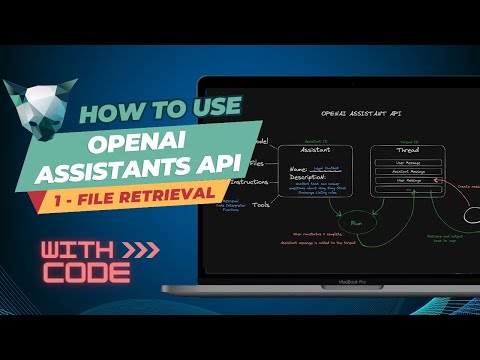
The API operates on two key concepts: an assistant and a thread. The assistant defines how the custom chatbot works and what resources it has access to, while the thread stores user messages and assistant responses. This structure allows for efficient communication and data retrieval, enhancing the functionality and usability of the chatbot.
Creating an assistant and a thread is a straightforward process. Developers can authenticate with an organization ID and an API key, upload files to give the assistant access to, and create the assistant with specific instructions, model, tools, and file IDs. They can also update the assistant’s configuration, retrieve an existing assistant, create an empty thread, run the assistant to get a response, retrieve the full list of messages from the thread, and delete the assistant. Notably, OpenAI’s platform allows developers to perform all these tasks without any code, making it accessible for people who don’t code.
Creating custom GPT’s with agents
Further articles on the subject of OpenAI’s API :
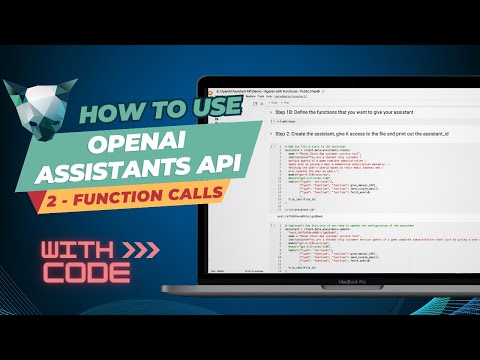
One of the standout features of the Assistance API is its function calling capability. This feature allows the chatbot to call agents and execute backend tasks, such as fetching user IDs, sending emails, and manually adding game subscriptions to user accounts. The setup for function calling is similar to the retrieval mode, with an assistant that has a name, description, and an underlying model. The assistant can be given up to 128 different tools, which can be proprietary to a company.
OpenAI Assistants API
The assistant can be given files, such as FAQs, that it can refer to. It can also be given functions, such as fetching user IDs, sending emails, and manually adding game subscriptions. The assistant can be given a thread with a user message, which it will run and then pause if it requires action. The assistant will indicate which functions need to be called and what parameters need to be passed in. The assistant will then wait for the output from the called functions before completing the run process and adding a message to the thread.
The Assistance API’s thread management feature helps truncate long threads to fit into the context window. This ensures that the chatbot can effectively handle queries that require information from files, as well as those that require function calls, even if they require multiple function calls.
However, it should be noted that the Assistance API currently does not allow developers to create a chatbot that only answers questions about their knowledge base and nothing else. Despite this limitation, the Assistance API is a groundbreaking tool that has the potential to revolutionize the way developers build and manage chatbots. Its advanced features and user-friendly interface make it a promising addition to OpenAI’s suite of AI tools.
Image Credit : Hubel Labs
Filed Under: Guides, Top News
Latest Geeky Gadgets Deals
Disclosure: Some of our articles include affiliate links. If you buy something through one of these links, Geeky Gadgets may earn an affiliate commission. Learn about our Disclosure Policy.
Credit: Source link