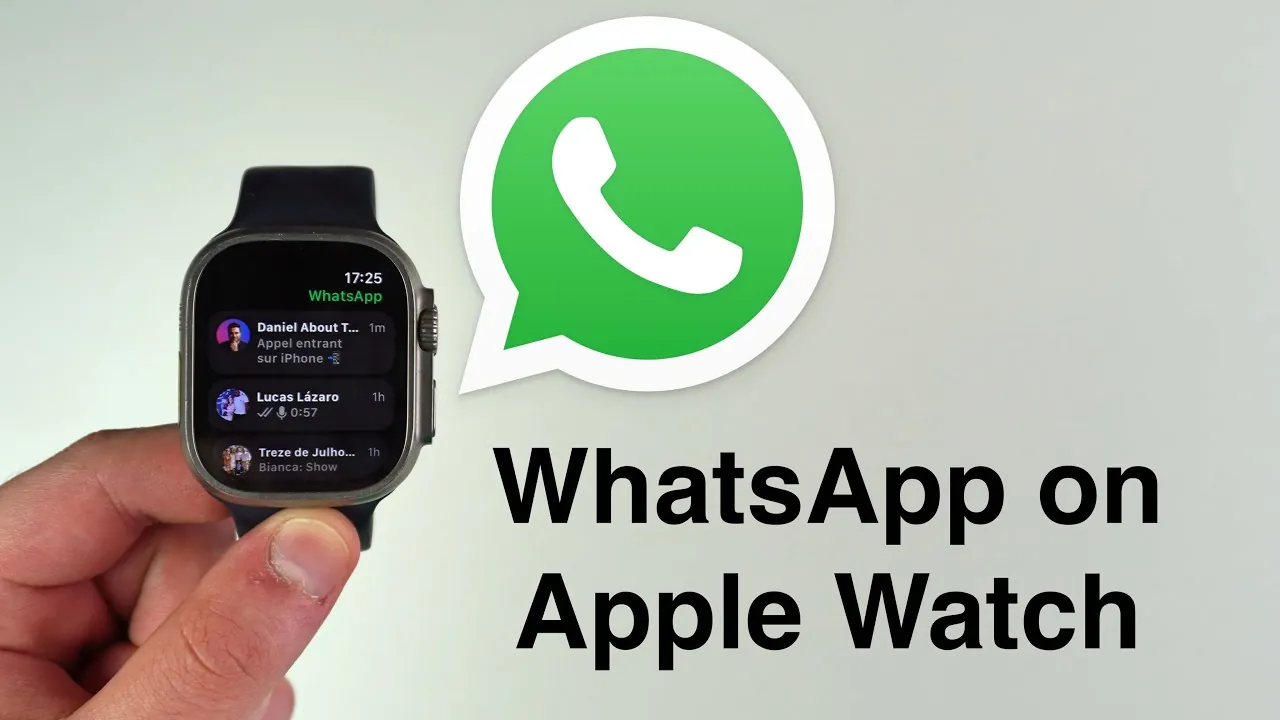
WhatsApp has officially introduced its app for the Apple Watch, marking a noteworthy advancement in the realm of wearable technology. This launch enables you to access essential messaging features directly from your wrist, offering a new level of convenience and connectivity. Designed to work seamlessly with your iPhone, the app delivers a streamlined experience, though it does come with certain functional limitations. The video below from Daniel About Tech gives us a look at the new WhatsApp Apple Watch app.

Key Features of WhatsApp on Apple Watch
The WhatsApp app for Apple Watch is designed to bring core messaging capabilities to your wearable device. Here’s what you can do:
- Text and Audio Messaging: Access full conversations, including text messages, and listen to audio messages directly on your Apple Watch. You can reply using voice input, the Apple Watch keyboard, or pre-set quick replies, making sure fast and efficient communication.
- Emoji Reactions: Respond to messages with emojis, allowing for quick and expressive interactions without the need for lengthy replies.
- Photo Viewing: View still images shared in chats. However, videos and animated stickers are not supported at this time, limiting multimedia interactions.
- Call Notifications: Receive notifications for incoming calls, complete with caller details for both audio and video calls. This ensures you stay connected even when your iPhone is not within reach.
These features are tailored to enhance on-the-go communication, using the compact design of the Apple Watch to deliver a practical messaging experience.
How to Set Up WhatsApp on Your Apple Watch
Setting up WhatsApp on your Apple Watch is a straightforward process. Follow these steps to get started:
- Open the Apple Watch App Store and download the WhatsApp app directly onto your device.
- Once installed, the app will automatically sync with your iPhone’s WhatsApp account. No QR codes or additional manual setup are required, making the process seamless and user-friendly.
This integration ensures that you can begin using WhatsApp on your Apple Watch almost immediately, with minimal effort required.
Limitations to Consider
While the WhatsApp app for Apple Watch offers a range of useful features, it does have some notable limitations that may impact your experience:
- Multimedia Restrictions: Videos and animated stickers cannot be displayed on the Apple Watch. Only still images are supported, which may limit the app’s appeal for users who frequently share multimedia content.
- Audio Playback Quality: Although audio messages are accessible, the small speaker on the Apple Watch may not provide the same sound quality as your iPhone or other devices, potentially affecting the clarity of voice messages.
These constraints highlight areas where the app could improve, particularly for users who rely heavily on multimedia messaging or require higher audio quality.
Future Updates and Enhancements
Meta, the parent company of WhatsApp, has confirmed plans to enhance the app’s functionality in future updates. While the current version provides a solid foundation for wearable messaging, upcoming updates are expected to address existing limitations and introduce new features. These improvements aim to:
- Expand multimedia support, potentially including video playback and animated stickers.
- Enhance the overall user experience by refining existing features and optimizing performance.
- Introduce additional tools to make communication even more seamless and efficient on wearable devices.
These updates are likely to make the app a more comprehensive tool for Apple Watch users, further bridging the gap between smartphones and wearables.
The Significance of WhatsApp on Apple Watch
The launch of WhatsApp for Apple Watch represents a significant step forward in the evolution of wearable technology. By bringing essential communication tools directly to your wrist, the app offers a convenient and efficient way to stay connected while on the move. Whether you’re responding to messages, checking notifications, or managing calls, the app ensures that you remain accessible without needing to constantly reach for your phone.
Although the app has some functional constraints, its integration of text, audio, and notification features addresses the basic needs of Apple Watch users. As Meta continues to develop and refine the app, it is poised to become an even more valuable tool for those who rely on wearable devices for everyday communication. This development underscores the growing importance of wearables in modern technology, offering a glimpse into the future of seamless connectivity and mobile convenience.
Here are more detailed guides and articles that you may find helpful on WhatsApp Apple Watch app.
Source & Image Credit: Daniel About Tech
Filed Under: Apple, iPhone Apps, Top News
Latest Geeky Gadgets Deals
Disclosure: Some of our articles include affiliate links. If you buy something through one of these links, Geeky Gadgets may earn an affiliate commission. Learn about our Disclosure Policy.
Credit: Source link