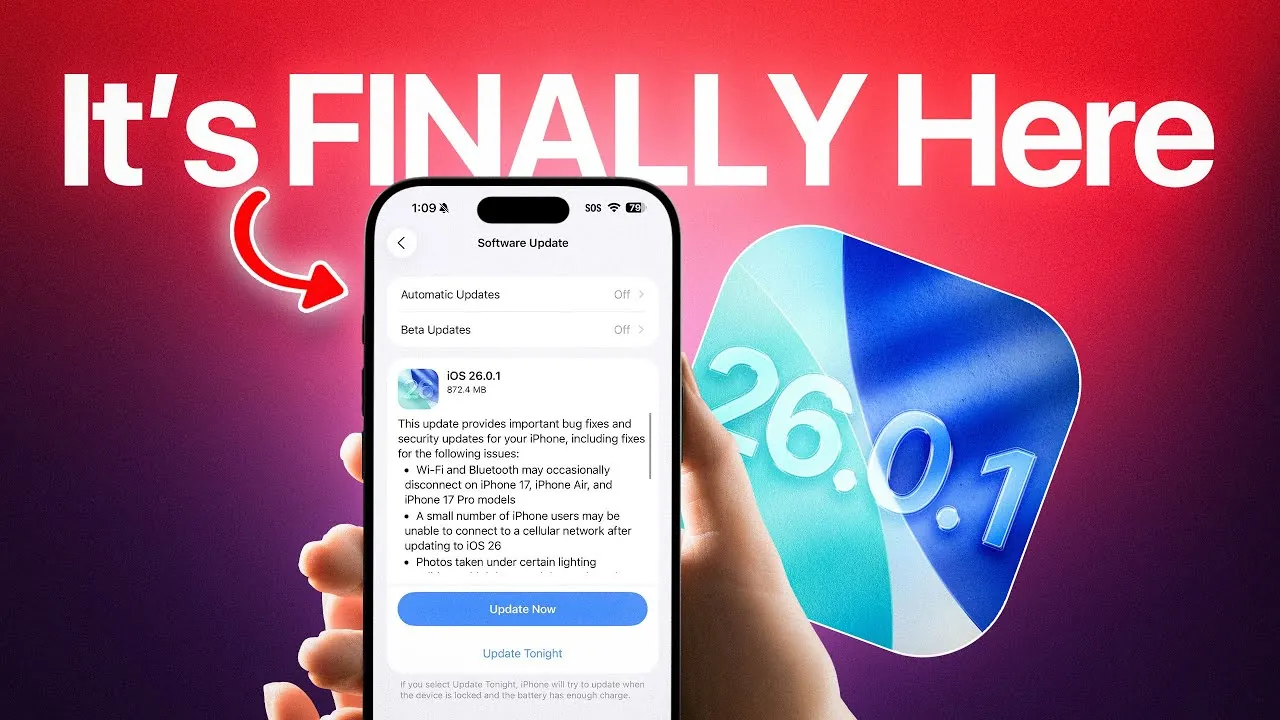
Apple has officially released iOS 26.0.1, a crucial update designed to address key issues and enhance the security of iPhones running iOS 26. While this update does not introduce new features, it focuses on resolving bugs and vulnerabilities, particularly for the iPhone 17 series. If you have experienced connectivity problems, photo glitches, or accessibility challenges, this update is tailored to resolve those issues. Installing iOS 26.0.1 is not just recommended—it is essential for making sure your device operates smoothly and securely. The video below from iDeviceHelp gives us more details.

Connectivity Issues Resolved
If you have encountered frustrating Wi-Fi or Bluetooth disconnections, iOS 26.0.1 delivers a much-needed solution. Apple has resolved intermittent connectivity issues that disrupted Wi-Fi stability and Bluetooth pairing, particularly on the iPhone 17, iPhone Air, and iPhone 17 Pro models. These fixes ensure more reliable wireless performance, enhancing activities such as streaming, file transfers, and device pairing.
In addition, the update addresses cellular network issues that left some users unable to connect to their mobile networks after upgrading to iOS 26. This fix is especially critical for users who depend on their iPhones for seamless communication and internet access. With iOS 26.0.1, you can expect a more stable and consistent connection across all networks.
Photo Processing and Home Screen Customization Fixes
For photography enthusiasts, iOS 26.0.1 resolves a photo distortion issue that caused unwanted artifacts in images captured under specific lighting conditions. This problem primarily affected the iPhone 17 Pro and Pro Max models, which are renowned for their advanced camera systems. With this update, you can enjoy more accurate photo processing, making sure your images retain the high quality associated with Apple devices.
The update also addresses a bug in home screen customization. Previously, users applying custom tints to their home screens experienced blank app icons, disrupting the visual harmony of their layouts. This fix restores the seamless customization experience that Apple users expect, allowing for a more personalized and visually appealing interface.
Improvements to VoiceOver Accessibility
Accessibility remains a core element of Apple’s design philosophy, and iOS 26.0.1 reinforces this commitment by addressing a critical issue with VoiceOver functionality. Some users reported that VoiceOver became disabled after upgrading to iOS 26, creating significant challenges for those who rely on this feature for navigation. The update ensures that VoiceOver operates reliably, providing a smoother experience for users who depend on accessibility tools. This improvement underscores Apple’s dedication to inclusivity and usability for all.
Critical Security Enhancements
Beyond resolving bugs, iOS 26.0.1 introduces essential security patches to protect your device from potential vulnerabilities. While Apple has not disclosed the specific details of these updates, they are designed to safeguard your personal data and enhance overall device security. Installing this update promptly reduces the risk of security breaches and ensures your device remains protected against emerging threats. These enhancements are particularly important in today’s digital landscape, where cyber threats continue to evolve.
Updates Across Apple’s Ecosystem
The release of iOS 26.0.1 is part of a broader update across Apple’s ecosystem. Updates have also been rolled out for iPadOS, watchOS, tvOS, visionOS, and macOS 26.0.1. These updates address similar issues and security concerns across Apple’s range of devices, making sure a consistent and secure experience for users who rely on multiple Apple products. Whether you use an iPhone, iPad, Apple Watch, or Mac, updating your devices ensures they work together seamlessly and securely.
Why Updating Now Matters
Although iOS 26.0.1 does not include performance or battery life improvements, the fixes it provides are essential for maintaining a smooth and secure user experience. By addressing connectivity issues, photo processing bugs, and accessibility concerns, this update resolves many of the frustrations users have encountered. The included security patches are equally critical, protecting your device from potential vulnerabilities that could compromise your data.
To update your iPhone, follow these steps:
- Open the Settings app.
- Navigate to General.
- Select Software Update.
- Follow the on-screen instructions to install iOS 26.0.1.
Updating your device ensures it operates as intended, free from the bugs and vulnerabilities addressed in this release. By taking action now, you can keep your iPhone secure, reliable, and ready to deliver the high-quality experience you expect from Apple products. Don’t delay—install iOS 26.0.1 today to protect your device and enjoy a smoother user experience.
Master iOS 26.0.1 update with the help of our in-depth articles and helpful guides.
Source & Image Credit: iDeviceHelp
Filed Under: Apple, Apple iPhone, Top News
Latest Geeky Gadgets Deals
Disclosure: Some of our articles include affiliate links. If you buy something through one of these links, Geeky Gadgets may earn an affiliate commission. Learn about our Disclosure Policy.
Credit: Source link