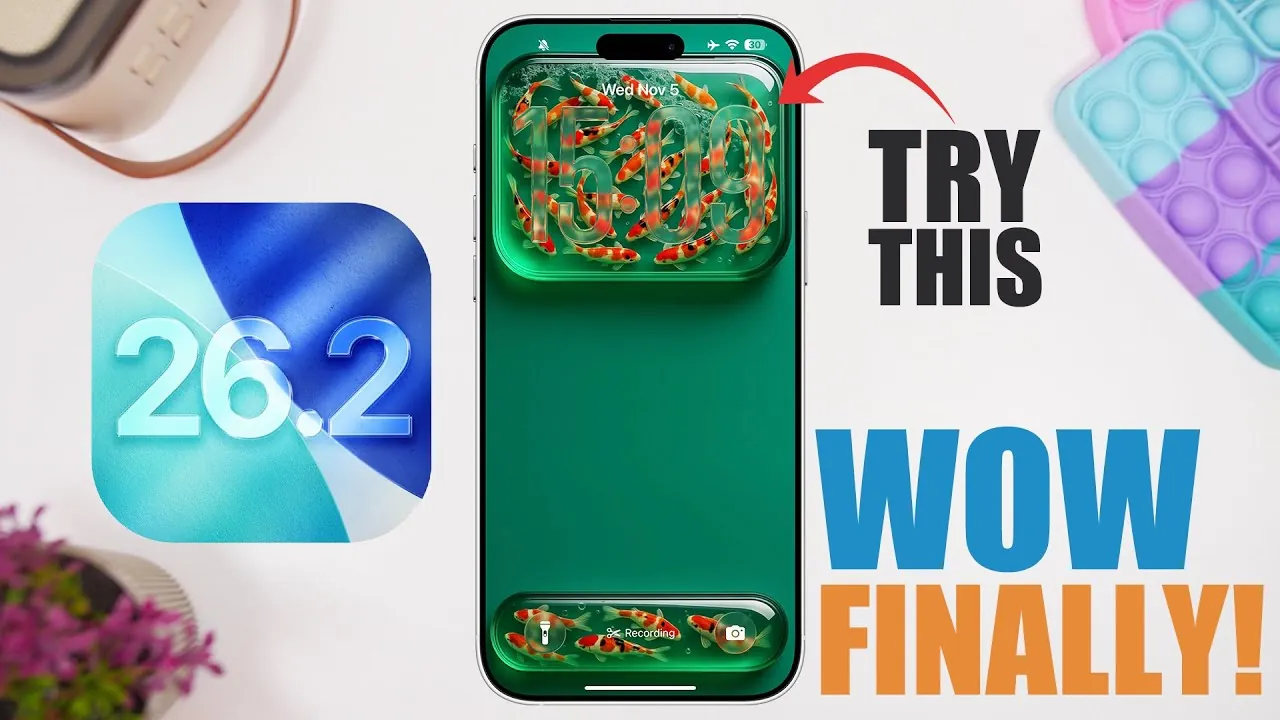
Apple has officially introduced iOS 26.2, now available in its first beta phase, showcasing a variety of features aimed at enhancing usability, accessibility, and security. With the public release anticipated in December 2023, this update addresses several long-requested functionalities, making it one of the most anticipated iOS updates in recent memory. The new features reflect Apple’s commitment to delivering a more seamless and user-focused experience. The video below from iReviews gives us m ore details about the new beta.

Accessibility Upgrades for Inclusive Use
iOS 26.2 introduces significant improvements in accessibility, making sure that users with diverse needs can interact with their devices more effectively. One of the standout features is the enhanced flash alerts, which now use the device screen in addition to the LED flash. This dual functionality provides a more flexible and visible notification system. Users can customize these alerts to activate only in silent mode or when the device is unlocked, making sure that critical notifications are never overlooked. This update highlights Apple’s ongoing efforts to make technology more inclusive and adaptable to individual preferences.
Enhanced Task Management with the Reminders App
The Reminders app receives a practical upgrade with the addition of the “Urgent” feature, designed to help users prioritize time-sensitive tasks. This new option allows you to set alarms and timers for high-priority reminders, making sure that pressing responsibilities are addressed promptly. By emphasizing immediate attention to critical tasks, this feature enhances productivity and helps users stay organized in their daily routines.
Lock Screen Customization for a Personal Touch
Personalization takes center stage with the introduction of a transparency slider for the liquid glass lock screen design. This feature gives you greater control over the lock screen’s appearance, allowing you to adjust the transparency level to suit your aesthetic preferences. Whether you prefer a bold, vibrant look or a more subtle and understated design, this update ensures that your lock screen reflects your unique style.
Podcasts App: Smarter and More Accessible
The Podcasts app sees a series of thoughtful updates aimed at improving usability and accessibility. These enhancements include:
- Automatic chapter generation allows easier navigation within episodes and helps you quickly locate specific segments.
- Shared links and mentions allow for seamless access to recommended content and foster better content discovery.
- Improved transcript features make it easier to follow along with episodes, particularly for users who prefer reading or have hearing impairments.
These updates streamline the listening experience, making the app more intuitive and accommodating for a wide range of users.
Redesigned Navigation in the News App
The News app benefits from a redesigned interface that prioritizes simplicity and ease of use. The updated layout includes refined bottom navigation tabs and a more intuitive search bar, making it easier to explore and discover content. By focusing on a cleaner and more organized design, this update enhances the overall reading experience, making sure that users can access their favorite news stories with minimal effort.
Security Alerts for Critical Situations
iOS 26.2 introduces a dedicated section for security alerts within the settings menu. This feature provides timely notifications for emergencies such as earthquakes or imminent threats, making sure that users receive critical updates when they matter most. Additionally, improved delivery options enhance the reliability of these alerts, offering peace of mind in potentially hazardous situations.
Improved Password Management
Managing saved passwords becomes more transparent with the addition of the “Show Excluded Websites” feature. This new functionality lists websites where you have chosen not to save passwords, giving you the ability to review or modify these entries as needed. By offering greater control over password management, this update simplifies the process of maintaining digital security.
Safari Promotes User Choice
Safari now prompts users to select a default search engine during the initial setup process. This update emphasizes user choice, allowing you to customize your browsing experience from the outset. By providing this option upfront, Apple ensures that users can tailor their internet searches to align with their preferences.
AirPods Introduce Live Translation
AirPods gain a new feature with the introduction of live translation for users in Europe. This functionality enables real-time language translation, facilitating smoother communication in multilingual environments. Whether traveling, attending international meetings, or engaging in cross-cultural conversations, this feature enhances accessibility and fosters better understanding across language barriers.
Anticipated Release and Installation Recommendations
The public release of iOS 26.2 is expected to roll out in mid-December 2023, following a comprehensive beta testing phase. While the new features are promising, it is advisable to wait for subsequent beta updates or the final release before installing the update on primary devices. This cautious approach ensures that you benefit from optimal stability and performance, minimizing potential disruptions.
Refining the iOS Experience
iOS 26.2 exemplifies Apple’s dedication to user-centric design and functionality. From accessibility improvements to app enhancements and security updates, this release addresses key user needs while introducing thoughtful innovations. As the beta testing phase progresses, Apple is expected to refine these features further, delivering a polished and reliable experience upon release. Whether you’re drawn to the enhanced customization options, improved task management tools, or advanced accessibility features, iOS 26.2 offers something for everyone, reinforcing Apple’s commitment to creating technology that adapts to the needs of its users.
Find more information on iOS 26.2 features by browsing our extensive range of articles, guides, and tutorials.
Source & Image Credit: iReviews
Filed Under: Gadgets News
Latest Geeky Gadgets Deals
Disclosure: Some of our articles include affiliate links. If you buy something through one of these links, Geeky Gadgets may earn an affiliate commission. Learn about our Disclosure Policy.
Credit: Source link