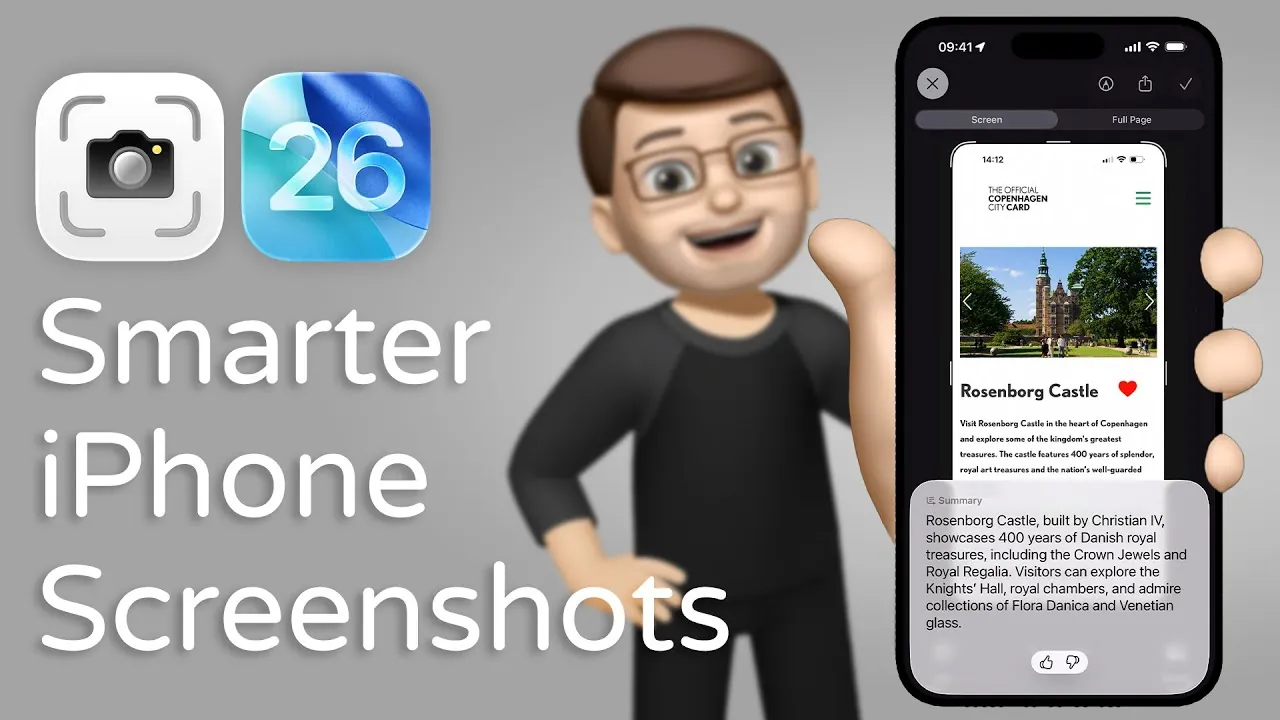
Apple’s iOS 26 public beta introduces a suite of innovative updates that redefine how you manage and interact with screenshots. By integrating advanced AI capabilities through Apple Intelligence and ChatGPT, this update improves screenshots from static images to dynamic tools for summarization, analysis, and actionable insights. With a redesigned interface and innovative features, iOS 26 enhances usability, making screenshots an indispensable resource for both personal and professional applications. The video below fromJacob’s QuickTips for iPhone gives us more information.

Redesigned Screenshot Interface for Enhanced Usability
The screenshot interface in iOS 26 has been carefully redesigned to prioritize efficiency and accessibility. When you capture a screenshot, you’ll encounter a cleaner, more intuitive layout that simplifies interaction. Essential tools such as editing, sharing, and analysis are now organized in a way that minimizes friction. A dedicated toolbar appears directly beneath each screenshot, allowing you to perform actions without navigating through multiple menus. This streamlined design ensures that you can interact with your screenshots immediately and effortlessly, saving time and improving productivity.
Quick Actions: Simplifying Screenshot Interaction
One of the standout features in iOS 26 is the introduction of quick actions for screenshots. These options, displayed directly below the captured image, enable you to perform tasks like sharing, saving, or annotating with minimal effort. Among these tools is the new “Summarize” button, powered by Apple Intelligence. This feature generates concise summaries of your screenshot’s content, whether it’s a text-heavy article, a detailed chart, or a complex email. By providing an instant overview, the summarization tool helps you focus on what matters most, making it an invaluable asset for users managing large volumes of information.
AI-Powered Summarization: Extracting Key Insights
The summarization feature uses Apple Intelligence, Apple’s proprietary AI framework, to analyze and distill the content of your screenshots into key points. For instance, if you capture a screenshot of a lengthy email or a dense academic paper, the AI can extract the main ideas, allowing you to quickly grasp the essence without reading the entire text. This capability is particularly beneficial for professionals juggling extensive workloads or students reviewing study materials. Its ability to process both text and visuals ensures that it remains versatile across a wide range of use cases, from business to education.
ChatGPT Integration: Unlocking Advanced Analysis
For users seeking deeper insights, iOS 26 integrates ChatGPT, a leading conversational AI model. This feature allows you to manually activate ChatGPT to delve into your screenshot’s content, providing context, answering questions, or generating related information. For example, if your screenshot contains a technical diagram, ChatGPT can explain its components or suggest additional resources for further exploration. This integration bridges the gap between static content and dynamic interaction, transforming screenshots into tools for exploration, understanding, and problem-solving.
Manual ChatGPT Invocation for Tailored Assistance
While Apple Intelligence handles basic summarization automatically, iOS 26 gives you the option to manually invoke ChatGPT for more complex tasks. By sharing your screenshot with the AI, you can receive customized responses tailored to your specific needs. Whether you’re deciphering a dense financial report, analyzing a legal document, or extracting insights from a research paper, ChatGPT’s advanced language capabilities complement Apple’s built-in tools. This manual invocation ensures that you maintain control over how and when to use AI assistance, offering flexibility for a variety of scenarios.
Part of a Comprehensive AI-Driven Ecosystem
The enhanced screenshot tools in iOS 26 are part of a broader ecosystem of AI-driven innovations. These updates reflect Apple’s commitment to integrating intelligent features into everyday tasks, making devices smarter and more user-centric. Beyond screenshots, iOS 26 introduces advancements in multitasking, privacy controls, and overall device performance. Together, these features highlight Apple’s focus on creating a seamless, intelligent user experience that adapts to your needs while maintaining the highest standards of security and efficiency.
Transforming the Role of Screenshots
With iOS 26, Apple reimagines the role of screenshots, transforming them from simple images into dynamic sources of information and insight. The combination of a redesigned interface, quick actions, and AI-powered tools like summarization and ChatGPT integration enables you to extract value from your captured content effortlessly. These innovations not only enhance productivity but also demonstrate the potential of AI to simplify complex tasks. As iOS 26 moves closer to its official release, these features represent a significant leap forward in making technology more intuitive, impactful, and aligned with your daily needs.
Find more information on Apple Intelligence by browsing our extensive range of articles, guides and tutorials.
Source & Image Credit: Jacob’s QuickTips for iPhone
Filed Under: Apple, Apple iPhone, Guides
Latest Geeky Gadgets Deals
Disclosure: Some of our articles include affiliate links. If you buy something through one of these links, Geeky Gadgets may earn an affiliate commission. Learn about our Disclosure Policy.
Credit: Source link