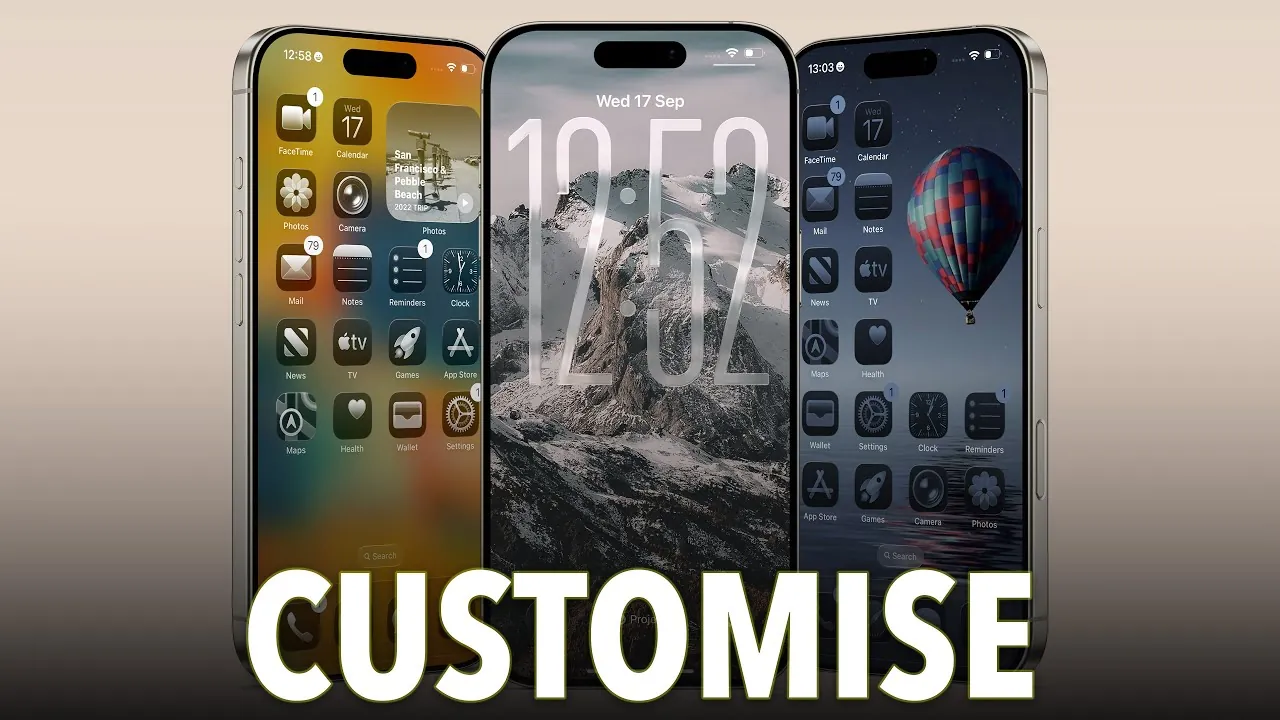
Apple’s iOS 26 introduces a new era of personalization and functionality, offering tools that allow you to design your iPhone experience to reflect your unique style and preferences. With a sleek redesign and innovative features, this update reimagines how you interact with your device. From the futuristic liquid glass design to dynamic wallpapers and enhanced lock screen options, iOS 26 enables you to create a smartphone experience that feels distinctly yours. The video below from
Proper Honest Tech gives us more details on how to customize your iPhone in iOS 26.

Liquid Glass Design: A Visual Revolution
One of the most striking features of iOS 26 is the liquid glass effect, a translucent aesthetic that permeates the entire system. This design enhances key areas such as the notification center, control center, and lock screen, delivering a modern and polished appearance. The liquid glass design is dynamic, adapting seamlessly to your chosen wallpaper or theme, ensuring a cohesive and personalized look.
Beyond its visual appeal, the liquid glass effect serves a functional purpose. It subtly adjusts its transparency based on the content behind it, improving readability and usability. Whether you’re checking notifications or navigating the control center, the liquid glass design ensures a smooth and intuitive experience while maintaining a visually stunning interface.
Dynamic Wallpapers and 3D Spatial Scenes
iOS 26 improves wallpaper customization with dynamic options that respond to your environment and preferences. The updated wallpaper menu introduces categories such as shadow, sky, halo, and dusk, each offering a distinct aesthetic. These wallpapers adapt in real-time, adding an interactive layer to your device and creating a more engaging user experience.
For those seeking a deeper level of immersion, the 3D spatial scenes feature transforms your photos into layered, dynamic visuals. This feature adds depth and movement to your home and lock screens, creating a sense of realism and interactivity. Adjustable toggles allow you to fine-tune the 3D effect, making sure it complements your overall design. Whether you prefer subtle animations or bold visual depth, this feature provides endless possibilities for personalization.
Lock Screen Customization: Form Meets Function
The lock screen in iOS 26 has been reimagined to offer unprecedented levels of customization, blending style with practicality. The clock, a central element of the lock screen, can now be resized using a simple drag bar. While the font remains consistent, you can experiment with new color options, including a customizable glass effect, to align the clock’s appearance with your chosen wallpaper or theme.
Additionally, lock screen shortcuts are now fully customizable. You can replace default options like the flashlight and camera with tools that better suit your needs, such as reminders, health apps, or third-party integrations. This flexibility ensures that your lock screen is not only visually appealing but also tailored to your daily routines, making it a functional extension of your iPhone experience.
Home Screen Customization: Endless Possibilities
iOS 26 redefines the home screen, offering unparalleled flexibility and control. The enhanced edit menu allows you to add widgets, rearrange app pages, and customize app tiles with ease. A standout addition is the translucent “clear” app tile effect, available in light, dark, or auto modes. This feature integrates seamlessly with the liquid glass design, creating a unified and polished aesthetic across your device.
App icons are now more versatile than ever. You can adjust their color and tint to match your wallpaper or select from predefined options. For further personalization, you can switch between small and large app tiles, tailoring the layout to your preferences. The dynamic light/dark mode ensures that your home screen adapts to your environment, maintaining optimal visibility and style throughout the day.
Wallpaper Categories: Balancing Innovation and Familiarity
While iOS 26 introduces innovative features, it also retains the classic wallpaper categories that users have come to appreciate. Options like photos, emoji, color, astronomy, and weather remain available, providing a familiar foundation for customization. This thoughtful balance between tradition and innovation ensures that both new and experienced users can navigate the update with ease, making it accessible to all.
Empowering Personalization and Usability
iOS 26 sets a new standard for smartphone customization, combining aesthetics and functionality to empower users to make their iPhone truly their own. The liquid glass design, dynamic wallpapers, 3D spatial scenes, and enhanced lock and home screen options provide a wealth of tools to reflect your unique style and needs. Whether you prioritize visual appeal, usability, or both, iOS 26 delivers a customizable experience that adapts to you. With these features, your iPhone becomes more than just a device—it becomes an extension of your personality and lifestyle.
Here are additional guides from our expansive article library that you may find useful on Liquid glass design.
Source & Image Credit: Proper Honest Tech
Filed Under: Apple, Apple iPhone, Guides
Latest Geeky Gadgets Deals
Disclosure: Some of our articles include affiliate links. If you buy something through one of these links, Geeky Gadgets may earn an affiliate commission. Learn about our Disclosure Policy.
Credit: Source link