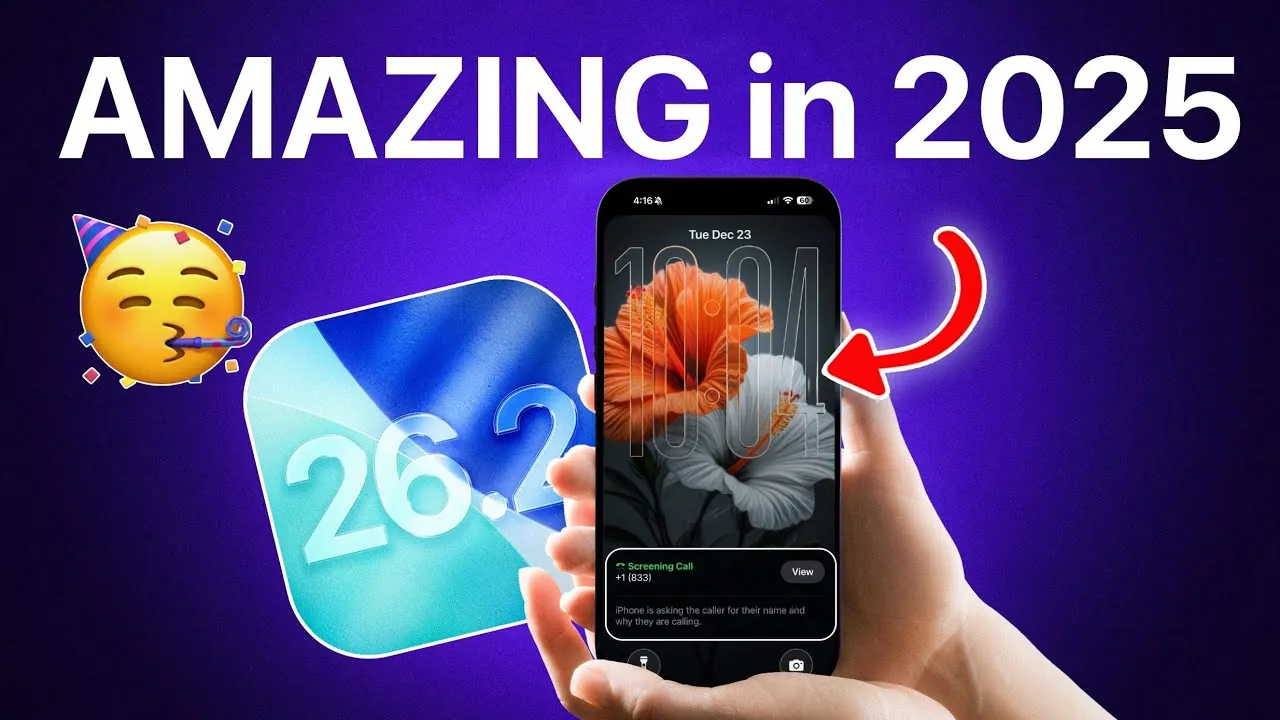
Apple’s iOS 26, released in late 2025, represents a significant evolution in mobile operating systems. This update introduces a suite of features designed to enhance usability, strengthen security, and optimize energy efficiency. Whether your focus is on personalization, communication management, or extending battery life, iOS 26 offers tools that make your device smarter, more secure, and better suited to your daily needs. The video below from iDeviceHelp gives us a look at some of the amazing features Apple brought to the iPhone this year.

Spatial Scenes: Bringing Depth to Your Device
A standout feature in iOS 26 is Spatial Scenes, which transforms static 2D images into immersive 3D visuals. This innovative tool allows users to apply depth effects to photos, wallpapers, and lock screens, creating a dynamic and visually engaging interface. For example, a simple landscape photo can now appear layered, giving the illusion of depth as you tilt your device. By integrating advanced visual technologies, Apple enhances both the aesthetic appeal and the personalization of your device. This feature not only improves the user experience but also sets a new standard for mobile interface design.
Call and Message Screening: Enhanced Communication Control
Managing interruptions has never been easier with iOS 26’s advanced call and message screening tools. When receiving calls from unknown numbers, the system prompts callers to state their purpose before you decide whether to answer. This ensures that you remain in control of your time while avoiding unnecessary disruptions. Additionally, the enhanced message filtering system automatically detects and silences spam messages, keeping your inbox organized and free of clutter. These tools reflect Apple’s commitment to improving both communication security and convenience, giving users greater control over their interactions.
Background Security Patching: Seamless Protection
iOS 26 introduces a streamlined approach to device security with background security patching. Unlike previous versions that required full system updates, this feature allows critical security patches to be installed independently. This ensures your device remains protected even if you choose to delay a major iOS update. By simplifying the patching process, Apple prioritizes user data protection while maintaining ease of use. This approach underscores the importance of proactive security measures in today’s digital landscape.
Liquid Glass Design: Personalization Meets Functionality
The Liquid Glass interface in iOS 26 takes customization to a new level. This feature allows you to adjust the transparency of your device’s interface, offering clear or tinted options to match your preferences. Whether you prefer a minimalist aesthetic or a more vibrant display, Liquid Glass ensures your device reflects your personal style. Additionally, it enhances the visibility of lock screen elements, blending functionality with sleek design. This innovation highlights Apple’s dedication to creating a user experience that is both visually appealing and highly functional.
Adaptive Power Mode: Smarter Energy Optimization
Battery life receives a significant upgrade with Adaptive Power Mode, a feature designed to intelligently manage energy consumption. This tool dynamically reduces background activity during periods of heavy use, extending battery life when charging options are limited. For instance, if you’re traveling or attending a long event, Adaptive Power Mode prioritizes essential functions to keep your device operational for longer. This practical solution addresses one of the most common challenges faced by mobile users, emphasizing Apple’s focus on real-world usability.
Key Features at a Glance
- Spatial Scenes: Transform static images into immersive 3D visuals for a more engaging interface.
- Call and Message Screening: Manage unwanted calls and spam messages with advanced filtering tools.
- Background Security Patching: Install critical updates independently of major system updates for seamless protection.
- Liquid Glass Design: Customize interface transparency to suit your personal style and preferences.
- Adaptive Power Mode: Optimize battery life by prioritizing essential functions during demanding situations.
iOS 26: A Platform Built for the Future
iOS 26 exemplifies Apple’s dedication to delivering meaningful advancements that align with user needs. From the visually captivating Spatial Scenes to the practical energy-saving capabilities of Adaptive Power Mode, each feature is thoughtfully designed to enhance your device’s functionality and usability. Whether you prioritize personalization, security, or efficiency, iOS 26 ensures your device is more intuitive and better equipped to adapt to your lifestyle. With these updates, Apple continues to lead the way in mobile operating systems, setting a benchmark for innovation and user-centric design.
Dive deeper into iOS 26 features with other articles and guides we have written below.
Source & Image Credit: iDeviceHelp
Filed Under: Apple, Apple iPhone, Top News
Latest Geeky Gadgets Deals
Disclosure: Some of our articles include affiliate links. If you buy something through one of these links, Geeky Gadgets may earn an affiliate commission. Learn about our Disclosure Policy.
Credit: Source link