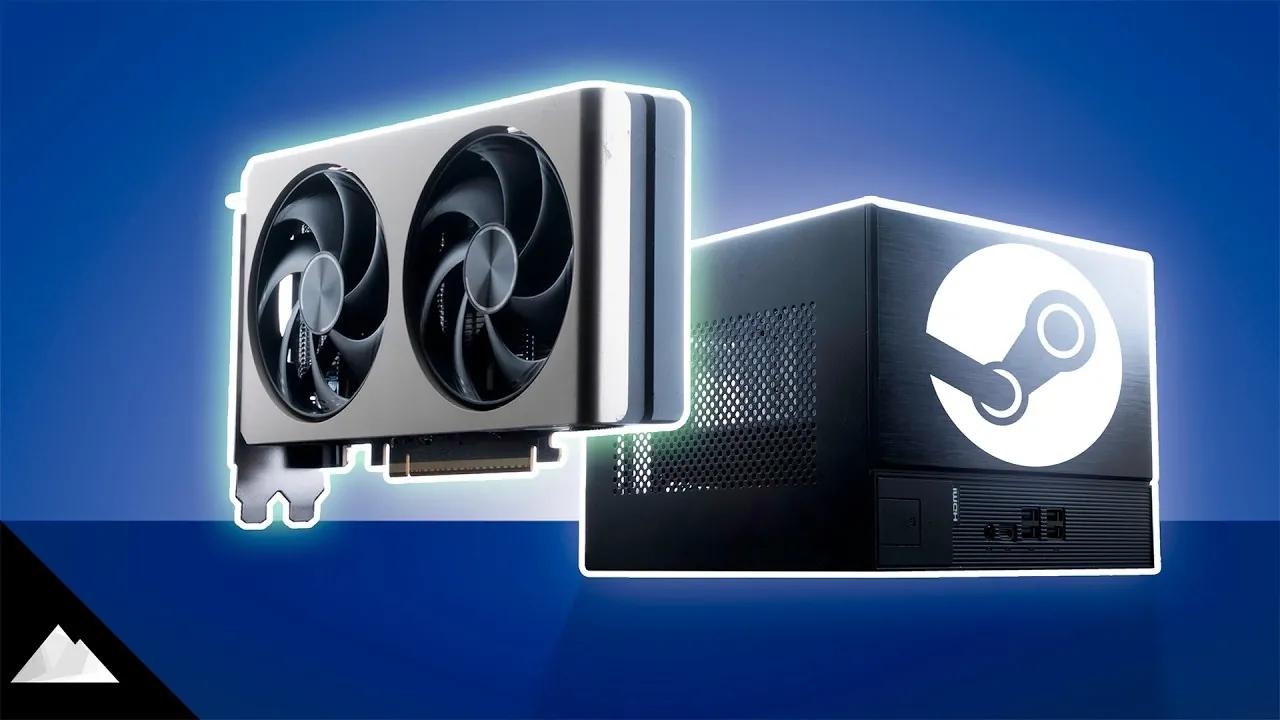
Building a compact Linux gaming PC requires careful planning, as outlined by Iceberg Tech in this quick-start guide. This gaming Steam Machine build focuses on assembling a system with the ASRock DeskMeet X600 case and an NVIDIA RTX 5060 GPU, emphasizing hardware compatibility and performance considerations. The DeskMeet X600 supports GPUs up to 200 mm in length, offering a compact solution for small spaces but limiting component choices.
In this guide, you will learn how to address the cooling and PCIe bandwidth constraints of the DeskMeet X600 while optimizing your build for gaming. The tutorial also covers the challenges of using NVIDIA GPUs on Linux, such as driver compatibility and stability, and compares these to AMD alternatives. These insights will help you build a DIY Steam Machine tailored to your gaming requirements.
Compact Linux Gaming PC Guide
TL;DR Key Takeaways :
- The ASRock DeskMeet X600 is a compact case designed for small form factor gaming PCs, but its restrictive size imposes limitations on GPU length, CPU cooler height, and upgrade potential.
- NVIDIA RTX 5060 offers advanced features like DLSS for enhanced gaming performance, but its Linux driver support is less stable compared to AMD GPUs, leading to potential compatibility and performance issues.
- AMD GPUs, such as the RX 960XT, are better suited for Linux gaming due to superior driver stability and seamless compatibility, despite having less advanced upscaling technology compared to NVIDIA’s DLSS.
- The DeskMeet X600’s limited PCIe bandwidth and 500 W PSU can bottleneck performance and restrict future upgrades, requiring careful component selection for optimal results.
- Linux gaming on NVIDIA hardware faces challenges like driver instability and performance inconsistencies, making AMD GPUs a more reliable choice for a smoother gaming experience.
Key Hardware Choices and Compatibility Challenges
The ASRock DeskMeet X600 serves as the foundation for this build, offering a compact form factor that supports a range of components. However, its small size introduces specific constraints that require careful planning to ensure compatibility and performance.
- GPU Selection: The NVIDIA RTX 5060 was chosen for its advanced features, including DLSS (Deep Learning Super Sampling), which enhances gaming performance. However, Linux systems often favor AMD GPUs due to better driver support, creating potential compatibility issues with NVIDIA hardware.
- CPU Choice: The Ryzen 5 8400F strikes a balance between affordability and performance. However, the DeskMeet X600’s limited PCIe bandwidth may bottleneck the GPU in graphically demanding games, impacting overall performance.
- Space Constraints: The DeskMeet X600 supports GPUs up to 200 mm in length, limiting your options to smaller cards. Additionally, the included 500 W PSU is adequate for this build but leaves minimal headroom for future upgrades.
These considerations highlight the importance of selecting components that not only fit physically but also perform optimally within the constraints of the DeskMeet X600.
Design Features and Build Limitations
The ASRock DeskMeet X600 is designed to simplify compact PC builds, but its small size comes with trade-offs that can affect both performance and flexibility.
- Cooling Restrictions: The case limits CPU cooler height to 54 mm, narrowing your cooling options. While the BIOS includes features like undervolting and thermal management, maintaining optimal temperatures in such a confined space can be challenging, especially during extended gaming sessions.
- Limited Expansion: The DeskMeet X600 offers only a few M.2 slots for storage and lacks built-in Wi-Fi, which may require additional expansion cards or external adapters to meet your connectivity needs.
Despite these limitations, the DeskMeet X600 provides a solid framework for a compact gaming PC, provided you carefully plan your component choices and prioritize efficient cooling solutions.
RTX Steam Machine Build Guide

Unlock more potential in DIY Steam Machines by reading previous articles we have written.
Linux Compatibility: NVIDIA’s Challenges
Running Linux on this build introduces unique challenges, particularly when using NVIDIA hardware. While NVIDIA has made strides in improving its Linux driver support, issues persist that can affect gaming performance and overall system stability.
- Driver Instability: NVIDIA’s Linux drivers, though improved, remain prone to bugs such as UI overlay corruption and inconsistent HDR functionality. These issues can disrupt the gaming experience and require frequent updates or workarounds.
- Steam OS Performance: Steam OS, a popular Linux-based gaming platform, struggles with NVIDIA GPUs. Workarounds, such as disabling hardware acceleration for the user interface, can mitigate some issues but demand technical expertise.
These challenges make AMD GPUs a more reliable choice for Linux gaming, as they offer better driver stability and compatibility, making sure a smoother gaming experience.
Gaming Performance: Strengths and Weaknesses
The gaming performance of this build was evaluated using popular titles such as The Last of Us Part II, Ark Raiders, and CS2. While the NVIDIA RTX 5060 delivers strong performance in Windows environments, its Linux performance is less consistent due to driver-related issues.
- DLSS Advantage: NVIDIA’s DLSS technology excels at upscaling and frame generation, often outperforming AMD’s FidelityFX Super Resolution (FSR). At 1440p resolution with medium-to-high settings, DLSS helps maintain smooth frame rates, making it a valuable feature for demanding games.
- Performance Bottlenecks: The GPU’s 8 GB VRAM and the DeskMeet X600’s PCIe bandwidth limitations can hinder performance in graphically intensive games, particularly at higher resolutions.
- Driver Issues: Stuttering and graphical glitches are common in some titles due to NVIDIA’s driver instability on Linux, detracting from the overall gaming experience.
While DLSS provides a significant advantage, the inconsistent performance of NVIDIA GPUs on Linux highlights the importance of considering AMD alternatives for a more stable gaming setup.
NVIDIA vs. AMD: A Comparison
When comparing NVIDIA and AMD GPUs for Linux gaming, AMD emerges as the more reliable option due to its superior driver support and compatibility.
- NVIDIA RTX 5060: Offers advanced features like DLSS and strong performance in Windows environments but struggles with Linux driver support, leading to performance inconsistencies and additional troubleshooting requirements.
- AMD RX 960XT: Provides better driver stability and seamless compatibility with Linux systems. While FSR is less advanced than DLSS, it delivers adequate upscaling for most games without the compatibility challenges associated with NVIDIA hardware.
For Linux users, AMD GPUs are generally the better choice, offering a more reliable and hassle-free gaming experience.
DeskMeet X600: A Compact Yet Constrained Case
The ASRock DeskMeet X600 is a thoughtfully designed small form factor case that simplifies assembly and offers a compact footprint. However, its restrictive design imposes several limitations that require careful planning.
- GPU and Cooler Restrictions: The 200 mm GPU length limit and 54 mm CPU cooler height cap necessitate precise component selection to ensure compatibility and optimal performance.
- Limited Upgrade Potential: The included 500 W PSU and lack of built-in Wi-Fi may require additional investments for future upgrades, reducing the system’s long-term flexibility.
Despite these constraints, the DeskMeet X600 remains a versatile option for users willing to work within its limitations, offering a compact and efficient platform for gaming and other tasks.
Media Credit: Iceberg Tech
Filed Under: Gaming News, Hardware, Top News
Disclosure: Some of our articles include affiliate links. If you buy something through one of these links, Geeky Gadgets may earn an affiliate commission. Learn about our Disclosure Policy.
Credit: Source link