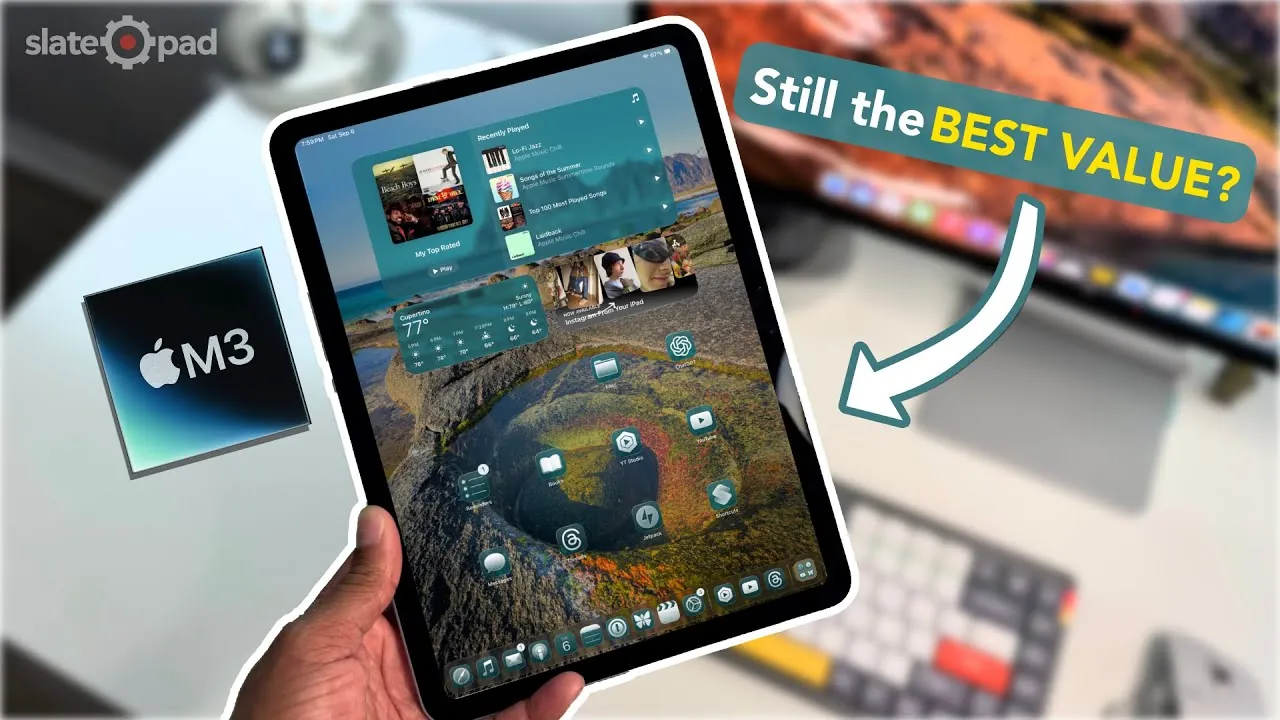
Six months after its release, the M3 iPad Air continues to stand out as a key player in Apple’s tablet lineup. With its sleek design, robust performance, and versatility, it caters to a wide range of users, from casual consumers to professionals. As iPadOS 26 redefines the tablet experience and user expectations evolve, the question remains: Does the M3 iPad Air still hold its position as the best mid-tier iPad? The detailed video below from SlatePad gives us more information.

Design and Build: Timeless Aesthetics with Practical Appeal
The M3 iPad Air exemplifies Apple’s modern design philosophy, which has become a hallmark of its devices since 2020. Its minimalist aesthetic, flat edges, and clean, text-free back create a polished and professional appearance. The lightweight aluminum body strikes a balance between portability and durability, making it an excellent choice for users who are frequently on the move.
The device is available in a range of subtle yet elegant colors, offering users a degree of personalization. However, the blue variant could benefit from a more vibrant tone to make it stand out in the lineup. Despite this minor critique, the overall design remains timeless, appealing to users who value both style and functionality. The M3 iPad Air’s build quality ensures it feels premium in hand, while its slim profile makes it easy to carry, whether for work, study, or leisure.
Performance and Hardware: Power Meets Efficiency
At the heart of the M3 iPad Air is an 8-core CPU and a 9-core GPU, delivering exceptional performance across a wide range of tasks. Whether you’re browsing the web, gaming, or engaging in light video editing, the device handles these activities with ease. It is particularly well-suited for the resource-intensive features of iPadOS 26, such as real-time visual effects and windowed multitasking, which demand significant processing power.
The device’s thermal management system is generally effective, making sure consistent performance during extended use. However, it can become warm when running demanding tasks, such as external display support or high-performance apps, for prolonged periods. With 8GB of RAM, the iPad Air supports smooth multitasking, but additional memory options would better cater to professionals managing complex workflows. The absence of higher RAM configurations may limit its appeal for power users who rely on intensive applications.
Battery Life: Reliable for Everyday Use
The M3 iPad Air offers dependable battery life, though it doesn’t always meet Apple’s advertised 10-hour benchmark during intensive usage. Tasks such as multitasking with external displays or running resource-heavy apps can drain the battery more quickly than expected. For general use, however, the device comfortably lasts through a full day, making it a reliable companion for everyday tasks like browsing, streaming, and note-taking.
While the battery performance is sufficient for most users, those who frequently engage in demanding workflows may find themselves reaching for the charger more often. The inclusion of fast-charging capabilities helps mitigate this issue, making sure the device can quickly regain power when needed. Overall, the battery life strikes a balance between reliability and practicality, though there is room for improvement in future iterations.
iPadOS 26 and Software Features: Productivity Redefined
iPadOS 26 introduces fantastic updates that enhance the M3 iPad Air’s functionality, making it a more capable device for productivity and professional workflows. Features like windowed multitasking and Mac-inspired tools blur the line between tablets and traditional computers, offering users greater flexibility in how they use their device.
While these features are now available across all compatible iPads, the M3 iPad Air retains an edge thanks to its hardware capabilities. Full external display support, a critical feature for professionals, remains exclusive to M-series iPads, giving the Air a distinct advantage over base models. This feature, combined with its powerful internals, makes the M3 iPad Air a strong choice for users seeking a portable yet capable device for work or creative projects.
The integration of Apple Pencil and Magic Keyboard support further enhances the device’s versatility, allowing users to seamlessly transition between tasks like note-taking, sketching, and typing. These accessories, while sold separately, unlock the full potential of the iPad Air, making it a compelling alternative to a traditional laptop for many users.
Value Proposition: A Balanced Investment
The M3 iPad Air continues to offer excellent value for users seeking a versatile and future-proof tablet. Its hardware is capable of handling demanding apps and workflows, making sure longevity and relevance in a rapidly evolving tech landscape. For users who prioritize touch input, cellular connectivity, and stylus support, the iPad Air serves as a compelling alternative to a low-cost MacBook.
Compared to the base iPad, the Air offers significant advantages, including better multitasking capabilities, external display support, and superior performance. While users with M1 or M2 iPad Airs may not find a compelling reason to upgrade, the M3 iPad Air is an excellent choice for those with older devices or those entering the iPad ecosystem for the first time. Its combination of performance, design, and software support makes it a well-rounded option for a wide range of users.
Areas for Improvement: Room to Grow
Despite its many strengths, the M3 iPad Air has areas where it could improve. Increasing RAM options beyond the current 8GB would better meet the demands of modern workflows, particularly for professionals managing complex tasks. Additionally, the inclusion of more USB-C ports would enhance productivity by supporting a wider range of peripherals, such as external storage devices, input tools, and additional displays.
Another area for potential improvement lies in the color palette. While the current options are elegant, introducing more vibrant or unique shades could broaden the device’s appeal, particularly among younger users or those seeking a more personalized aesthetic. Addressing these areas in future iterations could further solidify the iPad Air’s position as the best value option in Apple’s tablet lineup.
Final Thoughts: A Strong Contender with Room for Growth
Six months after its launch, the M3 iPad Air remains a standout device in Apple’s lineup. Its combination of performance, design, and value makes it a versatile choice for a wide range of users, from students and creatives to professionals. While iPadOS 26 has reduced some of its software exclusivity, the Air’s hardware capabilities and future-proofing ensure it remains a compelling option.
For those seeking a reliable and adaptable tablet, the M3 iPad Air continues to deliver. However, addressing areas like RAM configurations, port options, and color variety in future iterations could further enhance its appeal and solidify its position as the best value iPad in Apple’s lineup.
Here are additional guides from our expansive article library that you may find useful on M3 iPad Air.
Source & Image Credit: SlatePad
Filed Under: Apple, Apple iPad, Guides, Tablet News
Latest Geeky Gadgets Deals
Disclosure: Some of our articles include affiliate links. If you buy something through one of these links, Geeky Gadgets may earn an affiliate commission. Learn about our Disclosure Policy.
Credit: Source link